





 Laptop Computers
 Desktop Computers
 Printers

 Network
 Software
 Laptop Accessories
 Laptop Components
 Office
 Desktop peripherals
 Server

Hurry and get discounts on all Apple devices up to 20%
Sale_coupon_15
KSh3,000.00 excl. VAT
Payment Methods:

If you’re a professional technician, business owner, or everyday user in Kenya searching for reliable information about the HP Compaq 8000 Elite Ultra Slim Desktop power supply, you’re in the right place. At Lansotech— your trusted tech and computer shop in Kenya, we understand how important it is to choose the correct power supply for maximum performance, stability, and longevity of your desktop PC.
The HP Compaq 8000 Elite Ultra Slim Desktop (also called USDT) uses an external power adapter rather than a large internal power supply like traditional desktops. This model was designed with business environments in mind — compact size, reliable performance, and reduced power consumption — and the external power supply is an essential part of that design.
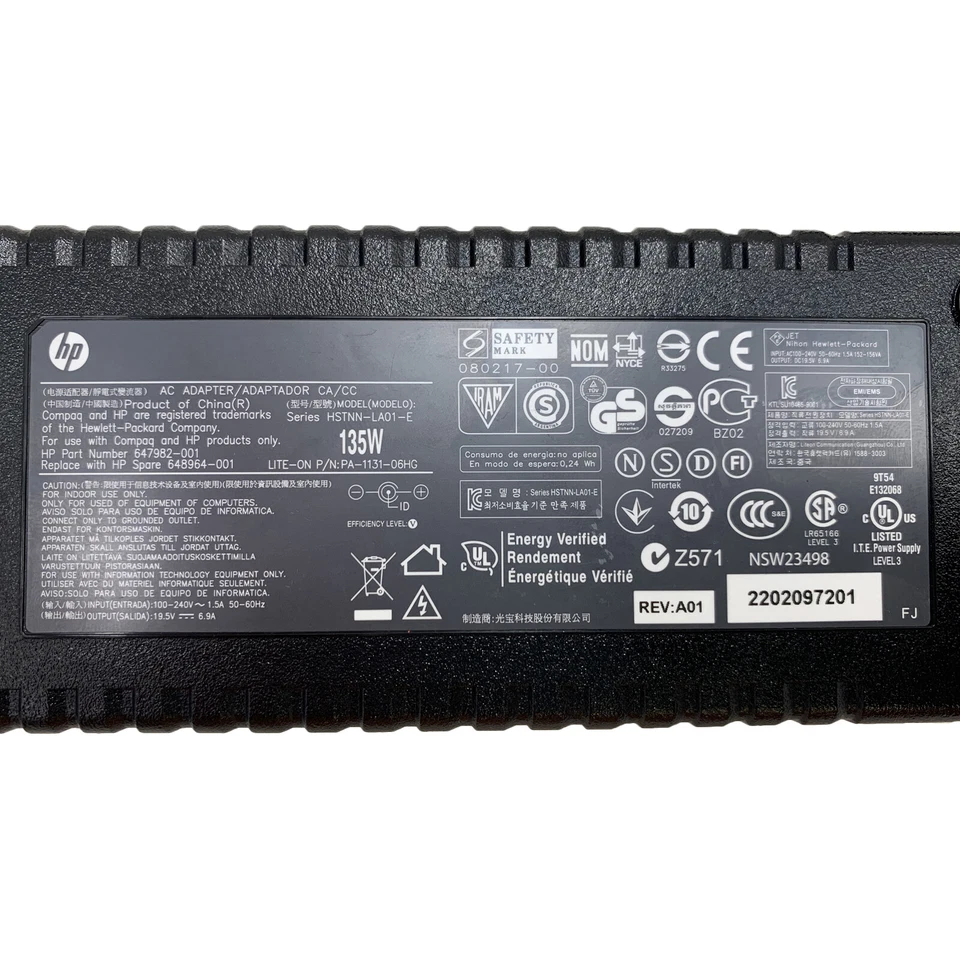
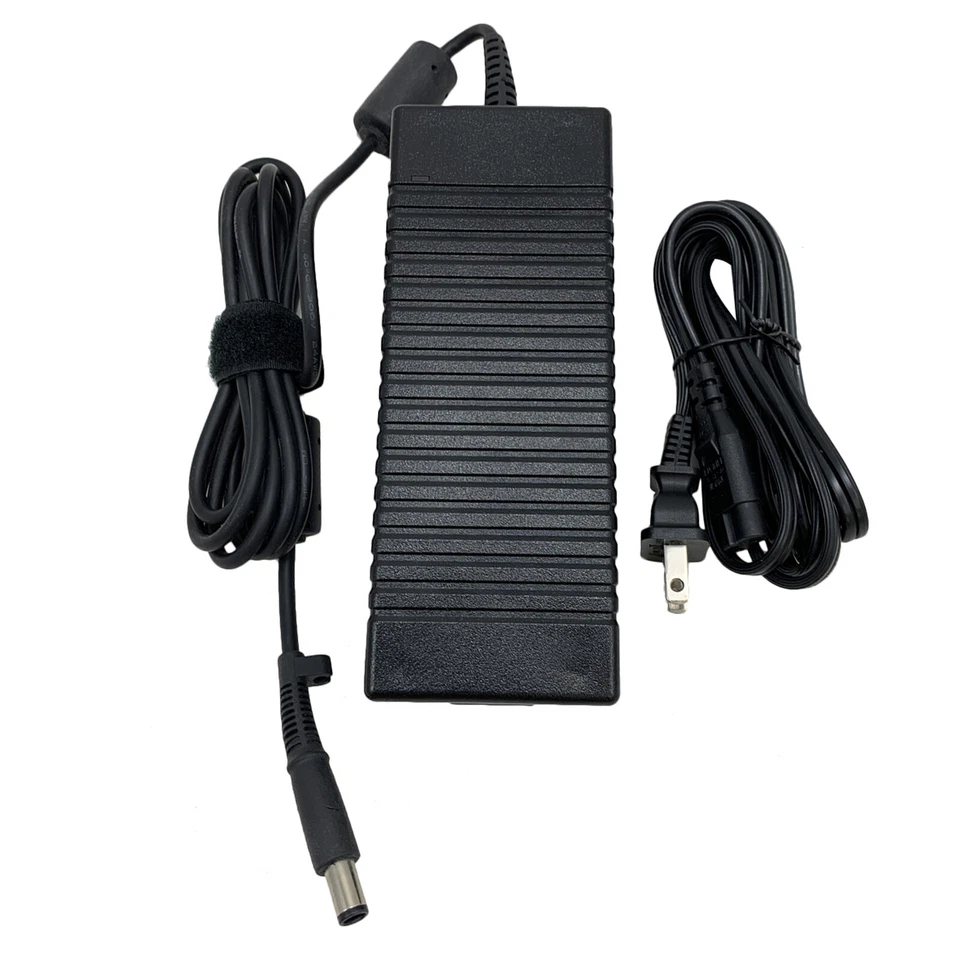
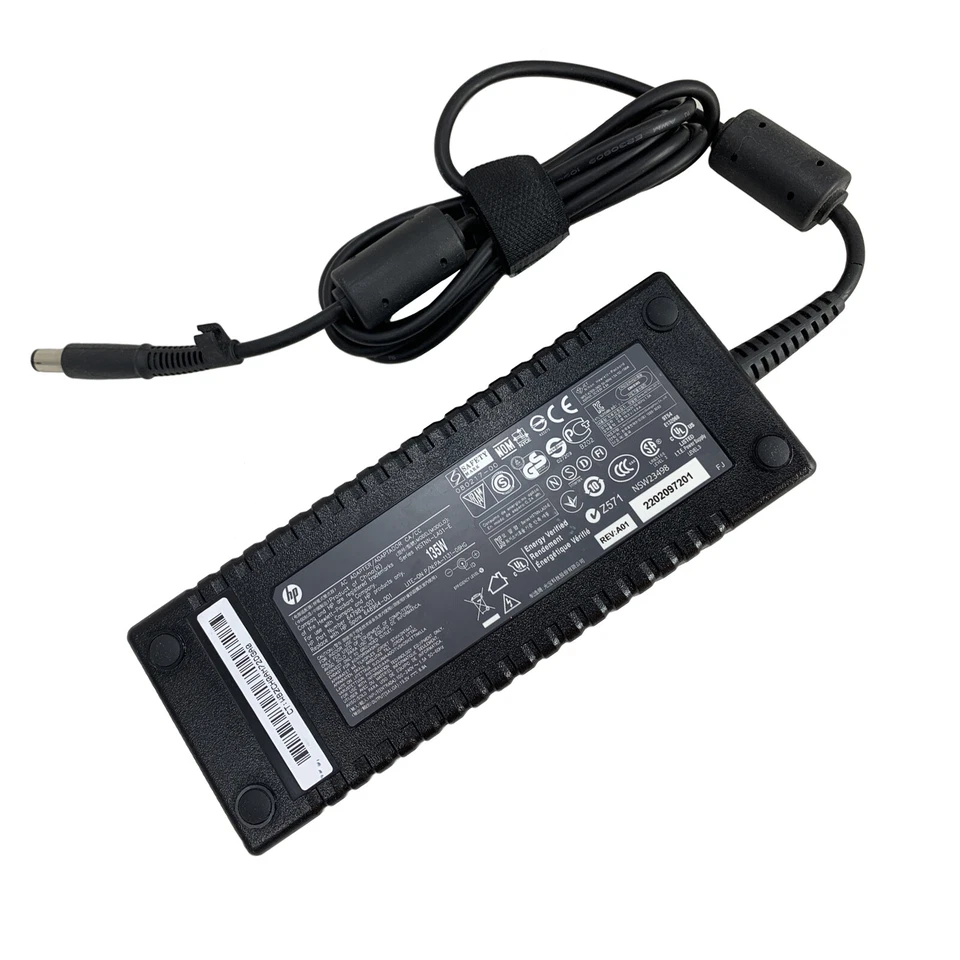
Instead of a built-in PSU, the Elite Ultra Slim uses a 135 W external power brick / adapter that connects to the desktop via a dedicated DC input port. This design makes the system more energy-efficient and easier to replace if the adapter fails.
Choosing and using the correct power supply is crucial for the following reasons:
A proper power supply delivers steady voltage and wattage, ensuring the desktop runs smoothly without crashing, freezing, or unexpected shutdowns.
Using the correct adapter with the right specifications protects your device from overvoltage, short circuits, and electrical fluctuations — important in regions like Kenya where power surges are common.
Matching the correct power rating ensures your system operates efficiently and helps extend the life of your components.
The Elite Ultra Slim system is designed for specific power delivery. A mismatched adapter can lead to poor performance or hardware damage.
Technicians and users often encounter a few tell-tale signs that the HP Compaq 8000 Elite Ultra Slim power supply needs attention:
No power when the desktop is plugged in
The system does not respond or power up
Unexpected shutdowns under load
Power LED flickering or not lighting up
Adapter becomes unusually hot or emits a burning smell
If you experience any of these, it’s important to check the adapter and power connection first before assuming a motherboard or other component has failed.
Inspect the adapter cable and connector for damage
Check the LED indicator on the adapter (if present)
Test with a multimeter (should match the rated DC output)
Try a known good HP 135 W adapter from a compatible model
✔ Always use an adapter that matches the exact voltage and wattage
✔ Prefer OEM or high-quality replacement adapters
✔ Avoid cheap generic adapters with no safety certification
✔ Replace the adapter if strain relief or cables look worn
At Compvate — your trusted tech shop in Kenya, we stock and test authentic and high-quality replacement adapters for HP business desktops like the Compaq 8000 Elite Ultra Slim. Our technicians can help you:
✔ Identify the correct adapter model
✔ Verify compatibility before installing
✔ Install and test the replacement safely
✔ Offer warranty and reliable after-sales support
To ensure your HP Compaq 8000 Elite Ultra Slim power supply continues serving you well:
🔹 Use a surge protector / UPS
🔹 Avoid bending or twisting the power cable sharply
🔹 Keep the connector and input port clean
🔹 Avoid placing the adapter on heat-retaining surfaces
These small habits help protect your system and reduce repair costs.
The HP Compaq 8000 Elite Ultra Slim Desktop (USDT) is designed with a compact business-focused form factor and uses an external AC-DC power adapter instead of an internal power supply unit. This design improves energy efficiency, reduces heat inside the system, and simplifies replacement when the adapter fails.
The system operates using a 135 W external power brick, which connects directly to the desktop via a DC input port. This power supply is engineered specifically to meet the power requirements of the Elite Ultra Slim platform.
Choosing the correct power supply for your HP Compaq 8000 Elite Ultra Slim Desktop is essential for several reasons:
A properly rated adapter provides consistent voltage and current, preventing system crashes, random shutdowns, and boot failures.
Correct power delivery protects internal components such as the motherboard, processor, and storage devices from electrical damage.
The original-spec power adapter operates efficiently, helping reduce electricity consumption and heat generation.
Using the correct adapter helps extend the lifespan of your desktop, saving you from costly repairs or premature replacement.
At Lansotech Solutions, we frequently diagnose the following power-related issues on HP Compaq 8000 Elite Ultra Slim desktops:
Desktop does not power on
No power LED or intermittent lighting
System shuts down unexpectedly
Power adapter overheating
Burnt smell or damaged cable near the connector
In many cases, these problems are directly linked to a faulty or incompatible power adapter.
Inspect the power cable and DC connector for physical damage
Confirm the adapter LED indicator is on
Test output voltage using a multimeter
Try a known working 135 W HP adapter
Always match wattage, voltage, and connector type
Use genuine or high-quality compatible adapters
Avoid low-quality generic power supplies
Ensure surge protection is used after replacement
At Lansotech Solutions, we supply and test authentic and high-quality replacement power adapters for HP business desktops. Our services include:
Correct adapter identification
Compatibility verification
Professional installation and testing
Warranty and after-sales technical support
We help businesses, schools, and individuals keep their systems running reliably.
To maintain the health of your HP Compaq 8000 Elite Ultra Slim power adapter:
Use a UPS or surge protector
Avoid bending or pulling the cable aggressively
Keep the adapter well-ventilated
Protect it from dust, moisture, and heat
These practices significantly reduce power-related failures.
The HP Compaq 8000 Elite Ultra Slim Desktop power supply is a critical component that ensures stable performance and system safety. Using the correct specifications is essential for efficiency and durability. At Lansotech Solutions, we provide expert guidance, genuine parts, and professional support to help you maintain your desktop with confidence.
No account yet?
Create an Account











 ASUS
ASUS



