





 Laptop Computers
 Desktop Computers
 Printers

 Network
 Software
 Laptop Accessories
 Laptop Components
 Office
 Desktop peripherals
 Server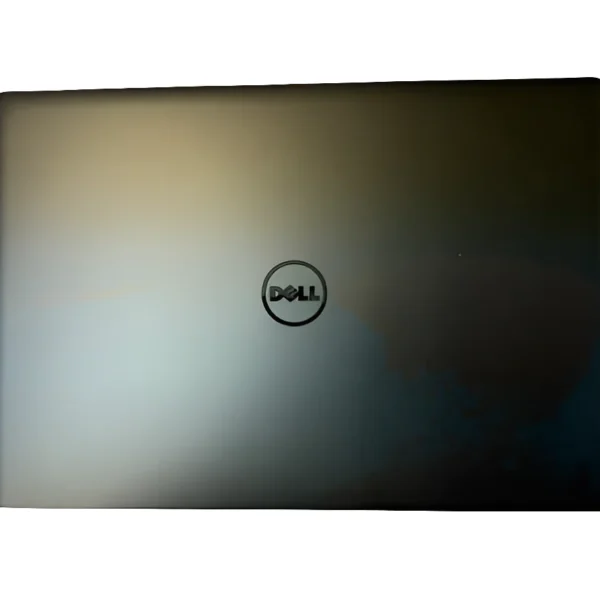

Palmrest (CD model) – with proper cutouts for CD/DVD drive, USB ports, touchpad frame, and power button
Bottom Base Cover – perfectly shaped for the CD version of the Latitude 3560 or 3570
Screws, mounts, rubber feet, and alignment for fan vents

Hurry and get discounts on all Apple devices up to 20%
Sale_coupon_15
KSh3,800.00 excl. VAT
Payment Methods:

Expert Repair & Replacement by Lansotech Solutions – Nairobi, Kenya
Is your Dell Latitude 3560 or 3570 laptop showing signs of physical wear — especially on the palmrest or bottom casing? Does your model include a CD/DVD drive, making the casing slightly different from the no-CD versions?
If so, you’re in the right place.
At Lansotech Solutions, Nairobi’s trusted laptop repair specialists, we offer professional palmrest and bottom base casing replacements specifically for the CD/DVD drive models of Dell Latitude 3560 and 3570 laptops.
Laptops with optical drives (CD/DVD) have a different palmrest and bottom chassis layout. That means you can’t use a “no-CD” casing on a “CD-model” — they simply won’t fit.
Cracked palmrest edges
Broken CD slot frame
Bottom cover loose or missing screws
Broken hinge mounts
Deformed casing from overheating or dropping
Restores your laptop’s structure and aesthetics
Prevents further damage to internal components
Improves cooling, hinge strength, and usability
Palmrest (CD model) – with proper cutouts for CD/DVD drive, USB ports, touchpad frame, and power button
Bottom Base Cover – perfectly shaped for the CD version of the Latitude 3560 or 3570
Screws, mounts, rubber feet, and alignment for fan vents
Note: This replacement is model-specific. Please confirm your laptop includes a CD/DVD drive before ordering.
Here’s how our certified technicians at Lansotech perform the casing swap:
| Step | Description |
|---|---|
| 1️⃣ | Inspect the damage and confirm your laptop model (CD drive version) |
| 2️⃣ | Power down, remove battery, back panel, and all components |
| 3️⃣ | Remove keyboard, palmrest, motherboard, and internal cables |
| 4️⃣ | Replace both palmrest and bottom casing with new parts |
| 5️⃣ | Reassemble, clean, test ports, DVD drive alignment, and hinge tension |
Time required: ~60 to 90 minutes
Service type: In-shop (walk-in) or doorstep (pickup and return in Nairobi)
Dell 3560 CD palmrest replacement
Dell 3570 bottom base cover Nairobi
Dell laptop casing with DVD slot
Laptop housing replacement Kenya
Dell 3560 casing repair Nairobi
CD drive model laptop casing
Best casing repair shop in Nairobi
Q1: How do I know if my model uses a CD-type palmrest?
If your Dell Latitude 3560 or 3570 has a physical DVD/CD drive slot on the side, you require the CD palmrest version.
Q2: Can I buy the casing only, without installation?
Yes! We sell parts to technicians and DIY users. Just ensure you’re purchasing the correct CD-compatible casing.
Q3: Can I switch from CD to no-CD casing?
Technically, no. The motherboard, layout, and casing cutouts won’t align correctly. It’s best to stick with the correct version.
Q4: How long does installation take?
Typically under 90 minutes. You can wait in-shop or book a same-day return service.
Get the DELL LATITUDE 3560 3570 CD Casing. from Lansotech Solutions today
No account yet?
Create an Account











 ASUS
ASUS



