





 Laptop Computers
 Desktop Computers
 Printers

 Network
 Software
 Laptop Accessories
 Laptop Components
 Office
 Desktop peripherals
 Server

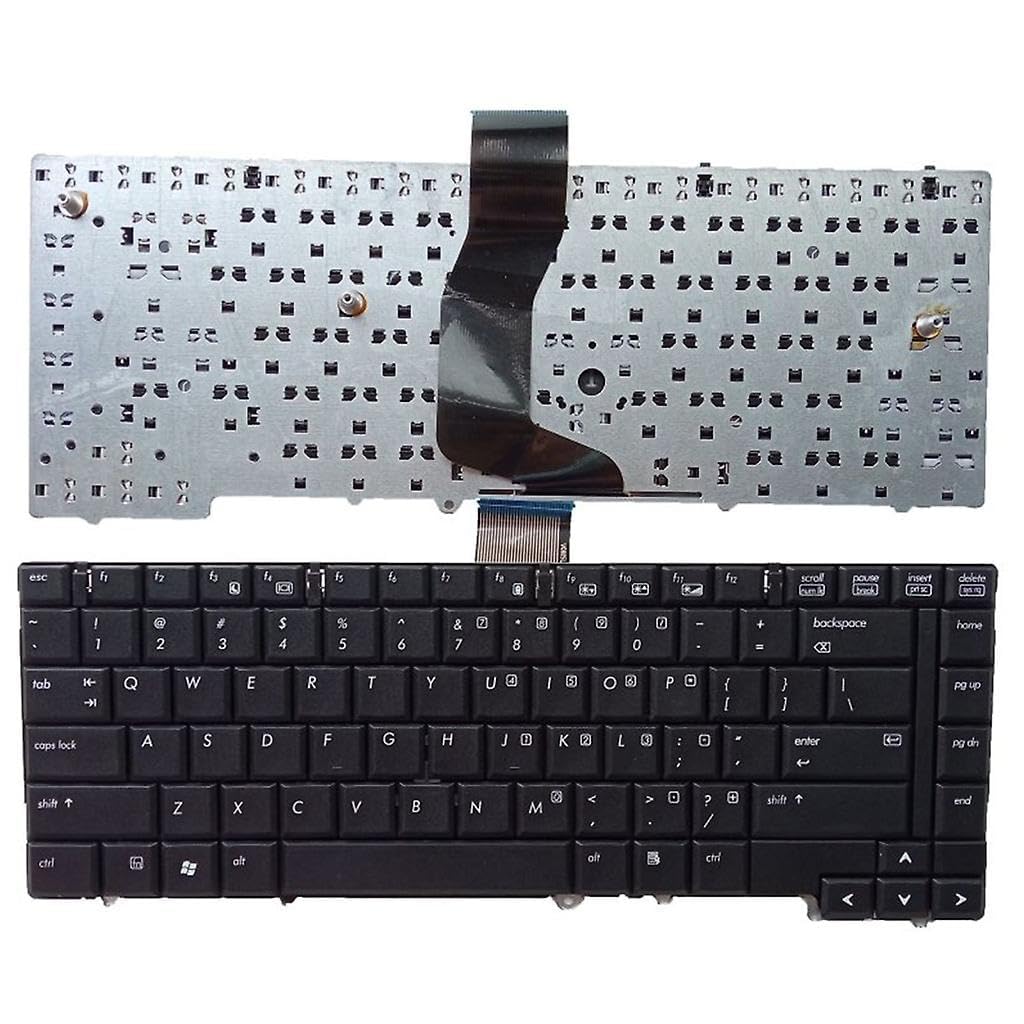
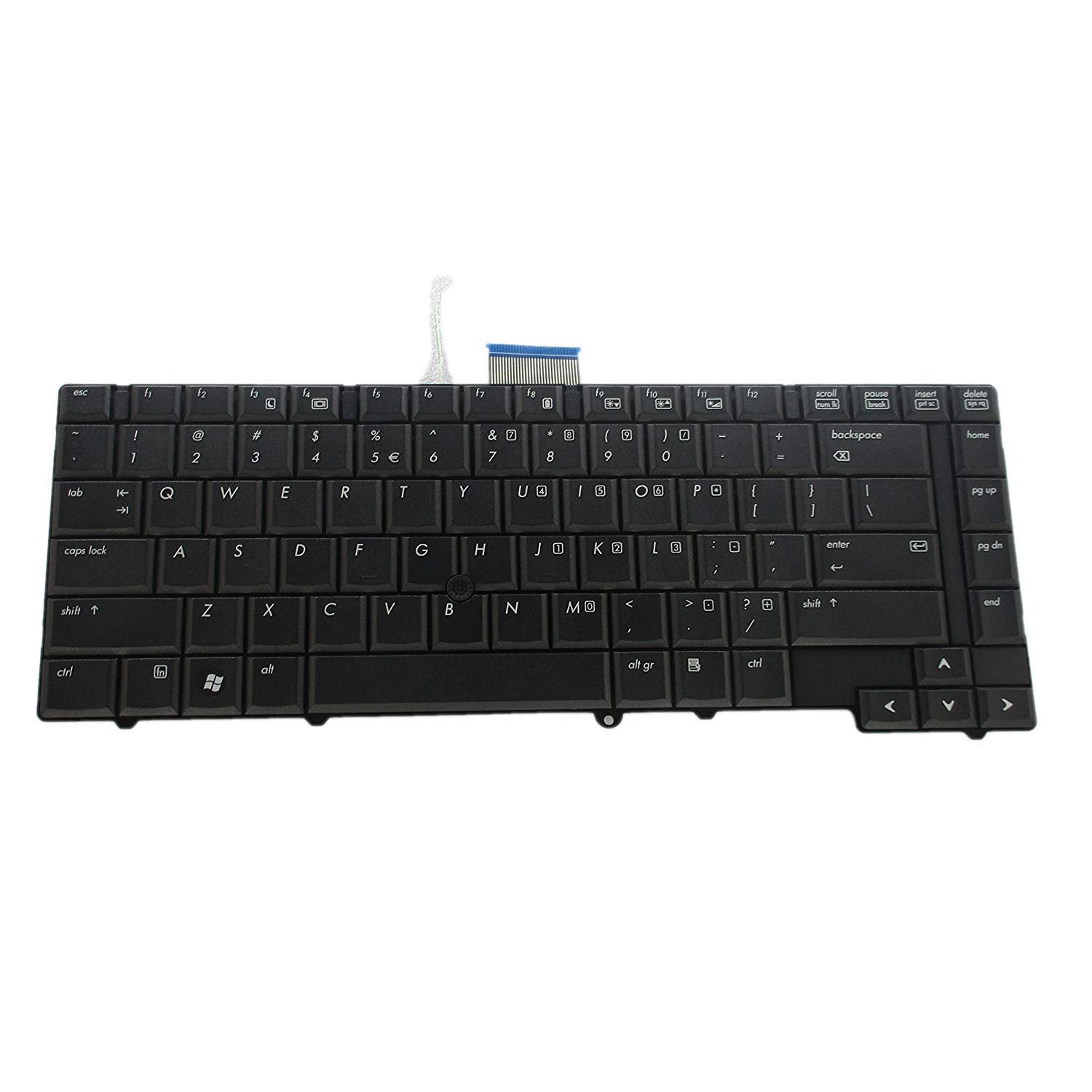
Compatible Models: HP EliteBook 6930, HP EliteBook 6930p
Layout: US Standard (QWERTY)
Color: Black
Features:
Smooth and responsive keys – perfect keyboard for developers
Durable and factory-tested
Sleek professional design
Warranty: Included with installation from Lansotech Solutions

Hurry and get discounts on all Apple devices up to 20%
Sale_coupon_15
KSh1,800.00 excl. VAT
Payment Methods:

At Lansotech Solutions, we take pride in being the most trusted laptop parts supplier and repair center in Nairobi. If your HP EliteBook 6930 or 6930p keyboard is worn out, missing keys, or not responding properly, our team is ready to provide a genuine US layout keyboard replacement that restores your laptop’s original typing experience.
Whether you’re a developer looking for a comfortable keyboard for long coding sessions or a business user who types daily reports, you deserve a keyboard that works flawlessly.
Replacing your old or damaged keyboard with a high‑quality original part offers significant benefits:
Perfect compatibility with HP EliteBook 6930 and 6930p models.
Smooth key travel and tactile feedback, ideal as a perfect keyboard for developers and content creators.
Durable, factory‑tested construction for long-lasting use.
US Standard QWERTY layout in a sleek black finish for a professional look.
Easy installation with expert support from Lansotech Solutions.
✔ HP EliteBook 6930
✔ HP EliteBook 6930p
Layout: US Standard QWERTY
Color: Black
Condition: Brand New – Original HP Part
We ensure every replacement is done with care and precision:
Step 1 – Diagnosis and Inspection
Our technicians first confirm that the keyboard is the root issue, not the motherboard or ribbon connector.
2 – Safe Disassembly
Using anti‑static tools, we carefully open your laptop without damaging any internal components.
3 – Removal of the Faulty Keyboard
The old keyboard is detached meticulously, ensuring no loose parts or wiring issues.
4 – Installation of the New Keyboard
A genuine HP EliteBook 6930/6930p keyboard is fitted, aligned, and connected properly.
5 – Thorough Testing and Cleaning
Every key, shortcut, and function is tested. We finish by cleaning and polishing your laptop before handing it back.
Once your new keyboard is installed, proper care will make it last longer:
Use compressed air regularly to clear dust between the keys.
Wipe with a microfiber cloth and isopropyl alcohol to keep it clean and germ‑free.
Avoid food or drinks near your laptop to prevent accidental spills.
Consider a silicone keyboard protector to block debris.
Type with gentle pressure to maintain the keys’ responsiveness.
These tips help you maintain a comfortable keyboard for developers, students, and professionals.
✔ Certified HP repair experts
✔ Original, genuine parts in stock
✔ Quick turnaround with guaranteed results
✔ Affordable pricing with warranty coverage
✔ Trusted by businesses, universities, and developers across Nairobi
No account yet?
Create an Account











 ASUS
ASUS



