











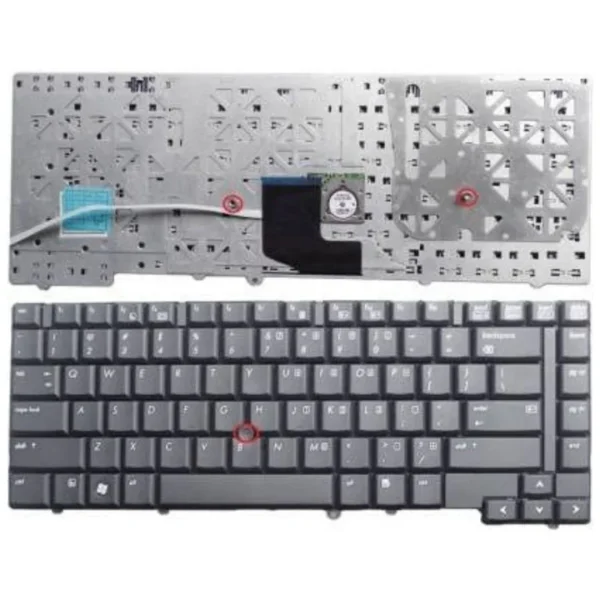



HP EliteBook 8540p & 8540w Keyboard Replacement – US Layout
At Lansotech Solutions, we specialize in delivering high‑quality HP replacement parts and professional installation services across Nairobi. If your HP EliteBook 8540p or 8540w keyboard is failing, sticky, or missing keys, we offer a genuine US layout keyboard replacement to restore your laptop’s full functionality and typing comfort.
A reliable keyboard is vital, especially if you are a developer, writer, or business professional who depends on accuracy and speed. Our replacement keyboards are known to be the perfect keyboard for developers and anyone who values precision.
Why Replace Your HP EliteBook 8540p/8540w Keyboard
A faulty keyboard can slow you down. Here’s why upgrading to our replacement keyboard is worth it:
-
Exact fit and compatibility with HP EliteBook 8540p and 8540w models.
-
Comfortable typing experience with smooth key travel, ideal for heavy users and developers.
-
Durable build quality for long-lasting use even under demanding conditions.
-
US Standard QWERTY layout with a sleek black design for a professional look.
-
Tested and verified original HP parts for guaranteed performance.
Compatible Models
✔ HP EliteBook 8540p
✔ HP EliteBook 8540w
Layout: US Standard (QWERTY)
Color: Black
Condition: Brand New, Original HP Part
Our Transitional Installation Process
We ensure a smooth and professional service from start to finish:
Step 1 – Initial Diagnosis
Our technicians verify the keyboard issue and check for any other hardware faults.
2 – Careful Disassembly
We use proper anti‑static tools to safely open your EliteBook without damaging internal parts.
3 – Old Keyboard Removal
We carefully disconnect and remove your worn keyboard, preserving all connectors.
4 – New Keyboard Installation
A brand‑new HP EliteBook 8540p/8540w keyboard is installed and properly secured.
5 – Final Testing & Cleaning
Each key is tested thoroughly. We finish with a clean‑up, leaving your laptop in top condition.
How to Keep Your Keyboard Clean and Long‑Lasting
To maintain your new keyboard and ensure it remains the perfect keyboard for developers and professionals:
-
Clean dust with compressed air weekly to prevent buildup.
-
Wipe keys with isopropyl alcohol and a soft microfiber cloth.
-
Avoid eating or drinking near your laptop to prevent accidental spills.
-
Use a keyboard protector if you often work in dusty environments.
-
Type gently and avoid excessive force to preserve key mechanisms.
Why Choose Lansotech Solutions in Nairobi
✔ Trusted HP laptop specialists
✔ Original HP spare parts always in stock
✔ Fast replacement service with warranty
✔ Affordable pricing and professional care
✔ Recommended by developers, businesses, and IT professionals












 ASUS
ASUS



