






 Laptop Computers
 Desktop Computers
 Printers

 Network
 Software
 Laptop Accessories
 Laptop Components
 Office
 Desktop peripherals
 Server
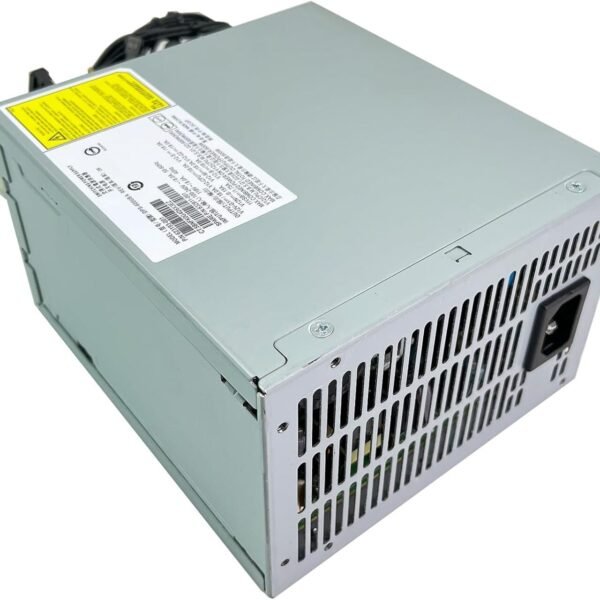
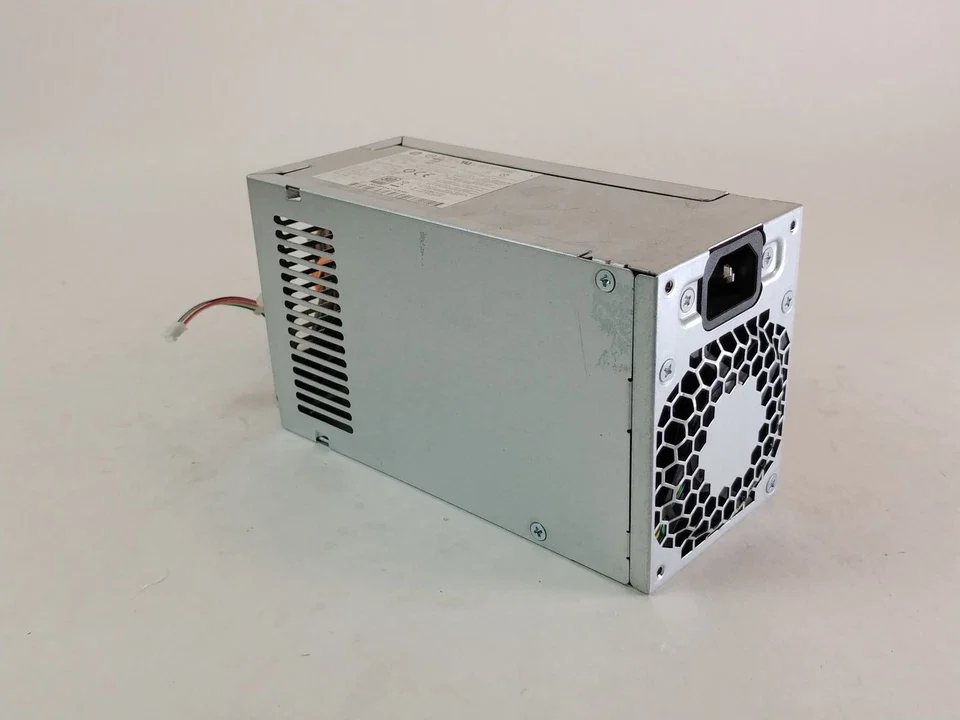
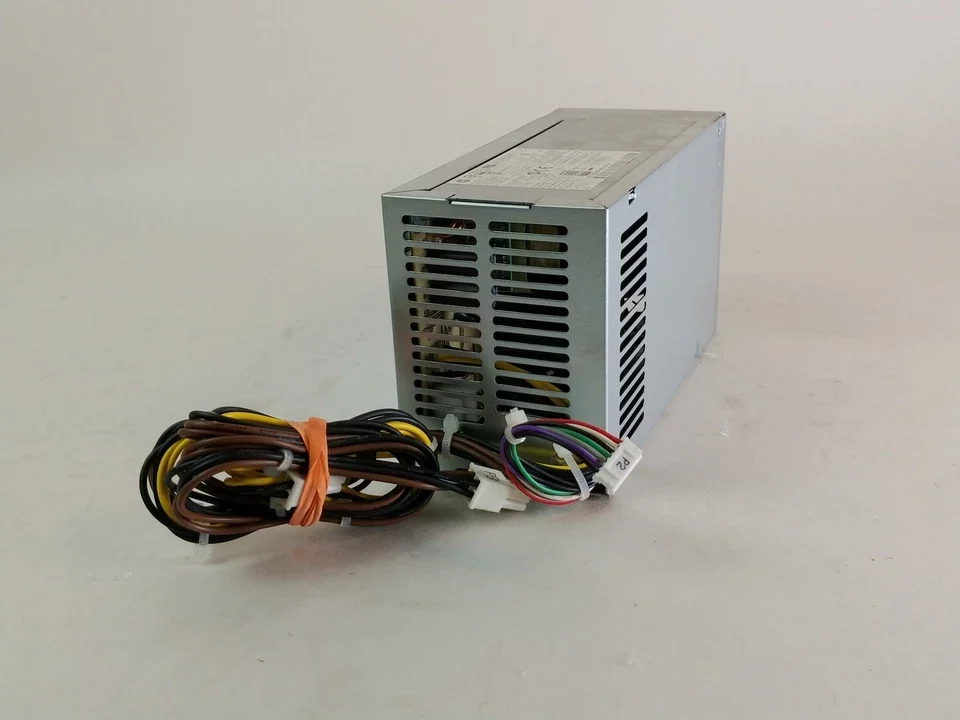
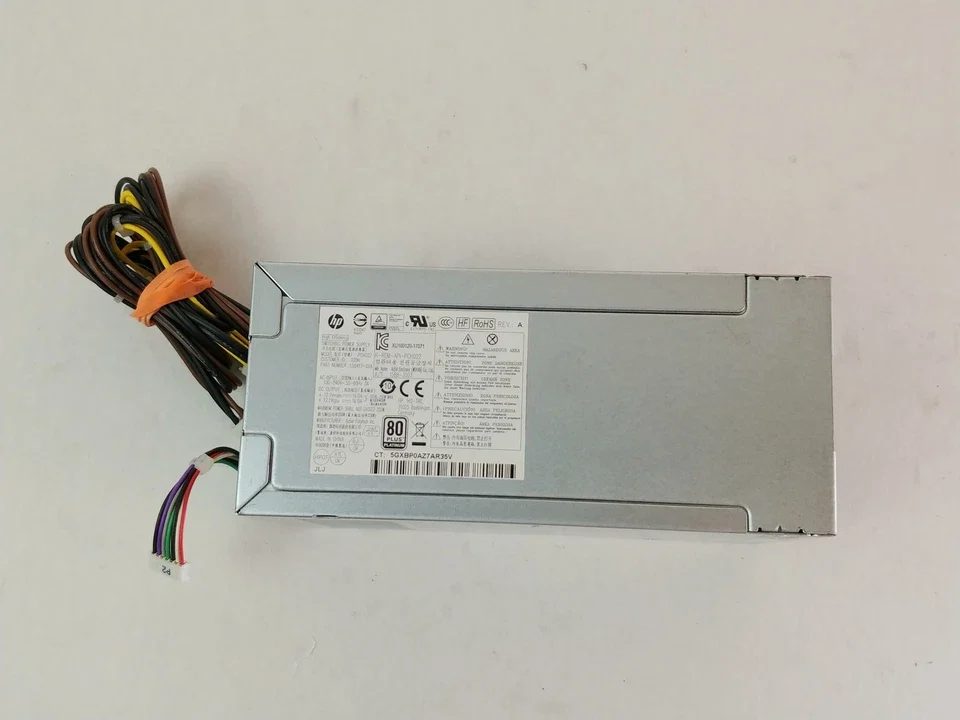
Product Name: HP EliteDesk 800 G4 Power Supply
Form Factor: Small Form Factor (SFF) / Tower (depending on model)
Wattage: 180W – 250W (varies by model configuration)
Input Voltage: 100–240V AC, 50–60Hz
Output Voltage: 12V / 5V / 3.3V DC
Efficiency Rating: 80 PLUS Bronze / Gold (depending on model)
Connector Type: Proprietary HP motherboard and peripheral connectors
Protection Features: Over-voltage, Over-current, Short-circuit
Cooling System: Internal fan with thermal control

Hurry and get discounts on all Apple devices up to 20%
Sale_coupon_15
KSh5,000.00 excl. VAT
Payment Methods:

At Lansotech Solutions, Nairobi’s leading supplier of genuine HP computer parts and accessories, we take pride in providing high-quality, original replacements for business desktops and workstations. One of our top-selling components is the new HP EliteDesk 800 G4 Power Supply, engineered to deliver dependable, efficient, and stable power to your HP desktop — ensuring peak performance and long-term reliability.
Whether you are replacing a faulty PSU or upgrading your existing unit, our original HP EliteDesk 800 G4 Power Supply guarantees compatibility, energy efficiency, and safety for your office or professional setup.
The HP EliteDesk 800 G4 is part of HP’s premium desktop series, designed for enterprise-grade performance, security, and reliability. Powering such a machine requires a high-quality PSU (Power Supply Unit) capable of meeting modern computing demands while maintaining stable voltage under varying workloads.
The new HP EliteDesk 800 G4 Power Supply converts AC input into regulated DC voltage to support the motherboard, CPU, storage drives, and peripherals. This genuine power supply is built to HP’s original equipment standards, offering precise wattage output and superior electrical protection.
It’s available in multiple configurations, including 180W, 250W, and 310W models — ensuring compatibility across different form factors such as Small Form Factor (SFF) and Microtower (MT) variants of the EliteDesk 800 G4.
When it comes to powering your desktop, authenticity matters. A genuine HP power supply guarantees better performance, system safety, and energy efficiency than generic or third-party alternatives.
Here’s why choosing a genuine HP EliteDesk 800 G4 PSU from Lansotech Solutions is the best decision:
Exact Compatibility – Designed to fit perfectly in HP EliteDesk 800 G4 systems, ensuring seamless installation and operation.
Consistent Power Output – Provides steady current and voltage to support high-performance CPUs and memory.
Enhanced Protection – Built-in over-voltage, over-current, and short-circuit protection prevents component damage.
Energy Efficient – HP’s 80 PLUS-certified PSUs ensure reduced energy waste and lower operating temperatures.
Durable Construction – Designed for continuous operation in demanding business environments.
Each power supply is factory-tested and quality-assured, so you can trust it to deliver uninterrupted power to your HP desktop.
Available in 180W, 250W, and 310W, the HP EliteDesk 800 G4 PSU can power a variety of configurations — from basic office setups to high-performance workstations.
The PSU is engineered with 80 PLUS Bronze efficiency, ensuring at least 85% efficiency under full load. This means less heat generation, reduced energy bills, and longer lifespan for internal components.
The power supply is equipped with advanced safety mechanisms, including over-load, over-temperature, and surge protection. This safeguards both your power supply and your desktop’s sensitive components from electrical instability.
A temperature-controlled cooling fan ensures silent operation and maintains stable internal temperatures, even during prolonged use.
The SFF (Small Form Factor) design allows easy installation in tight spaces while maintaining robust build quality for long-term reliability.
The HP EliteDesk 800 G4 Power Supply is compatible with several HP desktop models, including:
HP EliteDesk 800 G4 Small Form Factor (SFF)
HP EliteDesk 800 G4 Microtower (MT)
HP ProDesk 600 G4 Series (select models)
HP EliteDesk 705 G4 Series (depending on configuration)
Our experts at Lansotech Solutions can help you identify the exact wattage and connector configuration suitable for your desktop model.
If your HP EliteDesk 800 G4 is showing any of these symptoms, it’s time to consider replacing the PSU:
The desktop fails to start or powers off unexpectedly.
You hear clicking or buzzing noises from inside the chassis.
The system restarts randomly during heavy tasks.
The PSU emits excessive heat or a burning smell.
The fan in the power supply is not spinning or is unusually loud.
Replacing the damaged PSU with a genuine HP EliteDesk 800 G4 power supply restores stability and prevents further damage to internal components.
Proper maintenance and power management can significantly extend the lifespan of your PSU and other computer components. Here are expert tips on how to protect your power supply against damage:
Use a Surge Protector or UPS: Protect your desktop from voltage fluctuations and sudden power outages.
Maintain Proper Airflow: Ensure your workstation has adequate ventilation to prevent overheating.
Clean Regularly: Dust buildup blocks airflow, leading to overheating. Clean vents and fans periodically.
Avoid Overloading: Do not connect high-powered external devices that exceed your PSU’s wattage rating.
Check Power Cables: Use only genuine HP power cords and avoid damaged cables or connectors.
Unplug During Storms: Disconnect from power during thunderstorms or extended blackouts.
By following these precautions, you can protect your HP EliteDesk 800 G4 power supply from damage and ensure your desktop runs smoothly for years.
Installing the new HP EliteDesk 800 G4 PSU is straightforward when done carefully:
Power off and unplug your desktop.
Open the case by removing the side panel.
Disconnect the old PSU cables from the motherboard, drives, and peripherals.
Unscrew and remove the old PSU.
Install the new power supply securely into the chassis.
Reconnect all cables firmly to their corresponding ports.
Close the case, plug in the power cord, and turn on the system.
If you’re unsure, our certified technicians at Lansotech Solutions can handle the installation for you.
At Lansotech Solutions, we offer original HP EliteDesk 800 G4 Power Supplies at competitive prices. Whether you’re a business, IT technician, or individual customer, we guarantee:
100% genuine HP products
Competitive retail and wholesale pricing
Fast same-day delivery within Nairobi and next-day nationwide
Professional installation services
Warranty-backed reliability
Our products are ideal for both home and business users who value performance, quality, and safety.
No account yet?
Create an Account











 ASUS
ASUS



