





 Laptop Computers
 Desktop Computers
 Printers

 Network
 Software
 Laptop Accessories
 Laptop Components
 Office
 Desktop peripherals
 Server

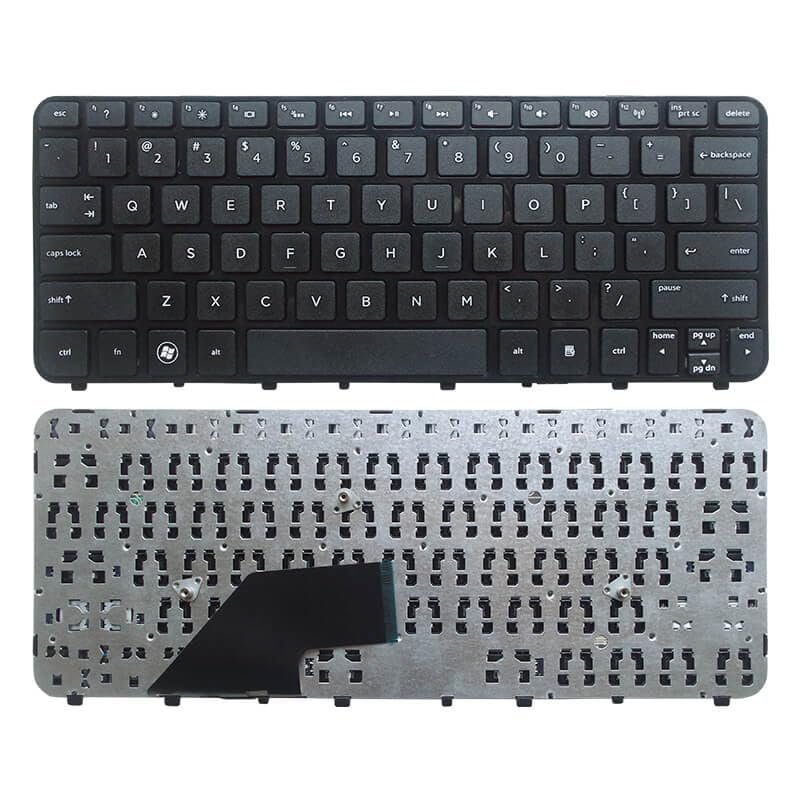
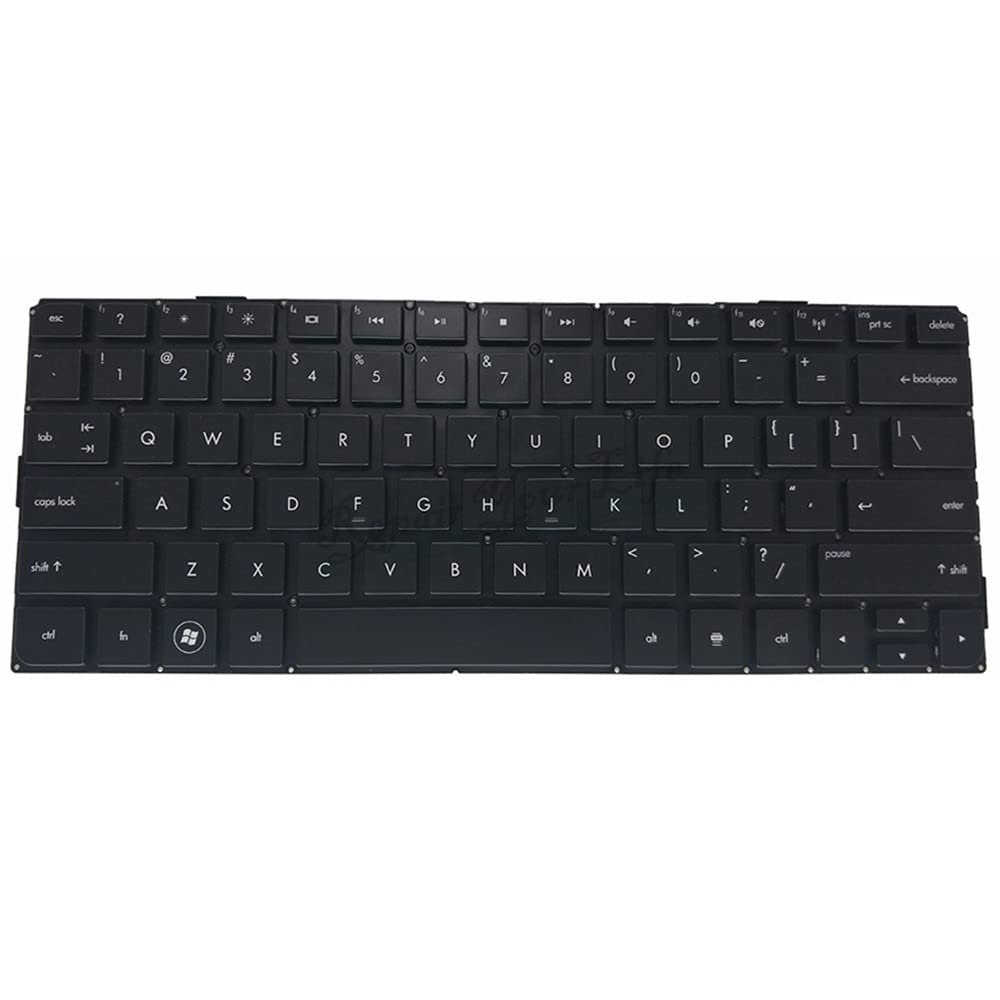
Compatibility: HP Folio 13‑2000 Ultrabook series
Layout: Full-size QWERTY, chiclet-style, with backlit feature
Color: Elegant black
Features: Spill-resistant, premium build, soft-touch keys
Condition: Brand new OEM part

Hurry and get discounts on all Apple devices up to 20%
Sale_coupon_15
KSh3,000.00 excl. VAT
Payment Methods:

At Lansotech Solutions, we understand the bond you have with your laptop. Your HP Folio 13‑2000 isn’t just a machine—it’s your companion for work, creativity, and communication. When the keyboard begins to fail—keys sticking, letters not registering, or the entire board becoming unresponsive—it feels like you’re losing a part of yourself. That’s why we offer a genuine HP Folio 13‑2000 keyboard replacement, designed to restore your ultrabook to peak performance.
The HP Folio 13‑2000 is a premium ultrabook, and every component matters. A damaged or worn-out keyboard can cause endless frustration and reduce productivity. Replacing it with a brand-new OEM keyboard ensures:
Precise and responsive typing with every keystroke.
Original build quality that matches HP standards.
Seamless integration without any modifications.
Our replacement keyboards are specifically manufactured for the HP Folio 13‑2000 series, ensuring a perfect fit and flawless operation.
Enjoy backlit keys that make typing in low‑light environments effortless, while keeping the premium look and feel of your ultrabook.
Each keyboard is built from high-quality materials and rigorously tested, guaranteeing long‑term performance even under heavy daily use.
With soft-touch keys and a refined layout, typing feels smooth and quiet, ideal for offices, classrooms, or night-time work.
As one of the most trusted laptop keyboard shops in Nairobi CBD, we at Lansotech Solutions provide a replacement service that stands out:
🔧 Authentic HP Folio keyboards only
🔧 Quick, professional installation—often same day
🔧 Competitive pricing and warranty support
🔧 Friendly, highly trained technicians ready to assist
🔧 After-sales care and guidance for maintenance
Your ultrabook deserves the best, and that’s exactly what we deliver.
Sometimes keyboard problems come from dust buildup rather than damage. If your HP Folio 13‑2000 keyboard is dusty, try these simple steps first:
Turn off and unplug your laptop.
Hold it upside down and gently shake to remove loose debris.
Use compressed air to blow out dust between keys.
Wipe gently with a soft microfiber cloth—avoid moisture.
If keys still don’t work, let us handle a full cleaning or replacement.

No account yet?
Create an Account











 ASUS
ASUS



