





 Laptop Computers
 Desktop Computers
 Printers

 Network
 Software
 Laptop Accessories
 Laptop Components
 Office
 Desktop peripherals
 Server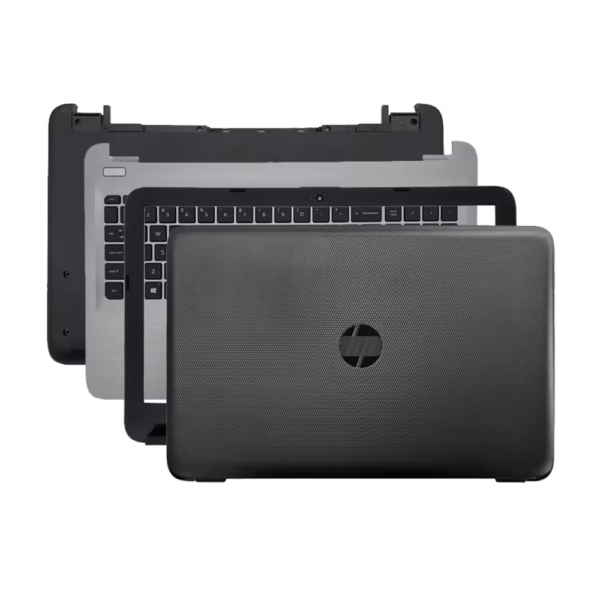

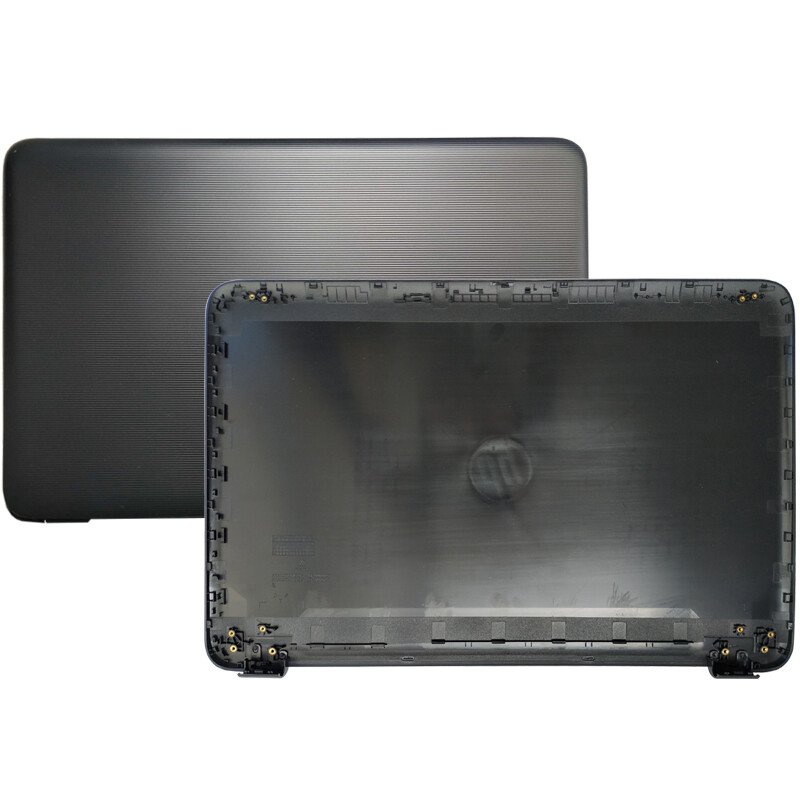
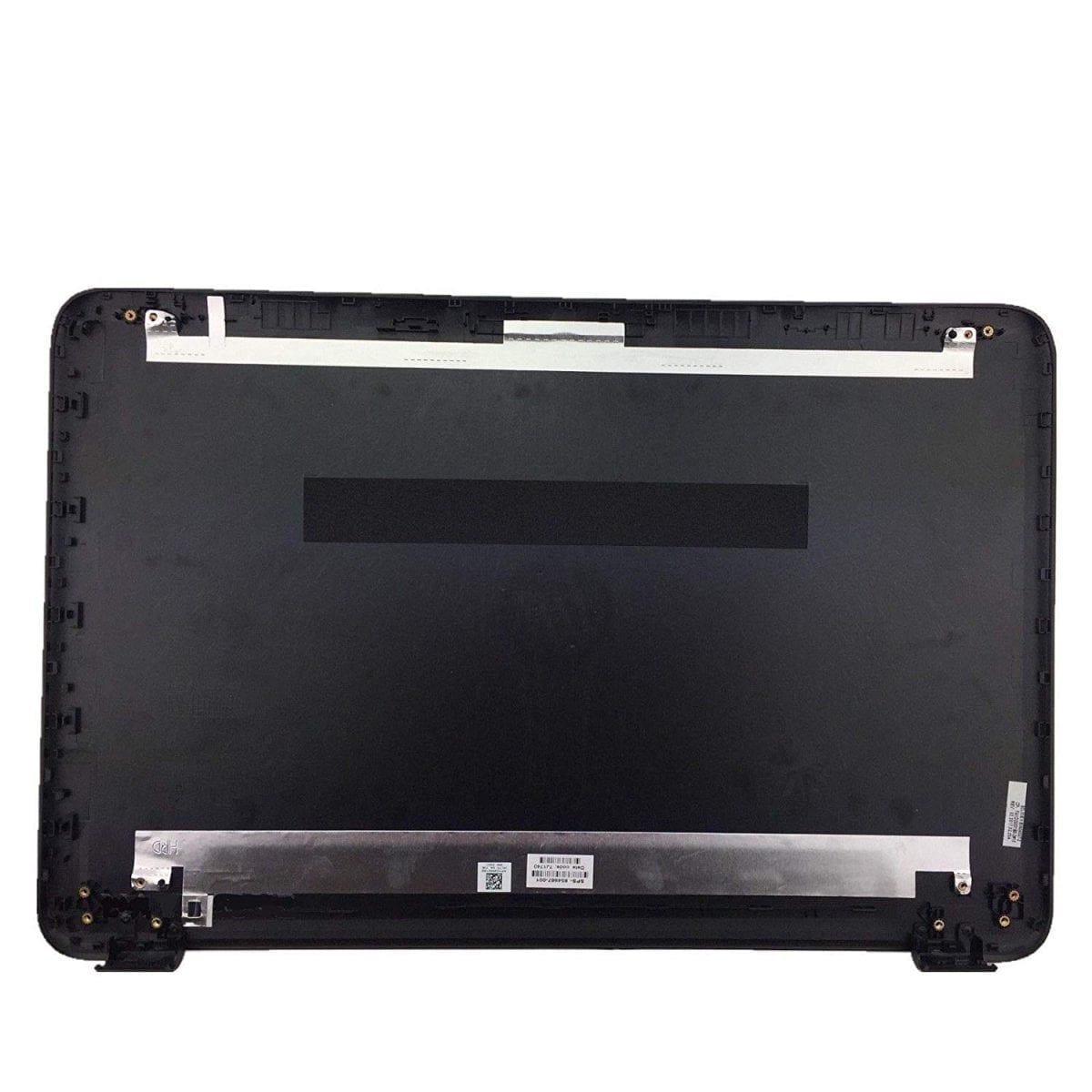
LCD Back Cover + Front Bezel Frame (Top Case Assembly Parts)
HP 15-AY Series
HP 250 G5 Series
HP 255 G5 Series
HP 15-AC and 15-AF Series (select variants with similar hinge alignment)
Back Cover: 813974-001 / 813975-001
Front Bezel: 813972-001 / 813973-001

Hurry and get discounts on all Apple devices up to 20%
Sale_coupon_15
KSh3,800.00 excl. VAT
Payment Methods:

When it comes to maintaining or repairing your HP 15-AY 250 G5 laptop, ensuring you use genuine replacement parts is essential. One of the most common issues users face is damage to the LCD back cover and front bezel casing, which protects the display and enhances the laptop’s overall durability and appearance. In this detailed guide, we provide everything you need to know about the HP 15-AY 250 G5 (AB) LCD Back Cover and Front Bezel replacement—from specifications and compatibility to installation and purchasing tips.
The HP 15-AY and 250 G5 series are among HP’s most popular notebook lines, valued for their reliability, affordability, and sleek design. These laptops are often used for business, academic, and home computing, making them a top choice for professionals and students alike.
However, due to frequent opening and closing, travel, or accidental drops, the LCD back cover and front bezel can crack, loosen, or get scratched, compromising both the look and the functionality of your device. Replacing these parts restores your laptop’s appearance and structural integrity, preventing further internal damage to the screen assembly.
Replacing your HP 15-AY 250 G5 (AB) LCD back cover and front bezel casing is not just about aesthetics—it’s a matter of protection and performance.
The LCD back cover shields the internal components of your display, including the screen panel, hinges, and webcam cable. A cracked or loose back cover can lead to dust intrusion and cable damage.
The front bezel secures the screen panel firmly in place, preventing flickering or screen misalignment caused by movement or vibration.
A new back cover and bezel can make your HP laptop look brand-new, increasing its resale value and extending its lifespan.
Instead of replacing the entire display assembly, changing just the back cover and bezel offers a budget-friendly solution for minor physical damages.
LCD Back Cover + Front Bezel Frame (Top Case Assembly Parts)
HP 15-AY Series
HP 250 G5 Series
HP 255 G5 Series
HP 15-AC and 15-AF Series (select variants with similar hinge alignment)
Back Cover: 813974-001 / 813975-001
Front Bezel: 813972-001 / 813973-001
Always check your laptop’s model and part number printed beneath the battery or inside the cover to ensure accurate compatibility.
High-quality ABS plastic with matte or glossy finish
Durable hinge mounts for long-term use
Precise cutouts for webcam, microphone, and hinges
Black (Standard OEM)
Silver Gray (optional, depending on the model variant)
Before purchasing, verify the model name and part number of your HP laptop:
Turn off your laptop and remove the battery (if detachable).
Locate the sticker under the laptop base.
Note the model name—e.g., HP 15-AY023TU or HP 250 G5 Notebook PC.
Cross-check the part number of your current back cover and bezel with the one listed by the seller.
This ensures your new HP 15-AY 250 G5 back cover and bezel will fit perfectly and align with the hinge and screw positions.
Phillips screwdriver
Plastic pry tool or spudger
Tweezers (optional)
Anti-static wrist strap (recommended)
Disconnect the power adapter and remove the laptop battery. Ensure you’re working on a clean, static-free surface.
Using a plastic pry tool, gently lift the front bezel around the edges of the screen. Take care not to damage the clips.
Unscrew the screws holding the LCD screen and hinges in place. Disconnect the webcam and display cables carefully.
Once the screen assembly is free, remove the old back cover. Inspect the hinges and screw holes for any wear or damage.
Position the new HP 15-AY 250 G5 (AB) back cover and secure it with screws. Ensure hinge mounts align correctly.
Snap the new front bezel into place, pressing evenly around all sides until all clips engage securely.
Reconnect cables, reinstall the battery, and power on the laptop to test the display alignment and stability.
To keep your new LCD cover and bezel in top condition:
Avoid opening the laptop lid from just one side—use both hands for even pressure.
Keep your device away from direct sunlight or heat sources.
Use a protective sleeve or case during travel.
Clean the exterior regularly with a soft microfiber cloth and gentle screen cleaner.
Yes, if you are comfortable handling electronics and follow the steps carefully, it’s a straightforward process. Otherwise, seek help from an authorized technician.
If your hinges are loose or damaged, it’s best to replace them simultaneously to ensure smooth opening and closing of the lid.
OEM parts are manufactured by HP or their certified partners, while compatible replacements are made by third-party vendors that match HP specifications.
If your laptop is still under warranty, it’s recommended to contact HP support before opening the device, as self-repair may void coverage.
The HP 15-AY 250 G5 (AB) LCD Back Cover and Front Bezel casing replacement is an essential investment to restore your laptop’s strength, performance, and visual appeal. By choosing high-quality, compatible parts and following a careful installation process, you can extend your HP notebook’s life and maintain its professional look for years to come.
Whether you’re a technician or a casual user, the right replacement components ensure your HP laptop stays durable, functional, and visually flawless.
No account yet?
Create an Account











 ASUS
ASUS



