





 Laptop Computers
 Desktop Computers
 Printers

 Network
 Software
 Laptop Accessories
 Laptop Components
 Office
 Desktop peripherals
 Server

Chipset Manufacturer: Intel
Chipset Model: Intel HM86
Application: Laptop
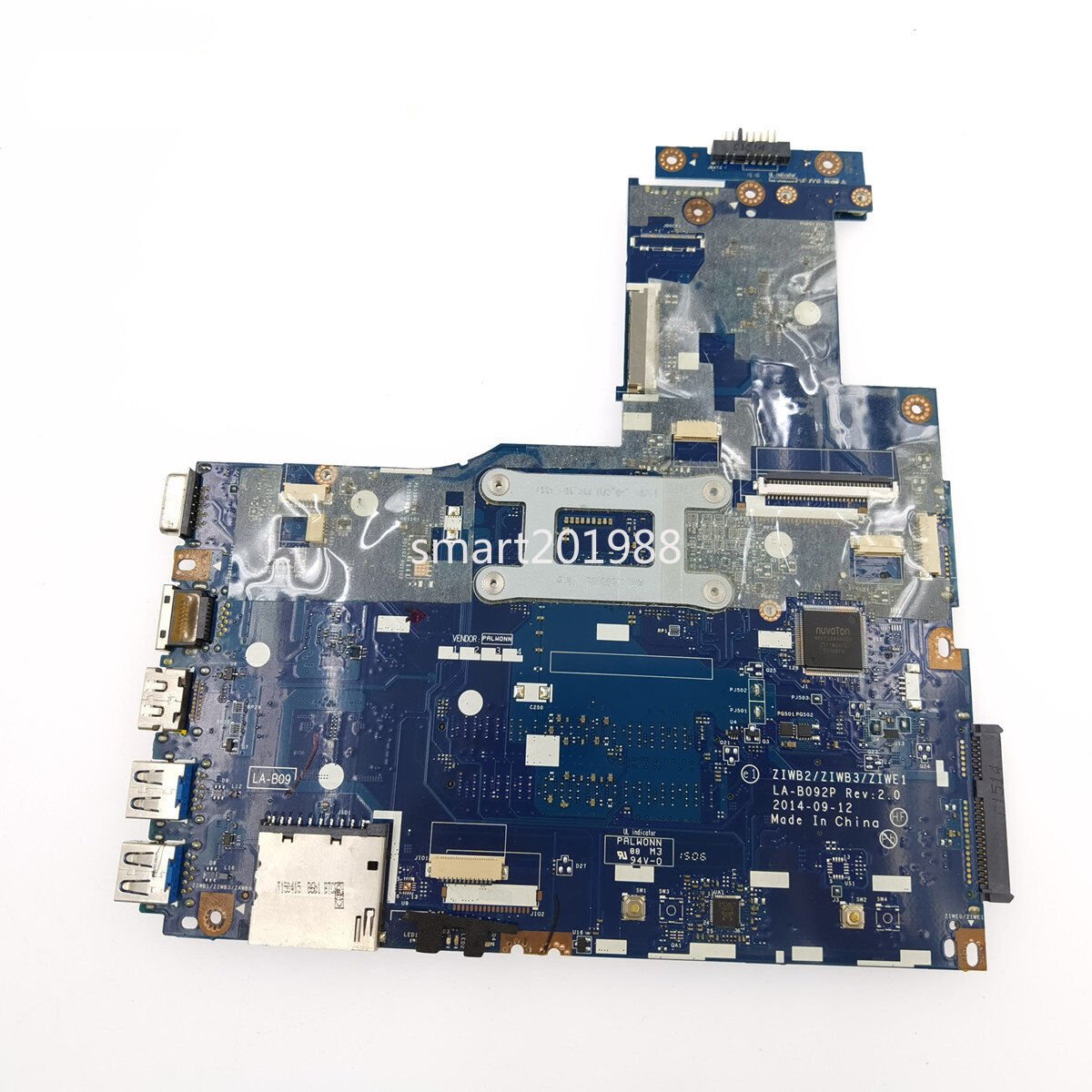
Model Number: B40-70
Part Number: LA-B092P
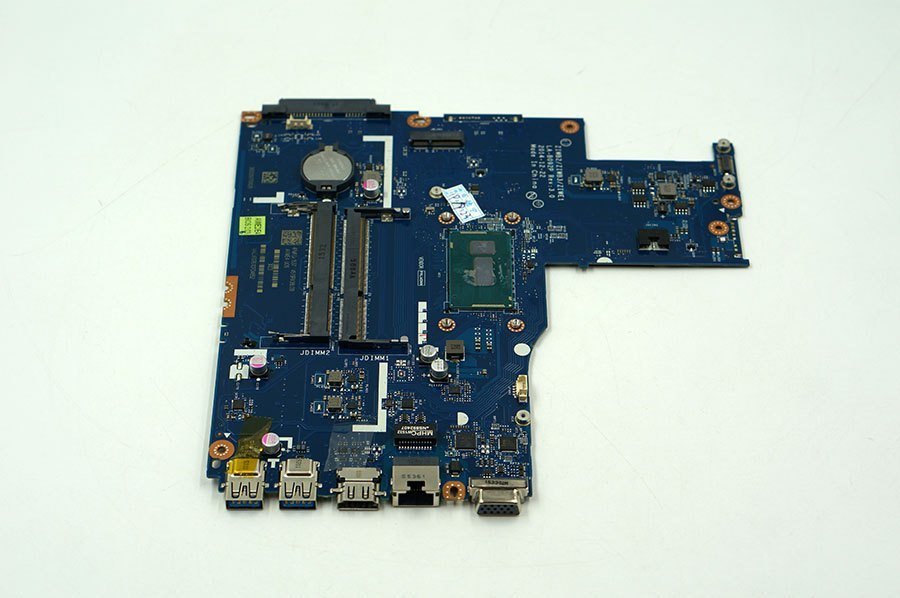
Socket Type: Onboard CPU
CPU Type: Intel (Included with motherboard)
Graphics Type: Integrated Graphics
Motherboard Condition: Used (Original Replacement, Fully Tested)
Supported RAM Type: DDR3
Memory Bank: 2 DDR3 DIMM slots
Memory Channel: Dual Channel
Hard Drive Interface: SATA
Ports Available:
USB 3.0
Ethernet
HDMI
VGA
Launch Date: 2013
Tested: Yes, quality verified

Hurry and get discounts on all Apple devices up to 20%
Sale_coupon_15
KSh8,000.00 excl. VAT
Payment Methods:

Looking to replace the motherboard in your Lenovo B40-80 or set up a fresh build? You’re in the right place. This guide walks you through everything you need to know about the Lenovo B40-80 motherboard for Core i3, what makes it a smart buy in Kenya, how to check compatibility, and why choosing the right supplier matters.
Before diving into the motherboard itself, let’s review what the Lenovo B40-80 offers and what kind of motherboard it uses.
The Lenovo B40-80 is a 14-inch laptop commonly equipped with an Intel Core i3-5005U processor (5th Generation).
The typical motherboard part number is LA-B092P Rev 3.0 or equivalent revisions.
It supports DDR3 or DDR3L RAM with two memory slots.
Common ports include USB 3.0, HDMI, VGA, SATA, and a Wi-Fi slot.
When replacing your motherboard, make sure the new one matches these key specifications — especially the form factor, CPU type, and port layout.
There are several important reasons to be selective when buying your replacement motherboard:
Compatibility – A non-compatible board may cause port misalignment, non-functional components, or failure to boot.
Cost-effectiveness – A genuine, tested motherboard saves you from unnecessary replacements and future failures.
Local availability and support – In Kenya, buying from a trusted local supplier ensures faster delivery, returns, and technical support.
Performance and upgrade potential – A properly matched motherboard supports maximum RAM and full system performance.
Avoiding counterfeits – Local suppliers who test their products help you avoid fake or unreliable parts.
Before you buy, confirm the following:
| Check | Importance |
|---|---|
| Part Number (LA-B092P or equivalent) | Ensures proper fit and function |
| CPU Compatibility (Core i3-5005U) | Prevents BIOS and performance issues |
| Port Layout | Makes sure all ports work with your current chassis |
| Memory Support | Allows for desired RAM upgrades |
| Warranty | Protects against early failure |
| Supplier Reputation | Guarantees quality and reliable delivery |
| Return Policy | Lets you test and verify upon arrival |
Here’s what makes our offer stand out:
We supply original Lenovo-compatible motherboards tested for the Lenovo B40-80 Core i3 model.
All boards are tested and backed by a warranty.
We provide fast local delivery within Nairobi and across Kenya.
Installation support is available upon request.
Competitive local pricing with no hidden import fees.
Upgrade-ready options for RAM and storage.
Q1: Will this motherboard work with an i5 or i7 processor?
It depends on the board revision and BIOS version. For best results, use the exact Core i3-compatible version.
Q2: Can I upgrade the RAM?
Yes. The motherboard supports up to 16 GB of DDR3 or DDR3L memory across two slots.
Q3: Does replacing the motherboard void the laptop warranty?
If the laptop is still under a manufacturer warranty, it may. However, most B40-80 laptops are beyond their original warranty period.
Q4: Do I need to reinstall Windows after replacement?
It’s recommended to reinstall or refresh your operating system after changing the motherboard to avoid driver conflicts.
Q5: How long will the new motherboard last?
With proper installation, cooling, and power supply, it can last several years.
Back up all data before starting the replacement.
Ground yourself to avoid static damage.
Use the correct screwdrivers and tools.
Keep screws organized to avoid shorts.
Check all connections carefully after installation.
Update BIOS and drivers after booting.
Test the system thoroughly before full use.
Maintain good ventilation to prevent overheating.


No account yet?
Create an Account











 ASUS
ASUS



