





 Laptop Computers
 Desktop Computers
 Printers

 Network
 Software
 Laptop Accessories
 Laptop Components
 Office
 Desktop peripherals
 Server

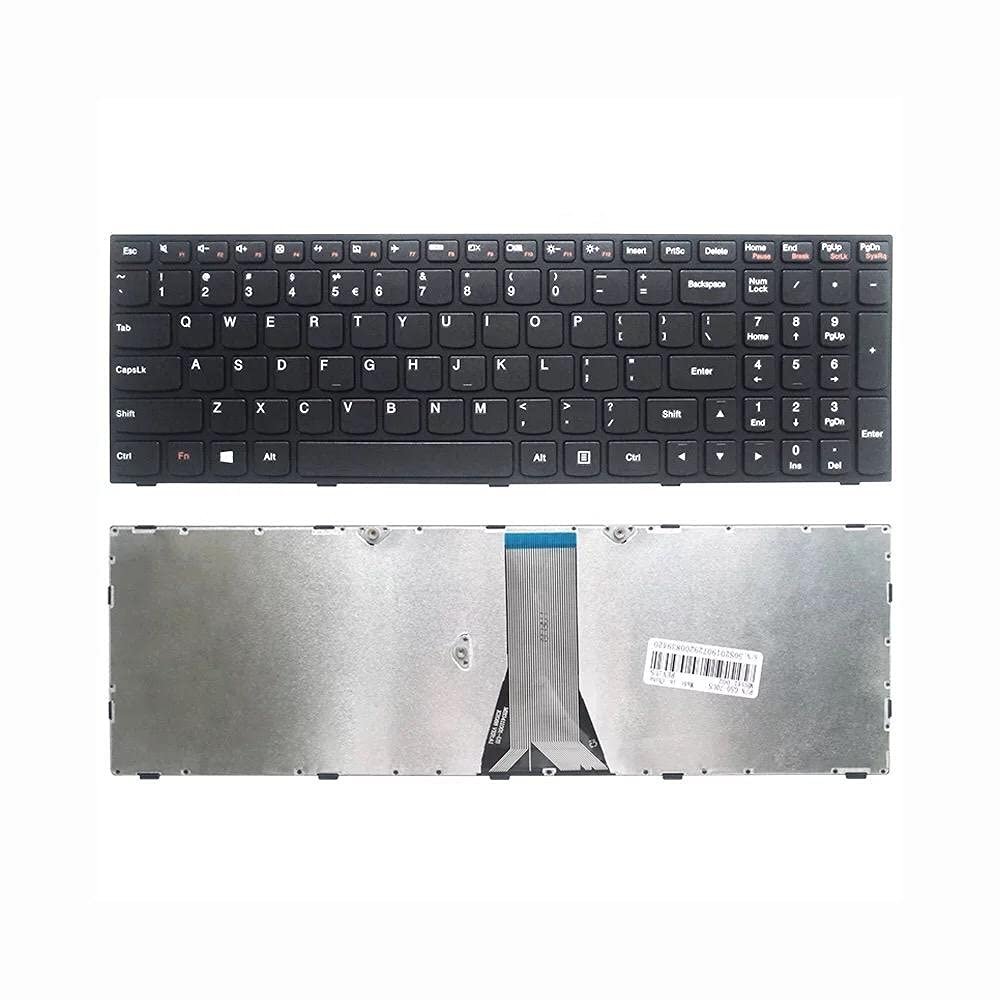
Compatible Models:
B50-30 / B50-45 / B50-70
G50-30 / G50-45 / G50-70 / G50-70m
Z50-70 / Z50-75
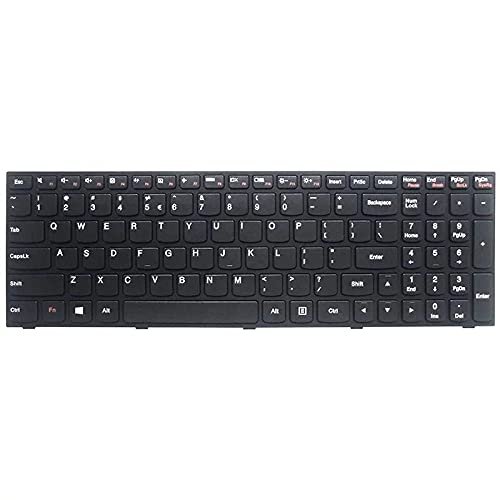
Keyboard Layout: US QWERTY
Key Style: Chiclet / Island Keys
Color: Matte Black
Material: ABS plastic construction
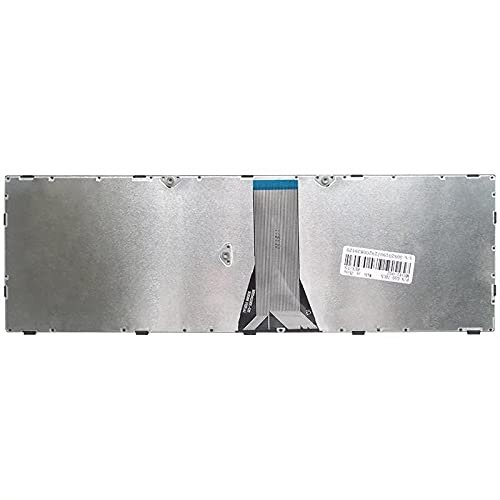
Connector: ZIF Ribbon Cable
Warranty:6 Months
Availability: In-stock in Nairobi
Delivery: Same-day within Nairobi / 1–2 days across Kenya

Hurry and get discounts on all Apple devices up to 20%
Sale_coupon_15
KSh1,800.00 excl. VAT
Payment Methods:

At Lansotech Solutions, we are Nairobi’s leading Lenovo laptop repair experts, providing genuine keyboard replacements for a wide range of Lenovo models, including the B50, G50, and Z50 series. Whether your keyboard is unresponsive, damaged, or malfunctioning, our technicians can replace it quickly and professionally with an original part that fits perfectly.
We serve individual clients, businesses, and schools across Kenya with reliable Lenovo repair services and parts.
We stock and install keyboards compatible with the following Lenovo laptop models:
B Series: B50-30, B50-45, B50-70
G Series: G50-30, G50-45, G50-70, G50-70m
Z Series: Z50-70, Z50-75
All of these models use a similar keyboard type with standard mounting, ensuring compatibility and ease of installation.
Layout: Full-size QWERTY (US version)
Key Type: Chiclet-style (island keys)
Numeric Keypad: Yes (integrated on the right)
Backlight: Optional (model dependent)
Material: High-grade ABS plastic
Color: Matte black with white key legends
Connector: Flat ribbon cable with ZIF lock
Operating System Compatibility: Fully compatible with Windows 7, 8, 10, and 11
One of the most common issues is individual keys or groups of keys failing to register. This can result from internal wear, damage, or accumulated debris.
If pressing a key results in the wrong letter or symbol, it could be a sign of a shorted circuit or corrupted layout data—often fixed with a replacement.
Broken or missing keys reduce typing accuracy and speed. If multiple keys are affected, replacing the entire keyboard is more cost-effective than attempting repairs.
Spilled drinks can cause short circuits or corrosion. Once dried, keyboards may behave erratically or stop working completely. We assess and replace as needed.
If your Lenovo laptop stops detecting the keyboard, it could be due to a disconnected ribbon cable or a damaged internal component. We provide diagnosis before replacement.
We offer fast and professional same-day keyboard replacement for Lenovo laptops. Here’s our process:
Power off the laptop and disconnect the battery and charger.
Open the bottom casing and remove the marked screws securing the keyboard.
Carefully unclip and remove the old keyboard.
Install the new Lenovo-compatible keyboard and connect the ribbon flex cable.
Secure the keyboard, reassemble the device, and run key tests.
Turnaround Time: Typically 30 to 60 minutes depending on model
Warranty: 3 to 6 months depending on the part
Guaranteed fit and compatibility
Long-lasting build with comfortable key feedback
Proper key labeling and spacing for easy typing
Includes numeric keypad for increased productivity
Professional matte finish matching your laptop’s design
Original Lenovo parts in stock
Trained Lenovo-certified technicians
Transparent pricing
Free diagnosis with every repair
Centrally located in Nairobi CBD
Quick service and same-day delivery options
Support for institutions, corporates, and individuals
Whether you’re a student, a business user, or an IT department, we have the right keyboard and service for your needs.
Use a silicone keyboard cover to block dust and spills
Avoid eating or drinking near your laptop
Clean with a soft brush or air blower weekly
Do not press keys too hard or slam the lid shut
Keep your laptop stored in a dry, padded bag
Following these tips can help prevent future keyboard issues and extend your laptop’s lifespan.
No account yet?
Create an Account











 ASUS
ASUS



