





 Laptop Computers
 Desktop Computers
 Printers

 Network
 Software
 Laptop Accessories
 Laptop Components
 Office
 Desktop peripherals
 Server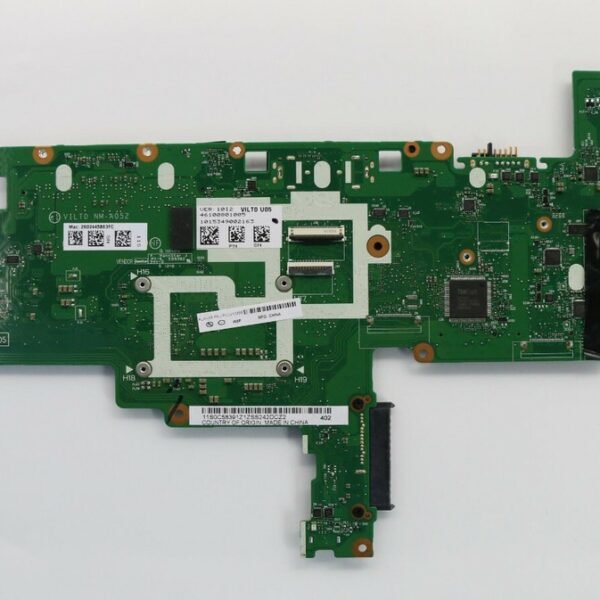
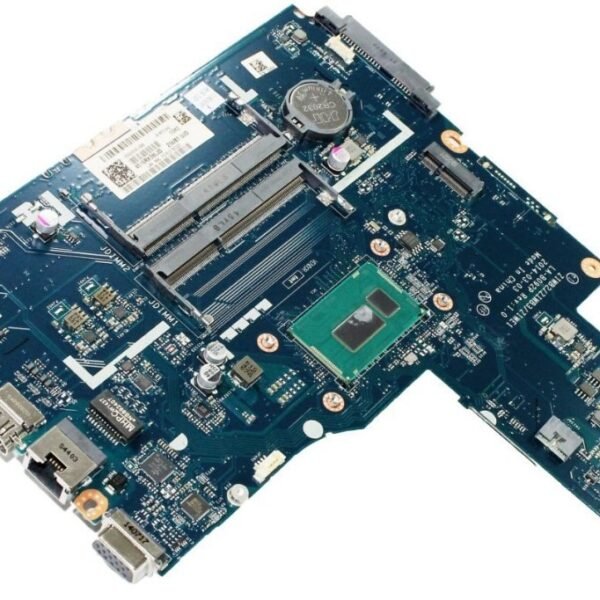
Model: Lenovo Z50-70
Part Number: NM-A273
Chipset: Intel HM86
CPU: Intel i7-4510U (onboard)
Chipset Manufacturer: Intel
Graphics Card Type: Dedicated
Supported RAM Type: DDR3
Memory Slots: 2 × DDR3 DIMM
Memory Channel: Dual Channel
Storage Interface: SATA
Ports: USB 3.0, USB 2.0, HDMI, VGA, Ethernet
Application: Laptop
Socket Type: Onboard CPU
Condition: Used (Not Repaired)
Tested: Yes, fully functional
Package Included: Yes

Hurry and get discounts on all Apple devices up to 20%
Sale_coupon_15
KSh12,000.00 excl. VAT
Payment Methods:

If you own a Lenovo Z50-70 and are looking to upgrade or repair your machine with a high-performance Intel i7 motherboard, you’ve come to the right place. In this guide we’ll go through everything you need: choosing the correct motherboard model, verifying compatibility, where and how to purchase in Kenya (especially Nairobi), installation tips, and how to avoid common pitfalls. By the end, you’ll feel confident picking the right board and know exactly what to ask the seller.
The Z50-70 originally came with a variety of configurations; some were configured for lower-tier processors (i3/i5) or integrated graphics. Swapping in a motherboard designed for an i7 and better cooling gives you more performance head-room.
With the right board, you can extend the lifespan of your laptop significantly instead of buying a new machine.
In Kenya, where new laptops can be expensive, a smart upgrade is often a cost-efficient route.
A reputable motherboard adds value: better reliability, fewer issues, and ultimately better resale value if you ever sell your laptop.
When shopping for a Lenovo Z50-70 i7 motherboard in Kenya, ensure the following:
| Feature | Why it’s important |
|---|---|
| Exact model number (Z50-70) | The “Z50-70” series has specific chassis, socket and connector layouts — a board from another series may not fit. |
| Processor socket & chipset | The i7 variant in this model will typically be LGA1150 or whichever Intel socket the Z50-70 supports — ensure the board supports that i7. |
| Working ports & connectors | Check for HDMI, USB 3.0, SATA, etc. A faulty or incompatible port layout reduces usability. |
| Condition (new, used, refurb) + warranty | A used board may be cheaper but has higher risk. Opt for trusted sources in Nairobi with at least short warranty or return policy. |
| Heat dissipation & cooling layout | i7 processors produce more heat. Confirm the motherboard supports thermal management that matches your original system. |
| BIOS support and firmware updates | Some boards may need BIOS updates to support certain i7 processors — ensure compatibility. |
Here are some tips for finding the right motherboard locally:
Visit local computer parts markets in Nairobi,
Check online Kenyan marketplaces but verify seller reputation and condition of the board.
Ask for photos of the exact board you’ll receive (serial-number visible, working test results).
Negotiate for a short return window or at least 7 days trial if possible.
Always compare price vs condition: A new board might cost more, but a used board should be visibly in good condition and preferably tested.
Back up your data: Before removing your old board, ensure your files are safely backed up.
Proper ESD protection: Use an anti-static wrist strap or at least work on a non-static surface to avoid damaging the board.
Remove old board carefully: Disconnect battery, cables, and note the orientation of connectors. Take pictures if needed.
Install the new board: Place it securely, reconnect all cables exactly as before. Use proper screws for mounting.
Boot and update BIOS: On first boot check BIOS version. If needed update to support your i7.
Install necessary drivers: Especially chipset, graphics, and any other device drivers for your Z50-70.
Run stress test: After installation run a stress test for 30-60 minutes to ensure stability and temperature are under control.
Mistake: Buying a board only because it’s “cheap” and assuming it will work.
Solution: Always check compatibility details, condition, and seller credibility.
Mistake: Ignoring the cooling requirement for an i7 board.
Solution: Ensure the board has proper thermal layout and the laptop’s cooling system (fan, heatsink) is intact.
Mistake: Not updating BIOS or drivers after installation → can lead to instability or reduced performance.
Solution: Plan to update right away and ensure you have Internet access or can download drivers offline.
Mistake: Overlooking power supply or battery condition — if these are weak, a new board won’t fix all issues.
Solution: Before buying the board, test battery health and power adapter output so you’re not chasing issues after installation.
Get the Lenovo z50 70 motherboard i7 from Lansotech Solutions today


No account yet?
Create an Account











 ASUS
ASUS



