





 Laptop Computers
 Desktop Computers
 Printers

 Network
 Software
 Laptop Accessories
 Laptop Components
 Office
 Desktop peripherals
 Server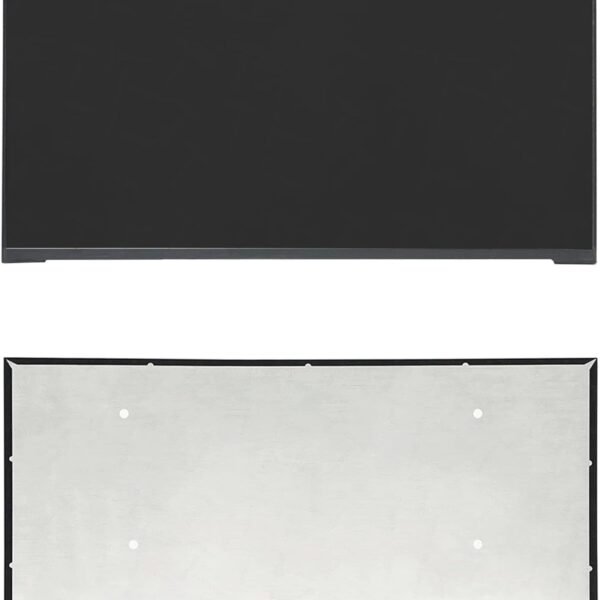

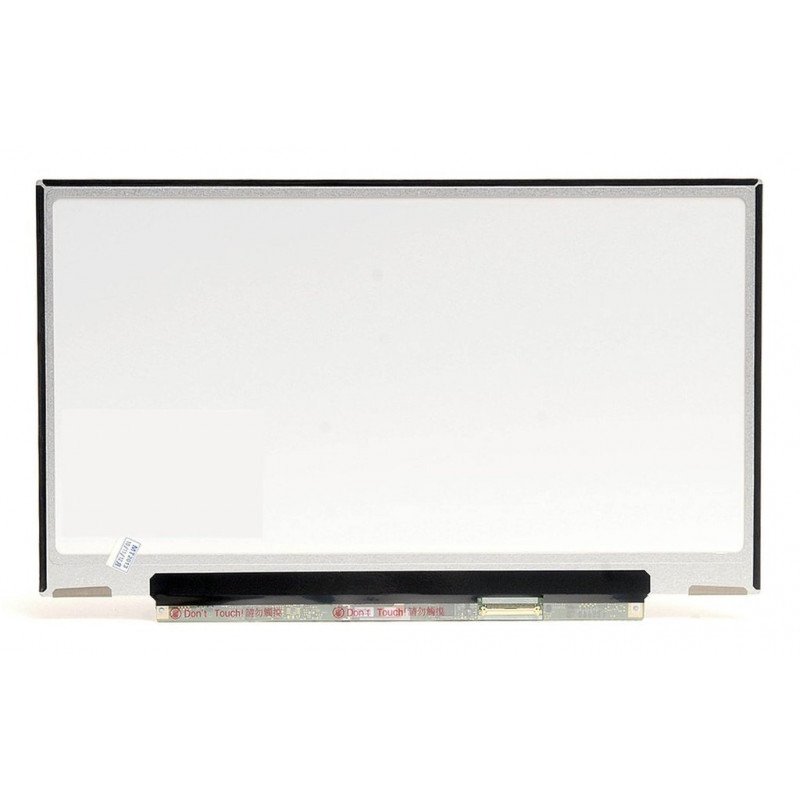
Model: NV133WUM-N69
Size: 13.3 inches
Resolution: 2560 × 1600 (WQXGA+)
Display Technology: IPS, LED backlight
Surface: Matte (Anti-Glare)
Connector: 40-pin eDP
Aspect Ratio: 16:10
Brightness: 300–400 nits (model dependent)

Hurry and get discounts on all Apple devices up to 20%
Sale_coupon_15
KSh13,000.00 excl. VAT
Payment Methods:

The NV133WUM-N69 is a premium 13.3-inch LCD panel designed for high-performance ultrabooks and professional laptops. It delivers WQXGA+ (1920×1080) resolution, producing sharp images, vibrant colors, and excellent contrast for a superior viewing experience. Whether you’re editing photos, streaming media, or working on detailed documents, this display ensures maximum clarity.
The NV133WUM-N69 screen is commonly used in:
Lenovo ThinkPad X1 Carbon (high-resolution models)
Dell XPS 13 variants with 2560×1600 display
HP Spectre x360 13-inch ultrabooks
Other premium ultrabooks requiring this specific panel model
Laptop screens are sensitive and can easily get damaged due to:
Physical impact or accidental drops
Pressure from closing the lid with objects inside
Liquid spills causing internal damage
Excessive cleaning pressure leading to pixel damage
By using a screen protector, avoiding exposure to liquids, and handling your laptop with care, you can extend the life of your NV133WUM-N69 display.
Turn off and unplug your laptop.
Use a soft microfiber cloth to remove dust.
For smudges, slightly dampen the cloth with screen-safe cleaning solution or distilled water.
Wipe gently in circular motions.
Avoid using paper towels, rough fabrics, or direct liquid sprays.
At Lansotech Solutions, we are recognized among the top laptop screen replacement shops in Nairobi CBD because we offer:
Genuine OEM screens like the NV133WUM-N69
Professional installation services with zero risk of further damage
Competitive and transparent pricing
Same-day service in Nairobi and fast delivery countrywide
Expert advice on laptop care and maintenance
We understand that laptop downtime can affect productivity, so we focus on quick, reliable, and professional service.
The NV133WUM-N69 laptop screen combines high resolution, superior color reproduction, and wide viewing angles for a premium user experience. Whether you’re replacing a cracked panel or upgrading to a better display, this model delivers unmatched performance.
If your laptop uses the NV133WUM-N69 panel and you notice any of the following issues, it may be time for a replacement:
Cracked or shattered glass after impact
Dead pixels or colored spots that do not go away
Dim or flickering backlight affecting visibility
Discoloration or distorted colors even after adjusting display settings
Complete black screen despite the laptop powering on
Our team at Lansotech Solutions can help you diagnose whether the problem is with the screen itself or other internal components, ensuring you only replace what’s necessary.
Using a genuine OEM screen like the NV133WUM-N69 instead of a generic alternative ensures:
Perfect fit and compatibility with your laptop
Optimal resolution and refresh rate for smooth performance
Longer lifespan thanks to original manufacturing standards
Consistent brightness and color accuracy
Better durability against wear and tear
We stock brand new and tested NV133WUM-N69 screens for guaranteed quality.
At Lansotech Solutions, we pride ourselves on being one of the best laptop repair and screen replacement shops in Nairobi CBD. When replacing your NV133WUM-N69 screen, we:
Use specialized tools to avoid damaging surrounding parts
Test the screen before and after installation
Apply protective measures to prevent dust and fingerprints during fitting
Offer a warranty for your peace of mind
Avoid placing objects like pens, headphones, or USB drives on the keyboard before closing the lid.
Use a laptop sleeve or hard-shell case for extra protection during travel.
Clean the screen regularly using approved screen-safe cleaning solutions.
Keep liquids away to prevent spills and moisture damage.
Avoid pressing on the screen with excessive force.
No account yet?
Create an Account











 ASUS
ASUS



