






 Laptop Computers
 Desktop Computers
 Printers

 Network
 Software
 Laptop Accessories
 Laptop Components
 Office
 Desktop peripherals
 Server

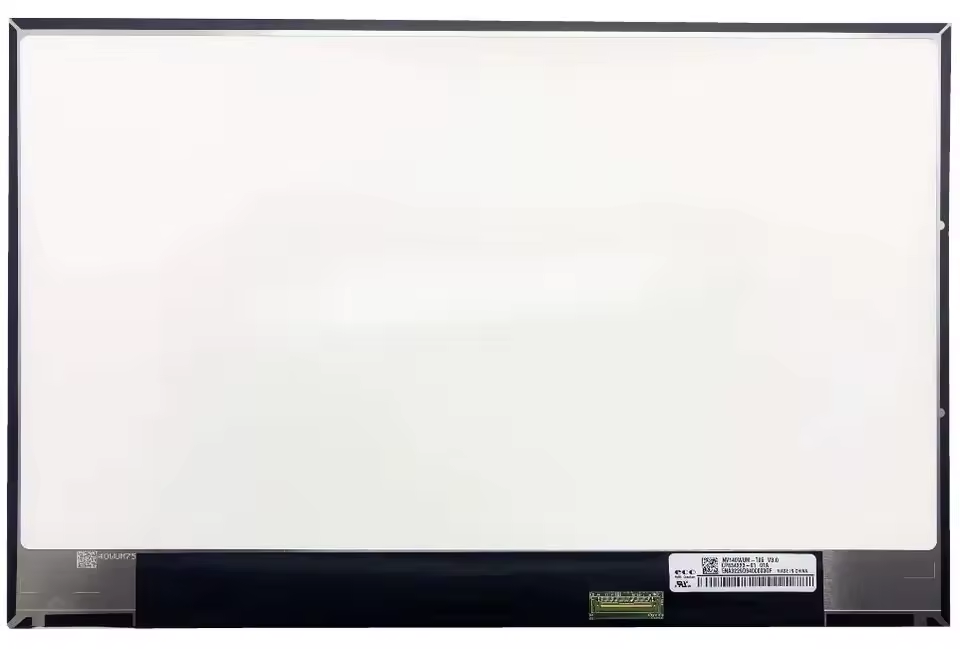
Model: NV140WUQ-T05
Size: 14.0-inch
Resolution: 2560×1440 (WQHD)
Panel Type: IPS
Finish: Matte / Anti-Glare
Connector: 40-pin eDP
Condition: Brand New, Original

Hurry and get discounts on all Apple devices up to 20%
Sale_coupon_15
KSh10,000.00 excl. VAT
Payment Methods:

At Lansotech Solutions, we provide brand new NV140WUQ-T05 laptop screens for customers who value crystal-clear display quality and reliable performance. This 14.0-inch WQHD (2560×1440) panel is perfect for high-end ultrabooks, delivering sharp images, vivid colors, and wide viewing angles. If your current screen is cracked, dim, flickering, or showing distorted visuals, the NV140WUQ-T05 is the ideal replacement.
Ultra-High WQHD Resolution – 2560×1440 pixels for exceptional detail.
IPS Technology – Accurate colors from all angles.
Matte Anti-Glare Surface – Reduces reflections and eye strain.
Low Power Consumption – Efficient energy use for better battery life.
Durable & Original – Long-lasting performance with genuine parts.
You should consider replacing your laptop screen if you experience:
Cracks or Breakage from physical impact.
Constant Flickering or Black Screen issues.
Color Fading or Distortion affecting visuals.
Dim Display or Dead Pixels that won’t go away.
Horizontal/Vertical Lines disrupting your work.
A damaged screen often worsens over time, so replacing it early ensures your laptop stays functional and visually sharp.
This panel is commonly found in:
Lenovo ThinkPad high-resolution variants
HP EliteBook 14-inch WQHD series
Dell XPS & Latitude ultrabooks
Other laptops using 14-inch WQHD, 40-pin eDP screens
We always recommend confirming compatibility with our technicians before purchase.
100% Genuine Replacement Screens – No cheap imitations.
Professional Installation – Skilled technicians for perfect fitting.
Warranty Protection – Peace of mind with your purchase.
Same-Day Service – Quick turnaround so you’re not left without a laptop.
Trusted & Recommended – Recognized among the Top 10 best laptop screen shops in Nairobi.
Use a laptop sleeve or padded bag when traveling.
Avoid placing heavy items on your laptop.
Clean only with a soft microfiber cloth and approved screen cleaner.
Keep away from liquids and food to prevent spills.
Store your laptop in a cool, dust-free area.
No account yet?
Create an Account











 ASUS
ASUS



