











At Lansotech Solutions, we are proud to be Nairobi’s most trusted and knowledgeable source for high-performance SSDs. As expert technicians and professional salespeople, we don’t just sell SSDs — we help our customers understand exactly what SSD to buy, why it matters, and how it enhances performance. In this complete guide, we break down the different types of SSDs, their interfaces, generations, speeds, and use cases, all in plain, practical language.
🔍 What is an SSD?
An SSD (Solid State Drive) is a high-speed storage device that stores data using NAND flash memory read more>>. Unlike traditional HDDs, SSDs have no spinning disks, which means they are faster, quieter, and more durable. SSDs are now the standard for laptops, desktops, servers, and even gaming consoles.
📦 Types of SSDs by Interface and Protocol
1. SATA SSD (Serial ATA)
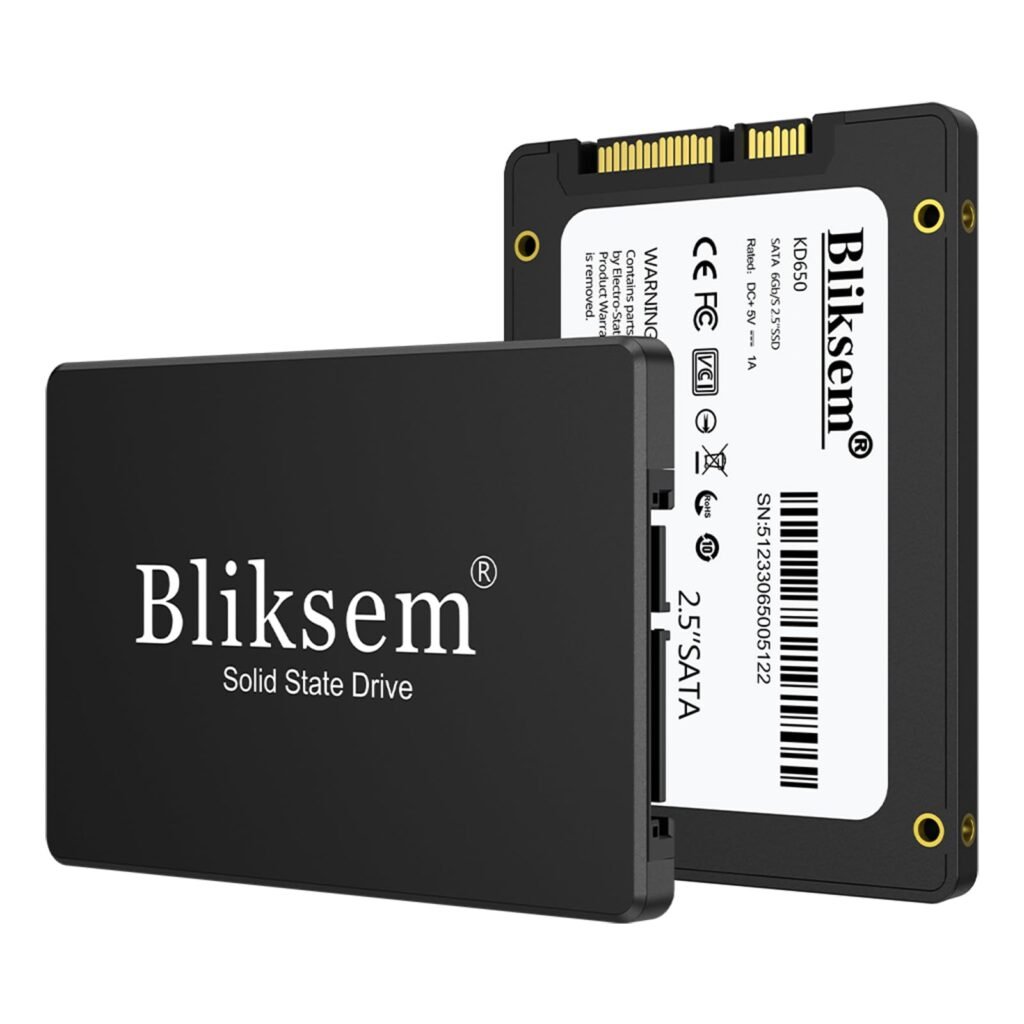
- Interface: SATA III – 6 Gbps
- Speed: Up to 550 MB/s read and 520 MB/s write
- Form Factor: 2.5-inch
- Best for: General laptop/desktop upgrades, office use, student laptops
SATA SSDs are the most affordable and widely used. They offer a massive upgrade over HDDs and are compatible with almost every system. read more>>
2. NVMe SSD (Non-Volatile Memory Express)
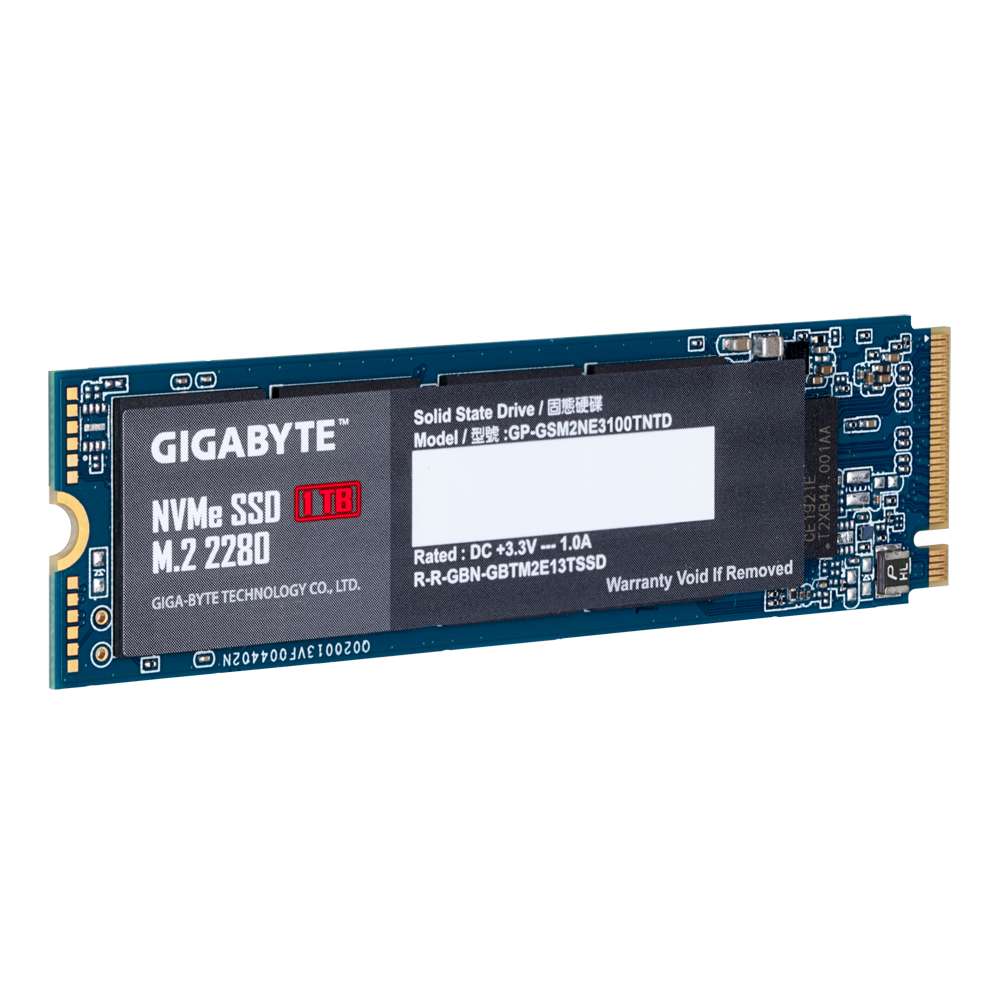
- Interface: PCIe Gen 3, Gen 4, or Gen 5
- Speed:
- Gen 3 x4: Up to 3,500 MB/s
- Gen 4 x4: Up to 7,400 MB/s
- Gen 5 x4: Over 12,000 MB/s
- Form Factor: M.2, U.2, AIC
- Best for: Gaming PCs, content creators, developers, high-performance tasks
NVMe SSDs use the PCIe interface, allowing for unmatched speed and performance. They bypass SATA limitations and communicate directly with the CPU for ultra-fast data access. read more>>
3. PCIe SSD (Add-in Card SSDs)
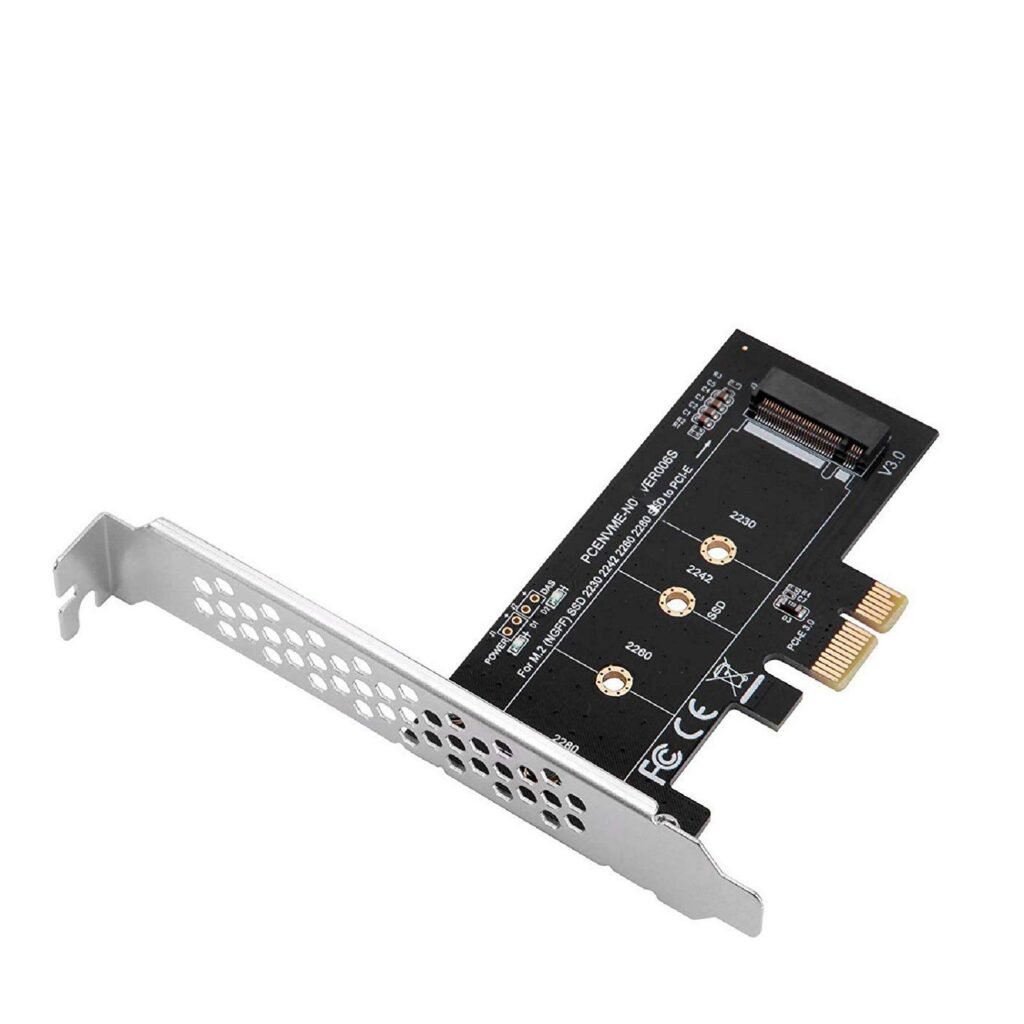
- Plugs directly into PCIe slots on motherboards
- Typically used in workstations and servers
- Offers high endurance and thermal management
- read more>>
4. M.2 SSD
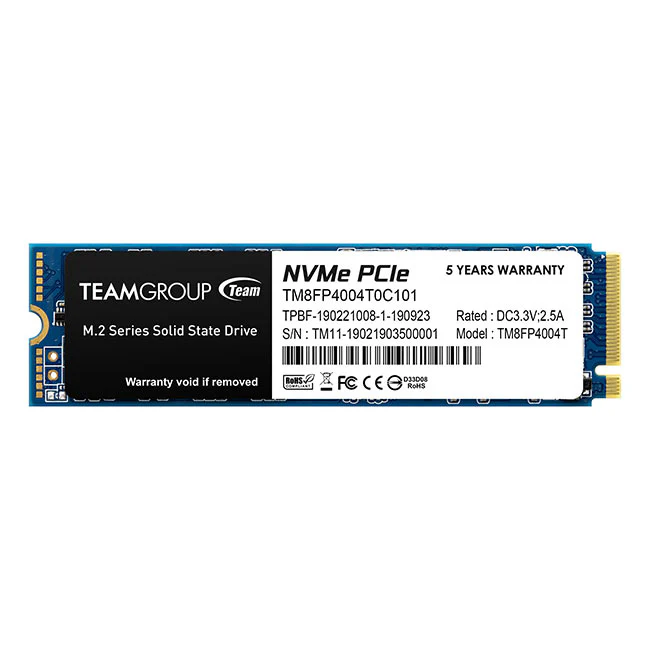
- Form Factor: Compact, gumstick-sized
- Protocols Supported: SATA and NVMe
- Lengths: 2242, 2260, 2280 (most common), 22110
- Best for: Slim laptops, desktops, gaming rigs
M.2 is a form factor, not a speed standard. An M.2 SSD can be either a SATA-based drive or a high-speed NVMe model. Be sure to check your motherboard’s specifications. read more>>
5. U.2 SSD

- Form Factor: 2.5-inch with PCIe interface
- Speed: Comparable to M.2 NVMe
- Best for: Enterprise environments and high-availability servers
U.2 drives offer better cooling and are hot-swappable, making them ideal for data centers and mission-critical systems.
🚀 PCIe Generations – What’s the Difference?
Each new generation of PCIe doubles the bandwidth of the previous one, resulting in massive speed improvements:
| PCIe Gen | Max Bandwidth (x4) | Speed Range (MB/s) |
|---|---|---|
| Gen 3 read more>> | 32 Gbps | Up to 3,500 MB/s |
| Gen 4 read more>> | 64 Gbps | Up to 7,400 MB/s |
| Gen 5 read more>> | 128 Gbps | Over 12,000 MB/s |
To unlock Gen 4 and Gen 5 performance, your motherboard and CPU must support the respective generation. Otherwise, the drive will operate at the lower available speed.
🎯 Use Cases – Which SSD Is Best for You?
✔️ Students & Office Users
- Recommended: 2.5-inch SATA SSD
- Why: Affordable, reliable, great performance boost over HDD
✔️ Gamers
- Recommended: M.2 NVMe PCIe Gen 4
- Why: Super-fast loading times, smooth gameplay, instant boot
✔️ Creatives & Professionals
- Recommended: M.2 or U.2 NVMe Gen 4/5
- Why: Fast file transfers, responsive software, multitasking
✔️ Businesses & Servers
- Recommended: U.2 NVMe or PCIe AIC SSDs
- Why: High endurance, better cooling, enterprise-level reliability
⚙️ Key Technical Differences at a Glance
| Type | Protocol | Max Speed | Form Factor | Best For |
|---|---|---|---|---|
| SATA SSD | SATA III read more>> | ~550 MB/s | 2.5″, M.2 (B-Key) | Budget upgrades, general use |
| NVMe Gen 3 | PCIe Gen 3 read more>> | ~3,500 MB/s | M.2 (M-Key) | Gaming, creative tasks |
| NVMe Gen 4 | PCIe Gen 4 read more>> | ~7,400 MB/s | M.2, U.2 | High-end gaming, 4K editing |
| NVMe Gen 5 | PCIe Gen 5 read more>> | 12,000+ MB/s | M.2, AIC | AI workloads, data crunching |
| U.2 SSD | PCIe/NVMe read more>> | ~7,000 MB/s | 2.5″ Enterprise | Servers, RAID storage |
💡 SSD Buying Tips
- Know your motherboard: Check if it supports M.2 NVMe or only SATA.
- Form factor matters: Laptops may support only 2242 or 2280 M.2 drives.
- Thermal throttling: NVMe drives (especially Gen 4/5) get hot – use a heatsink. read more>>
- Firmware updates: Keep your SSD firmware updated for performance and stability.
📍 Buy SSDs in Nairobi – Why Choose Lansotech Solutions
At Lansotech Solutions, we offer:
- Genuine SSD brands – Samsung, Kingston, Crucial, Western Digital, Lexar, and more
- Latest SSD technologies – from SATA to PCIe Gen 5
- Installation & upgrade services
- Laptop SSD conversions
- Warranty and expert support
We’re your go-to store for SSDs in Nairobi, delivering premium performance and affordable pricing. Whether you’re upgrading your laptop, building a gaming PC, or running servers, we’ve got the right SSD for you.
🌐 Popular Global FAQs About SSDs
What’s the fastest SSD right now?
PCIe Gen 5 NVMe SSDs are the fastest, with speeds exceeding 12,000 MB/s.
Can any PC use an M.2 SSD?
Not all motherboards support M.2. Even if they do, they may only support SATA or one type of keying. Always verify the M.2 slot specs.
Is Gen 4 SSD worth it over Gen 3?
Yes, if your system supports Gen 4. It offers double the speed, making it ideal for gaming, video editing, and multitasking.
Do SSDs slow down over time?
With heavy usage, SSDs can degrade. However, most modern SSDs last years under regular use and come with S.M.A.R.T. monitoring tools.
Can I upgrade my laptop to NVMe SSD?
Yes, if your laptop has a compatible M.2 PCIe slot. If not, a 2.5-inch SATA SSD will still offer a significant speed boost.
Which SSD brand is the best?
Top brands include Samsung, Crucial, WD, Kingston, and Seagate. At Lansotech Solutions, we stock all these with warranty.
🔚 Final Thoughts – Choose Speed, Choose Performance
Solid State Drives are no longer a luxury – they are the foundation of modern computing. Whether you’re a casual user or an enterprise IT manager, selecting the right SSD can transform your experience. At Lansotech Solutions, we don’t just sell SSDs — we ensure you get the right technology, expertly installed, and supported for years to come.
Visit us in Nairobi or call for professional advice on SSD upgrades, repairs, and installations.
Want to Purchase? reach us via:
WhatsApp – Start WhatsApp Chat
Email – sales@lansotechsolutions.co.ke
Web Page – Click Here to Visit>>
Contact – +254791833529












 ASUS
ASUS



