











In today’s digital age, laptops have become an essential tool for work alike desktops, education, entertainment, and communication. Whether you’re a student, professional, or casual user, one of the most critical components to consider when purchasing a laptop is its Random Access Memory (RAM). But how much RAM is good for a laptop? This guide will help you understand the importance of RAM, how much you need for different use cases, and tips for optimizing your laptop’s performance. Additionally, we’ll provide SEO-friendly tips to help your website in Kenya rank higher on search engines.
Understanding RAM and Its Importance

RAM (Random Access Memory) is a type of computer memory that stores data temporarily while your laptop is running. It allows your laptop to access and process data quickly, which is essential for smooth performance. Unlike storage (HDD or SSD), RAM is volatile, meaning it clears its data when the laptop is turned off. More RAM allows your laptop to handle multiple tasks simultaneously without slowing down, enabling you to run several applications at once, such as Browse the web while editing a document. Insufficient RAM can cause lag, crashes, and slow performance, especially with resource-intensive applications.
Key Factors When Choosing Laptop RAM

Several factors should influence your RAM choice. Different operating systems have varying RAM requirements; for instance, Windows 10/11 recommends at least 4GB, while macOS might need more for optimal performance. If you frequently run multiple applications simultaneously, opting for higher RAM will help avoid slowdowns. It’s also wise to consider future-proofing your laptop; investing in 16GB or 32GB now can extend your laptop’s lifespan as software updates and applications become more demanding. Finally, remember that RAM significantly impacts a laptop’s price, so balance your budget with your performance needs to get the best value.
How Much RAM Do You Need?
The amount of RAM you need depends on how you plan to use your laptop. For basic tasks like Browse the internet, streaming videos, or using Microsoft Office, 4GB of RAM is the minimum, though 8GB is recommended for smoother performance, especially if you use multiple tabs or applications. For office work involving spreadsheets, presentations, and email, 8GB is sufficient; however, if you frequently multitask or use resource-heavy software like project management tools, 16GB is ideal.

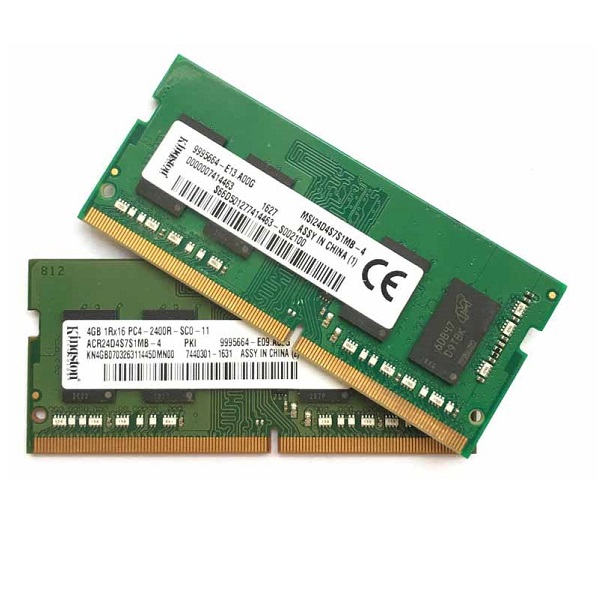
Modern games require significant RAM to run smoothly. While 8GB is the minimum for gaming, 16GB is recommended for most gamers, and for high-end gaming or streaming while gaming, 32GB is preferable. Similarly, video editing, graphic design, and 3D rendering are RAM-intensive tasks. For professional content creators, 16GB is the minimum, but 32GB is recommended for handling large files and complex projects. Finally, for basic programming, 8GB is sufficient, but if you work with virtual machines, databases, or large codebases, 16GB to 32GB is recommended.
Checking and Upgrading Your Laptop’s RAM
You can easily check your current RAM. On Windows, press Ctrl + Shift + Esc to open Task Manager, then go to the Performance tab and check the Memory section. On macOS, click the Apple logo, then “About This Mac,” and check the Memory section. If you decide to upgrade, first check your laptop’s specifications to see if the RAM is upgradable. Then, purchase compatible RAM modules from reputable brands and follow your laptop’s manual or online tutorials for installation.

If you found this post helpful and you could like to upgrade your laptop or desktop RAM, Visit our website https://lansotechsolutions.co.ke or our physical shop located in Nairobi CBD, Portal Place House at the junction of Banda Street and Muindi Mbingu Street and explore all the alternatives we have and let our expert crew handle your upgrade. You can also call or whatsapp us on 0791833529.



















 ASUS
ASUS



