






 Laptop Computers
 Desktop Computers
 Printers

 Network
 Software
 Laptop Accessories
 Laptop Components
 Office
 Desktop peripherals
 Server
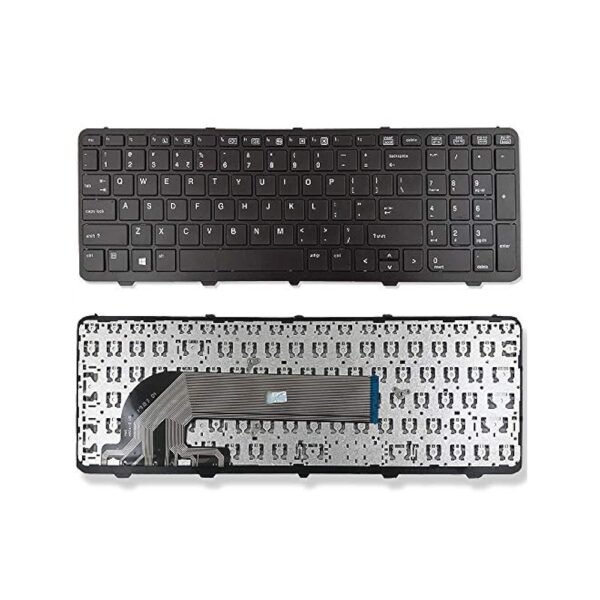
Compatible Models: Dell XPS 13 9370, 9380
Layout: US Standard QWERTY
Color: Black with Silver Frame
Condition: Brand New – Original Dell Part
Features:
Precision backlit keys for all-day use
Ultra-slim, quiet typing for professionals
Genuine fit for a premium XPS experience

Hurry and get discounts on all Apple devices up to 20%
Sale_coupon_15
KSh3,500.00 excl. VAT
Payment Methods:

At Lansotech Solutions, we provide high-quality, genuine replacement parts for Dell laptops to ensure your device maintains its original premium feel and performance. If your Dell XPS 13 9370 or 9380 keyboard is unresponsive, faded, or missing keys, our original backlit US keyboard (Part Number: 0N3NG0) is the perfect upgrade for restoring your typing experience.
This replacement is crafted to match the precision and style of your XPS 13’s original build—delivering smooth, quiet keystrokes and elegant backlighting for work in any environment. Ideal for professionals, writers, developers, and anyone who values performance and aesthetics.
Why Replace Your Dell XPS 13 9370/9380 Keyboard
✅ 100% compatibility with Dell XPS 13 9370 and 9380 models
✅ Genuine Dell part with accurate factory fit
✅ Bright, adjustable backlighting for low-light workspaces
✅ Sleek, soft-touch keys for extended, fatigue-free typing
✅ Professional installation available for precision and care
Compatible Models
✔ Dell XPS 13 9370
✔ Dell XPS 13 9380
(P/N: 0N3NG0)
Layout: US Standard QWERTY
Color: Black with Silver Edges (as per original design)
Backlight: Yes (White LED)
Condition: Brand New – Original Dell Replacement
Our 5‑Step Installation Process
Step 1 – Evaluation
We verify your keyboard’s issue before replacement.
Step 2 – Safe Opening
Using precision anti-static tools, we access your internal keyboard safely.
Step 3 – Keyboard Removal
We remove the faulty keyboard while protecting internal components.
Step 4 – New Keyboard Installation
Your new Dell XPS 13 keyboard is aligned and fitted perfectly, matching factory standards.
Step 5 – Quality Test & Cleaning
We test every key, ensure the backlight works, and clean your laptop thoroughly.
How to Maintain Your New Keyboard
Use compressed air weekly to remove dust from under the keys
Gently clean with a microfiber cloth and isopropyl alcohol
Avoid food and drinks around your keyboard to prevent spills
Use a slim silicone protector if traveling frequently
Type with light pressure to extend the life of the keyboard switches
Why Choose Lansotech Solutions
✔ Certified Dell spare part specialists in Nairobi
✔ Fast and reliable service with expert guidance
✔ On-site installation option available
✔ Warranty coverage on all original parts
✔ Trusted by individuals, tech teams, and organizations
No account yet?
Create an Account











 ASUS
ASUS



