






 Laptop Computers
 Desktop Computers
 Printers
 Network
 Software
 Laptop Accessories
 Laptop Components
 Office
 Desktop peripherals

Hurry and get discounts on all Apple devices up to 20%
Sale_coupon_15
KSh3,500.00 excl. VAT
Payment Methods:

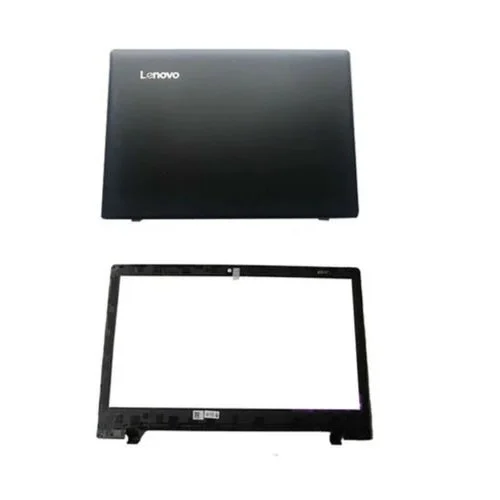
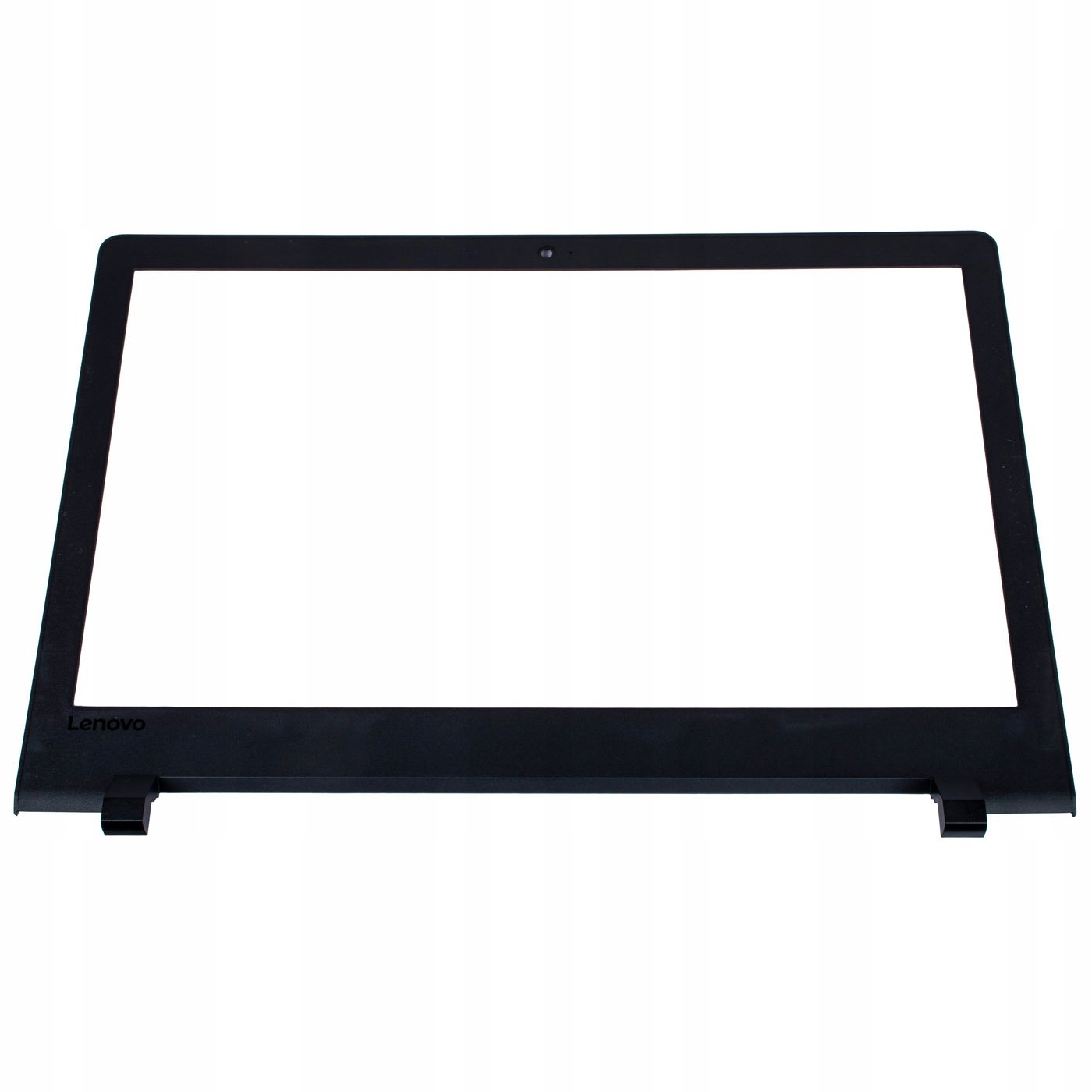
Is your Lenovo IdeaPad 110-15ISK looking a bit rough around the edges? Maybe it’s missing pieces or has visible cracks? You’re in the right place! We are now selling LCD Back Cover and Front Bezel casing replacements for the Lenovo IdeaPad 110-15ISK. These parts are just what you need to make your laptop look and feel brand new again.
In this blog, we’ll explain everything about these parts, why replacing them is important, and how to get your hands on high-quality replacements easily.
Before we dive in, let’s understand what these parts are.
This is the hard shell at the back of your laptop’s screen. It protects the screen from behind and adds to the strength and appearance of your laptop. If it’s broken, the screen can become wobbly or exposed.
The bezel is the frame that surrounds your screen from the front. It helps hold the display in place and gives the screen a neat and finished look. Cracks or missing pieces can make your laptop look damaged and even affect how the screen works.
You might wonder, “Is it really necessary to replace these parts?” Absolutely, and here’s why:
Protection: These parts protect your laptop’s inner components from dust, moisture, and physical damage.
Appearance: A cracked or missing bezel or cover makes your laptop look old and uncared for.
Functionality: Loose parts can cause pressure on the screen and even damage internal wiring.
Resale Value: If you ever want to sell your laptop, it’ll be worth more when it looks complete and clean.
You should consider replacing the LCD Back Cover and Front Bezel if:
Your laptop screen is fine but the outer casing is cracked or missing.
The hinges feel loose or shaky.
The screen frame has popped out or looks broken.
You want your laptop to look fresh and well-kept.
This replacement is perfect for students, remote workers, IT professionals, and anyone who uses their laptop daily.
You don’t need to be a computer expert to replace these parts. In fact, with some patience and a basic tool kit, you can install them yourself. However, if you’re not comfortable doing it alone, any local technician can help.
Here’s a quick look at what the replacement process involves:
Turn off your laptop and unplug everything.
Use a small screwdriver to remove the screws on the broken parts.
Carefully remove the old back cover and bezel.
Snap or screw in the new parts.
Power your laptop back on — and enjoy the new look!
There are many sellers out there, but we provide the best quality replacements. Here’s what makes us different:
✅ Genuine Parts: Our back covers and bezels are made to fit the Lenovo IdeaPad 110-15ISK perfectly.
✅ Affordable Prices: We offer great value for your money.
✅ Fast Delivery: Get your replacement quickly, so you’re not stuck with a broken laptop.
✅ Customer Support: Need help? We’re just a message away.
✅ Tested for Quality: Each part is tested to ensure perfect fit and finish.
Q: Is this compatible with other Lenovo models?
A: No. These parts are specifically made for the Lenovo IdeaPad 110-15ISK only.
Q: Can I replace the parts myself?
A: Yes! If you have basic tools and follow a guide or video tutorial, you can do it at home.
Q: How long does shipping take?
A: We offer fast shipping options. You’ll see the estimated time at checkout based on your location.
Get the LENOVO Idea Pad 110-15ISK ABfrom Lansotech Solutions today
No account yet?
Create an Account







 ASUS
ASUS






