








 Laptop Computers
 Desktop Computers
 Printers
 Network
 Software
 Laptop Accessories
 Laptop Components
 Office
 Desktop peripherals
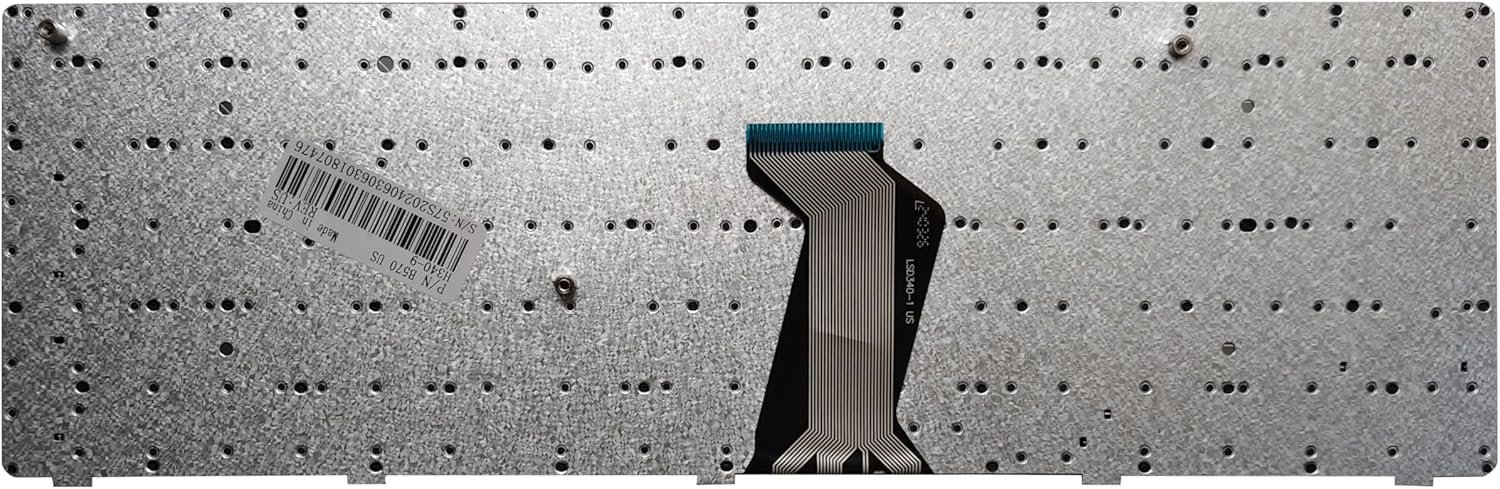
Model Compatibility:
B-Series: B570, B570A, B570E, B575, B580, B590, B590A
Z-Series: Z570, Z575
V-Series: V570A, V570G, V570, V570C, V575, V580
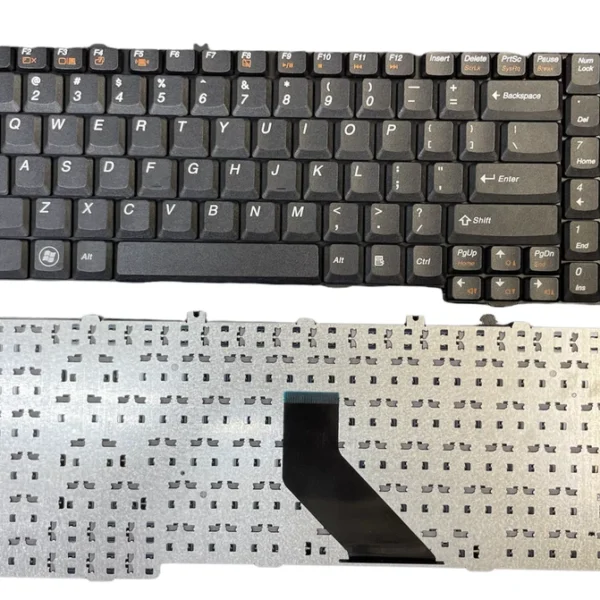
Layout: US QWERTY, Full-Size with Numeric Keypad
Key Type: Chiclet / Island Style
Backlight: No
Connection: Ribbon Cable (ZIF Connector)
Material: ABS plastic with matte finish
Condition: Brand New (OEM)
Warranty: 6 Months

Hurry and get discounts on all Apple devices up to 20%
Sale_coupon_15
KSh1,800.00 excl. VAT
Payment Methods:

At Lansotech Solutions, we’re Nairobi’s leading laptop service and spare parts provider, trusted by thousands for our professionalism, reliability, and fast delivery. One of the most commonly requested services we offer is keyboard replacement for Lenovo IdeaPad B-series, Z-series, and V-series laptops, including B570, B580, B590, Z570, V570, and their variants.
Whether your keyboard is damaged, unresponsive, missing keys, or typing incorrectly, we provide genuine Lenovo US-layout keyboards along with expert installation services in Nairobi and beyond.
We supply and install keyboards for the following Lenovo IdeaPad and Essential models, which share a highly compatible layout and design:
B570 / B570A / B570E / B575 / B580 / B590 / B590A
Z570 / Z575
V570A / V570G / V570 / V570C / V575 / V580
These laptops typically use a US English QWERTY keyboard layout with a full numeric keypad, offering a comfortable and spacious typing experience. Ideal for professionals, students, data entry clerks, and general users alike.
Full-size keyboard with numeric keypad
US layout – QWERTY format with standard key spacing
Chiclet (island-style) keys for low noise and comfort
Matte black finish for a sleek, professional look
Non-backlit membrane construction
Easy installation with ribbon cable (ZIF connector)
These keyboards are plug-and-play compatible with Windows 7, 8, 10, and 11.
As Nairobi’s trusted Lenovo experts, we’ve helped hundreds of users repair or replace their keyboards due to:
Caused by:
Internal circuit failure
Spills or moisture damage
Rubber dome wear and tear
Often the result of:
Liquid damage shorting the circuitry
Faulty ribbon connection
Motherboard-level input conflict
This is common from physical trauma, falls, or long-term use. Replacing individual keys is unreliable—full keyboard replacement is recommended.
This can indicate:
Faulty ribbon cable
BIOS/driver issues
Defective motherboard port
Our certified laptop repair technicians at Lansotech Solutions follow a structured, careful approach to keyboard replacement:
Precision screwdriver set
Plastic pry tools
ESD-safe workbench and strap
Tweezers
Compressed air cleaner
Turn off the laptop and remove the battery.
Remove the screws under the bottom panel, including those marked with keyboard symbols.
Use a pry tool to gently detach the keyboard bezel.
Unlock and disconnect the keyboard ribbon cable from the ZIF socket.
Install the new US-layout keyboard, reconnect the ribbon, and secure all latches.
Screw everything back and test the keyboard functionality thoroughly.
The entire process takes under one hour, and we ensure every key works before returning your device.
We stock brand-new, genuine Lenovo keyboards compatible with all the models listed above. Our parts are:
Original OEM quality
US QWERTY layout
Backed with 6 months warranty
Ready for same-day installation or delivery
We serve walk-in customers, corporate clients, schools, NGOs, and government offices with competitive prices and bulk discounts.
Original Lenovo spare parts guaranteed
Expert keyboard replacement services
Quick, same-day turnaround
Affordable rates – wholesale & retail options
Professional customer support
With years of experience servicing Lenovo laptops, we ensure your device is handled with care and returned in perfect working condition.
To avoid frequent keyboard problems:
Keep liquids away from your laptop at all times
Clean dust and crumbs using a soft brush or compressed air
Use a silicone keyboard protector
Store your laptop in a cool, dry, padded bag
Never press keys too hard or use sharp objects on them
 Laptop Computers
 Desktop Computers
 Desktop peripherals
 Laptop Accessories
 Laptop Components
 Network
 Printers
 Server
 Software
No account yet?
Create an Account






