







 Laptop Computers
 Desktop Computers
 Printers
 Network
 Software
 Laptop Accessories
 Laptop Components
 Office
 Desktop peripherals
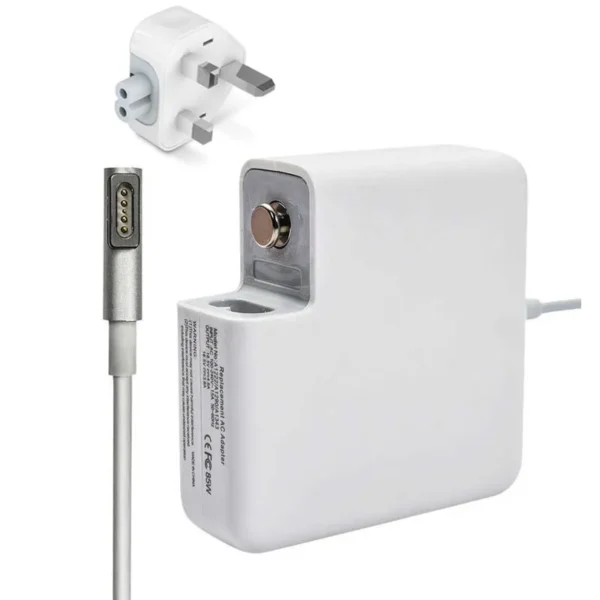
| Feature | Details |
|---|---|
| Power Output | 67W Max (Supports USB Power Delivery) |
| Connector Type | USB-C (Type-C) |
| Input Voltage | 100–240V AC, 50-60Hz |
| Output Profiles | 5V/3A, 9V/3A, 15V/3A, 20.3V/3.3A |
| Color | White |
| Warranty | 6 Months (Manufacturer defects only) |
Wide Compatibility:
Compatible with 30W 61W 67W model
Macbook Air 15-inch,M2(A2941),2023
Macbook Pro 14-inch,M2 Pro/Max(A2779),2023
Macbook Pro 14-inch,M1 Pro(A2442),2021
Macbook Air 13-inch,M2(A2681),2022
Macbook Air 13-inch,(A2179),2020
Macbook Air 13-inch,M1(A2337),2020
Macbook Air 13-inch,(A1932),2019,2018
Macbook Pro 13-inch,M2(A2338),2022
Macbook Pro 13-inch,M1(A2289),2020
Macbook Pro 13-inch,(A2159),2019
Macbook Pro 13-inch,(A1989),2018
Macbook Pro 13-inch,(A1706),2017
Macbook Pro 13-inch,(A1706/A1708),2016

Hurry and get discounts on all Apple devices up to 20%
Sale_coupon_15
KSh8,000.00 excl. VAT
Payment Methods:

Are you in search of a 67W USB-C power adapter for your MacBook Air (M2, 2022)? At Lansotech Solutions, we offer 100% original Apple 67W USB-C chargers, perfectly engineered to match the high-efficiency charging requirements of Apple’s latest MacBook Air M2 model. Our stock is reliable, certified, and available right here in Nairobi CBD — with delivery across Kenya.
The MacBook Air (M2, 2022) supports fast charging when paired with the 67W USB-C power adapter, allowing you to charge your battery to 50% in around 30 minutes when used with a USB-C to MagSafe 3 cable. It delivers the optimal power output for:
MacBook Air (M2, 2022) – 13.6-inch Retina Display
Supports backwards compatibility with lower wattage MacBooks and iPads via power negotiation
With the rise in demand for MacBook Air (M2) accessories, fake chargers have flooded the market. These non-genuine USB-C power adapters:
Deliver unstable power
Cause battery overheating and long-term wear
May damage the motherboard or charging IC
Often have no built-in power regulation or surge protection
At Lansotech Solutions, all chargers are genuine Apple adapters, sourced with traceability and tested by our in-house technicians for power efficiency and safety.
We guarantee authentic 67W USB-C adapters—no clones, no fakes.
Our shop is located in Nairobi easily accessible for walk-in customers. We welcome you to test your charger before buying.
Whether you’re in Nairobi, Mombasa, Kisumu, or Nakuru, we offer:
Same-day delivery in Nairobi
24–48 hour delivery countrywide
Cash-on-delivery options available in select areas
Technical Expertise
We have qualified technicians on-site to assist you with MacBook charging issues, battery diagnostics, and connector compatibility.
Here’s how to confirm compatibility:
Click in the top-left corner of your screen > “About This Mac”
Look for “MacBook Air (M2, 2022)” in the description
Flip over your current adapter: it should say “67W USB-C Power Adapter”
Still unsure? Bring your MacBook Air to Lansotech — we’ll test and confirm for you.
To ensure your 67W USB-C charger performs for years:
Avoid over-bending the cable near connector joints
Do not wrap cables tightly — use loose loops for storage
Keep the adapter on a hard, flat surface during use to avoid overheating
Use a surge protector to guard against unexpected voltage spikes
Always unplug from the socket by holding the plug, not the cord
 Laptop Computers
 Desktop Computers
 Desktop peripherals
 Laptop Accessories
 Laptop Components
 Network
 Printers
 Server
 Software
No account yet?
Create an Account






