








 Laptop Computers
 Desktop Computers
 Printers
 Network
 Software
 Laptop Accessories
 Laptop Components
 Office
 Desktop peripherals
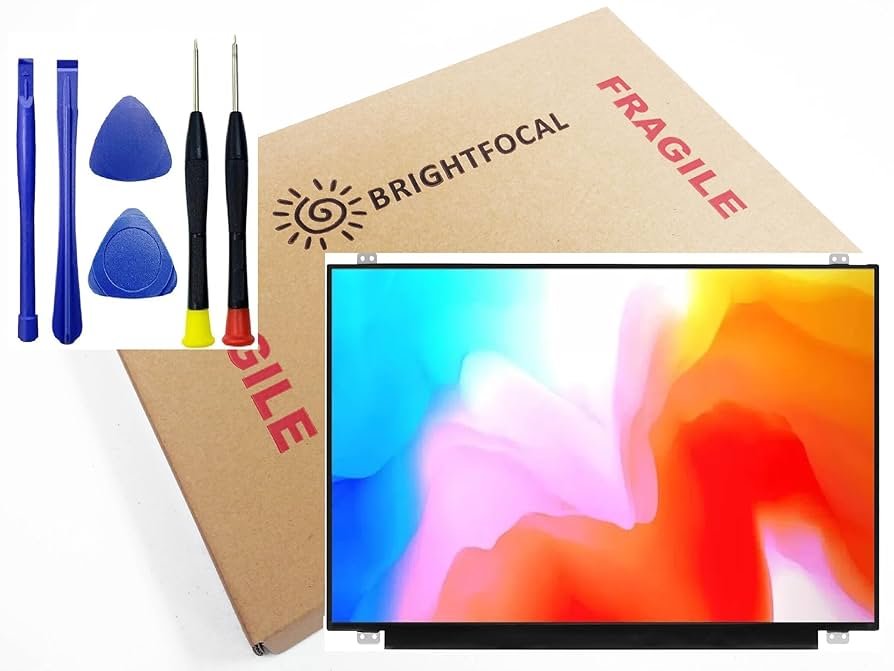
Product Name: ASUS S510U 15.6” Full HD Screen Replacement
Screen Size: 15.6 inches
Resolution: 1920×1080 Full HD
Panel Type: IPS or TN (depending on model)
Surface: Matte (Anti-Glare) or Glossy
Connector: 30-pin or 40-pin eDP
Compatibility: ASUS VivoBook S510U, S510UA, S510UN, S510UQ
Condition: Brand New
Installation Time: 1–3 Hours
Warranty: 90 Days
Price Range: KES 7,500 – 10,500
This is a genuine replacement panel ideal for restoring visual clarity and performance on your ASUS S510U laptop.

Hurry and get discounts on all Apple devices up to 20%
Sale_coupon_15
KSh8,000.00 excl. VAT
Payment Methods:

At Lansotech Solutions, we specialize in ASUS S510U screen replacement services in Nairobi. Whether your screen is cracked, flickering, or completely black, our team of certified technicians can restore your ASUS VivoBook S510U to perfect working condition using original, high-quality replacement parts. We understand how vital your laptop is for both work and study — that’s why we offer same-day service, affordable pricing, and genuine screen parts with warranty coverage.
The ASUS VivoBook S510U is a sleek and lightweight 15.6-inch laptop that features a narrow bezel Full HD (1920×1080) display, powered by Intel Core i5/i7 processors. Known for its portability and professional-grade visuals, the S510U is a favorite among students, business users, and creatives alike.
However, due to its slim bezel and compact build, the screen is vulnerable to physical damage — a common reason for users seeking screen replacement services in Nairobi.
If your ASUS S510U is showing any of the following signs, it’s time to replace the screen:
✅ Cracked or shattered glass
✅ Vertical or horizontal lines across the screen
✅ Dark spots or dead pixels
✅ Screen flickering or backlight failure
✅ No display despite the laptop powering on
✅ Discoloration or distorted visuals
✅ Dim or uneven brightness
These issues often indicate physical damage or panel failure that cannot be resolved with software updates or minor repairs.
We use OEM-grade replacement screens that meet or exceed the original specifications:
Size: 15.6 inches
Resolution: Full HD 1920×1080
Panel Type: IPS or TN (depending on the original configuration)
Surface: Matte or Glossy
Connector: 30-pin eDP or 40-pin (we confirm exact match)
We never install generic or low-grade panels — you receive the same quality display as when the laptop was new.
We believe in transparency. Here’s how we help you verify screen authenticity:
Model Number Match: We check and show you the original screen part number (e.g., B156HAN04.2 or N156HGA-EA3) and ensure your new panel matches.
OEM Manufacturer Label: Original panels carry markings from trusted brands like BOE, AUO, LG Display, or Innolux.
Perfect Fit & Finish: The original panel fits flush into the frame with no bulges, light leaks, or pressure points.
Display Performance Test: We test for resolution, brightness, refresh rate, and color accuracy to confirm OEM-level quality.
Warranty Coverage: We back our screens with a 90-day warranty on both parts and installation.
We offer same-day screen replacement (typically within 1–3 hours), provided the screen is in stock. Our technicians handle each replacement with professional precision using anti-static tools and careful disassembly.
We assess the screen and ensure the issue isn’t caused by GPU, motherboard, or ribbon cable faults.
We remove the screen bezel and record the screen part number to ensure the new panel is a perfect match in size, connector, and resolution.
Using non-damaging tools, we carefully disconnect the damaged panel from the internal connectors.
We mount the new screen, secure all cables, and reassemble the frame and bezel to factory standards.
We perform a full test including pixel check, brightness test, resolution calibration, and color consistency. Your laptop will be fully restored with no screen defects.
To avoid future screen damage, follow these best practices:
Use two hands and avoid slamming the screen shut. Sudden pressure can break the panel or hinges.
Don’t place books, bags, or elbows on a closed laptop. Even minor pressure can cause internal cracks.
Always carry your ASUS S510U in a well-padded laptop sleeve or backpack with laptop protection compartments.
Use only microfiber cloths and LCD-safe cleaner. Never spray liquid directly onto the screen.
Overheating damages screen backlights. Use your laptop on hard, flat surfaces and avoid covering ventilation areas.
Need a fast, professional ASUS S510U screen replacement in Nairobi? Come to Lansotech Solutions for reliable service, original screens, and expert support — all backed by warranty.

No account yet?
Create an Account







 ASUS
ASUS






