







 Laptop Computers
 Desktop Computers
 Printers
 Network
 Software
 Laptop Accessories
 Laptop Components
 Office
 Desktop peripherals

Hurry and get discounts on all Apple devices up to 20%
Sale_coupon_15
KSh9,000.00 excl. VAT
Payment Methods:

At Lansotech Solutions, we take pride in being Nairobi’s most trusted HP laptop repair and replacement center. When it comes to HP 15-af131dx screen replacement, our technicians deliver precision, quality, and reliability. Whether your laptop screen is cracked, flickering, or displaying lines, we provide a genuine HP screen replacement that restores your device’s performance and display clarity to original factory standards.
The HP 15-af131dx is part of HP’s popular 15-series notebooks, featuring a 15.6-inch HD display, AMD A6 processor, and a sleek, durable design. This model is ideal for students, professionals, and home users due to its affordability and performance balance. However, the screen—being the most delicate part of the laptop—is prone to damage from accidental drops, pressure cracks, or liquid spills.
A genuine HP screen replacement ensures your laptop maintains its brightness, color accuracy, and overall display quality.
If your HP laptop is showing any of the following symptoms, it’s time to replace the screen:
Cracked or broken glass panel
Black screen but power light on
Flickering or dim display
Colored or white horizontal/vertical lines
Blurry or distorted images
No display after startup
Our team at Lansotech Solutions conducts a free diagnostic check to confirm whether the issue lies in the screen, display cable, or motherboard, ensuring you only pay for what’s necessary.
To achieve a perfect replacement, understanding the screen specifications of the HP 15-af131dx is essential.
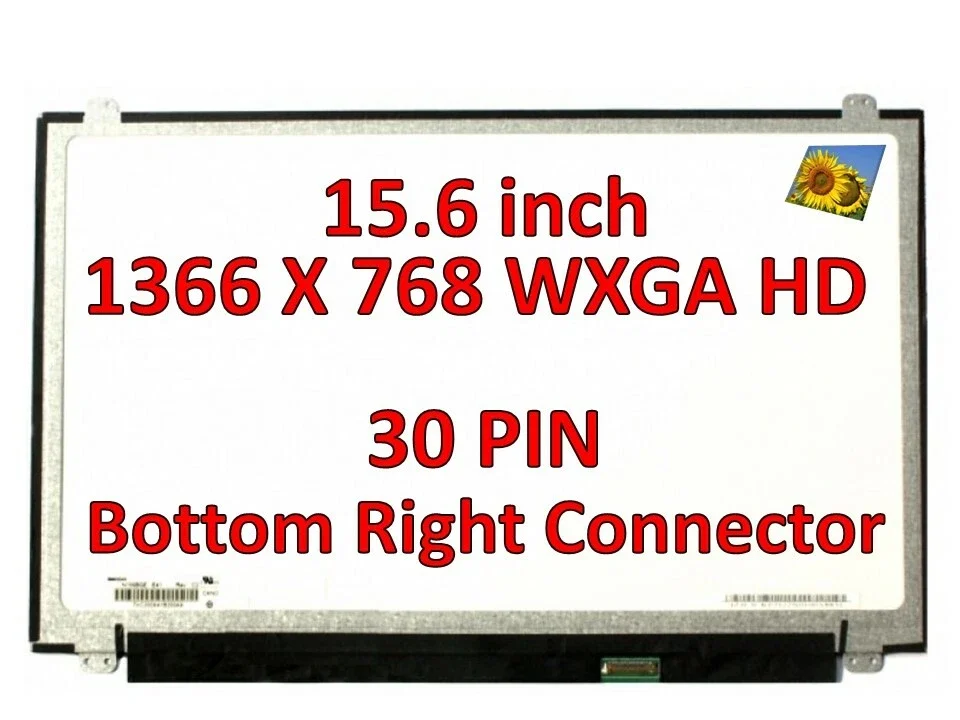
Screen Size: 15.6 inches
Resolution: 1366 x 768 pixels (HD)
Technology: LED backlit display
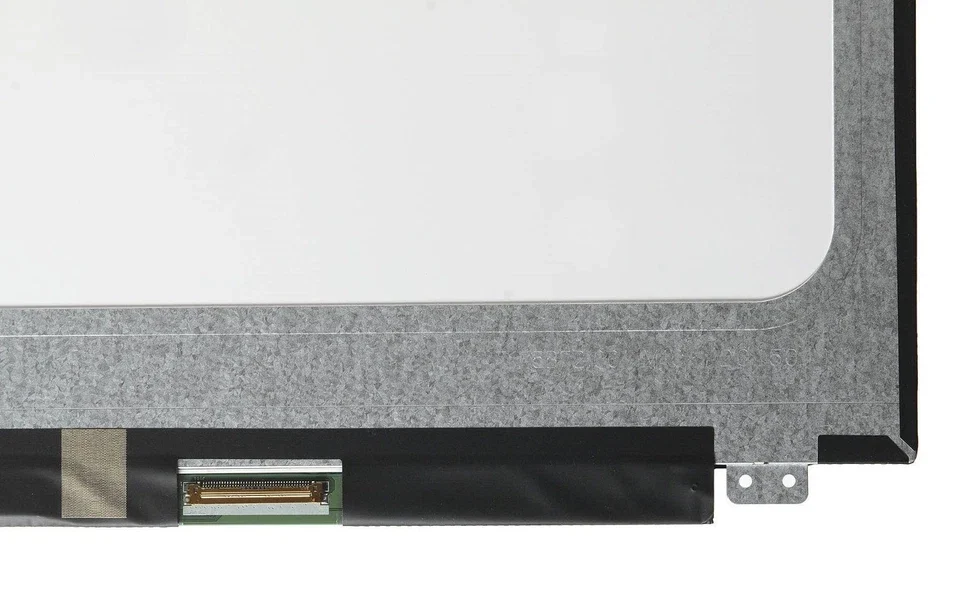
Connector: 30-pin connector (bottom right)
Finish: Matte or Glossy options available
Compatibility: Works with HP 15-af, 15-ac, and 15-ay series models
At Lansotech Solutions, we use only original HP display panels or OEM-quality replacements sourced from reputable suppliers, ensuring long-term performance and reliability.
Our replacement process follows strict professional standards to maintain the quality and safety of your HP device.
We begin by inspecting your laptop to confirm that the display itself is damaged and not an internal connection issue. This helps avoid unnecessary part replacements.
Before opening the laptop, we disconnect the charger and remove the battery to prevent electrical shorts during the repair process.
Using specialized plastic pry tools, we gently remove the screen bezel surrounding the display. This is done carefully to avoid damaging the clips or frame.
We unscrew the mounting screws holding the screen, then disconnect the 30-pin display cable located at the back of the screen. The broken screen is safely removed.
Next, we install the new HP 15-af131dx HD screen, connecting it to the display cable securely and aligning it perfectly in place.
We power on the laptop to test brightness, clarity, and color uniformity. Once confirmed, we reattach the bezel and secure everything back together.
This professional process ensures your new HP screen functions like brand new, with no flickers or display inconsistencies.
While there are online tutorials showing how to replace a laptop screen yourself, attempting a DIY repair on the HP 15-af131dx can lead to:
Damage to the display cable or motherboard
Incorrect screen fit or alignment
Short circuits due to static electricity
Voiding your manufacturer’s warranty
We recommend trusting qualified HP technicians at Lansotech Solutions to ensure safe, accurate, and lasting results.
After replacing your HP screen, consider the following maintenance and protection tips to extend its lifespan:
Always close the laptop gently and avoid pressure on the lid.
Use a soft microfiber cloth to clean the display—avoid harsh chemicals.
Invest in a laptop sleeve or padded bag for extra protection.
Keep liquids away from your laptop at all times.
Use a screen protector to guard against scratches and dust.
Proper care keeps your display bright, clear, and durable for years.

 Laptop Computers
 Desktop Computers
 Desktop peripherals
 Laptop Accessories
 Laptop Components
 Network
 Printers
 Server
 Software
No account yet?
Create an Account






