







 Laptop Computers
 Desktop Computers
 Printers
 Network
 Software
 Laptop Accessories
 Laptop Components
 Office
 Desktop peripherals

Hurry and get discounts on all Apple devices up to 20%
Sale_coupon_15
KSh6,000.00 excl. VAT
Payment Methods:

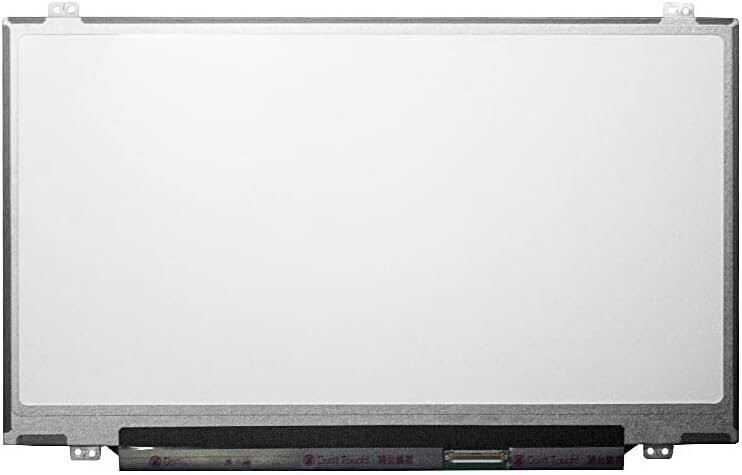
At Lansotech Solutions, we provide genuine HP EliteBook 820 G3 screen replacements and professional installation services for clients in Nairobi, Kenya. If your HP EliteBook 820 G3 screen is cracked, dim, flickering, or displaying distorted colors, our expert technicians can replace it with a brand new original HP display, restoring your laptop’s sharpness and full functionality.
As Nairobi’s trusted HP laptop repair and parts specialists, we are committed to offering high-quality parts, affordable pricing, and same-day service to help you get back to work without delay.
The HP EliteBook 820 G3 is one of HP’s premium business laptops, designed for performance, reliability, and portability. It features a 12.5-inch HD or Full HD display, a durable magnesium-aluminum chassis, and powerful Intel Core processors, making it a favorite among professionals and corporate users.
Despite its solid build, the display screen can be damaged due to accidental falls, pressure, or liquid exposure. When this happens, a genuine HP screen replacement is the best solution to restore visual clarity and maintain your laptop’s resale value.
If you’re experiencing any of these issues, your laptop screen likely needs replacement:
Cracked or broken display glass
Black screen or dim backlight even when powered on
Vertical or horizontal colored lines
Flickering or flashing display
Discoloration, blurry images, or pixel distortion
White patches or dead pixels on the display
At Lansotech Solutions, we conduct a free diagnostic test to confirm the issue and ensure that replacing the screen is the right solution.
Before replacing your HP EliteBook 820 G3 screen, it’s important to use the correct screen type and specification. We stock both HD and Full HD screens, depending on your model’s configuration.
Here are the official specifications:
Screen Size: 12.5 inches
Resolution Options:
HD (1366 x 768 pixels)
Full HD (1920 x 1080 pixels)
Display Type: LED backlit (non-touch or touch)
Connector: 30-pin eDP connector
Finish: Matte (anti-glare) or Glossy
Technology: TN or IPS display panel
Compatibility: HP EliteBook 820 G1, 820 G2, 820 G3, and 820 G4 series
We use only genuine HP screens or high-quality OEM replacements, ensuring excellent brightness, color accuracy, and durability.
At Lansotech Solutions Nairobi, we follow a professional and careful procedure to replace your screen safely and effectively.
We begin by examining your laptop to confirm that the issue lies with the screen, not the graphics chip, display cable, or motherboard.
The laptop battery and charger are removed to eliminate any risk of electric damage during the process.
We use specialized plastic tools to carefully remove the screen bezel without scratching or breaking the clips.
The damaged screen is unscrewed from the hinges and the 30-pin video connector is detached with precision.
We fit a brand new HP EliteBook 820 G3 screen, connect it securely, and test the display before securing it in place.
Once installation is complete, we power up the laptop and check for brightness, sharpness, and pixel integrity before final assembly and cleaning.
While some users may consider replacing their laptop screens themselves, the HP EliteBook 820 G3 has a compact and delicate design. A DIY attempt without the right tools or experience can lead to:
Damage to the display cable or hinges
Incorrect screen alignment
Short-circuiting or motherboard damage
Voiding the manufacturer’s warranty
To avoid these risks, it’s best to let our certified HP experts handle the job for you safely and professionally.
After replacement, follow these simple tips to keep your new screen in perfect condition:
Always close the lid gently and avoid pressing on the screen surface.
Use a screen protector to prevent scratches.
Clean the screen regularly using a microfiber cloth and screen-safe cleaner.
Avoid exposing your laptop to heat, pressure, or moisture.
Use a padded laptop bag or sleeve for protection during travel.
These steps will help extend your screen’s lifespan and keep your display looking as good as new.
If your HP EliteBook 820 G3 screen is cracked, faulty, or no longer displaying correctly, visit Lansotech Solutions for a genuine screen replacement and professional service.
Location: Portal place house junction between banda street and Muindi bingu street 2nd floor shop 207
Phone:0791833529
 Laptop Computers
 Desktop Computers
 Desktop peripherals
 Laptop Accessories
 Laptop Components
 Network
 Printers
 Server
 Software
No account yet?
Create an Account






