














Have you ever looked at a laptop’s specifications and seen terms like USB-C, Thunderbolt 4, or USB4, then wondered if they all mean the same thing?
You’re not alone.
Although these technologies often use the same USB-C connector, they are not the same. A laptop may have a USB-C port that only transfers data, while another USB-C port can charge your laptop, connect two 4K monitors, transfer files at incredible speeds, and even support an external graphics card.
Understanding the difference can help you avoid buying incompatible accessories and ensure your next laptop meets your current and future needs.nd RAM upgrades, explain how each affects performance, and help you decide which upgrade offers the best value
The Biggest Misconception
One of the most common myths is:
“If it has a USB-C port, it can do everything.”
Unfortunately, that’s not true.
USB-C describes the physical connector, while Thunderbolt 4 and USB4 describe the technology and capabilities behind that connector.
Think of it this way:
- USB-C is the shape of the door.
- USB4 and Thunderbolt 4 determine what can pass through the door.
Two laptops may have identical-looking USB-C ports but offer completely different functionality.
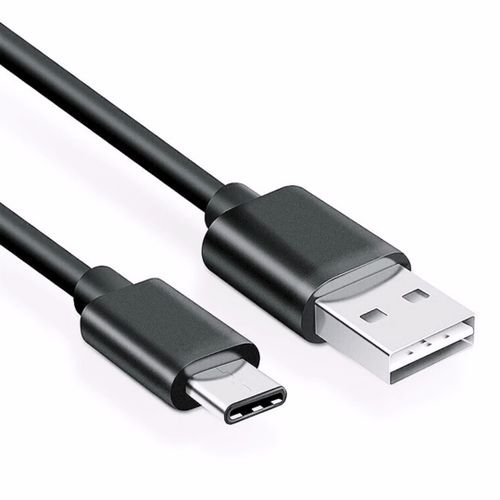
What Is USB-C?
USB-C is the modern, reversible connector found on most new laptops, smartphones, tablets, and accessories.
Unlike older USB-A ports, USB-C plugs in either way up and supports multiple technologies depending on the device.
A USB-C port may support:
- Data transfer
- Device charging
- Laptop charging
- Video output
- External displays
- External storage
However, not every USB-C port supports all of these features.
What Is Thunderbolt 4?
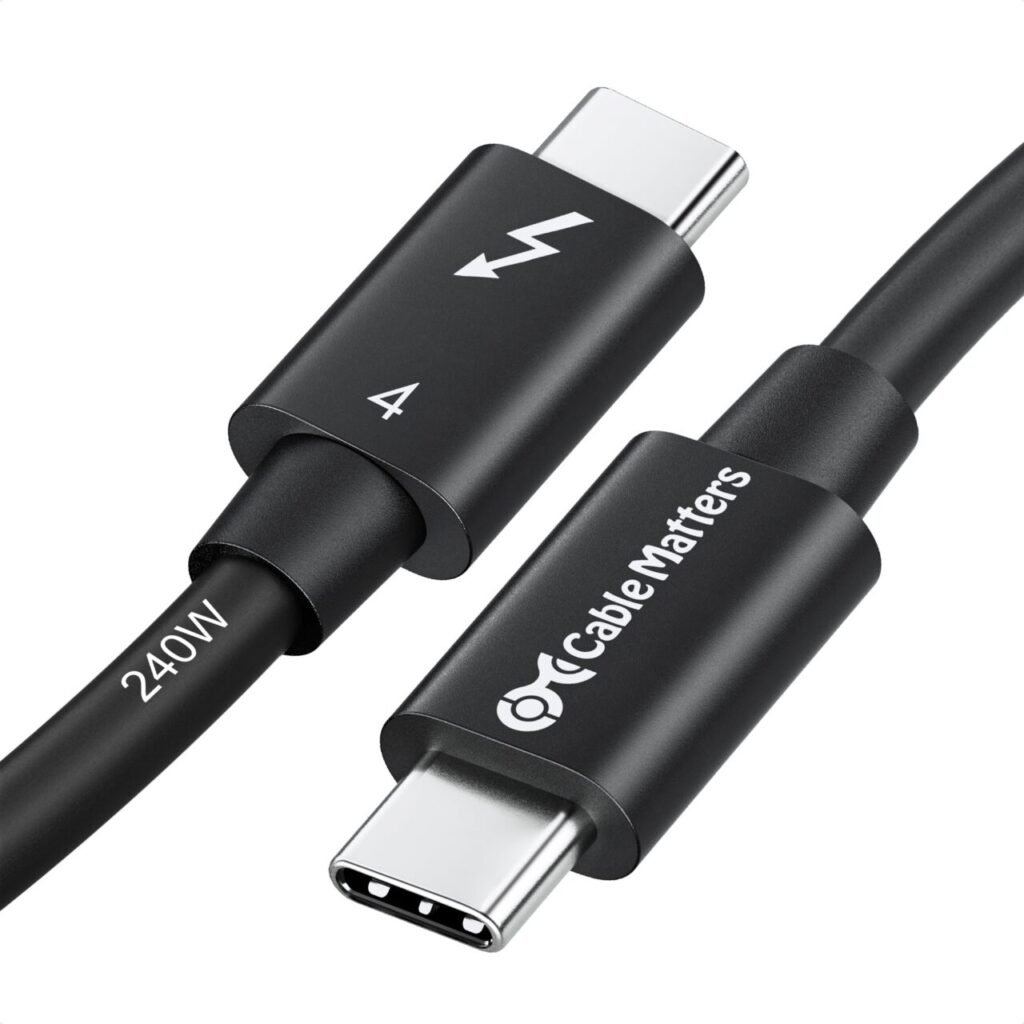
Thunderbolt 4 is Intel’s premium connectivity standard built on the USB-C connector.
It guarantees a high level of performance and functionality, including:
- Up to 40 Gbps data transfer
- Dual 4K displays or one 8K display
- High-speed external SSD support
- Laptop charging (where supported)
- Docking station compatibility
- External GPU support (on supported systems)
- PCIe data support
Thunderbolt 4 ensures consistent performance across certified devices.l hard drive (HDD), upgrading to an SSD can make it feel like a completely different machine.
What Is USB4?
USB4 is the latest USB standard designed to deliver faster speeds and broader compatibility.
Depending on the device, USB4 can support:
- Up to 40 Gbps data transfer
- DisplayPort video output
- USB Power Delivery
- High-speed storage
- Docking stations
- Compatibility with many Thunderbolt 3 devices
Unlike Thunderbolt 4, USB4 does not require every device to support the same full feature set.
USB-C vs Thunderbolt 4 vs USB4
| Feature | USB-C | USB4 | Thunderbolt 4 |
|---|---|---|---|
| Physical Connector | ✅ | USB-C | USB-C |
| Maximum Speed | Varies (5–20 Gbps typical) | Up to 40 Gbps | Up to 40 Gbps |
| Laptop Charging | Some devices | Yes (supported devices) | Yes |
| Video Output | Some devices | Yes | Yes |
| Dual 4K Displays | Not guaranteed | Device dependent | Guaranteed |
| Docking Station Support | Limited | Good | Excellent |
| External SSD Performance | Good | Excellent | Excellent |
| External GPU Support | No | Limited | Yes (system dependent) |
| Guaranteed Features | No | No | Yes |
Which Port Is Best for Different Users?
| User | Recommended Port |
| Students | USB-C |
| Office Workers | USB-C or USB4 |
| Business Professionals | Thunderbolt 4 |
| Content Creators | Thunderbolt 4 |
| Video Editors | Thunderbolt 4 |
| Graphic Designers | Thunderbolt 4 |
| Programmers | USB4 or Thunderbolt 4 |
| Gamers | USB4 or Thunderbolt 4 (especially with high-speed peripherals) |
When Should You Upgrade Your RAM?
Final Verdict
Although USB-C, USB4, and Thunderbolt 4 use the same connector, they offer different capabilities.
- USB-C refers to the connector itself and may support a wide range of functions depending on the device.
- USB4 delivers faster speeds and improved versatility, making it a great choice for most modern users.
- Thunderbolt 4 provides the highest level of guaranteed performance, making it the best option for professionals who rely on high-speed storage, multiple displays, and advanced docking solutions.
When choosing your next laptop, don’t just look for a USB-C port—check what that port can actually do.
At Lansotech Solutions, we help customers choose laptops, docking stations, monitors, and accessories that work seamlessly together, ensuring you get the right connectivity for your needs.
Frequently Asked Questions
Contact Lansotech Solutions today:
Email: sales@lansotechsolutions.co.ke
Call/WhatsApp 0791-833-529 Start WhatsApp Chat>>
















