






 Laptop Computers
 Desktop Computers
 Printers
 Network
 Software
 Laptop Accessories
 Laptop Components
 Office
 Desktop peripherals

Hurry and get discounts on all Apple devices up to 20%
Sale_coupon_15
KSh27,000.00 excl. VAT
Payment Methods:

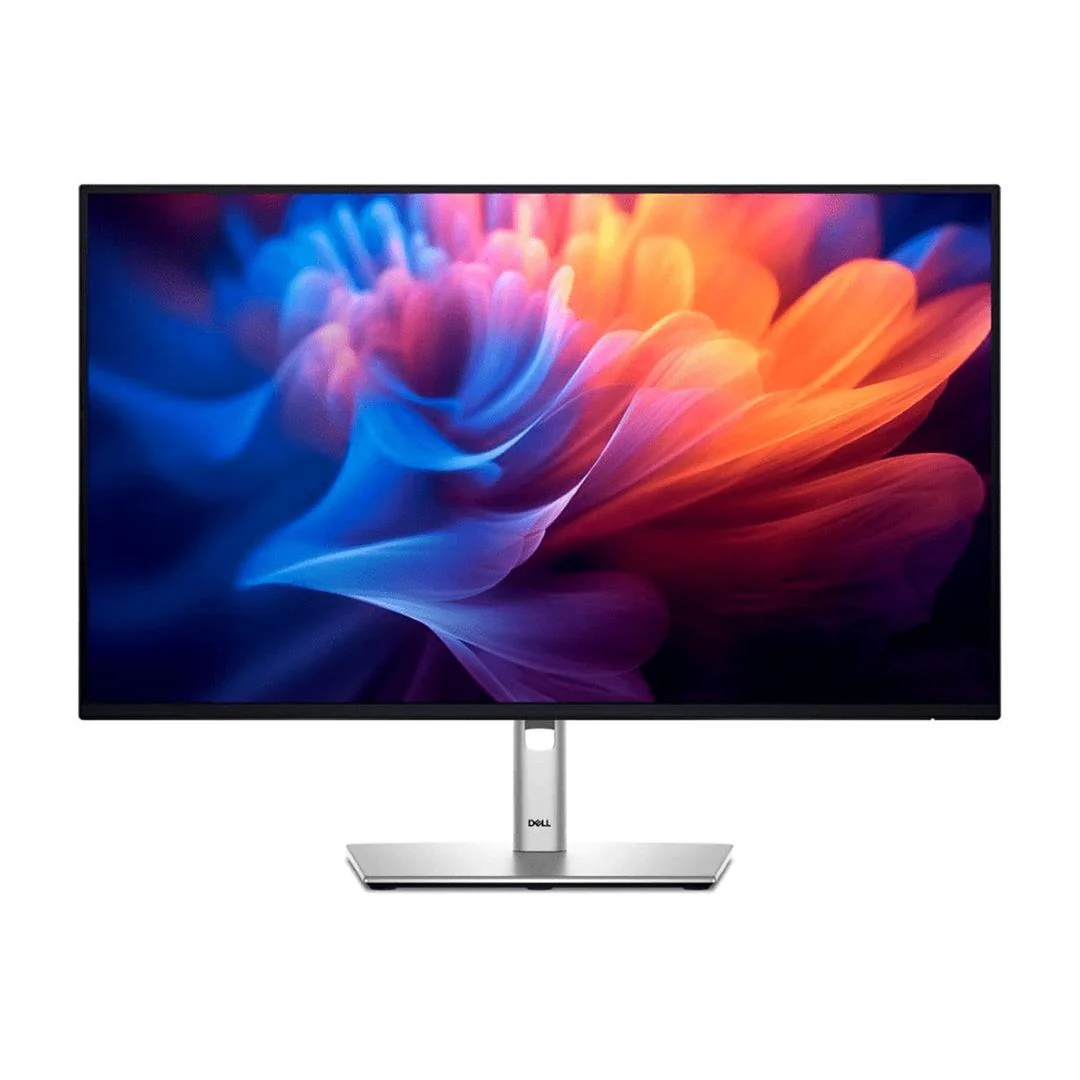
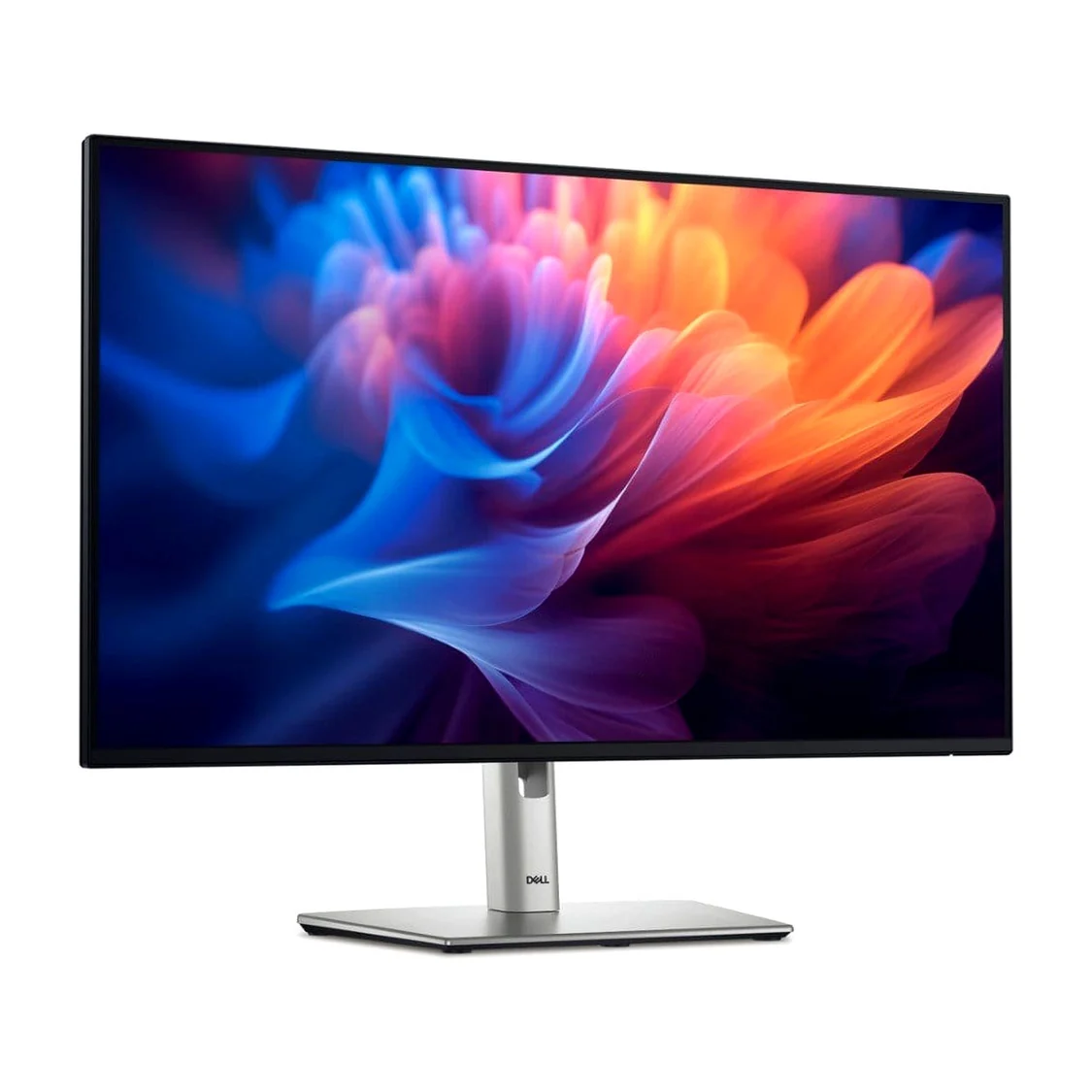
The Dell Pro 27 Plus Monitor P2725H is a professional 27-inch Full HD monitor designed to deliver clear visuals, comfortable viewing, and versatile connectivity for modern workspaces. With its 1920 × 1080 resolution, IPS panel technology, 100Hz refresh rate, and fully adjustable stand, this Dell monitor provides a practical display solution for businesses, professionals, students, and home-office users.
At Lansotech Solutions, we recognise the importance of dependable computer equipment in creating productive digital work environments. Whether you are equipping a corporate office, upgrading your workstation, setting up a home office, or purchasing monitors for an educational institution, the Dell Pro P2725H combines essential business features with a modern design.
Its large display provides room for documents, spreadsheets, browser windows, presentations, and business applications. The 100Hz refresh rate delivers smoother on-screen movement than conventional 60Hz monitors, while the IPS panel supports consistent viewing from different angles. Additional features, including TÜV-certified four-star eye comfort, flicker-free technology, and ergonomic adjustments, make this monitor a strong option for everyday professional computing.
If you are searching for a Dell 27-inch monitor in Kenya, the Dell Pro 27 Plus P2725H deserves consideration for its combination of productivity-focused features, flexible connections, and workplace comfort.
The Dell Pro P2725H features a 27-inch display with a native resolution of 1920 × 1080 pixels. Its 16:9 aspect ratio provides a familiar widescreen format suitable for office applications, online meetings, presentations, web browsing, and everyday multimedia.
The spacious screen allows users to organise multiple applications more conveniently. For example, you can work on a spreadsheet while keeping reference documents open, review reports alongside email, or display business dashboards without constantly switching between windows.
For administrative teams, accountants, customer support professionals, and business managers, this additional screen space can make everyday workflows easier to organise.
Full HD resolution is particularly suitable for standard office productivity. However, users who regularly work with highly detailed graphics, advanced video editing timelines, or dense visual content may wish to compare higher-resolution alternatives.
One of the notable advantages of the Dell P2725H 100Hz monitor is its refresh rate. The display supports refresh rates of up to 100Hz, allowing it to update the image more frequently than a conventional 60Hz display.
This helps make scrolling through documents, navigating websites, moving windows, and viewing supported animations appear smoother.
For professionals who spend much of their working day navigating spreadsheets, business software, online platforms, and lengthy documents, smoother screen movement can contribute to a more responsive desktop experience.
The monitor’s refresh rate also supports general entertainment and casual gaming, although it is primarily designed as a business productivity display rather than a specialised gaming monitor.
The Dell Pro 27 Plus Monitor uses In-Plane Switching (IPS) technology to deliver wide viewing angles and consistent colour presentation.
With viewing angles of 178 degrees horizontally and vertically, the screen remains viewable from a broad range of positions. This can be useful during meetings, collaborative projects, and shared workstation activities.
The monitor supports 99% sRGB colour coverage, making it suitable for everyday visual work, including presentations, marketing materials, website content, and general business graphics.
Its typical brightness of 300 cd/m² supports use in many standard office environments, while the anti-glare screen coating helps reduce distracting reflections.
For professionals who need a reliable display for documents, communication, and routine visual tasks, the combination of IPS technology and sRGB coverage provides a practical balance of clarity and colour consistency.
Comfort is an important consideration when choosing a monitor for a busy office or home workstation.
The Dell P2725H incorporates flicker-free technology and carries a TÜV-certified four-star eye comfort rating. These features are designed to support a more comfortable viewing experience during everyday computer use.
The anti-glare coating also helps minimise reflections from surrounding light sources, which can be particularly useful in offices with overhead lighting or windows.
For the best results, we recommend positioning the monitor to minimise glare, adjusting brightness to suit the room, maintaining a comfortable viewing distance, and taking regular breaks during extended computer sessions.
These practical considerations, combined with the monitor’s display features, can help create a more comfortable workstation.
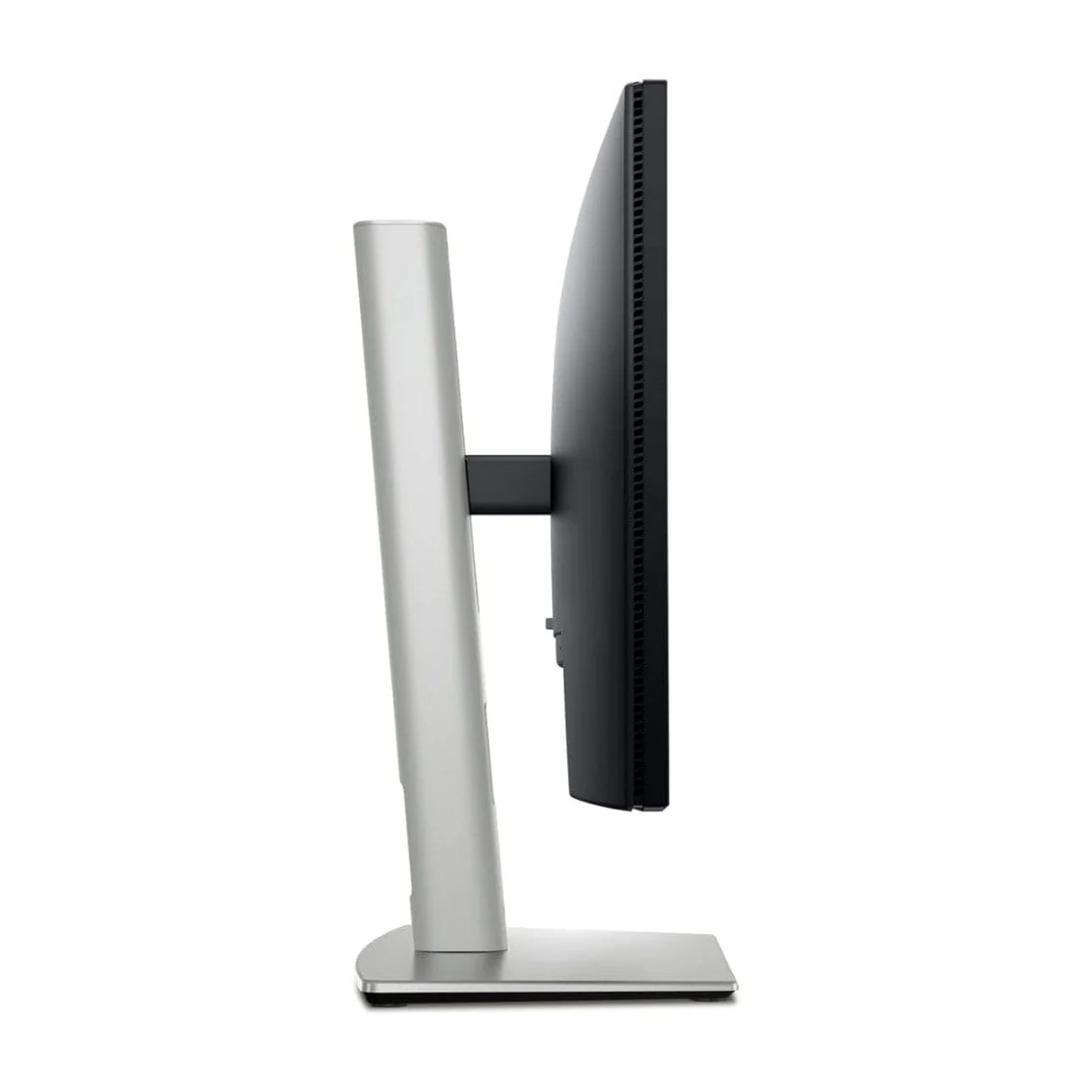
The Dell Pro P2725H includes an ergonomic stand designed to accommodate different seating positions and workstation layouts.
Its adjustment options include:
These adjustments help users position the screen according to their desk height, preferred viewing angle, and working requirements.
Portrait orientation can be particularly useful for reviewing long documents, reading reports, displaying code, or working with vertically arranged content.
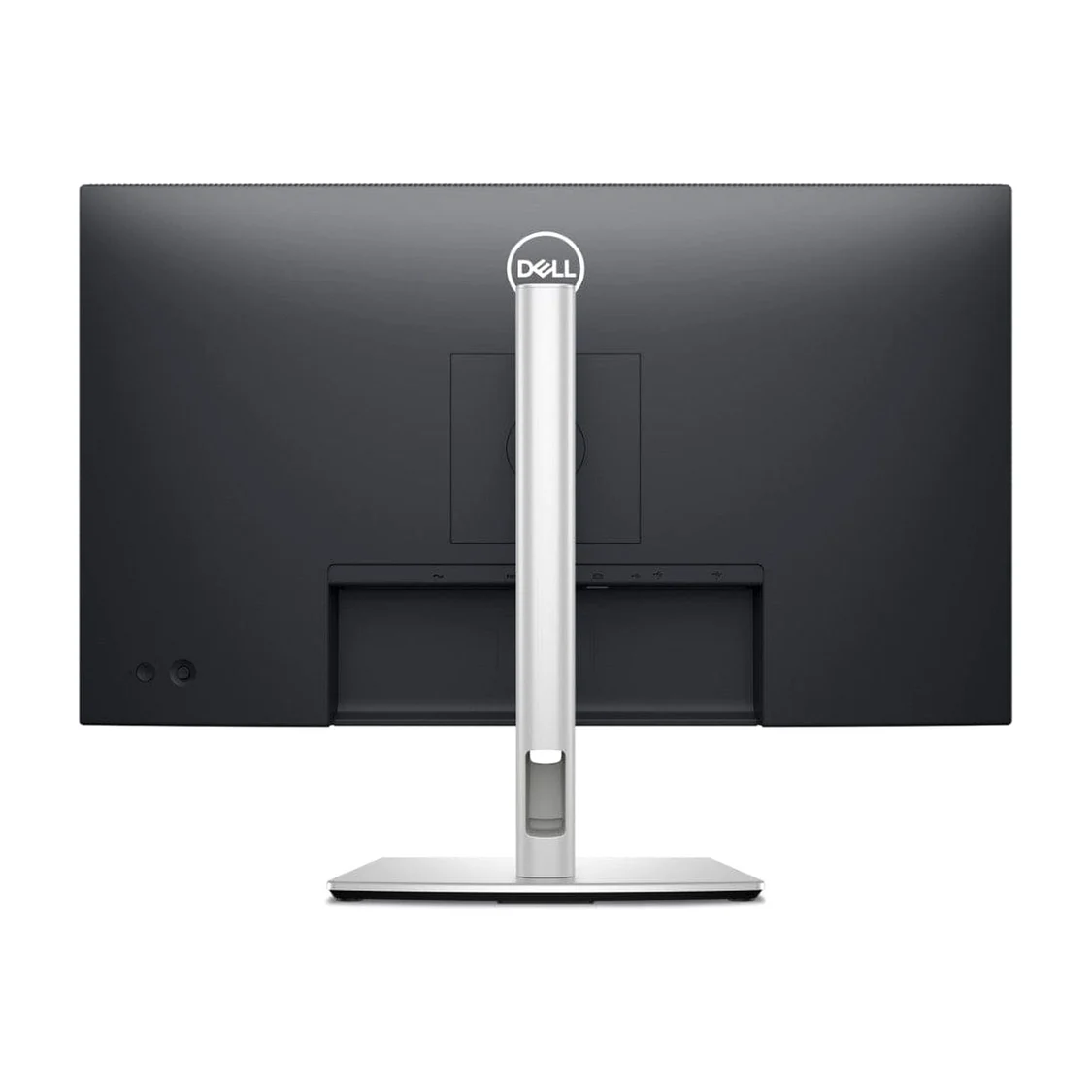
The monitor also supports a standard 100 × 100 mm VESA mounting interface, allowing compatible monitor arms and mounting solutions to be used when required.
For organisations equipping multiple workstations, ergonomic flexibility is a valuable feature because it allows each user to adapt the display to their individual setup.
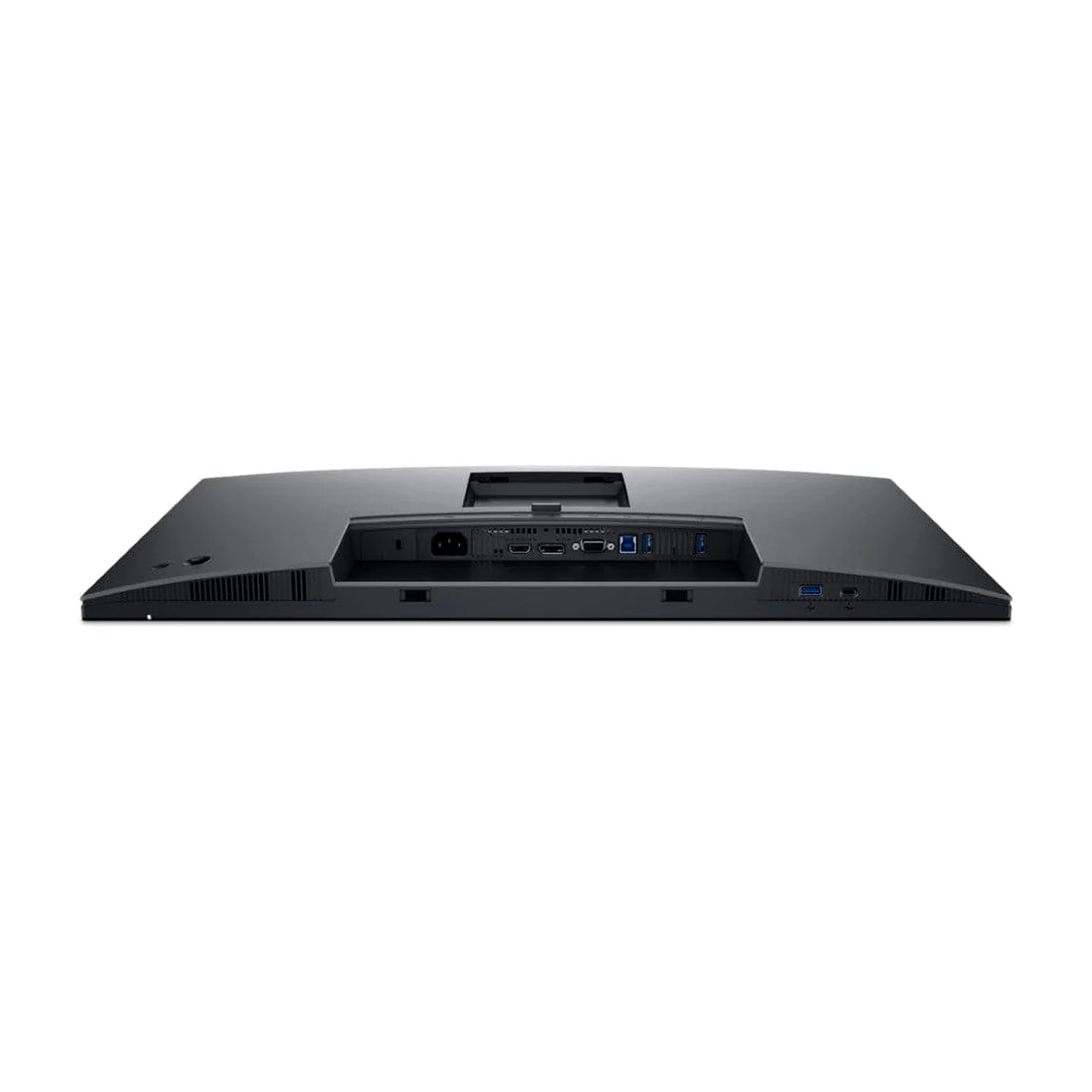
The Dell P2725H offers several connectivity options to support different computer configurations.
Its principal connections include:
The USB hub helps keep compatible peripherals connected conveniently at the workstation. However, the USB-C port on this model is intended for downstream data and limited power delivery; it is not a replacement for a full USB-C laptop docking connection with high-wattage charging and video output.
Buyers should check their computer’s available ports and connectivity requirements before ordering to ensure that the monitor will integrate smoothly with their existing equipment.
The Dell Pro 27 Plus Monitor features a clean, professional design with slim bezels on three sides of the display.
Its understated appearance suits corporate offices, reception desks, home offices, training rooms, and educational environments.
The slim-bezel design is particularly useful when arranging two monitors side by side because it reduces the visual interruption between adjacent screens.
A dual-monitor setup can help professionals compare documents, manage multiple applications, monitor dashboards, and organise complex workflows more efficiently.
Combined with its adjustable stand and practical connectivity, the P2725H provides a versatile foundation for a modern desktop environment.
The Dell P2725H is designed to support everyday business operations, making it suitable for administrative departments, accounting teams, customer service centres, and general office workstations.
Its Full HD resolution supports standard business applications, while the 100Hz refresh rate provides smoother scrolling and desktop navigation.
The adjustable stand helps employees configure their displays for different desk arrangements, and the range of video inputs supports deployment across compatible computers with varying connection requirements.
For remote professionals, a reliable monitor can make a significant difference to the organisation of a workstation.
The Dell Pro P2725H provides enough screen space for video meetings, documents, email, research, and productivity applications. Its ergonomic adjustments allow users to customise the display position, while its anti-glare coating and flicker-free technology support comfortable everyday viewing.
Whether you work in administration, customer service, project coordination, or general business operations, this monitor offers practical features for a home-office setup.
Students, teachers, trainers, and educational institutions can also benefit from the Dell P2725H.
The large Full HD screen is suitable for digital learning platforms, research, presentations, document preparation, and online classes. Its wide viewing angles can also help when reviewing content with colleagues or classmates.
For schools and training centres purchasing multiple monitors, its standard connectivity options can help simplify installation across compatible computer systems.
Professionals who frequently switch between applications may benefit from pairing the Dell P2725H with a second compatible display.
A dual-monitor arrangement allows users to keep reference materials on one screen while working on the other. This can be useful for accounting, customer support, data analysis, administrative work, and content management.
Before setting up multiple displays, confirm that the computer’s graphics hardware supports the intended configuration and that the necessary video connections are available.
When comparing the Dell Pro P2725H with standard 60Hz monitors, its 100Hz refresh rate is an important distinction.
A 60Hz display refreshes its image up to 60 times per second, while a 100Hz display can refresh up to 100 times per second. When supported by the computer and connection, the higher refresh rate can make scrolling and on-screen movement appear smoother.
The P2725H also combines this feature with a 27-inch Full HD IPS panel, 99% sRGB colour coverage, a typical 1,500:1 contrast ratio, and extensive ergonomic adjustments.
For buyers upgrading an older office monitor, these features provide several practical improvements without requiring a move to a higher-resolution display.
However, the best choice depends on your workload. Users who prioritise exceptionally sharp text, detailed image editing, or high-resolution creative applications should also consider suitable Quad HD or 4K monitors.
Choose the Dell Pro P2725H for a spacious, adaptable, and productivity-focused display designed for today’s professional workspaces.
No account yet?
Create an Account







 ASUS
ASUS






