






 Laptop Computers
 Desktop Computers
 Printers
 Network
 Software
 Laptop Accessories
 Laptop Components
 Office
 Desktop peripherals

Hurry and get discounts on all Apple devices up to 20%
Sale_coupon_15
KSh6,500.00 excl. VAT
Payment Methods:

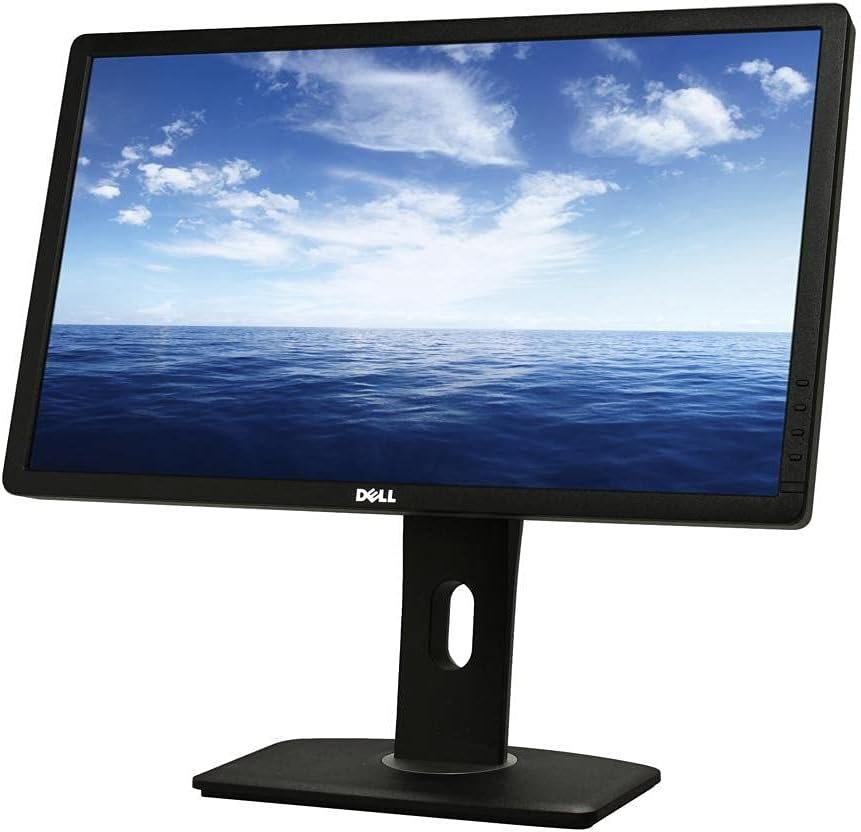
The Dell UltraSharp U2312HM 23-inch IPS LED LCD Monitor is a business-oriented display designed for office productivity, professional computing, education, and everyday multimedia use. With its Full HD resolution, IPS panel technology, LED backlighting, and ergonomic stand, it provides a practical combination of image clarity, comfortable viewing, and flexible screen positioning.
Part of Dell’s UltraSharp monitor range, the U2312HM is designed to support everyday tasks such as working with documents, managing spreadsheets, preparing presentations, browsing the internet, and participating in video meetings. Its 23-inch screen offers a useful workspace without occupying as much desk space as larger monitors.
The monitor also features DisplayPort, DVI-D, and VGA connectivity, a USB hub, and multiple stand adjustments. These features make it a useful option for businesses and individuals who need a dependable display for an existing desktop setup. As an older monitor model, its availability, condition, included accessories, and warranty should be confirmed with the seller.
The Dell UltraSharp U2312HM features a 23-inch display with a native resolution of 1920 × 1080 pixels, commonly known as Full HD. Its 16:9 widescreen aspect ratio provides a familiar format for office applications, online content, and video playback.
Full HD resolution delivers clear text and detailed images for common productivity tasks. Users can work with spreadsheets, create presentations, edit documents, and browse websites with a consistent widescreen layout. The available screen space also supports arranging multiple application windows side by side.
For home use, the monitor is suitable for watching videos, viewing photographs, attending online meetings, and managing personal projects. Its 23-inch size makes it a practical choice for desks where space is limited but a larger display than a compact office monitor is preferred.
The resolution is well suited to general computing, although users who regularly work with high-resolution photographs, complex design projects, or large data sets may prefer a modern display with a higher native resolution.
One of the main advantages of the Dell UltraSharp U2312HM is its IPS (In-Plane Switching) panel technology. IPS panels are valued for their consistent colour appearance and broad viewing angles, making them suitable for business applications and general visual work.
The monitor has a rated brightness of 300 cd/m² and a typical static contrast ratio of 1000:1. These specifications support clear visibility in many indoor office and home environments.
Its viewing angles are rated at 178 degrees horizontally and vertically, helping maintain a consistent image when the screen is viewed from different positions. This can be useful when presenting information to colleagues or sharing a display during discussions.
The monitor supports 16.7 million colours and is suitable for everyday graphics, presentations, image viewing, and office design tasks. However, professionals working with demanding colour-critical photography, print production, or video grading should consider the age of the model and whether a newer, factory-calibrated display better meets their requirements.
The Dell UltraSharp U2312HM features an 8ms grey-to-grey response time, designed to support smooth pixel transitions during everyday computer use.
This response time is suitable for office applications, web browsing, video playback, and general multimedia tasks. The monitor supports a 60Hz native refresh rate at Full HD resolution, making it appropriate for conventional desktop environments.
While it can handle casual gaming and standard video content, it is not designed for competitive gaming or users who require high refresh rates. Its primary strengths are productivity, viewing comfort, and connectivity rather than specialised gaming performance.
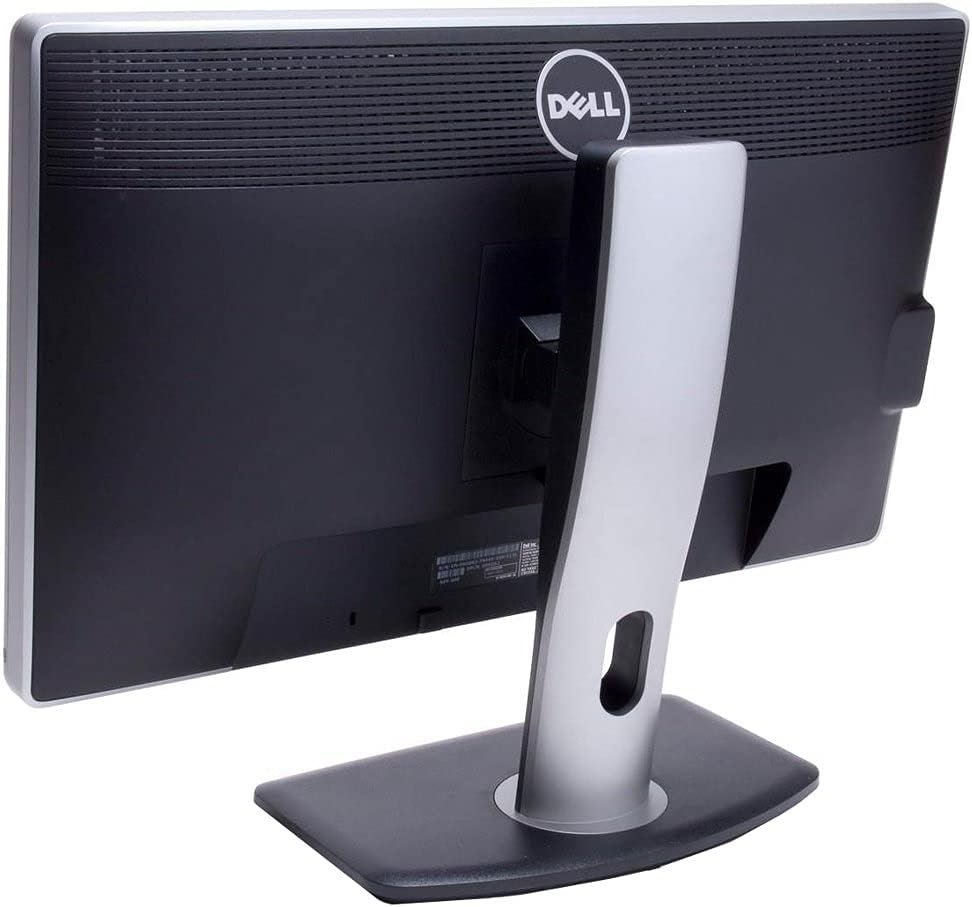
The U2312HM includes an adjustable stand designed to help users position the screen for a comfortable working posture.
Its ergonomic features include:
The pivot function is especially useful when reading long documents, reviewing code, viewing portrait-format content, or working with lengthy spreadsheets. Height and tilt adjustments also make it easier to position the screen according to individual preferences.
For businesses with shared workstations, these adjustment options offer more flexibility than a basic fixed-stand monitor. The display also supports 100 × 100mm VESA mounting, allowing installation on compatible monitor arms or wall mounts.
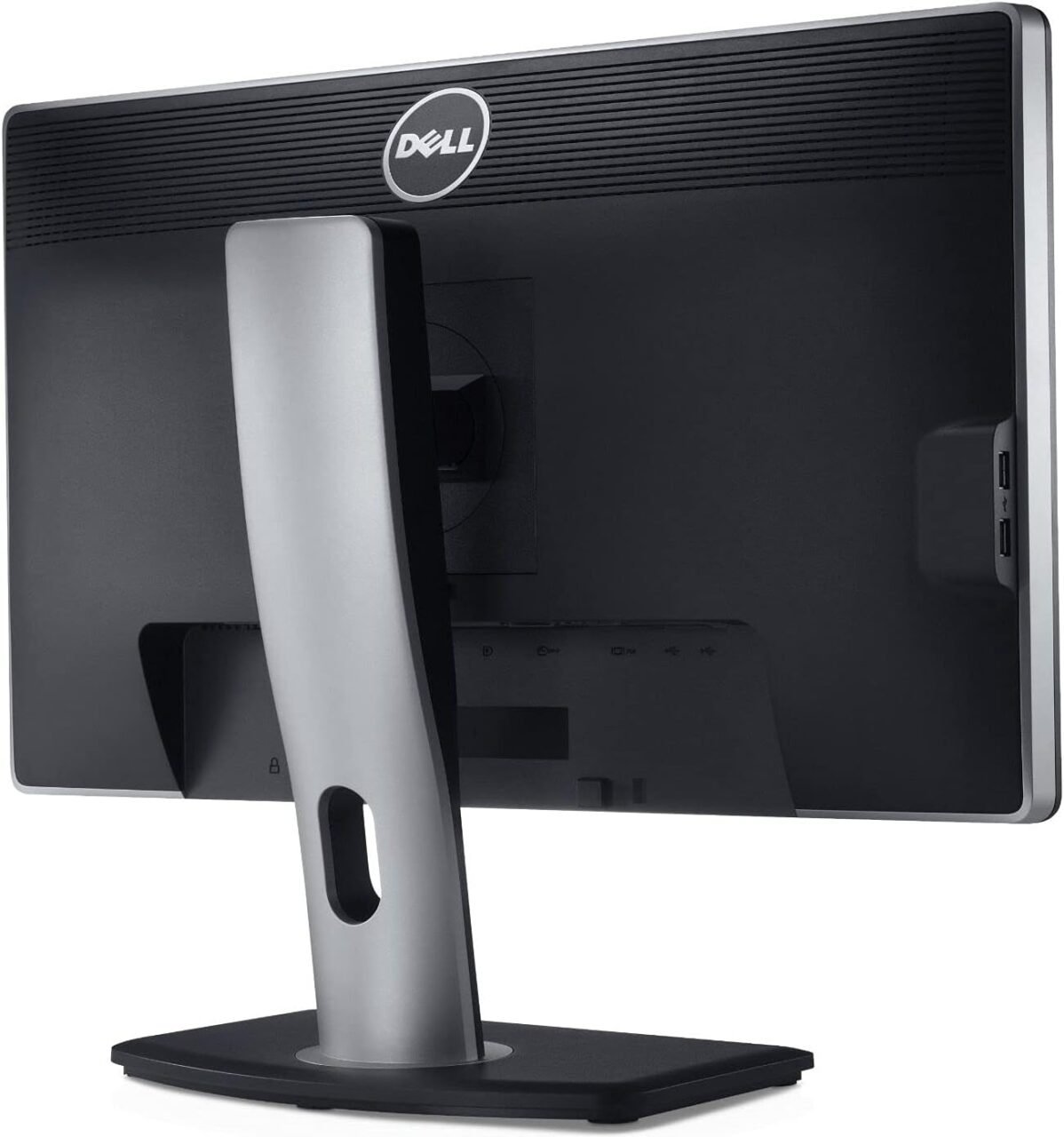
The Dell UltraSharp U2312HM provides several video inputs, making it suitable for a variety of desktop computers and older workstation configurations.
Available video connections include:
These options can be particularly useful in offices where computer equipment is upgraded gradually rather than all at once. Users can select the connection that matches their computer’s available output.
The monitor does not include an HDMI input, so connecting an HDMI-only computer may require a compatible HDMI-to-DisplayPort, DVI, or VGA solution. Compatibility depends on the specific adapter and signal direction, so users should confirm requirements before purchasing accessories.
The monitor includes a USB 2.0 hub with four downstream ports and one upstream connection. This allows users to connect compatible peripherals to the monitor rather than reaching directly for the computer’s USB ports.
The four downstream ports are distributed across the rear and side of the monitor, helping provide convenient access for supported devices such as keyboards, mice, and USB accessories.
To use the hub, connect the monitor’s USB upstream port to a USB port on the computer using the appropriate cable. The USB hub is an additional convenience feature; it does not replace a modern docking station with USB-C charging or high-speed data connections.
For office environments, this feature can help simplify peripheral connections and keep frequently used accessories accessible.
The U2312HM has an anti-glare screen with a 3H hard coating, designed to reduce distracting reflections from surrounding light sources and provide a durable screen surface.
Its IPS technology and wide viewing angles help maintain consistent image appearance when the screen is viewed from different positions. These characteristics are useful when presenting information to colleagues or working in environments where users may not always sit directly in front of the display.
The monitor also offers brightness and contrast controls, allowing users to adjust the image to suit the room’s lighting conditions.
For comfortable daily use, position the display at a suitable distance, keep the top of the screen around eye level where practical, and take regular breaks during extended computer sessions.
The Dell UltraSharp U2312HM is well suited to a range of conventional computing environments.
Office productivity: Use the monitor for word processing, email, spreadsheets, presentations, business applications, and administrative tasks. Its Full HD resolution and ergonomic stand support a practical desktop setup.
Education and study: The 23-inch display is suitable for research, online learning, reading digital documents, and completing assignments.
Home computing: It provides a useful screen for web browsing, video calls, personal projects, and everyday computer tasks.
Multi-monitor workstations: Its standard Full HD resolution and VESA compatibility make it a possible component of a multi-monitor setup, depending on the computer’s available video outputs and mounting arrangement.
General multimedia: The display is suitable for viewing photographs, watching videos, and other everyday visual content. Its IPS panel offers useful viewing-angle consistency, although its 60Hz refresh rate is not intended for high-performance gaming.
The Dell UltraSharp U2312HM uses an internal power supply and supports a 100–240V AC, 50/60Hz input range. This makes it compatible with common mains electricity systems when used with the appropriate power cable.
Dell’s published specifications list power consumption of approximately 30W in typical operation, with power usage varying according to display settings and operating conditions. Power-management features help reduce consumption when the monitor enters standby or power-saving mode.
The monitor’s practical design, adjustable stand, and standard mounting compatibility make it suitable for traditional office workstations. As a model introduced in an earlier generation of monitor technology, it may be available primarily through remaining inventory or refurbished and second-hand sellers.
When buying this model, it is advisable to confirm the screen’s physical condition, inspect it for dead pixels or uneven backlighting, check that all input ports work, and verify which cables and accessories are included.
The Dell UltraSharp U2312HM combines IPS display technology with ergonomic flexibility and useful legacy connectivity. These features make it an option for users who need a straightforward Full HD monitor for productivity rather than the latest gaming or high-resolution display technology.
Its main advantages include:
The model’s age is an important consideration. Buyers who need HDMI connectivity, USB-C, higher resolution, or a high refresh rate may be better served by a newer display. For conventional office use, however, the U2312HM’s combination of IPS technology and adjustable positioning remains useful.
The Dell UltraSharp U2312HM 23-inch IPS LED LCD Monitor is a practical display for office productivity, education, home computing, and everyday multimedia tasks. Its Full HD resolution, IPS panel, 300 cd/m² brightness, and 178-degree viewing angles support clear visuals for routine work.
Before purchasing, confirm the monitor’s condition, included accessories, and seller warranty, particularly if buying a refurbished or used unit.
 Laptop Computers
 Desktop Computers
 Desktop peripherals
 Laptop Accessories
 Laptop Components
 Network
 Printers
 Server
 Software
No account yet?
Create an Account






