






 Laptop Computers
 Desktop Computers
 Printers
 Network
 Software
 Laptop Accessories
 Laptop Components
 Office
 Desktop peripherals

Hurry and get discounts on all Apple devices up to 20%
Sale_coupon_15
KSh7,000.00 excl. VAT
Payment Methods:

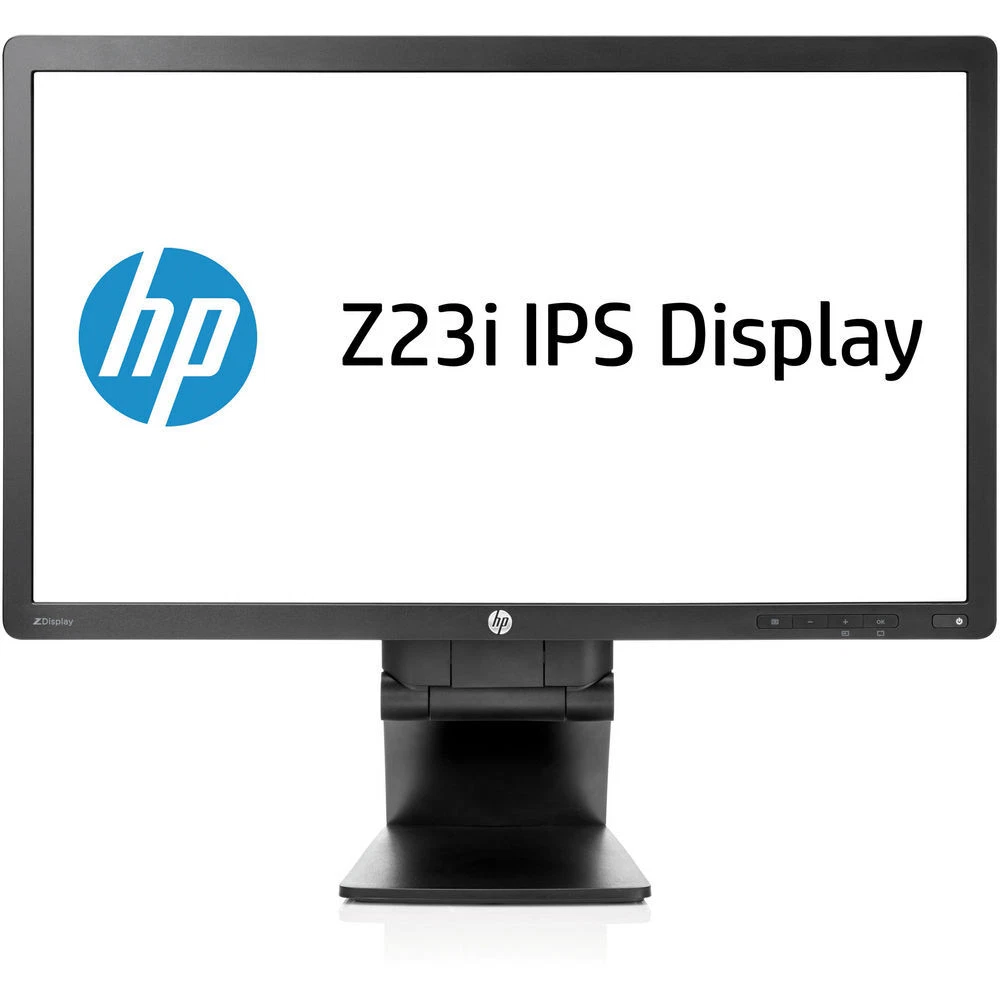
The HP Z Display Z23i 23-inch IPS LED Backlit Monitor is a professional desktop display designed for business environments, office productivity, education, and everyday computing. Featuring Full HD resolution, IPS panel technology, LED backlighting, and a fully adjustable ergonomic stand, this monitor delivers a practical combination of image clarity, comfortable viewing, and workspace flexibility.
Designed for professional users, the HP Z23i provides a 23-inch widescreen display suitable for working with documents, spreadsheets, presentations, business applications, and web-based platforms. Its 1920 × 1080 resolution provides detailed visuals, while its wide viewing angles help maintain consistent image quality from different seating positions.
The monitor also offers DisplayPort, DVI-D, and VGA connectivity, alongside a USB hub and VESA mounting compatibility. These features make it a useful option for traditional office workstations and users who need a dependable display that can integrate with existing computer equipment.
The HP Z Display Z23i features a 23-inch display with a native resolution of 1920 × 1080 pixels, commonly known as Full HD. Its 16:9 widescreen aspect ratio provides a familiar format for business software, online content, and multimedia applications.
Full HD resolution supports clear text and detailed images, making the monitor suitable for common office tasks such as preparing reports, editing documents, managing spreadsheets, and creating presentations. The widescreen layout also makes it easier to organise multiple application windows side by side.
For home and educational use, the display is suitable for online learning, web browsing, video calls, document reading, and everyday entertainment. Its 23-inch screen offers a useful balance between viewing area and desk space, making it practical for both individual workstations and shared office environments.
One of the main advantages of the HP Z23i is its IPS (In-Plane Switching) panel technology. IPS displays are valued for their broad viewing angles and consistent colour appearance, making them suitable for collaborative work and everyday visual tasks.
The monitor offers a typical brightness of 250 cd/m² and a static contrast ratio of 1000:1. These specifications support clear viewing in typical indoor office and home environments.
Its viewing angles are rated at 178 degrees horizontally and vertically, allowing users to view the screen from different positions without the pronounced colour and contrast changes associated with some older panel technologies.
The display supports 16.7 million colours and approximately 95% sRGB coverage according to HP’s published technical specifications. This makes it suitable for office graphics, presentations, web content, and general image viewing. For demanding colour-critical design, photography, or video production, users should consider a modern display designed specifically for colour-managed workflows.
The HP Z23i uses LED backlighting to illuminate its LCD panel. This design supports a relatively slim monitor profile while providing the brightness needed for everyday office applications.
The display has an anti-glare surface that helps reduce distracting reflections from ambient lighting. This is useful in offices where overhead lights, windows, or other light sources can affect screen visibility.
The monitor also features on-screen controls that allow users to adjust brightness, contrast, colour settings, and other display parameters. These options make it easier to tailor the picture to individual preferences and different lighting conditions.
For a comfortable viewing experience, users should position the monitor at an appropriate distance and adjust its brightness to suit the surrounding environment.
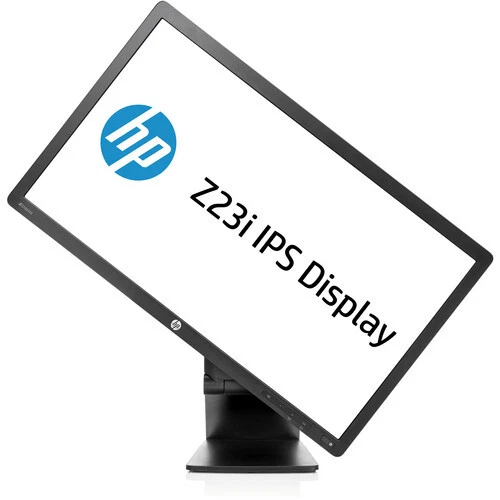
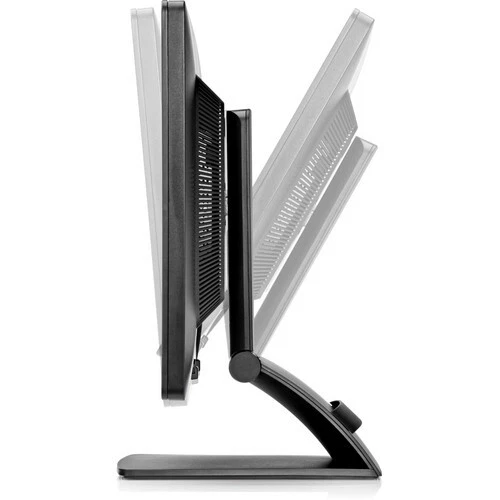
The HP Z Display Z23i includes an adjustable stand designed to provide greater flexibility than a basic fixed-position monitor.
Its ergonomic adjustments include:
The pivot function is especially useful for reading long documents, reviewing code, viewing portrait-format content, and working with lengthy web pages. Height adjustment also helps users align the display with their desk and chair.
These features make the monitor suitable for professional workstations where comfort and adjustability are important. The stand can also help users customise their setup when moving between different tasks during the day.
The HP Z23i provides multiple video connections, making it suitable for a variety of desktop computers and traditional office configurations.
Available video inputs include:
This selection can be useful for businesses that maintain a mixture of older and newer computers. It allows the monitor to connect to compatible systems without requiring every workstation to use the same video output.
The HP Z23i does not have a native HDMI input. Users connecting a device that only offers HDMI may need a suitable adapter, and compatibility should be checked before purchasing one.
The monitor features a USB 2.0 hub with two downstream ports and one upstream connection. This provides convenient access to compatible peripherals directly through the monitor.
The USB ports can be useful for connecting accessories such as a keyboard, mouse, or other low-power USB devices. The hub may reduce the need to reach around the computer when connecting frequently used accessories.
To use the downstream ports, the monitor must be connected to the computer through its USB upstream connection. This feature is particularly useful in workstations where easy peripheral access helps maintain an organised desk.
The USB hub is intended for everyday accessory connectivity and should not be confused with a modern USB-C docking station offering laptop charging, high-speed data transfer, and additional display outputs.
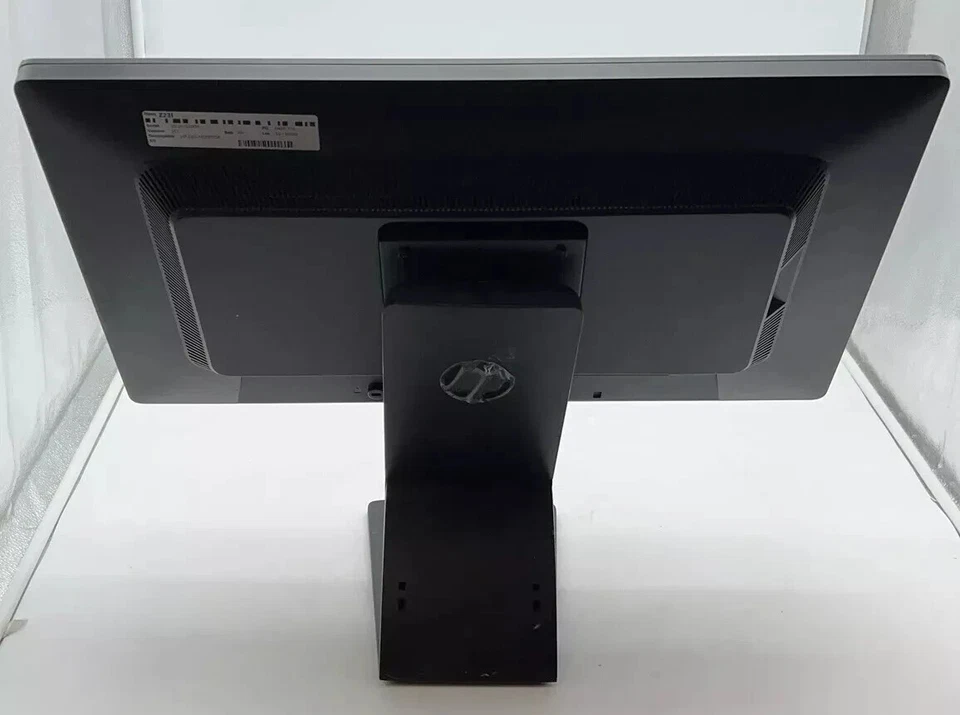
The HP Z23i includes a security lock-ready design, allowing users to secure the monitor with a compatible security cable.
This feature can be useful in offices, schools, reception areas, shared workstations, and other environments where equipment may be left unattended.
Physical security accessories are typically purchased separately, so users should confirm compatibility before selecting a locking cable. This added feature supports the monitor’s professional orientation and makes it suitable for a range of managed workplace setups.
The HP Z23i has a typical power consumption rating of approximately 28W, with maximum consumption listed at 36W and standby consumption above 0.5W according to HP’s specifications.
The monitor supports a 100–240V AC input range, making it compatible with common mains electricity systems when used with the appropriate power cable.
HP also lists environmental features including mercury-free display backlighting, arsenic-free display glass, and low-halogen materials. The model’s published certifications include energy-efficiency and environmental compliance standards.
Actual power consumption depends on brightness settings, operating conditions, and the connected equipment. Power-management settings can help reduce electricity use when the monitor is not actively displaying content.
The HP Z Display Z23i is suited to several everyday computing environments.
Business and office productivity: The Full HD display is appropriate for spreadsheets, word processing, email, presentations, accounting applications, and administrative software.
Education and study: Students and educators can use the monitor for online learning, research, assignments, document reading, and educational content.
Home computing: The screen provides a useful display for browsing, video calls, managing personal files, and everyday applications.
Multi-monitor workstations: Its standard Full HD resolution and adjustable stand make it suitable for configurations where users need additional screen space. The exact arrangement depends on the computer’s available video outputs.
General visual work: IPS technology and wide viewing angles make the monitor useful for presentations, web graphics, and everyday image viewing.
Its professional design and ergonomic adjustments make it a practical option for users who need a conventional office display rather than a specialist gaming monitor.
The HP Z23i combines a Full HD IPS display with ergonomic flexibility and connectivity options suitable for traditional desktop systems.
Its key advantages include:
The model is from an older generation of professional displays. Buyers should therefore verify its condition, availability, included cables, and warranty coverage. Users who require HDMI, USB-C, higher resolution, or a high refresh rate may prefer a newer monitor.
The HP Z Display Z23i 23-inch IPS LED Backlit Monitor is a practical business display for office productivity, education, and everyday computing. Its Full HD resolution, IPS technology, wide viewing angles, and anti-glare surface support clear visuals for common professional tasks.
The adjustable stand provides height, tilt, swivel, and pivot functionality, while DisplayPort, DVI-D, VGA, and USB connectivity help integrate the monitor into compatible desktop setups.
Although its connectivity and 60Hz refresh rate reflect an earlier generation of monitor technology, the HP Z23i remains a useful option for conventional office environments where ergonomic flexibility and dependable Full HD performance are the main priorities.
 Laptop Computers
 Desktop Computers
 Desktop peripherals
 Laptop Accessories
 Laptop Components
 Network
 Printers
 Server
 Software
No account yet?
Create an Account






