






 Laptop Computers
 Desktop Computers
 Printers
 Network
 Software
 Laptop Accessories
 Laptop Components
 Office
 Desktop peripherals

Hurry and get discounts on all Apple devices up to 20%
Sale_coupon_15
KSh10,000.00 excl. VAT
Payment Methods:

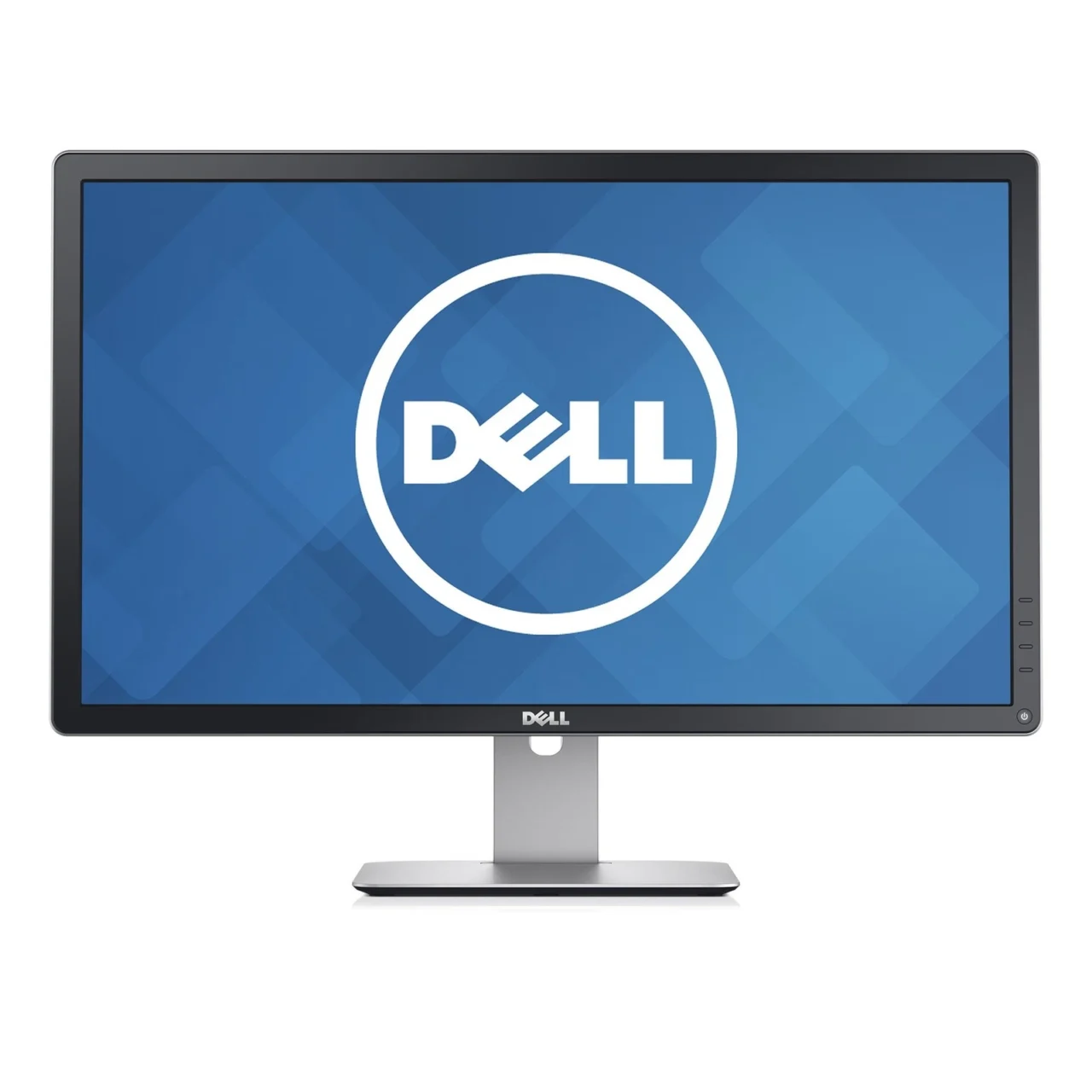
The Dell P2714H IPS 27-Inch LED Monitor is a professional-grade display designed for office productivity, business applications, education, and everyday computing. Featuring a spacious 27-inch screen, Full HD 1080p resolution, IPS panel technology, and an ergonomic adjustable stand, this monitor provides a practical solution for users who need a comfortable and versatile desktop display.
With a native resolution of 1920 × 1080 pixels, the Dell P2714H presents clear text, detailed images, and a widescreen workspace for documents, spreadsheets, presentations, web browsing, and multimedia content. Its IPS technology provides wide viewing angles, while LED backlighting supports an efficient, slim display design.
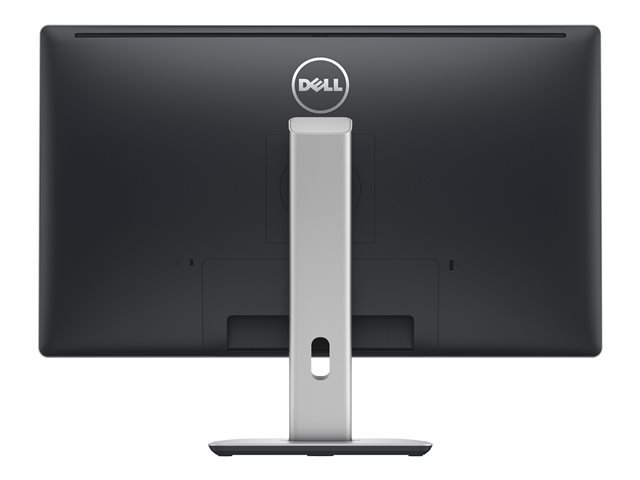
The monitor also includes DisplayPort, DVI-D, and VGA inputs, along with an integrated USB hub for connecting compatible peripherals. Its height-adjustable stand, tilt, swivel, and pivot functions allow users to adapt the screen to different working positions.
Whether you are equipping an office workstation, setting up a home computer, or upgrading an educational facility, the Dell P2714H offers a useful combination of screen space, connectivity, and ergonomic flexibility.
The Dell P2714H features a 27-inch diagonal display with a 16:9 widescreen aspect ratio. Its larger screen provides a comfortable workspace for everyday professional tasks, including reviewing reports, editing documents, managing spreadsheets, and working with browser-based applications.
The Full HD resolution of 1920 × 1080 pixels supports detailed text and graphics across the display. Users can arrange application windows side by side, keep reference documents visible while working, and navigate digital content without relying exclusively on a smaller laptop screen.
For offices and home workspaces, the 27-inch format offers a practical balance between screen size and desktop usability. It is particularly useful for administrative work, customer service, research, online learning, and general business applications.
Although the monitor is not a 1440p or 4K display, its Full HD resolution remains suitable for conventional computing tasks. Users who prioritise exceptionally high pixel density or detailed creative work may prefer a higher-resolution model, but the P2714H provides a straightforward display solution for standard productivity needs.
One of the main advantages of the Dell P2714H is its In-Plane Switching (IPS) panel. IPS technology is designed to maintain consistent image appearance when the screen is viewed from different positions.
The monitor offers viewing angles of up to 178 degrees horizontally and vertically under the manufacturer’s specified conditions. This makes it easier to view the display from the side without the pronounced image changes often associated with narrower-viewing-angle panels.
Wide viewing angles can be beneficial in workplaces where users occasionally share information with colleagues, discuss presentations, or review documents together. They are also useful when the monitor is repositioned on an adjustable stand.
The display supports 16.7 million colours and has a typical static contrast ratio of 1000:1. These characteristics help produce distinguishable shades, readable text, and clear everyday images.
For standard business graphics, educational content, and multimedia viewing, the IPS panel provides a useful combination of colour reproduction and viewing flexibility. However, users working on colour-critical photography, video production, or professional design should evaluate the monitor’s colour gamut and calibration requirements before selecting it for specialised work.
The Dell P2714H uses LED backlighting to illuminate its LCD panel. This design supports a practical desktop monitor profile and provides the brightness required for everyday work environments.
With a typical brightness of 300 cd/m², the display is suited to common indoor settings, including offices, study rooms, computer laboratories, and reception areas. Users can adjust the brightness through the on-screen display to suit the ambient lighting in their workspace.
The monitor also features a matte, anti-glare screen surface that helps reduce distracting reflections from indoor lighting. While no screen surface eliminates every reflection, this treatment can be useful in rooms with overhead lights or nearby windows.
Combined with its 27-inch screen and Full HD resolution, the LED-backlit display is designed to support routine computer use throughout the working day.
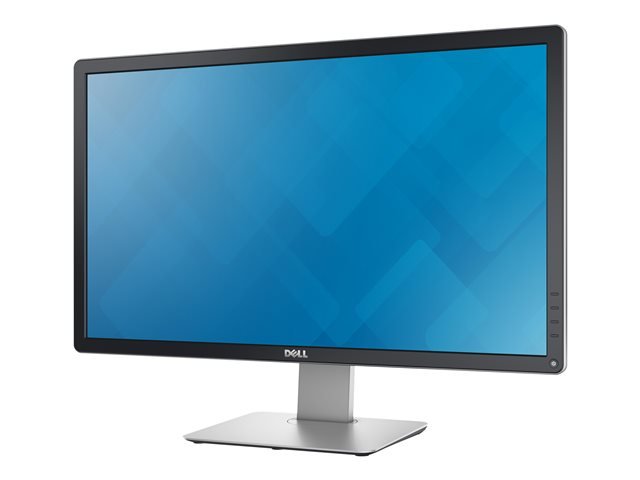
The Dell P2714H includes an adjustable stand designed to help users position the screen according to their desk arrangement and viewing preferences. Its ergonomic features distinguish it from basic monitors that offer only limited tilt adjustment.
The stand provides approximately 115mm of height adjustment, allowing users to raise or lower the monitor. This helps accommodate different seating positions and desk heights.
Correct monitor positioning can support a more comfortable workstation setup. Users should generally place the screen directly in front of them and adjust its height so that they can view the display comfortably without repeatedly bending their neck.
The screen tilts approximately 5 degrees downward and 21 degrees upward under typical specifications. This allows users to adjust the viewing angle to suit their posture and minimise distracting reflections.
The stand supports approximately 45 degrees of swivel to the left and right. This is useful when the monitor needs to face different seating positions or be adjusted within a shared workstation.
The Dell P2714H supports 90-degree pivot rotation, allowing the display to be used in portrait orientation. Portrait mode can be useful for reading lengthy documents, reviewing code, viewing vertical webpages, and working with other content that benefits from additional vertical space.
Together, these ergonomic features help users customise the display position for a variety of workplace requirements.
The Dell P2714H provides three video input options, making it compatible with a range of desktop computers and other devices that support the corresponding connections.
This combination is especially useful in organisations where computer hardware may vary between departments or where older equipment remains in service.
Before connecting the monitor, users should check the available video output on their computer. If the computer uses HDMI or USB-C only, an appropriate compatible adapter or docking solution may be required. The monitor does not have a native HDMI input.
The ability to accommodate different video connections can help businesses integrate the P2714H into existing workstation setups without needing to replace every computer at the same time.
The Dell P2714H includes an integrated USB 2.0 hub with one upstream connection and four downstream USB ports. The upstream connection links the monitor’s hub to a compatible computer, while the downstream ports can be used for supported USB peripherals.
This feature can help reduce the inconvenience of reaching around the back of a desktop computer to connect frequently used devices. Depending on the connected equipment and available power, the hub can be useful for items such as keyboards, mice, USB storage devices, and other compatible accessories.
The USB hub does not replace the computer’s own USB ports, and its USB 2.0 transfer speeds are lower than those of newer USB 3.x standards. Nevertheless, it remains useful for common peripherals that do not require high-speed data transfer.
For a clean and organised workstation, the built-in hub can make routine peripheral connections more convenient.
The P2714H is primarily designed for productivity, but it also supports general multimedia use. Its 27-inch widescreen display is suitable for watching videos, viewing presentations, attending online lessons, and browsing digital content.
The 16:9 aspect ratio matches the format commonly used by modern video content, while the Full HD resolution supports standard 1080p playback from compatible computers and devices.
Its IPS panel helps maintain a consistent appearance when users move away from the centre of the screen. The anti-glare surface can also improve usability in typical indoor environments where reflections might otherwise distract from the content.
However, the P2714H is a conventional 60Hz-class Full HD monitor rather than a specialised high-refresh-rate gaming display. It is appropriate for casual gaming and everyday entertainment, but users seeking advanced gaming features or higher resolutions may wish to consider a newer model.
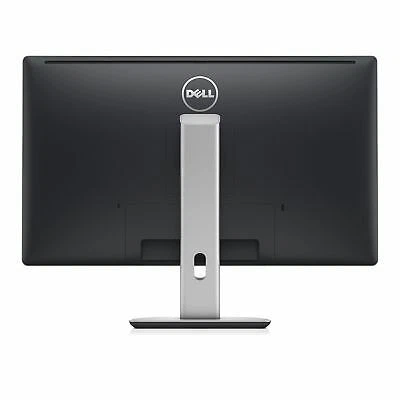
The Dell P2714H has a professional black design that suits corporate offices, administrative desks, educational facilities, and home workspaces. Its stand provides the principal ergonomic adjustments, while the removable mounting arrangement supports alternative installation options.
A security lock slot and stand-lock feature are also listed among the monitor’s design features. These may be useful in shared working environments, although the appropriate lock or securing accessory may need to be purchased separately.
The Dell P2714H was designed with several energy and environmental considerations in mind. The manufacturer lists ENERGY STAR compliance and an EPEAT Gold rating for the model, alongside other environmental and regulatory certifications in its documentation.
Its standby power consumption is specified at approximately 0.3W under the documented sleep-mode conditions. This helps limit electricity use when the monitor is switched into standby rather than actively displaying content.
For organisations managing multiple workstations, choosing displays with documented energy and environmental credentials can support broader equipment-management objectives.
The Dell P2714H is well suited to users who need a large, conventional Full HD monitor with ergonomic adjustment and a useful range of connections.
Office professionals: The 27-inch screen supports everyday office applications, document editing, spreadsheets, email, and browser-based business systems.
Students and educators: The widescreen format is useful for research, online learning, digital presentations, and working with multiple documents.
Administrative departments: VGA, DVI-D, and DisplayPort connectivity can help integrate the monitor into mixed-generation computer environments.
Home-office users: Height adjustment, swivel, tilt, and pivot provide flexibility for different desk arrangements and working preferences.
Multi-monitor workstations: VESA mounting and a standard widescreen format make the display a potential option for compatible multi-monitor setups.
General multimedia users: Full HD video playback and wide viewing angles support everyday entertainment, presentations, and video-based learning.
The Dell P2714H combines a spacious 27-inch IPS display with practical features for daily computer use. Its Full HD resolution supports conventional business applications, while the 300 cd/m² brightness and wide viewing angles help provide a usable image across common indoor workspaces.
The adjustable stand offers a meaningful advantage for users who need to change screen height, viewing angle, or orientation. Its DisplayPort, DVI-D, and VGA inputs provide compatibility with a range of systems, and the integrated USB hub adds convenience for connecting peripherals.
 Laptop Computers
 Desktop Computers
 Desktop peripherals
 Laptop Accessories
 Laptop Components
 Network
 Printers
 Server
 Software
No account yet?
Create an Account






