











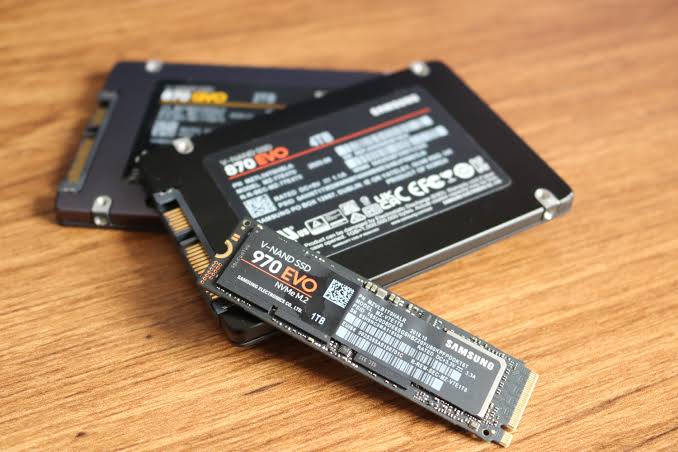
Technology has evolved rapidly over the last decade, and the demands placed on computers today are significantly higher than they were just a few years ago. Whether you’re working remotely, attending online classes, running business applications, editing content, or simply browsing the web, your computer’s storage plays a critical role in performance.
If you’re still relying on a traditional Hard Disk Drive (HDD), 2026 may be the perfect time to make the switch to a Solid State Drive (SSD).
An SSD upgrade is one of the most affordable and impactful improvements you can make to your computer, often delivering dramatic performance gains without replacing the entire system.
What Is the Difference Between an HDD and an SSD?
Traditional Hard Disk Drives use spinning magnetic disks and moving mechanical parts to read and write data.
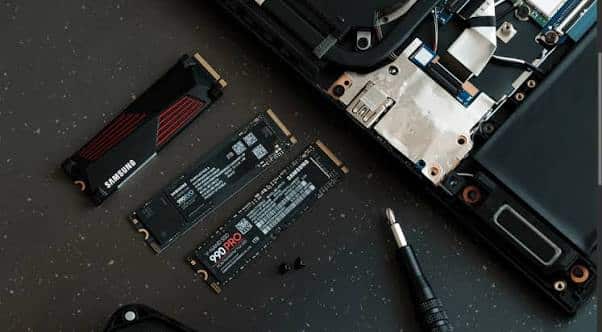
Solid State Drives, on the other hand, use flash memory with no moving components.
This fundamental difference allows SSDs to operate significantly faster, quieter, and more efficiently than conventional hard drives.
Why SSDs Are Essential in 2026
1. Modern Software Demands Faster Storage
Today’s operating systems, browsers, productivity tools, and business applications are designed with SSD performance in mind.
Running modern software on an aging HDD often results in:
- Slow boot times
- Delayed application launches
- System freezing
- Poor multitasking performance
As software continues to evolve, traditional hard drives struggle to keep up.
2. Faster Startup Times
One of the most noticeable benefits of migrating to an SSD is boot speed.
A computer that takes several minutes to start with a traditional hard drive can often boot in seconds after an SSD upgrade.
This means less waiting and more productivity.
3. Improved Productivity
Every second spent waiting for applications to load adds up throughout the day.
An SSD enables:
- Faster file access
- Quicker application launches
- Smoother multitasking
- Improved workflow efficiency
For businesses, this can translate into significant productivity gains across entire teams.
4. Better Performance for Remote Work
Remote work remains a major part of modern business operations in 2026.
Video conferencing, cloud applications, virtual collaboration tools, and browser-based platforms all benefit from faster storage performance.
An SSD helps ensure a smoother experience during meetings, presentations, and daily work tasks.
5. Enhanced Reliability
Traditional hard drives contain moving mechanical components that wear out over time.
SSDs have no moving parts, making them:
- More durable
- Less susceptible to physical shock
- More reliable for mobile users
- Better suited for long-term performance
6. Reduced Power Consumption
SSDs consume less power than traditional hard drives.
Benefits include:
- Longer laptop battery life
- Reduced heat generation
- Lower energy costs
- Improved system efficiency
7. Better Support for Modern Operating Systems
Current operating systems are increasingly optimized for SSD storage.
Many advanced features perform significantly better when installed on an SSD, delivering a smoother and more responsive user experience.
8. Extend the Life of Your Existing Computer
Many users assume they need to buy a new computer when performance declines.
In reality, upgrading from an HDD to an SSD can breathe new life into an older machine at a fraction of the cost of replacement.
This makes SSD migration one of the most cost-effective technology investments available.
Signs It’s Time to Upgrade to an SSD
You should consider SSD migration if your computer:
- Takes a long time to start up
- Frequently freezes or lags
- Loads applications slowly
- Struggles with multitasking
- Uses an older mechanical hard drive
- Feels slower than it did when new
If you recognize these symptoms, an SSD upgrade may dramatically improve performance.
Is SSD Migration Worth It in 2026?
Absolutely.
As software becomes more demanding and users expect instant responsiveness, SSD storage is no longer a luxury it’s a necessity.
Whether you’re a student, business owner, professional, gamer, or remote worker, SSD technology delivers the speed and reliability required for today’s computing environment.
Upgrade to an SSD with Lansotechsolutions
At Lansotechsolutions, we help individuals and businesses modernize their computers with professional SSD upgrades and storage solutions.
Whether you’re looking to speed up an older laptop, improve office productivity, or extend the lifespan of existing hardware, our team can recommend the right SSD for your needs and budget.
Don’t Let an Old Hard Drive Slow You Down
Upgrade to a high-performance SSD today and experience faster boot times, smoother multitasking, and improved productivity.
Contact Lansotech for expert SSD migration services, quality storage solutions, and professional support that keeps your technology running at its best.




















 ASUS
ASUS



