











At Lansotech Solutions, we are proud to be the leading provider of high-quality power supplies in Nairobi, Kenya. Our mission is to offer expert advice, trusted brands, and unmatched support for all PC users—whether you’re building a gaming rig, repairing an office workstation, or upgrading a custom PC. In this comprehensive guide, we answer the most critical and commonly asked questions about computer power supplies (PSUs) to help you make the best decisions and solve issues with confidence.
🔌 What Are the Three Main Types of Computer Power Supplies?
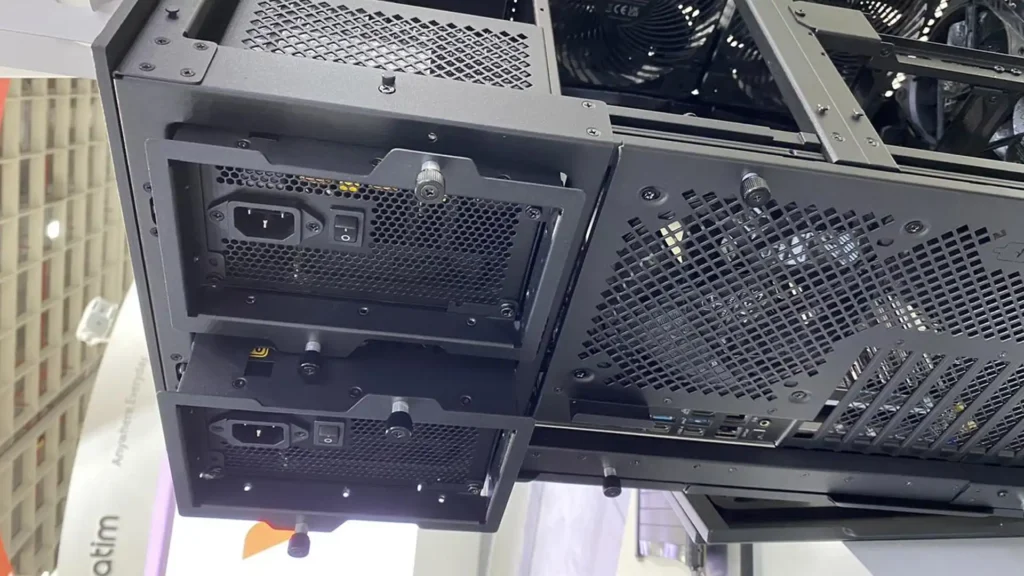
- ATX Power Supply
The most commonly used PSU for standard desktop PCs. It offers compatibility with most motherboards and comes in a variety of wattages and modular options. read more>> - SFX Power Supply
A compact version of ATX, ideal for small form factor builds, such as mini-ITX or HTPCs. It offers similar performance in a smaller body. read more>> - TFX Power Supply
A thin, elongated PSU typically used in OEM systems and slim desktops. It’s less common but perfect for pre-built systems with tight space requirements. read more>>
⚡ Is a PC Power Supply AC or DC?
A PC power supply receives AC (Alternating Current) from the wall and converts it into DC (Direct Current) to power internal components like the CPU, GPU, motherboard, RAM, and storage devices. This conversion is the PSU’s core function.
🔧 How Do You Fix a Computer Power Supply Problem?
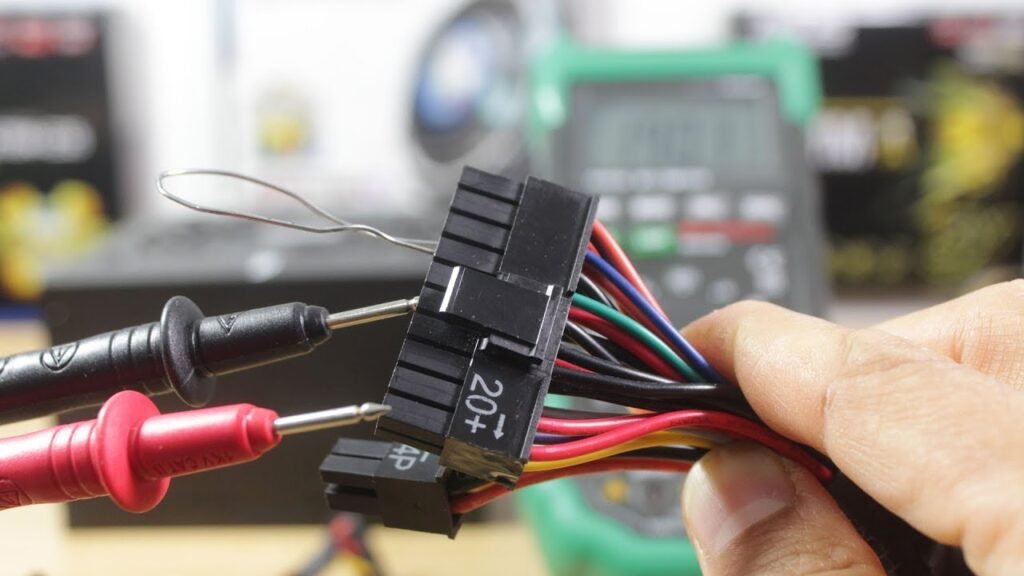
Follow this step-by-step process:
- Check for loose cables or burnt smells
- Test wall outlets and surge protectors
- Try the paperclip test or a PSU tester
- Use a multimeter to measure voltages
- Inspect the fan and internal dust buildup
- Replace the PSU if it fails basic diagnostics
Note: PSUs contain high-voltage capacitors. If you’re not trained, avoid opening the casing. For professional help, visit Lansotech Solutions.
⏳ How Many Years Does a PC Power Supply Last?
A good-quality PSU lasts 5 to 10 years, depending on usage and brand. Factors affecting lifespan include:
- Power demand
- Heat and ventilation
- Dust buildup
- Frequency of power surges
Choose a PSU with Japanese capacitors and 80 Plus certification for better longevity.
🧼 How to Clean a PSU Safely
- Turn off and unplug your PC
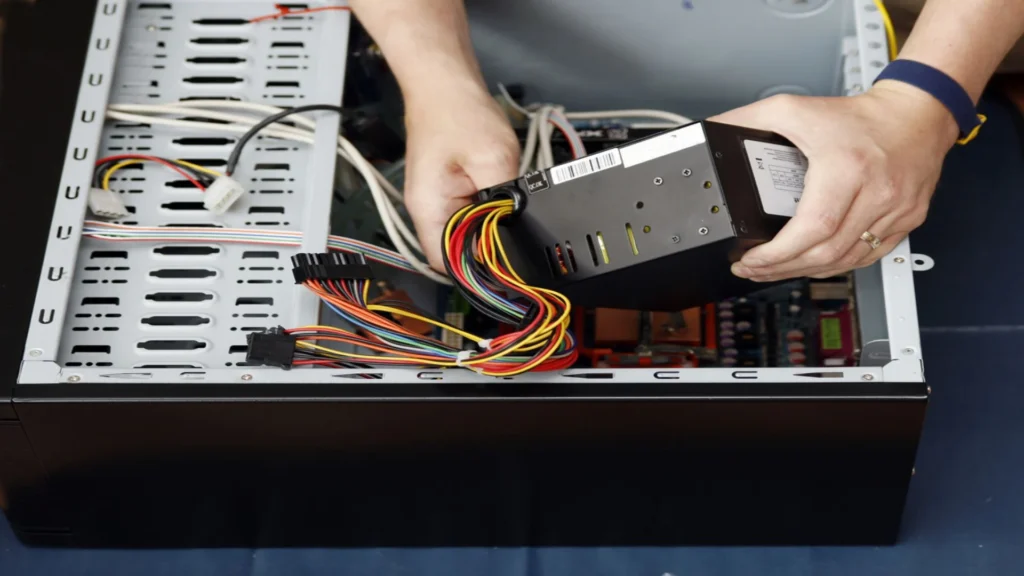
- Remove the PSU from the case
- Use compressed air to blow out dust
- Wipe the exterior grill with a soft brush
- Avoid opening the unit, unless you’re a trained technician
Regular cleaning every 3 to 6 months can prevent overheating and prolong PSU life.
🔥 What Happens If a Power Supply Fails?
When a PSU goes bad:
- Your PC may not turn on at all
- You may hear clicking or buzzing sounds
- Sudden shutdowns or restarts become frequent
- Components like the GPU or motherboard may be damaged
- Smoke, sparks, or a burning smell may appear in severe cases
Don’t ignore these signs. A faulty PSU can destroy your system.
🛠️ Can You Repair a PC Power Supply?
Yes, but only basic repairs like replacing a fuse or capacitor are feasible—and only by qualified professionals. Due to the dangerous voltages stored, we recommend replacement for safety and reliability.
🚨 How to Know If PSU Is Failing
Watch for these indicators:
- Intermittent shutdowns or reboots
- No power when pressing the button
- Fan spinning unusually fast or not at all
- Random freezes or blue screen errors
- Electrical buzzing or coil whine
🕵️ Diagnosing a PC That Won’t Turn On
- Check wall power and surge protector
- Inspect PSU switch and 24-pin connection
- Try another power cable
- Use the paperclip method read more>>
- Test with a spare PSU
- Examine the motherboard for any burn marks or blown capacitors
🌡️ Detecting PSU Overheating Issues
Symptoms of an overheating power supply:

- Fan constantly at full speed
- PC shuts down when performing intensive tasks
- Excess heat from the PSU vent
- PSU casing hot to touch
Make sure your case has good airflow, and clean the PSU regularly.
🔍 Can You Test a PSU Without a Motherboard?
Yes. Use the paperclip test:

- Unplug everything except the PSU
- Insert a paperclip into the green and a black pin on the 24-pin connector
- Plug in the PSU and switch it on
- If the fan spins, it’s providing basic power
This test doesn’t confirm full functionality, so use a PSU tester for accurate results.
🧪 How Do I Test My Power Supply?
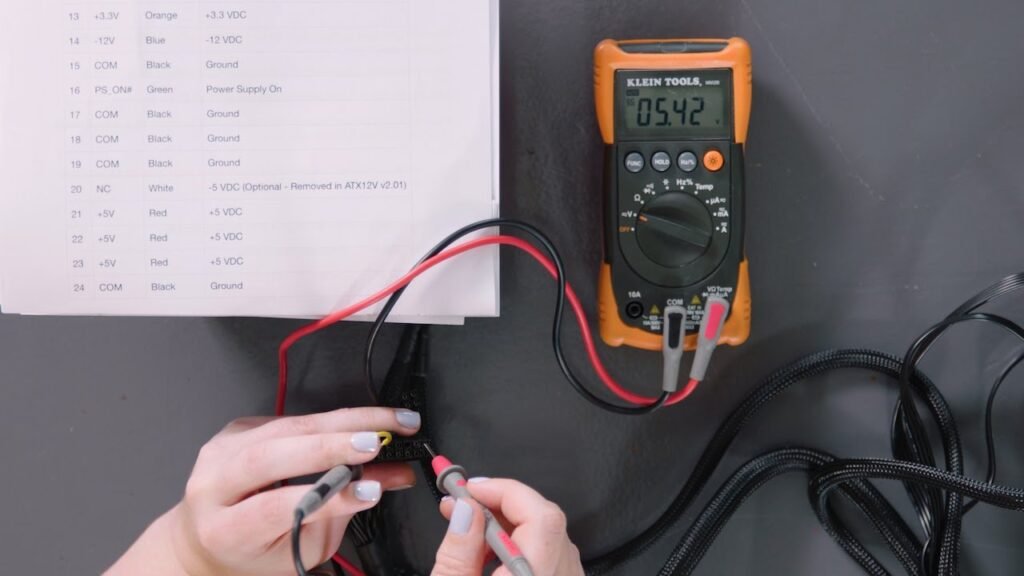
Multimeter testing:
- Measure voltages on +12V, +5V, and +3.3V rails read more>>
- Check under load for voltage drops
- Use a PSU testing device for convenience read more>>
Seek expert diagnosis if you’re unsure. We offer PSU testing at Lansotech Solutions.
📐 Will Any Power Supply Work in Any PC?
No. Power supplies differ in:
- Size/form factor (ATX, SFX, TFX) read more>>
- Connector types (24-pin, 8-pin EPS, PCIe) read more>>
- Wattage requirements read more>>
- Efficiency ratings read more>>
Use a compatible PSU tailored to your case, motherboard, and power draw.
🧠 How Do I Check My Motherboard Model?
Use one of these methods:
- Command Prompt:
wmic baseboard get product,manufacturerread more>> - CPU-Z software
- Check the label on the motherboard itself
Knowing your model helps ensure PSU compatibility.
🔋 What Voltage Does a Computer Power Supply Provide?
Typical voltage rails include:
- +12V (for GPU and CPU)
- +5V and +3.3V (for motherboard and peripherals)
- -12V and +5VSB (standby)
The +12V rail is the most crucial for high-performance PCs.
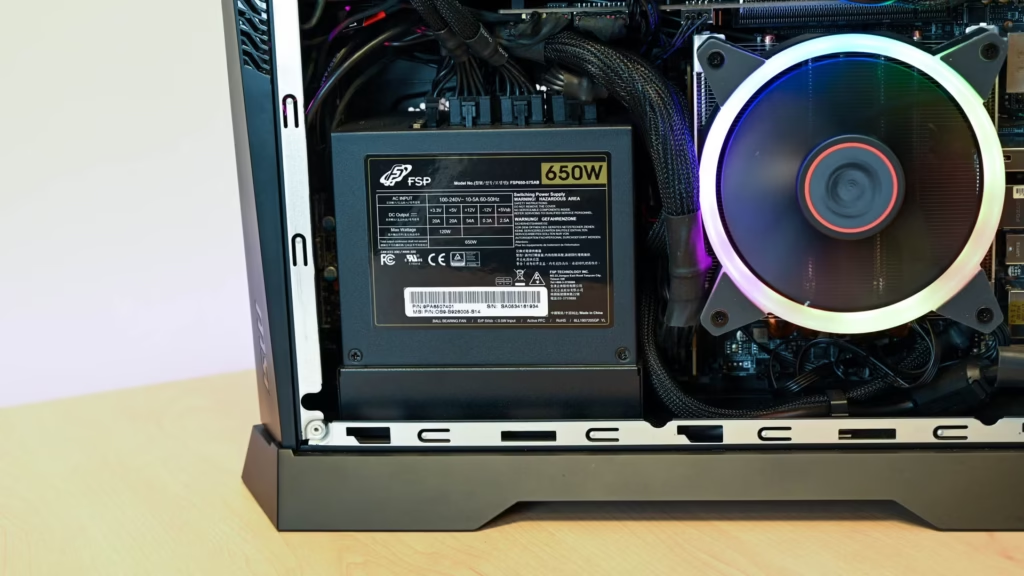
⚖️ How Do I Know If My PC Has Enough Power?
- List all your components
- Use online PSU calculators (e.g., from Seasonic or OuterVision)
- Add 20–30% headroom
- Check +12V rail amps
Undersized PSUs cause instability; oversized PSUs improve efficiency and longevity.
📎 Where to Plug PSU Cables
Key connections include:

- 24-pin ATX to motherboard
- 8-pin CPU to CPU socket
- PCIe 6/8-pin for GPU
- SATA/Molex for drives and fans
Always double-check polarity and orientation when plugging in. read more>>
🛍️ How to Choose the Right Power Supply
Look for:
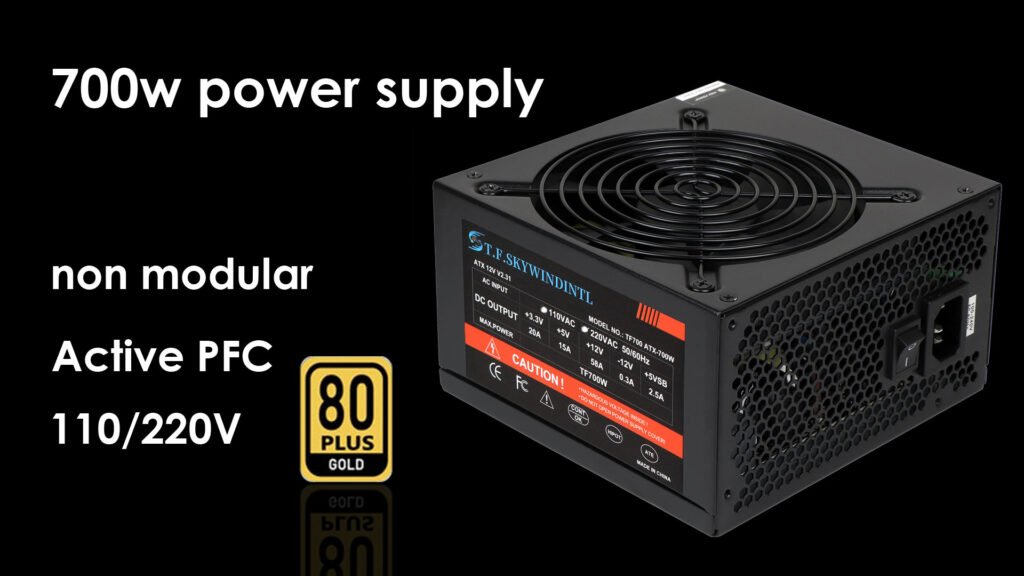
- Proper wattage based on your setup
- 80 Plus rating (Bronze, Gold, Platinum)
- Modular or semi-modular design
- Reliable brands with long warranties
We stock only tested, trusted, and genuine PSUs at Lansotech Solutions.
📉 How to Check PSU Power Draw
Use:
- Kill-A-Watt meter read more>>
- Software tools like HWiNFO or HWMonitor read more>>
- BIOS power monitoring (if available) read more>>
Monitoring helps manage energy usage and plan for upgrades.
⚠️ Can a PSU Be Incompatible With a Motherboard?
Yes. Common incompatibilities include:
- Wrong connector types (e.g., 20-pin vs 24-pin)
- Not enough EPS/PCIe connectors
- Low wattage for demanding CPUs
Double-check your motherboard manual and PSU specs.
⏱️ What’s the Lifespan of a PSU?
A typical PSU lasts 5–10 years with proper care. Premium models from brands like Corsair, Seasonic, or EVGA can last longer with solid capacitors and better fans.
🧠 How to Buy the Correct PSU
- Identify your system wattage needs
- Choose a reliable brand
- Ensure form factor matches your case
- Check for future upgrade support
- Buy from a reputable dealer like Lansotech Solutions
🔌 What Uses Most Power in a PC?
- Graphics card (GPU) read more>>
- Processor (CPU) read more>>
- RGB lighting and fans
- Water cooling systems
- High-speed storage (NVMe SSDs) read more>>
The GPU is typically the biggest power draw in gaming or editing rigs.
🧪 How to Check If Your PSU Is Working
- Try paperclip test
- Use a PSU tester
- Observe the fan movement
- Check for voltage output via multimeter
📘 What Does ATX Mean in Computers?
ATX stands for Advanced Technology eXtended—a standardized form factor for motherboards and power supplies, ensuring compatibility and consistency.
🔄 How to Replace a PC Power Supply
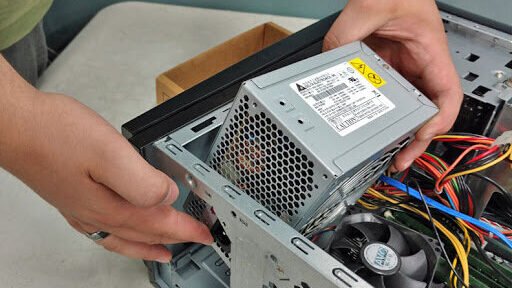
- Power off and unplug the system
- Remove the old PSU
- Install the new PSU in the same position
- Connect all required power cables
- Power on and test the system
Don’t forget proper cable management for airflow.
🔍 How to Know What PSU You Need

- Add up your component wattage
- Include headroom for upgrades
- Match the form factor
- Choose based on your use-case: gaming, editing, office
🌍 Are Power Supplies Universal?
Most modern PSUs support 100–240V input, making them compatible worldwide. But ensure you have the right plug adapter and voltage switch if needed.
🎯 Do I Need a Specific Power Supply for My PC?
Yes. Each PC has unique power needs. Always choose a PSU based on:
- Component wattage
- Connector compatibility
- Form factor
- Usage (gaming, office, editing)

Why Buy From Lansotech Solutions Nairobi?
- Expert consultation on choosing the right PSU
- Stock of original, high-efficiency brands
- On-site installation and testing
- Best prices in Nairobi
- Full warranties and after-sales support
Let us help power your PC the smart and safe way.
🧠 Frequently Asked Questions (FAQs)
Q: Can a bad PSU damage my motherboard?
A: Yes, it can fry your components during a power surge or short circuit.
Q: Do I need a modular PSU?
A: It’s optional, but modular PSUs help with cable management and airflow.
Q: How do I calculate my PC’s power needs?
A: Use trusted online PSU calculators with accurate component details.
Q: What is the most efficient PSU rating?
A: 80 Plus Titanium offers the highest efficiency, followed by Platinum and Gold.
Q: Should PSU wattage match exactly?
A: No. Always go higher to allow for headroom and efficiency.
Lansotech Solutions, Call/WhatsApp 0791-833-529 Start WhatsApp Chat>>
Located at Portal Place House, at the Muindi Mbingu/Banda Street Junction, 2nd Floor Shop 207
Website Click Here to Visit>>
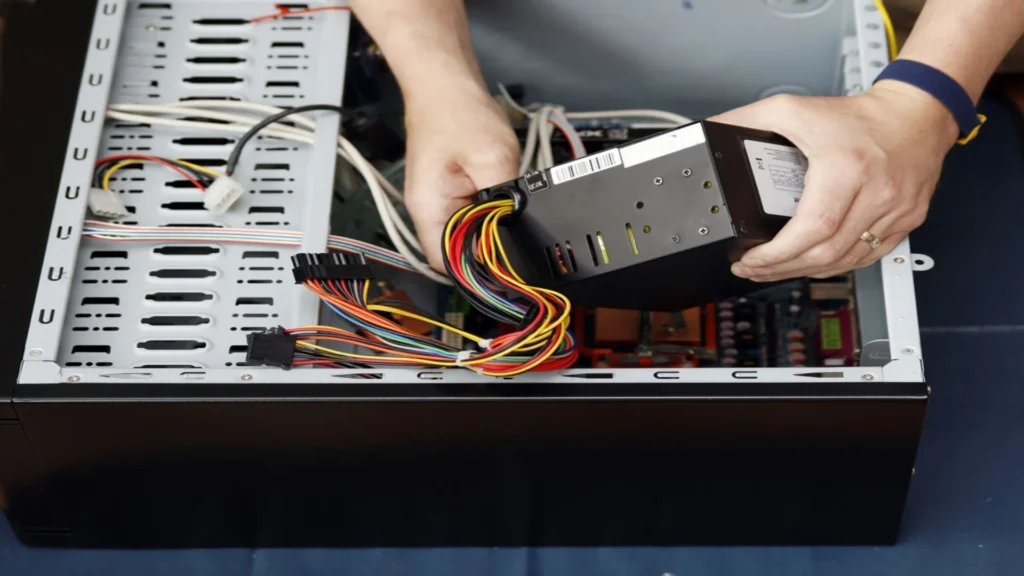












 ASUS
ASUS



