






 Laptop Computers
 Desktop Computers
 Printers
 Network
 Software
 Laptop Accessories
 Laptop Components
 Office
 Desktop peripherals
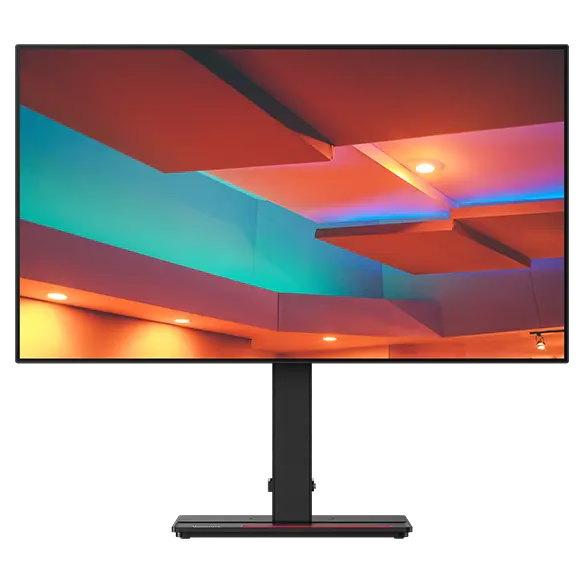
Brand: HP
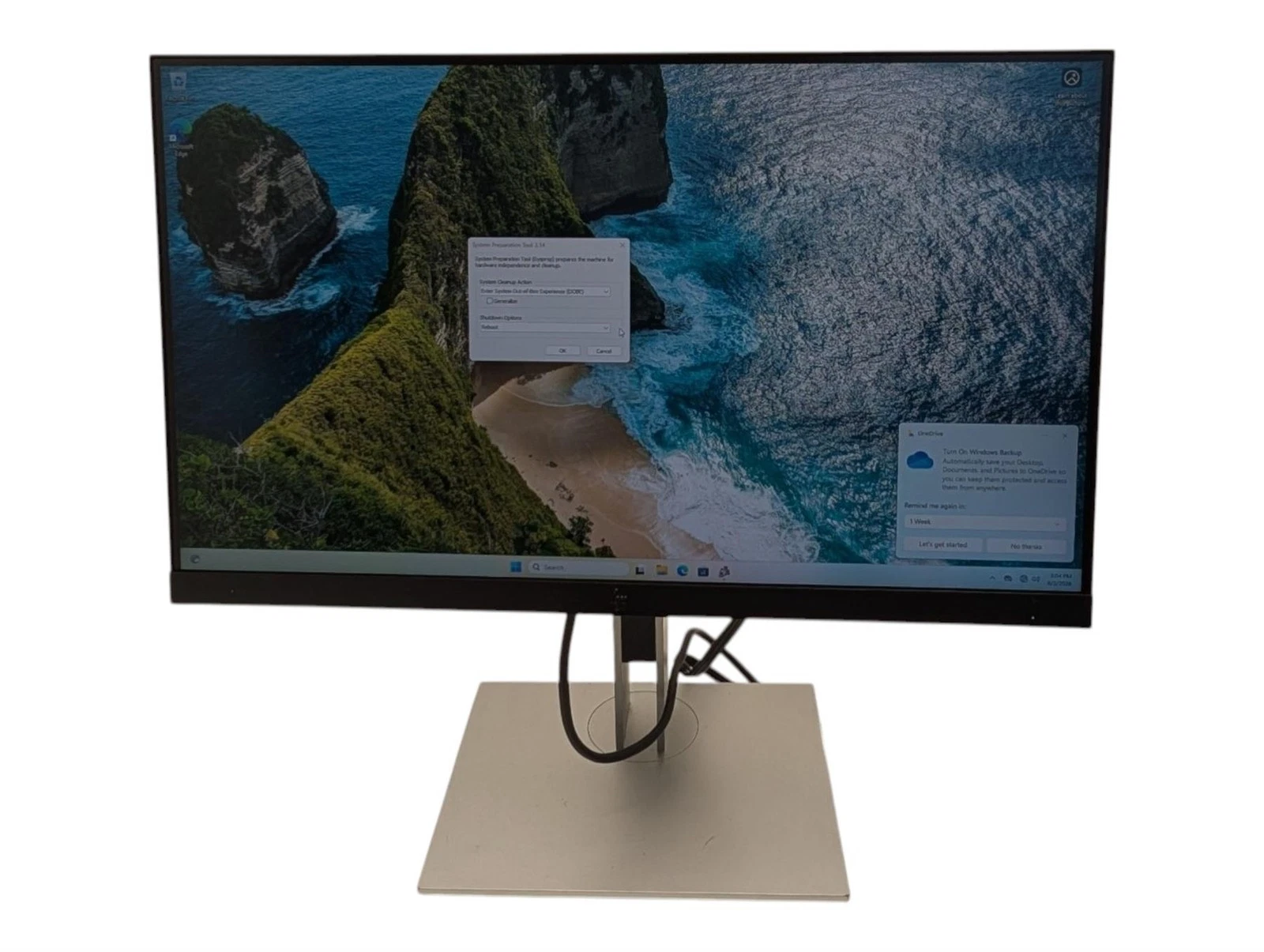
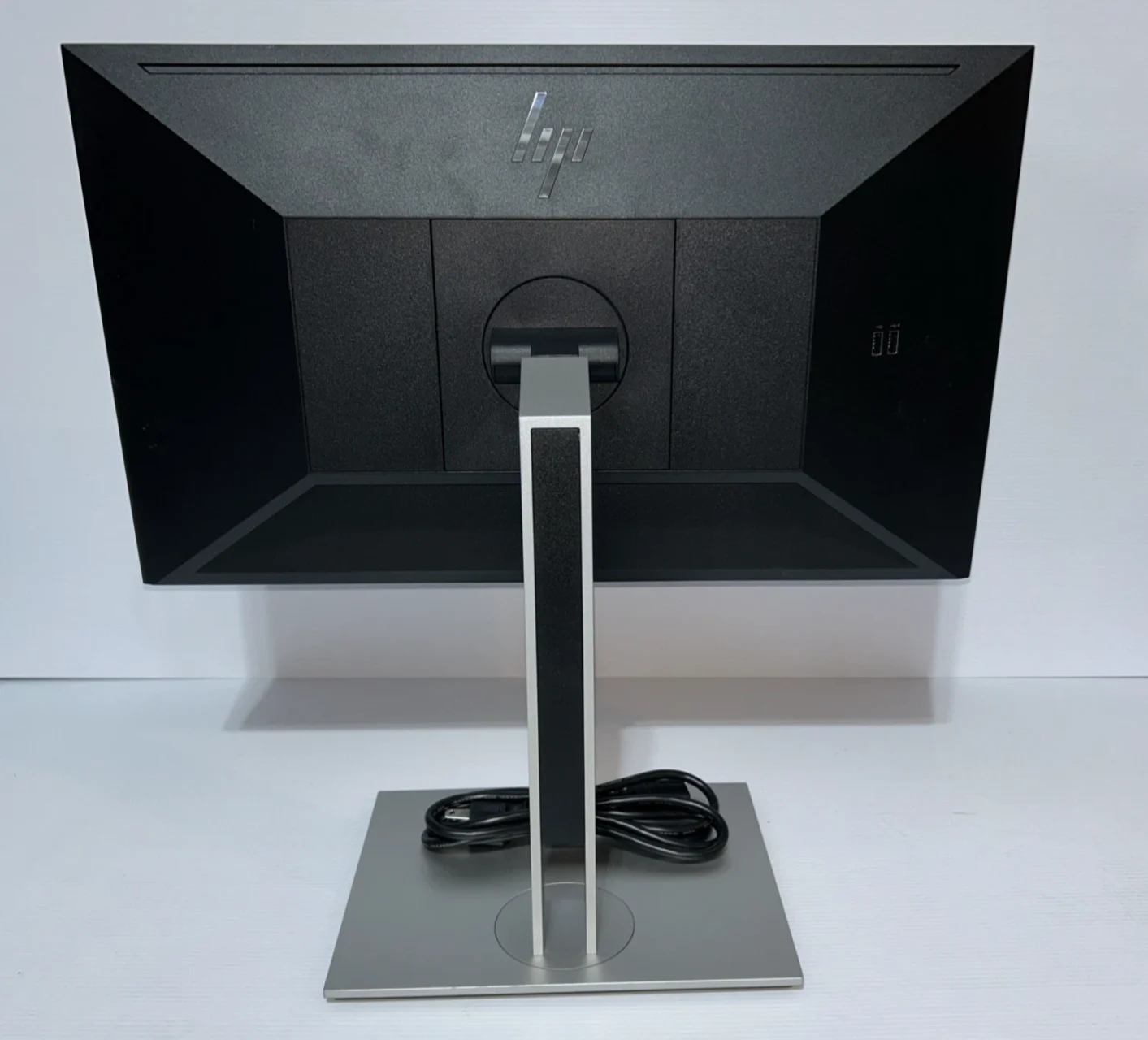
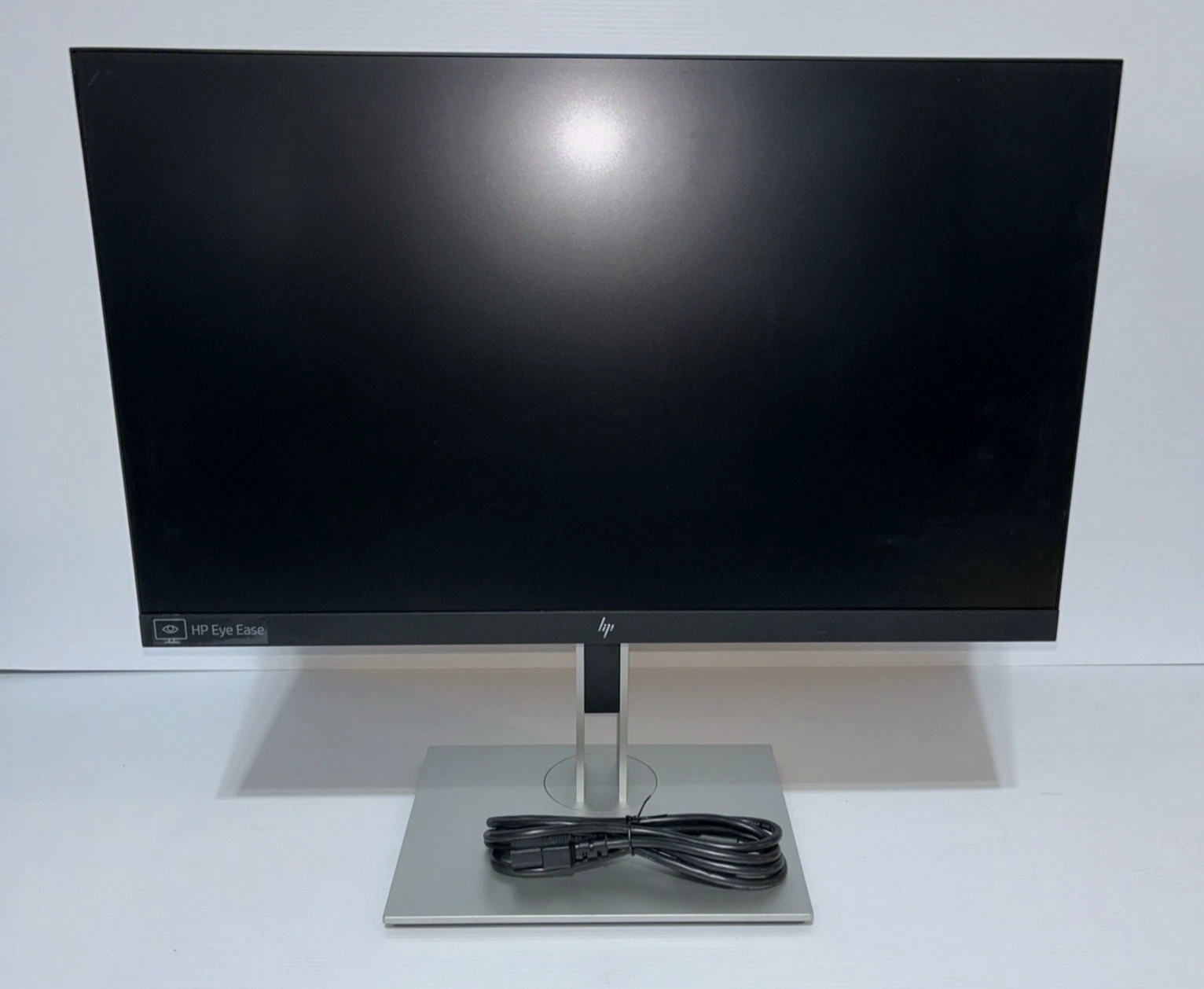
Model: E23 G4
Screen Size: 23 inches
Display Resolution: 1920 × 1080 pixels (Full HD)
Aspect Ratio: 16:9
Panel Technology: IPS
Backlight: LED
Refresh Rate: Up to 60Hz
Response Time: 5ms with overdrive (typical)
Brightness: 250 cd/m² (typical)
Contrast Ratio: 1000:1 (typical)
Viewing Angles: 178° horizontal / 178° vertical (typical)
Video Inputs: DisplayPort, HDMI, VGA (configuration dependent)
USB Connectivity: USB hub (configuration dependent)
Ergonomic Adjustments: Height, tilt, swivel, pivot
Eye Comfort: HP Eye Ease on supported configurations
Mounting: VESA-compatible mounting support
Screen Orientation: Landscape and portrait

Hurry and get discounts on all Apple devices up to 20%
Sale_coupon_15
KSh15,000.00 excl. VAT
Payment Methods:

Choosing the right monitor is essential for creating a comfortable, productive, and efficient workspace. The HP E23 G4 FHD 23-Inch Full HD IPS Monitor is designed for professionals, businesses, students, and home users who need clear visuals, practical connectivity, and flexible ergonomic adjustments. With its Full HD resolution and IPS panel technology, this monitor provides a dependable display solution for everyday computing and office productivity.
Whether you are upgrading an existing workstation, equipping a business office, or setting up a home workspace, the HP E23 G4 offers a useful combination of image clarity, viewing comfort, and workplace flexibility. Its 23-inch screen provides sufficient space for documents, spreadsheets, presentations, and web applications without requiring an oversized desk.
The HP E23 G4 features a 23-inch Full HD display with a resolution of 1920 × 1080 pixels. This resolution delivers clear text, detailed images, and well-defined visuals for everyday computer activities.
Full HD resolution is suitable for common business applications, including word processing, spreadsheets, email, video playback, online research, and presentations. It allows users to view detailed documents and navigate applications with clarity.
The 23-inch screen also offers a practical balance between viewing space and desk size. It is suitable for offices, reception areas, educational institutions, and home workstations where reliable everyday performance is important.
One of the main advantages of the HP E23 G4 is its In-Plane Switching (IPS) panel technology. IPS displays are known for providing consistent colours and wide viewing angles, making them useful in professional environments where visual clarity matters.
The wide viewing angles allow the screen to remain relatively consistent when viewed from different positions. This can be helpful during presentations, collaborative work, and situations where colleagues need to view information together.
The IPS panel also supports clear text and balanced visuals for daily office tasks. While the monitor is suitable for general graphics and image viewing, specialised colour-critical work may require a professional display with more advanced colour-calibration features.
With its 1920 × 1080 Full HD resolution, the HP E23 G4 provides a useful amount of screen space for everyday productivity.
Users can work with documents, browse websites, manage spreadsheets, and access business applications without needing a high-resolution professional monitor. The display is also suitable for online learning, video conferencing, and general multimedia use.
For administrative teams and office professionals, a clear display can help make routine tasks easier to manage. The monitor’s resolution is particularly practical for users who spend much of their working day reading text or reviewing digital documents.
The HP E23 G4 is designed with workplace ergonomics in mind. Its adjustable stand supports several positioning options, helping users arrange the screen to suit their desks and working preferences.
Depending on the stand configuration, adjustments include:
Height adjustment: Raise or lower the monitor to improve positioning.
Tilt adjustment: Angle the screen for a more comfortable viewing position.
Swivel adjustment: Turn the display to accommodate different seating arrangements.
Pivot adjustment: Rotate the screen into portrait orientation for compatible tasks.
These adjustments are particularly useful for professionals who spend extended periods working at a computer. A well-positioned monitor can support a more comfortable workstation setup and help users maintain a natural posture.
The HP E23 G4 offers practical connectivity options for use with compatible desktop computers and laptops. Depending on the exact regional configuration, its ports may include DisplayPort, HDMI, VGA, and USB connections.
These interfaces help accommodate a variety of workplace equipment, including newer computers and older systems that still use VGA video output.
The USB ports can also provide convenient access for compatible peripherals, such as keyboards, mice, and USB accessories, depending on the monitor’s configuration.
Before purchasing, users should confirm the available ports on the specific unit and ensure that the monitor matches their computer’s video-output requirements.
A professional monitor should provide the required screen space without making the workstation feel crowded. The HP E23 G4 features a clean, business-oriented design that fits well into modern office environments.
Its 23-inch display is suitable for individual desks, shared workstations, customer service counters, and administrative offices. The stand’s adjustability also helps users make better use of their available workspace.
For businesses purchasing monitors for several employees, a consistent display model can simplify workstation planning and provide a uniform appearance throughout the office.
Spending long hours in front of a monitor can make comfortable screen positioning and sensible display settings especially important.
The HP E23 G4 includes HP Eye Ease technology on supported configurations, designed to reduce blue-light emissions while maintaining colour accuracy. Its display features are intended to support comfortable viewing during routine work.
Users can further improve their experience by adjusting brightness to match the surrounding environment, reducing reflections, maintaining an appropriate viewing distance, and taking regular breaks.
These practices are particularly useful for office employees, students, and other users who regularly work with digital documents and applications.
The HP E23 G4 belongs to HP’s business-oriented monitor range and is designed to support everyday workplace needs.
Its Full HD resolution, IPS panel, ergonomic stand, and practical connectivity make it suitable for organisations that need dependable displays for standard office tasks.
It can support activities such as document processing, financial administration, data entry, email communication, online meetings, and customer service operations.
For organisations upgrading several workstations, the HP E23 G4 is worth considering when ergonomic flexibility and everyday productivity are priorities.
The HP E23 G4 combines a practical screen size with features designed for professional use. It is suitable for organisations and individuals who want a straightforward monitor that supports daily computer tasks without unnecessary complexity.
Office professionals often use several applications throughout the day. The HP E23 G4 provides a clear viewing area for managing documents, spreadsheets, emails, reports, and business software.
It is suitable for:
Preparing business reports and presentations.
Working with spreadsheets and databases.
Managing emails and online communication.
Accessing accounting and inventory applications.
Reviewing digital documents and web-based systems.
Supporting general administrative and customer service tasks.
Its adjustable stand is especially useful for shared office environments where different users may need to reposition the display.
Students require reliable displays for research, assignments, online classes, and document preparation. The HP E23 G4 provides Full HD resolution and a 23-inch screen suitable for these activities.
The IPS panel helps maintain consistent visuals when the screen is viewed from different angles, while its ergonomic adjustments make it easier to arrange a study workstation.
It is a suitable option for general educational use, although the exact requirements of specialised courses, such as advanced graphic design or colour-critical media production, may call for a different display.
Home offices benefit from equipment that combines functionality with space efficiency. The HP E23 G4 can serve as a primary desktop monitor for email, online meetings, spreadsheets, browsing, and everyday productivity applications.
Its adjustable stand helps users position the screen according to their workspace, while its Full HD resolution supports clear text and images for daily work.
In environments where several people use the same workstation, adjustable positioning can be particularly valuable. The HP E23 G4’s ergonomic stand helps accommodate different seating arrangements and working preferences.
It can be used in reception areas, offices, educational facilities, customer support departments, and other professional environments where a reliable display is required.
Selecting the right screen size depends on the tasks being performed and the amount of available desk space.
23-inch Full HD monitors: Offer a practical balance between screen space and compact dimensions for standard office work.
24-inch Full HD monitors: Provide a slightly larger viewing area and may suit users who prefer additional workspace.
27-inch monitors: Offer more screen space for multitasking and larger documents, but may require more desk room.
QHD monitors: Provide a higher resolution than Full HD and can be beneficial for users who need additional workspace or more detailed visuals.
The HP E23 G4 is a sensible option for standard business tasks, particularly where ergonomic flexibility and IPS viewing characteristics are important. Users with demanding creative workloads or extensive multitasking requirements may wish to compare it with higher-resolution alternatives.
Setting up the HP E23 G4 is straightforward when the correct cables and compatible computer are available.
Place the monitor on a stable desk or install it using a compatible mounting solution.
Connect the power cable.
Connect the monitor to the computer using a supported video cable.
Switch on the monitor and computer.
Select the correct input source if required.
Set the display resolution to 1920 × 1080 where supported.
Adjust the monitor’s height, tilt, swivel, and orientation as needed.
Configure brightness and other display settings for comfortable viewing.
For the best experience, position the screen directly in front of the user and minimise glare from windows or overhead lighting. If mounting the monitor on an arm, check the VESA compatibility and weight requirements for the specific unit.
The HP E23 G4 has a 23-inch display, providing a practical viewing area for office work, education, and everyday computing.
The monitor features Full HD resolution of 1920 × 1080 pixels, which is suitable for documents, spreadsheets, web browsing, presentations, and multimedia content.
Yes. The HP E23 G4 uses an IPS panel, which provides wide viewing angles and consistent colour reproduction for everyday professional use.
Yes. Its Full HD display, ergonomic stand, and business-oriented features make it suitable for office applications, email, spreadsheets, document preparation, and administrative tasks.
Yes. The standard ergonomic stand supports height, tilt, swivel, and pivot adjustments, allowing users to position the screen for their workspace.
The model supports multiple connectivity options, which can include DisplayPort, HDMI, VGA, and USB connections. Confirm the exact ports on the specific unit before purchasing, as configurations may vary.
Yes. Its pivot-capable stand supports portrait orientation, which can be useful for viewing long documents, coding, and working with vertically arranged content.
Yes. Its 23-inch Full HD IPS display is suitable for research, online learning, assignments, presentations, and general computer use.
Supported configurations include HP Eye Ease technology, designed to reduce blue-light emissions while maintaining colour accuracy. Users should also adjust screen brightness and take regular breaks during extended sessions.
No account yet?
Create an Account







 ASUS
ASUS






