






 Laptop Computers
 Desktop Computers
 Printers
 Network
 Software
 Laptop Accessories
 Laptop Components
 Office
 Desktop peripherals

Hurry and get discounts on all Apple devices up to 20%
Sale_coupon_15
KSh22,000.00 excl. VAT
Payment Methods:

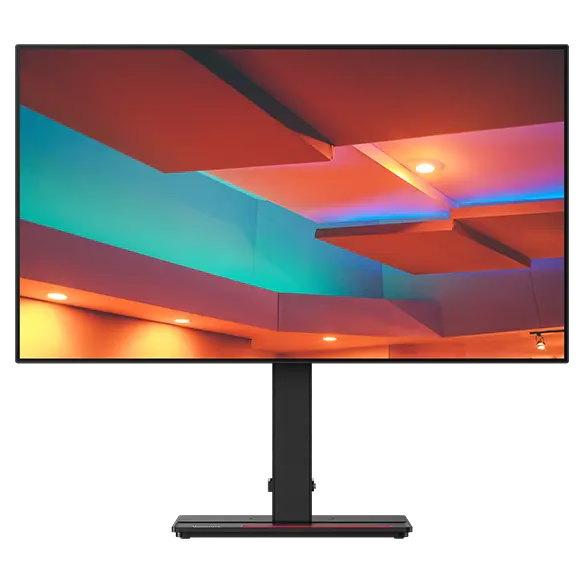
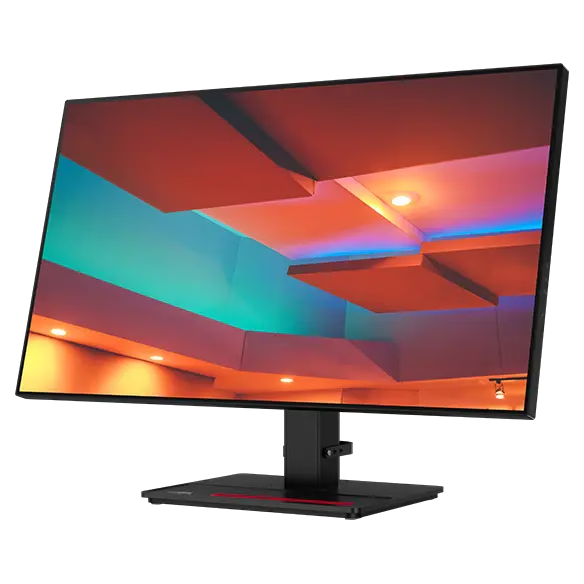
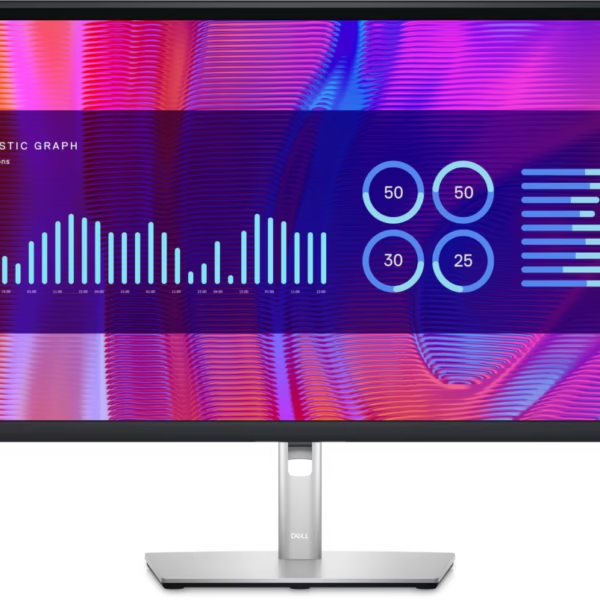
The Lenovo ThinkVision P27h-20 27-inch QHD Monitor is a professional display designed for software development, business productivity and creative work. It combines a 2560 × 1440 Quad HD resolution with IPS technology, factory-calibrated colour accuracy and versatile USB-C connectivity to support demanding daily workflows.
With up to 90W USB-C power delivery, an integrated USB hub, Ethernet connectivity and an ergonomic stand, the ThinkVision P27h-20 helps create a flexible and organised workstation. Its combination of visual clarity and connectivity makes it particularly suitable for developers, IT professionals, designers and organisations seeking a practical monitor for professional environments.
The ThinkVision P27h-20 features a 27-inch display with a native resolution of 2560 × 1440 pixels. This QHD resolution provides more workspace than Full HD, allowing users to arrange multiple applications and documents side by side.
The additional screen space is useful for coding, spreadsheet analysis, content editing and managing complex business applications. Its four-sided NearEdgeless design also provides a clean appearance for modern workstations and multi-monitor configurations.
The monitor uses In-Plane Switching (IPS) technology to provide wide viewing angles of up to 178 degrees horizontally and vertically.
It supports 99% sRGB, 99% BT.709 and 85% DCI-P3 colour-gamut coverage. Lenovo also specifies factory-calibrated colour accuracy with an average Delta E below 2, making the display suitable for many colour-sensitive design and content-production tasks.
The anti-glare screen helps minimise reflections, while its 350 cd/m² brightness supports clear viewing in typical office environments.
One of the most useful features of the ThinkVision P27h-20 is its USB-C connection. With a compatible laptop, a single USB-C cable can carry the video signal and USB data while delivering up to 90W of power.
This reduces cable clutter and can eliminate the need for a separate laptop power adapter when the connected device supports the required charging standard.
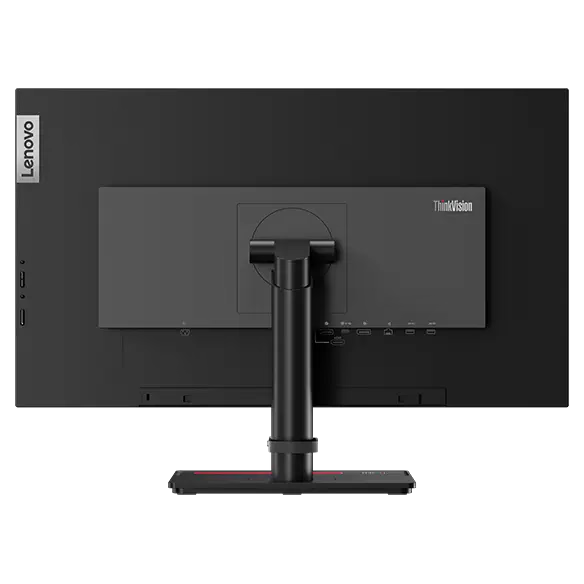
The monitor also includes HDMI 1.4, DisplayPort 1.2 and DisplayPort output, giving users flexibility when connecting desktop computers, laptops and additional compatible displays.
The ThinkVision P27h-20 includes four USB 3.1 Gen 1 downstream ports, one of which supports battery charging, as well as a Gigabit Ethernet port.
These features help users connect compatible peripherals and provide a wired network connection through the monitor when the USB-C upstream connection is properly configured.
For laptop users, this can simplify the desk setup by consolidating display connectivity, peripheral access and network connectivity into one workstation.
The monitor’s stand supports height adjustment up to 135mm, tilt from approximately -5° to +35°, swivel up to 45° in either direction and pivot adjustment for portrait orientation.
These adjustments make it easier to position the screen according to individual preferences and different desk arrangements.
The ThinkVision P27h-20 is also TÜV Rheinland Eye Comfort-certified. Its ergonomic design and anti-glare surface make it suitable for extended periods of office work, although regular breaks and appropriate screen positioning remain important.
The DisplayPort output supports compatible daisy-chain configurations, allowing users to connect an additional display through a supported DisplayPort Multi-Stream Transport setup.
This can be useful for developers and professionals who need multiple screens for code editors, dashboards, documentation and communication tools. The supported configuration depends on the computer’s graphics hardware, operating system and connection requirements.
The Lenovo ThinkVision P27h-20 is a good monitor for developers because its 27-inch QHD display offers a useful balance of screen space, clarity and connectivity. Developers can keep an integrated development environment, terminal, browser preview, debugging tools and technical documentation visible together, improving workflow organisation.
Its 2560 × 1440 resolution provides a detailed workspace for software engineering, web development, database management and application testing. The IPS panel also supports clear text and consistent visuals across the screen.
USB-C connectivity is particularly valuable for developers using compatible laptops. Connecting through a single cable can provide display output, USB data, network access through the monitor and up to 90W of power delivery. This helps reduce desk clutter and makes it easier to move between a mobile setup and a workstation.
For developers working with web interfaces and visual assets, the monitor’s factory-calibrated colour performance and 99% sRGB coverage are useful additional benefits. Its 60Hz refresh rate is suitable for productivity work, although users seeking high-refresh-rate gaming performance should consider a different category of display.
The Lenovo ThinkVision P27h-20 is a good monitor for organisations that want to improve workstation productivity and simplify desktop connectivity. Its QHD resolution supports document-heavy work, financial analysis, software development, business applications and creative tasks.
The integrated USB hub and Ethernet connection can help reduce cable clutter and simplify workstation deployment for compatible laptops. With USB-C power delivery of up to 90W, employees can connect a supported laptop to the monitor without necessarily needing a separate charging cable.
Organisations with design and content teams can benefit from the monitor’s factory-calibrated colour performance, while the ergonomic stand allows the display to be adapted to different employees and desk layouts.
For IT departments, the combination of video inputs, USB connectivity, wired networking and DisplayPort output offers flexibility when planning workstations. Its professional design makes it suitable for offices, educational institutions, software companies and hybrid-working environments.
Lenovo lists this model as withdrawn in its product specifications database, so organisations considering bulk purchases should verify current availability, warranty coverage and replacement options.
The Lenovo ThinkVision P27h-20 is particularly suitable for:
Users requiring 4K resolution, HDR performance or refresh rates above 60Hz may prefer a different monitor suited to those priorities.
The ThinkVision P27h-20 supports USB-C with DisplayPort 1.2 Alt Mode, HDMI 1.4 and DisplayPort 1.2. To use USB-C for video, data and laptop charging, the connected computer must support the appropriate USB-C functionality.
For the best results, configure the display at its native 2560 × 1440 resolution and 60Hz refresh rate. The Ethernet and USB hub features require the appropriate upstream connection to the computer.
The DisplayPort output can support a compatible daisy-chain setup, subject to graphics hardware and operating-system limitations. The monitor also supports VESA mounting for users who prefer a compatible monitor arm.
No account yet?
Create an Account







 ASUS
ASUS






