






 Laptop Computers
 Desktop Computers
 Printers
 Network
 Software
 Laptop Accessories
 Laptop Components
 Office
 Desktop peripherals
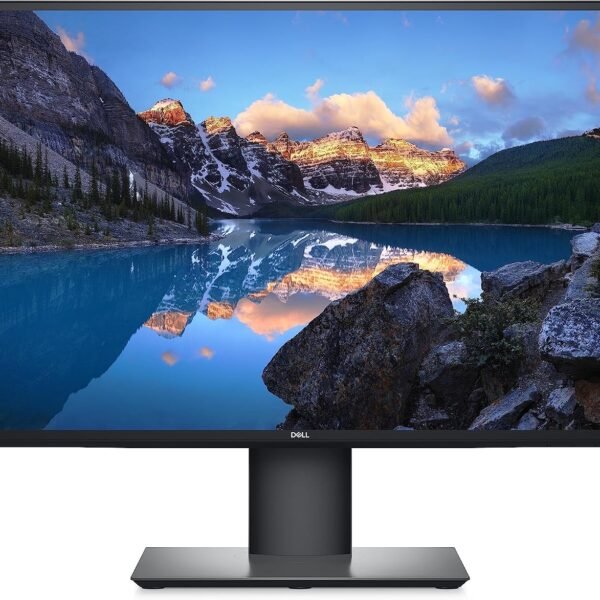
Brand: ASUS
Product Series: TUF Gaming
Model: VG27AQ
Product Type: Gaming monitor
Screen Size: 27 inches
Display Resolution: 2560 × 1440 pixels (QHD)
Aspect Ratio: 16:9
Panel Technology: IPS
Backlight: LED
Native Refresh Rate: 144Hz
Maximum Refresh Rate: Up to 165Hz (overclocked)
Response Time: 1ms MPRT
Brightness: 350 cd/m² (typical)
Static Contrast Ratio: 1000:1
Colour Support: 16.7 million colours
Colour Gamut: 99% sRGB
Viewing Angles: 178° horizontal / 178° vertical
HDR Support: HDR10
Adaptive Sync: Supported
NVIDIA G-SYNC: Compatible with supported configurations
Motion Technology: ASUS Extreme Low Motion Blur (ELMB), ELMB Sync
HDMI Ports: 2 × HDMI 2.0
DisplayPort: 1 × DisplayPort 1.2
Audio Output: 3.5mm headphone jack
Built-in Speakers: 2 × 2W
Ergonomic Adjustments: Height, tilt, swivel, pivot
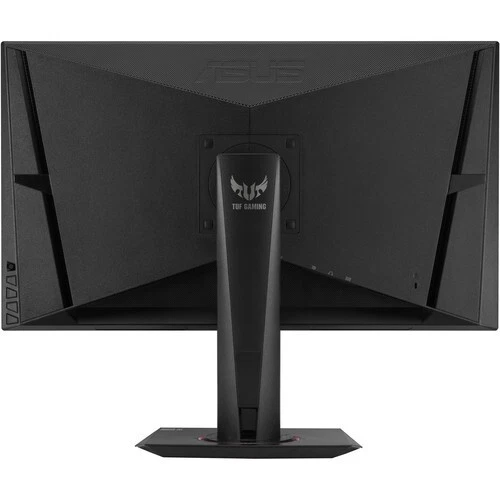
VESA Mounting: 100 × 100 mm

Hurry and get discounts on all Apple devices up to 20%
Sale_coupon_15
KSh42,000.00 excl. VAT
Payment Methods:

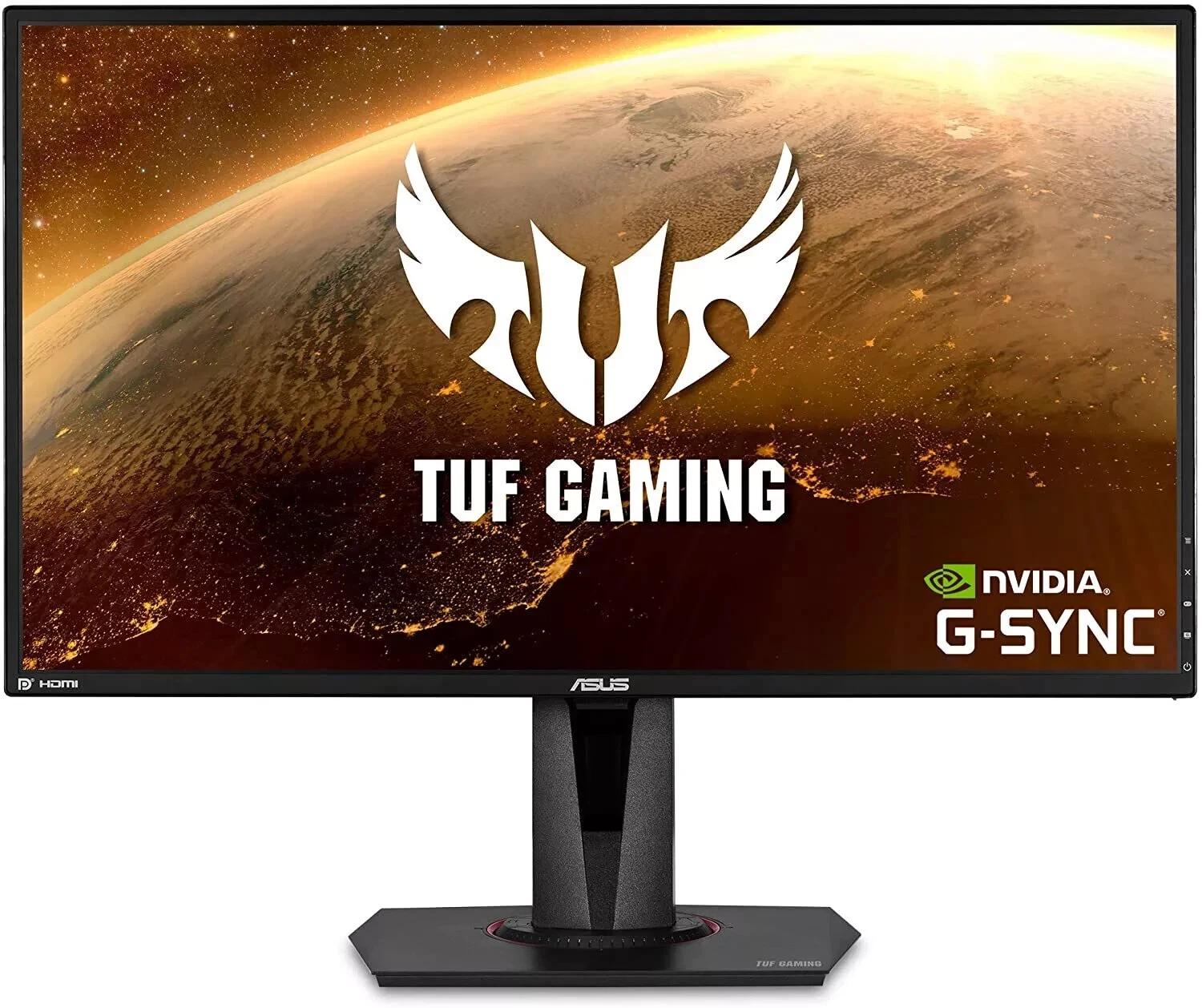
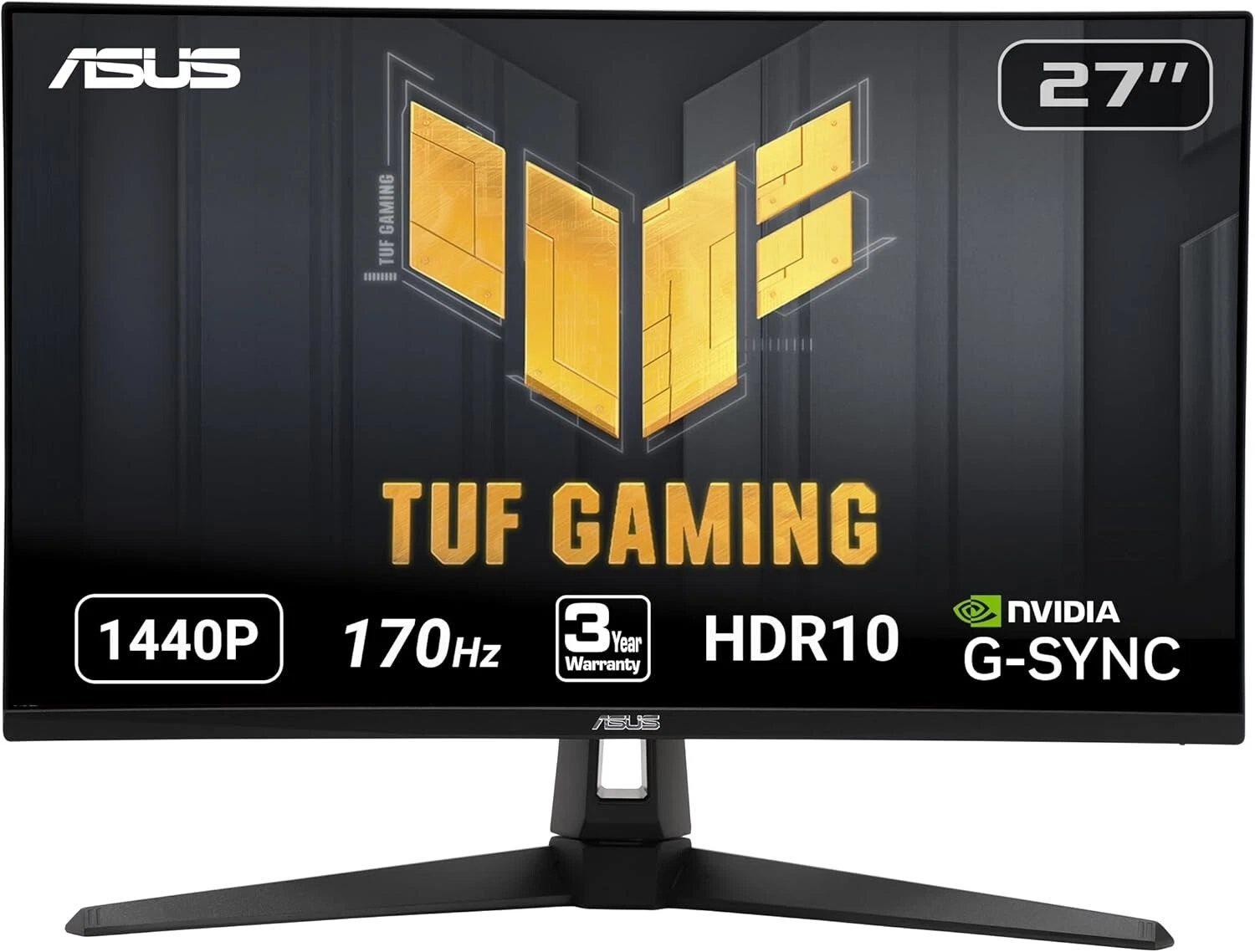
The ASUS TUF Gaming VG27AQ 27-Inch QHD 165Hz Monitor is designed for gamers and PC users who want detailed visuals, smooth motion, and responsive performance. Combining a 27-inch Quad HD display with a high refresh rate and IPS panel technology, this monitor delivers a versatile solution for gaming, entertainment, and everyday computing.
With its 2560 × 1440 resolution, the ASUS VG27AQ offers more screen detail than a standard Full HD monitor. Its high refresh rate helps make fast-moving scenes appear smoother, while ASUS gaming technologies provide additional options for improving motion clarity and reducing screen tearing.
Whether you enjoy competitive games, immersive adventure titles, or everyday multimedia, the ASUS TUF Gaming VG27AQ offers a combination of display quality and gaming-focused features suited to a modern desktop setup.
The ASUS TUF Gaming VG27AQ features a 27-inch display with a Quad HD resolution of 2560 × 1440 pixels. This provides a detailed viewing experience and additional workspace compared with a standard 1920 × 1080 Full HD monitor.
The higher resolution is useful for viewing detailed game environments, reading text, browsing websites, and working with multiple windows. It also gives users more room to arrange applications on the desktop without needing a second monitor.
For gamers who want a balance between image detail and performance, QHD resolution is a practical choice. It provides sharper visuals while remaining less demanding on graphics hardware than 4K gaming at comparable settings.
The monitor supports a refresh rate of up to 165Hz when overclocked, with a native refresh rate of 144Hz. This allows the display to update the image more frequently than standard 60Hz monitors.
A higher refresh rate can make movement appear smoother in compatible games, particularly in fast-paced titles where players need to track objects and react quickly.
To benefit from the maximum refresh rate, users need a compatible graphics card, supported connection, and suitable display settings. The actual frame rate also depends on the computer’s hardware and the demands of the game.
The ASUS VG27AQ uses IPS panel technology, providing wide viewing angles and consistent colour reproduction. This helps maintain a clear, balanced image when the screen is viewed from different positions.
The IPS panel is suitable for gaming, video streaming, browsing, and general productivity. It also makes the monitor a useful option for people who want a gaming display that can handle everyday computer tasks.
Its QHD resolution and IPS technology provide a combination of detail and colour performance for users who value both gaming and general multimedia use.
The VG27AQ is rated for a 1ms MPRT response time using its motion-blur-reduction mode. This feature is intended to reduce perceived motion blur during fast-moving scenes.
Response time and MPRT are different measurements, so the advertised MPRT figure should not be interpreted as a standard grey-to-grey response time under every operating mode.
When configured appropriately, the monitor’s high refresh rate and motion-focused features can support a responsive gaming experience. Actual performance depends on settings, game content, and the connected computer.
The monitor features ASUS Extreme Low Motion Blur (ELMB) technology, which uses backlight strobing to reduce perceived motion blur in supported conditions.
This can help moving objects appear clearer during fast-paced gameplay. It is particularly relevant to players who prioritise motion clarity in action games and competitive titles.
ELMB may affect brightness and has operating limitations, so users should select settings based on their preferred balance between clarity and visual comfort.
The ASUS TUF Gaming VG27AQ supports adaptive-sync technology and is designed to work with compatible NVIDIA G-SYNC systems. These technologies synchronise the monitor’s refresh rate with the graphics card’s output to help reduce screen tearing and stuttering.
This is especially useful when game frame rates fluctuate during demanding scenes. With compatible hardware and settings, adaptive sync can help maintain a smoother and more consistent gaming experience.
A notable feature of the ASUS VG27AQ is ELMB Sync, which allows motion-blur-reduction technology to operate alongside compatible adaptive-sync functionality.
This combination gives gamers more flexibility when balancing smooth frame delivery with clearer moving images. It can be particularly helpful in games involving rapid camera movements or fast-moving targets.
Results vary according to the selected settings, game frame rate, and display conditions. Users can experiment with the available modes to find the most suitable configuration.
The ASUS TUF Gaming VG27AQ supports HDR10 content, allowing compatible games and videos to use high dynamic range signals.
HDR can provide additional tonal detail in supported content, helping compatible scenes display a broader range of brightness information. However, the overall HDR effect depends on the monitor’s brightness capabilities, the content, and the source device.
The monitor’s primary strengths remain its QHD resolution, high refresh rate, and gaming-focused motion features rather than premium HDR performance.
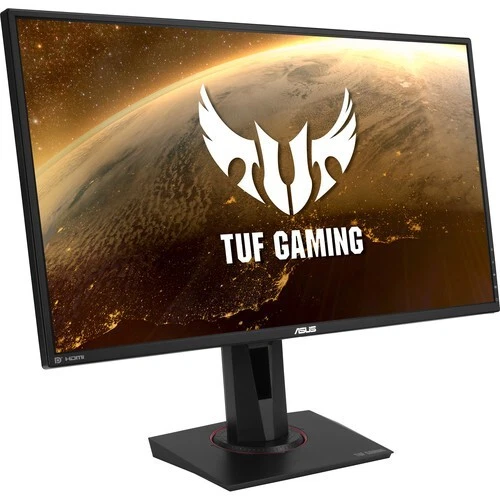
A comfortable setup is important when gaming or working for extended periods. The ASUS VG27AQ includes an ergonomic stand with multiple adjustment options.
Height adjustment: Raise or lower the screen to suit your seating position.
Tilt adjustment: Angle the display for comfortable viewing.
Swivel adjustment: Turn the monitor to accommodate your workstation.
Pivot adjustment: Rotate the display into portrait orientation for supported tasks.
These adjustments are useful for gaming, programming, browsing, and document work. The monitor also supports VESA mounting, allowing installation on a compatible monitor arm or mounting bracket.
The ASUS VG27AQ includes two built-in 2W speakers for basic audio playback. These can be convenient for everyday sounds, videos, and casual use without requiring separate speakers.
For a more immersive gaming experience, users may prefer dedicated speakers or a headset. The monitor also includes a headphone connection for compatible audio equipment.
Its TUF Gaming design complements gaming desktops and modern workstations, while the stand and mounting options provide flexibility when arranging the display.
The ASUS VG27AQ combines a detailed QHD display with a high refresh rate and gaming-focused features, making it suitable for users who want a versatile monitor.
The monitor’s high refresh rate, adaptive-sync support, and motion-clarity features make it suitable for fast-paced games.
It can be used for first-person shooters, racing games, action titles, and other games where smooth motion is important. The actual benefit depends on the computer’s graphics performance and the game’s frame rate.
The 2560 × 1440 resolution offers a detailed viewing experience for games with complex environments, textures, and interfaces.
The 27-inch screen provides a larger viewing area than many compact gaming monitors, making it useful for adventure games, simulation titles, and general entertainment.
Beyond gaming, the ASUS VG27AQ can handle everyday productivity tasks. Its QHD resolution provides additional workspace for spreadsheets, documents, programming environments, and browser windows.
The IPS panel and ergonomic stand also make it a practical option for users who share their monitor between gaming, studying, and office work.
The monitor includes HDMI and DisplayPort connections for compatible computers and other supported devices. DisplayPort is generally the preferred option for accessing the monitor’s maximum refresh rate at QHD resolution, provided the graphics card and configuration support it.
Before purchasing, check the available ports on your computer and confirm that the selected connection supports your intended resolution and refresh rate.
Choosing between QHD and Full HD depends on your gaming priorities, hardware, and budget.
24-inch Full HD monitors: Offer a compact display size and are often suitable for high-frame-rate gaming.
27-inch Full HD monitors: Provide a larger screen but have fewer pixels than a 27-inch QHD monitor.
27-inch QHD monitors: Deliver 2560 × 1440 resolution, offering more detail and workspace.
4K gaming monitors: Provide greater resolution but generally require more graphics performance to maintain high frame rates.
The ASUS VG27AQ is a practical middle ground for gamers who want sharper visuals than Full HD while retaining a high refresh rate. However, running games at QHD can be more demanding, so the graphics card should be selected with the intended games and settings in mind.
Place the monitor on a stable desk or attach it to a compatible VESA mount.
Connect the monitor’s power cable.
Connect the computer using DisplayPort or a compatible HDMI cable.
Set the display resolution to 2560 × 1440.
Select 144Hz or enable the supported overclocking option for up to 165Hz.
Enable adaptive-sync functionality if supported by your graphics card.
Adjust the stand height, tilt, swivel, and pivot to suit your workspace.
Explore ELMB or ELMB Sync settings and choose the mode that best suits your preferences.
For the best results, make sure your graphics card and connection support the intended refresh rate. Some motion-clarity features have operating limitations, so review the available settings before enabling them.
The ASUS TUF Gaming VG27AQ features a 27-inch display, providing a spacious viewing area for gaming, entertainment, and productivity.
It supports QHD resolution of 2560 × 1440 pixels, offering more detail than a standard Full HD display.
Yes. The monitor supports up to 165Hz through its overclocking feature. Its native refresh rate is 144Hz, and the maximum available rate depends on the connection, graphics hardware, and settings.
Yes. It uses IPS panel technology, which provides wide viewing angles and consistent colour reproduction.
The monitor is designed to support NVIDIA G-SYNC compatibility with suitable graphics hardware and configurations. It also supports adaptive-sync functionality to help reduce screen tearing.
ELMB Sync combines motion-blur-reduction technology with compatible adaptive-sync operation. It is designed to improve motion clarity while helping reduce screen tearing under supported conditions.
Yes. It supports HDR10 signals. The visible HDR benefit depends on the content, source device, and the monitor’s display capabilities.
Yes. It includes two built-in 2W speakers for basic audio playback.
Yes. It supports a 100 × 100 mm VESA mounting interface for compatible monitor arms and mounting brackets.
No account yet?
Create an Account







 ASUS
ASUS






