






 Laptop Computers
 Desktop Computers
 Printers
 Network
 Software
 Laptop Accessories
 Laptop Components
 Office
 Desktop peripherals
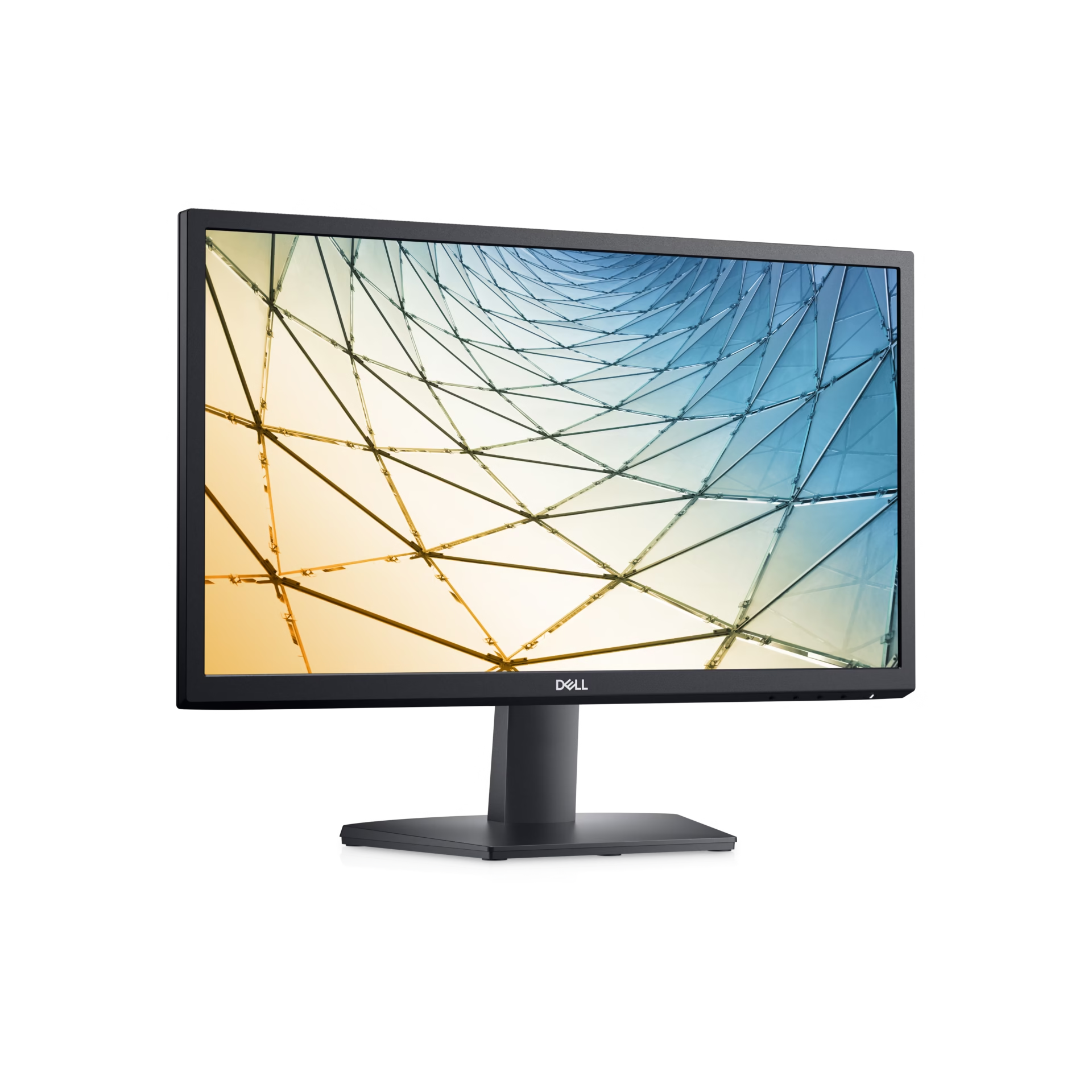
Brand: Dell
Model: SE2222H
Product Type: LED-backlit LCD monitor
Screen Size: 21.5 inches
Display Resolution: 1920 × 1080 pixels (Full HD)
Aspect Ratio: 16:9
Panel Technology: Vertical Alignment (VA)
Refresh Rate: Up to 75Hz
Response Time: Up to 8ms (Normal mode); faster in Extreme mode
Brightness: 250 cd/m²
Contrast Ratio: 3000:1 (typical)
Viewing Angles: 178° horizontal / 178° vertical (typical)
Colour Support: 16.7 million colours
Colour Gamut: 72% NTSC (CIE 1931, typical)
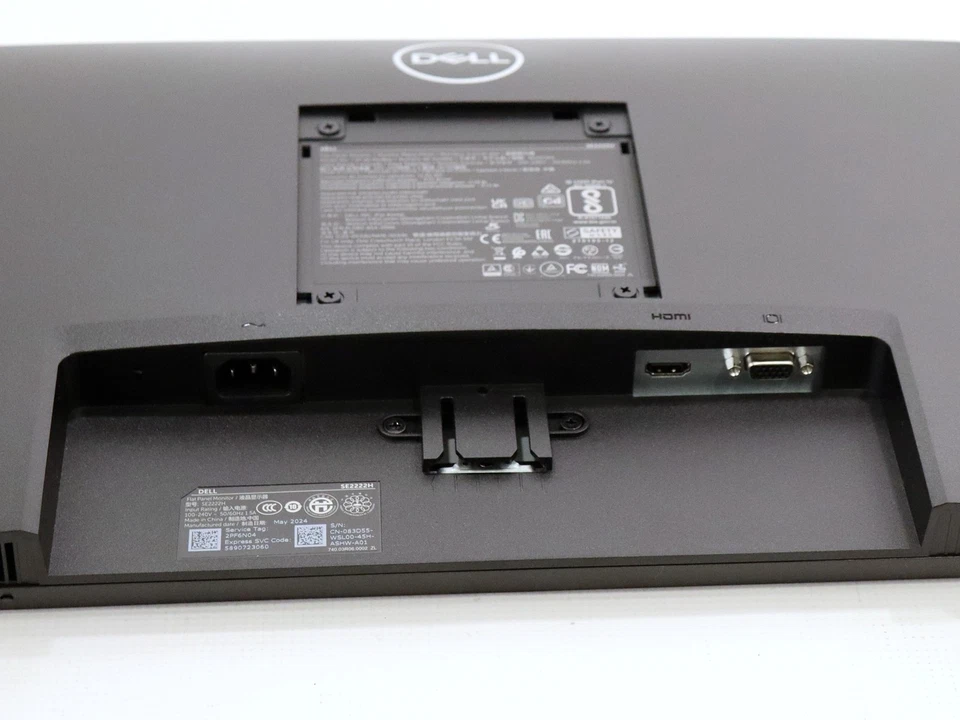
Video Inputs: 1 × HDMI 1.4, 1 × VGA
Eye Comfort: ComfortView, flicker-free technology
Screen Surface: Anti-glare
VESA Mounting: 100 × 100 mm
Stand Adjustments: Tilt
Power Supply: Integrated power supply

Hurry and get discounts on all Apple devices up to 20%
Sale_coupon_15
KSh6,000.00 excl. VAT
Payment Methods:

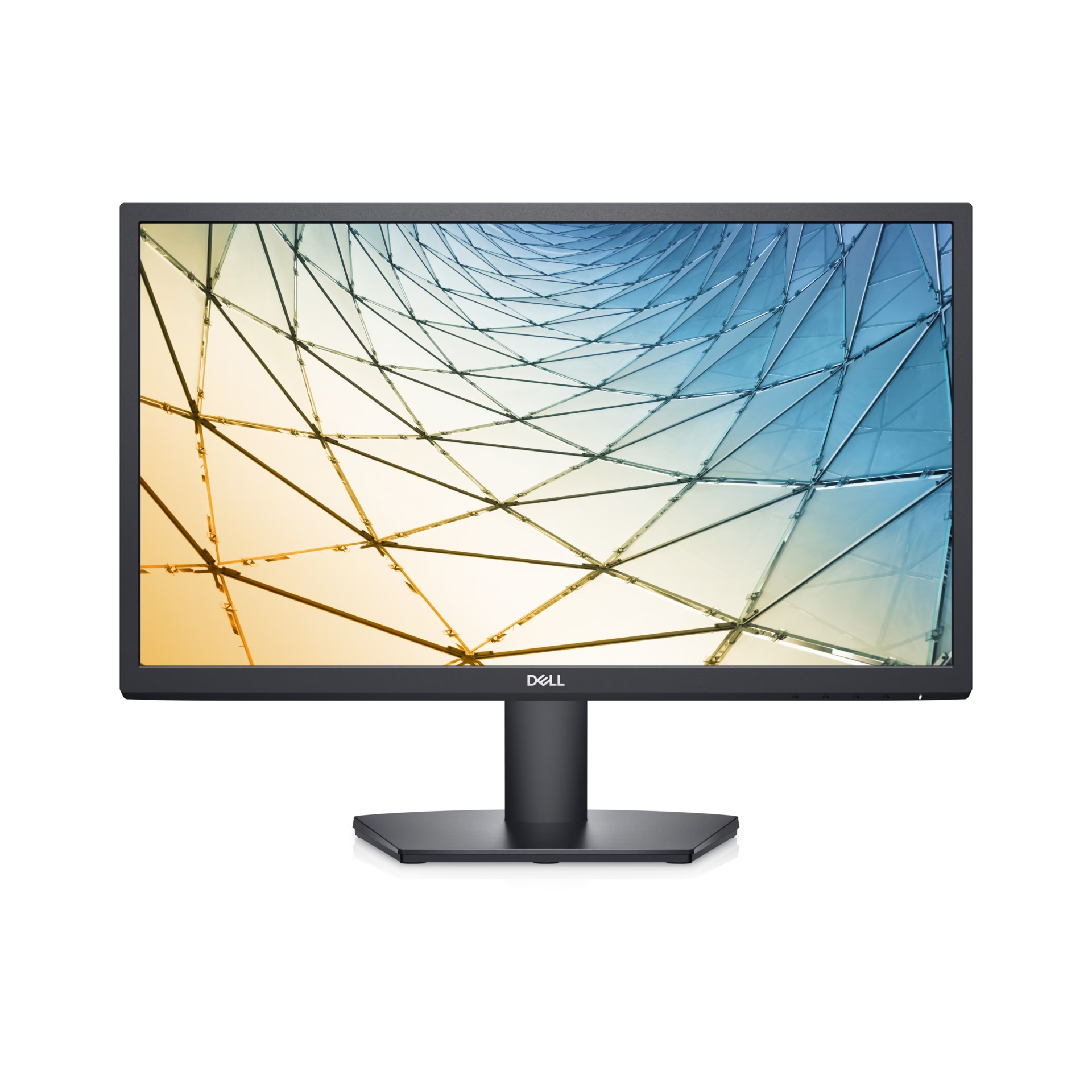
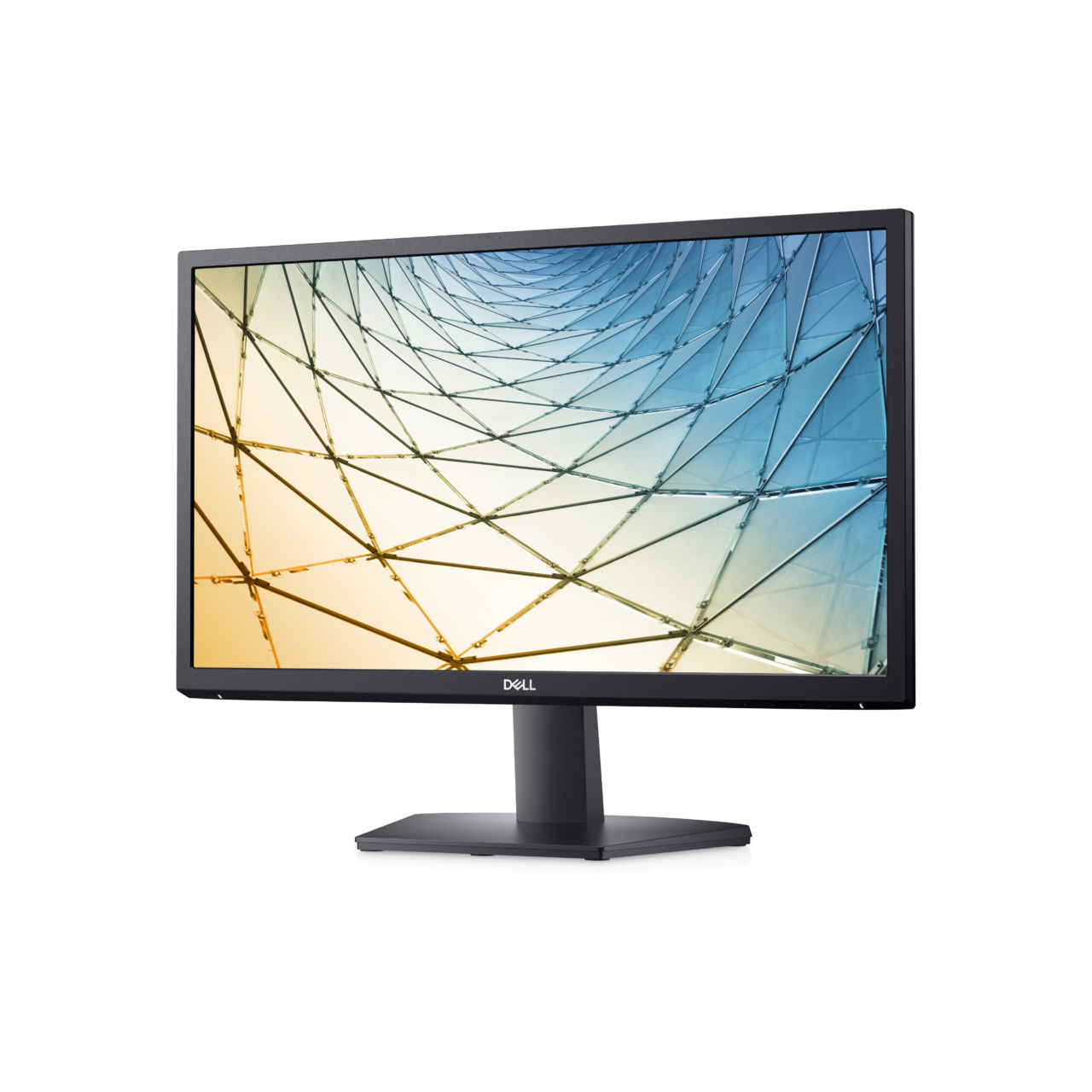
Choosing the right monitor can make a significant difference to your productivity, comfort, and overall computing experience. The Dell 22 FHD Computer Monitor – SE2222H is designed for users who need a dependable display for everyday office work, studying, web browsing, and home computing. With its 21.5-inch Full HD screen, space-saving design, and practical connectivity, this monitor offers a straightforward solution for everyday digital tasks.
Whether you are equipping an office, upgrading your home workstation, or setting up a study area, the Dell SE2222H provides clear visuals in a compact format. Its simple design makes it suitable for a wide range of desktop environments, while its Full HD resolution helps display documents, spreadsheets, websites, and multimedia content with good clarity.
At Lansotech Solutions, we understand the importance of selecting computer equipment that balances functionality, reliability, and value. The Dell SE2222H is worth considering for users seeking a practical monitor for routine computing needs.
The Dell SE2222H features a 21.5-inch screen with Full HD resolution of 1920 × 1080 pixels. This resolution provides detailed visuals for everyday computer use, allowing users to work with documents, view presentations, browse the internet, and watch videos comfortably.
The screen size offers a practical balance between viewing space and desk requirements. It is suitable for small offices, reception desks, home workstations, and educational environments where desk space may be limited.
Full HD resolution also helps users view text and images clearly, making the monitor useful for common productivity applications such as word processing, spreadsheets, email, and online research.
The Dell SE2222H uses Vertical Alignment (VA) panel technology, which is known for delivering strong contrast between dark and bright areas. This can help images appear more defined when viewing photographs, videos, presentations, and other visual content.
The monitor is suitable for general office applications and entertainment during breaks. Its display characteristics support everyday viewing without requiring a specialised monitor for professional colour grading or advanced graphics work.
For users who spend much of their time reading documents, managing data, or working with browser-based applications, the VA panel offers a practical display solution.
The 75Hz refresh rate provides a slightly higher refresh rate than traditional 60Hz displays. This can make everyday movements, scrolling, and window transitions appear smoother in supported configurations.
For office professionals and students, this is useful when moving through long documents, browsing websites, or switching between applications. The monitor is primarily intended for everyday computing rather than competitive gaming, but it can also handle casual entertainment.
Actual refresh-rate availability may depend on the computer’s graphics hardware, connection type, resolution settings, and supported configuration.
The Dell SE2222H has a listed response time of up to 8ms in normal mode, with faster response available through its extreme mode setting. Response time describes how quickly pixels transition between colours.
For typical desktop activities, including office applications, video playback, online learning, and browsing, the monitor provides practical performance. Users who require specialised displays for fast-paced competitive gaming or highly demanding motion work may prefer a monitor designed specifically for those purposes.
Desk space is important in many offices, home workstations, and learning environments. The Dell SE2222H features a compact 21.5-inch display that can fit into smaller working areas without taking up the space required by larger monitors.
Its straightforward black design complements a wide range of desktop setups. The monitor is suitable for individual workstations, administrative desks, reception areas, and computer labs.
A compact display can also make it easier to arrange other essential equipment, such as a keyboard, mouse, notebook, or desk organiser, around the workstation.
The Dell SE2222H includes HDMI and VGA inputs, offering flexibility when connecting compatible desktop computers, laptops with suitable outputs, and other supported devices.
HDMI: Provides a digital connection for compatible computers and devices.
VGA: Supports connection to compatible computers and older equipment that uses an analogue video output.
Having both connection types can be helpful in offices that use a mixture of newer and older computers. Before purchasing, users should confirm that their computer has a compatible video output or obtain the appropriate adapter if required.
Many people spend several hours each day looking at computer screens. The Dell SE2222H includes ComfortView technology, which helps reduce blue-light emissions while maintaining usable screen colours.
The display also uses a flicker-free backlight system designed to support a more comfortable viewing experience during extended computer sessions.
These features can be beneficial for users who regularly work with documents, browse websites, attend online classes, or perform administrative duties. Good monitor habits remain important: adjust the screen brightness to suit the room, position the display comfortably, and take regular breaks.
The Dell SE2222H is designed for everyday use with an emphasis on practical efficiency. Its compact LED-backlit display is suitable for workstations that operate throughout the day.
For organisations purchasing multiple monitors, considering energy consumption alongside screen size, performance, and purchase cost can help support sensible equipment choices.
Actual power consumption varies with usage, brightness settings, and operating conditions. Users can consult the official technical documentation for precise power specifications.
The Dell SE2222H is designed around the needs of everyday computer users. It provides the essential display features required for routine professional and personal tasks without adding unnecessary complexity.
Office users frequently work with spreadsheets, email, documents, accounting software, inventory systems, and web applications. The monitor’s Full HD resolution provides a useful workspace for these activities.
It can be used for tasks such as:
Preparing reports and business documents.
Managing spreadsheets and databases.
Handling emails and online meetings.
Accessing web-based business applications.
Viewing presentations and reference materials.
For businesses equipping several desks, its compact design and familiar connectivity options can make it a practical option to consider.
Students need a display that can handle research, assignments, online learning platforms, and presentations. The Dell SE2222H provides a Full HD viewing area for these activities while fitting comfortably into many home study spaces.
It can support schoolwork, college assignments, online lessons, research, and general internet use. Its 21.5-inch screen is a sensible option for students who need a dedicated monitor but do not require a large professional display.
For home users, the Dell SE2222H can serve as a primary desktop monitor for everyday digital activities. It is appropriate for browsing, managing personal documents, viewing photos, streaming supported content, and keeping track of household tasks.
The HDMI input also makes it convenient to connect compatible devices, provided the correct video output and resolution are supported.
Reception desks, retail counters, small businesses, and shared office spaces often need reliable monitors that do not occupy excessive room. The Dell SE2222H’s compact size makes it suitable for these environments.
It can support customer records, appointment management, point-of-sale applications that use a compatible computer, and other routine administrative tasks.
When selecting a monitor, screen size should match the intended workload and available desk space.
21.5-inch Full HD: A practical option for routine office work, studying, and compact workstations.
24-inch Full HD: Offers a larger viewing area and may be more comfortable for users who frequently work with several windows.
27-inch displays: Provide more screen space and may be preferable for multitasking, larger documents, and some creative workflows.
The Dell SE2222H is particularly suitable when affordability, compact dimensions, and everyday productivity are the main priorities. Users who regularly manage multiple large spreadsheets or require more workspace may want to compare it with a larger display before making a decision.
Setting up the Dell SE2222H is straightforward when using a compatible computer and the appropriate video cable.
Place the monitor on a stable, level desk.
Connect the monitor’s power cable.
Connect the computer using HDMI or VGA, depending on the available ports.
Switch on the monitor and computer.
Select the appropriate input source if necessary.
Set the display resolution to 1920 × 1080 where supported.
Adjust brightness and other display settings for comfortable viewing.
For improved ergonomics, position the monitor directly in front of the user and adjust its placement to minimise glare. The supplied stand and mounting options should be checked against the specific model documentation if a different mounting arrangement is required.
The Dell SE2222H has a 21.5-inch display, making it suitable for home offices, business workstations, educational environments, and other areas with limited desk space.
The monitor supports Full HD resolution of 1920 × 1080 pixels, providing clear visuals for documents, web pages, spreadsheets, presentations, and video content.
Yes. The monitor supports a refresh rate of up to 75Hz under compatible configurations. The available refresh rate depends on the computer, graphics hardware, connection, and display settings.
The Dell SE2222H provides HDMI and VGA video inputs. Check your computer’s available ports before purchasing to ensure compatibility.
Yes. Its Full HD resolution, compact screen size, and practical connectivity make it suitable for word processing, email, spreadsheets, business applications, and general administrative work.
The monitor can support casual gaming when connected to compatible equipment. However, its 75Hz refresh rate and response-time characteristics are more suited to general computing and casual entertainment than competitive gaming.
Yes. It includes ComfortView technology and a flicker-free backlight system designed to support a more comfortable viewing experience.
Yes. The monitor is suitable for research, online learning, assignments, document preparation, and general computing. Its compact size also makes it practical for many home study desks.
The Dell SE2222H does not include built-in speakers. Users who need audio should use external speakers, headphones, or another compatible audio device connected to their computer.
No account yet?
Create an Account







 ASUS
ASUS






