






 Laptop Computers
 Desktop Computers
 Printers
 Network
 Software
 Laptop Accessories
 Laptop Components
 Office
 Desktop peripherals
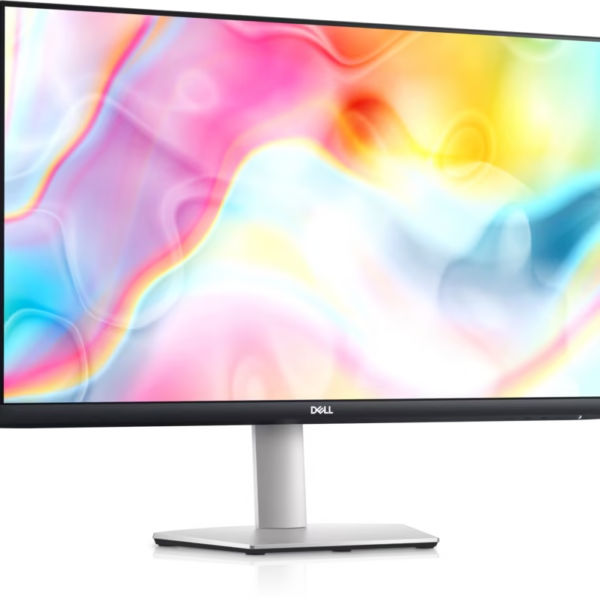
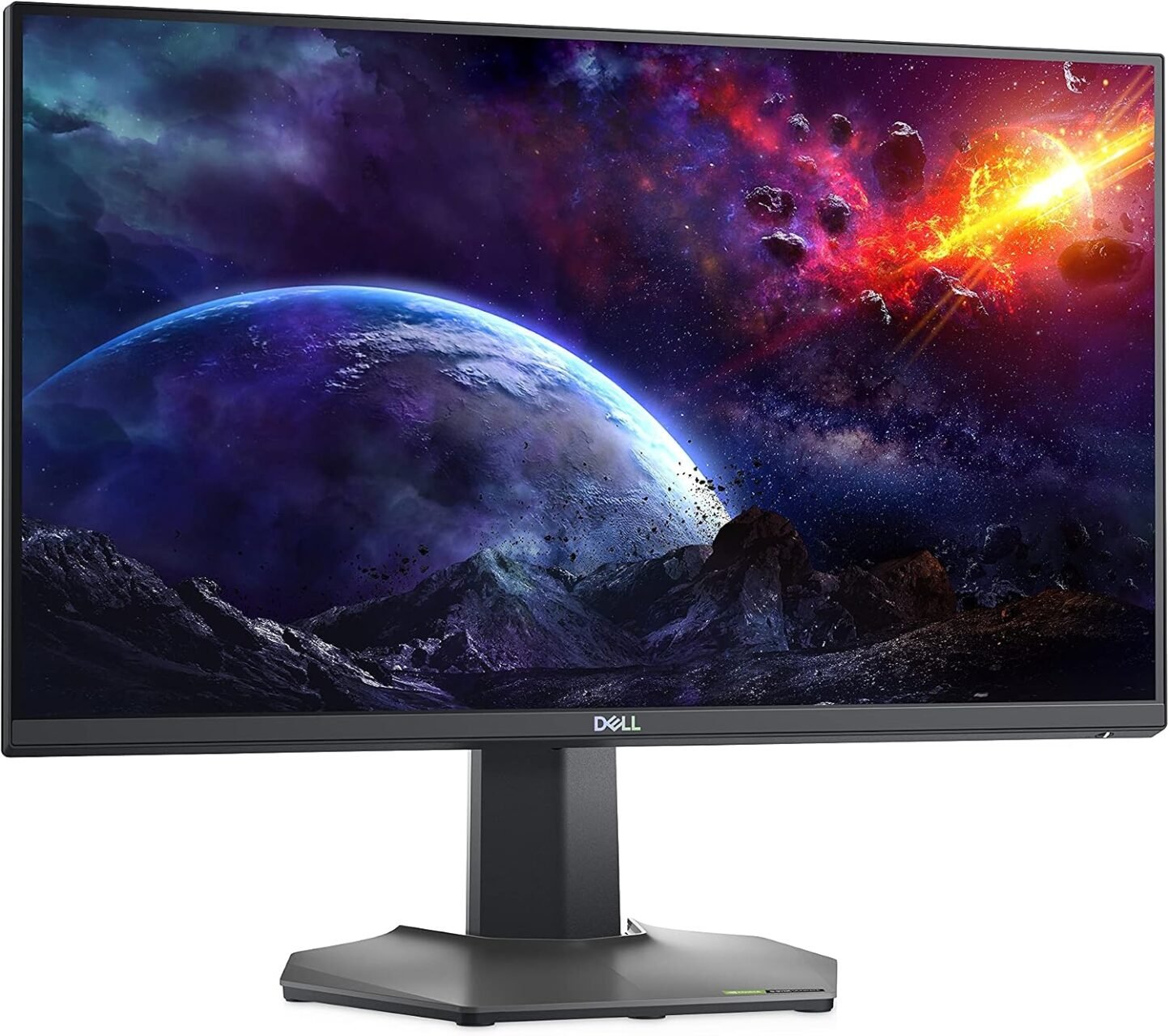
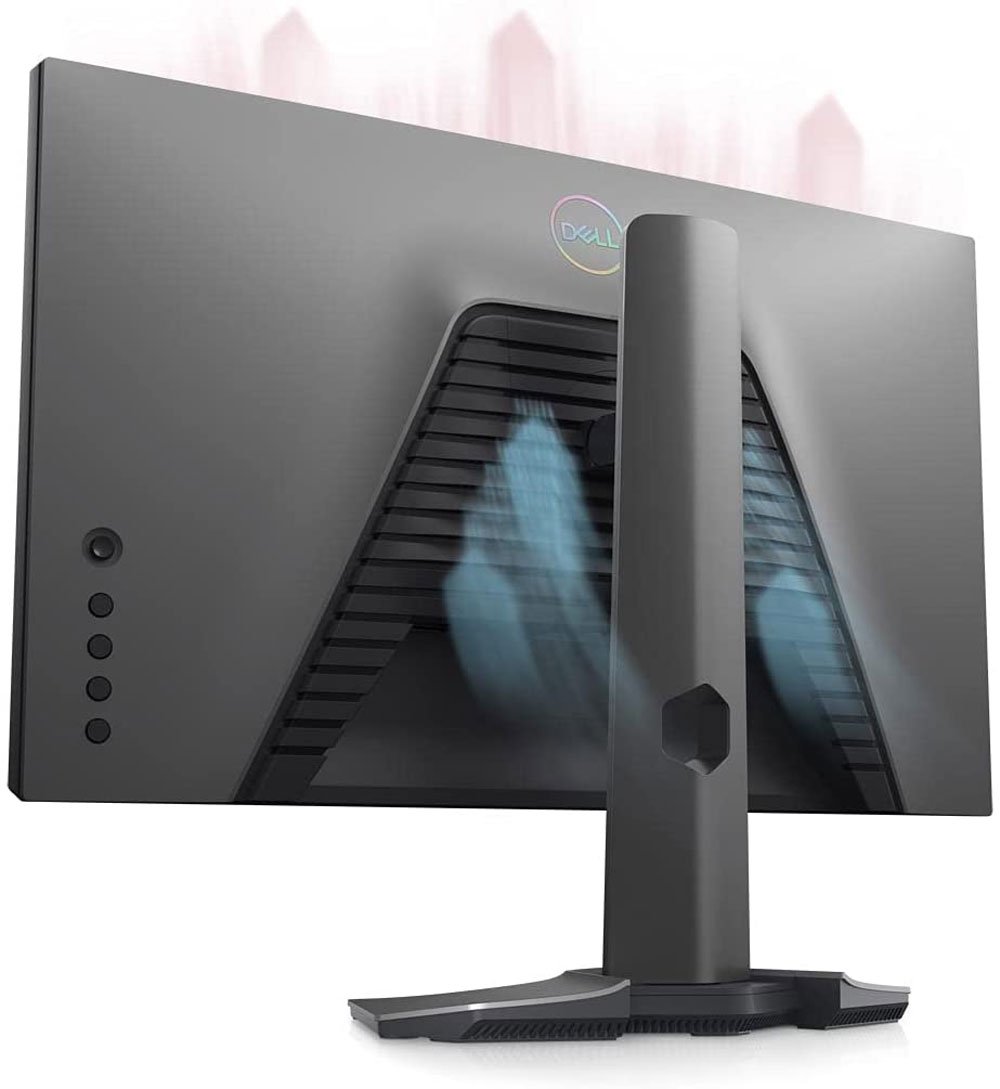
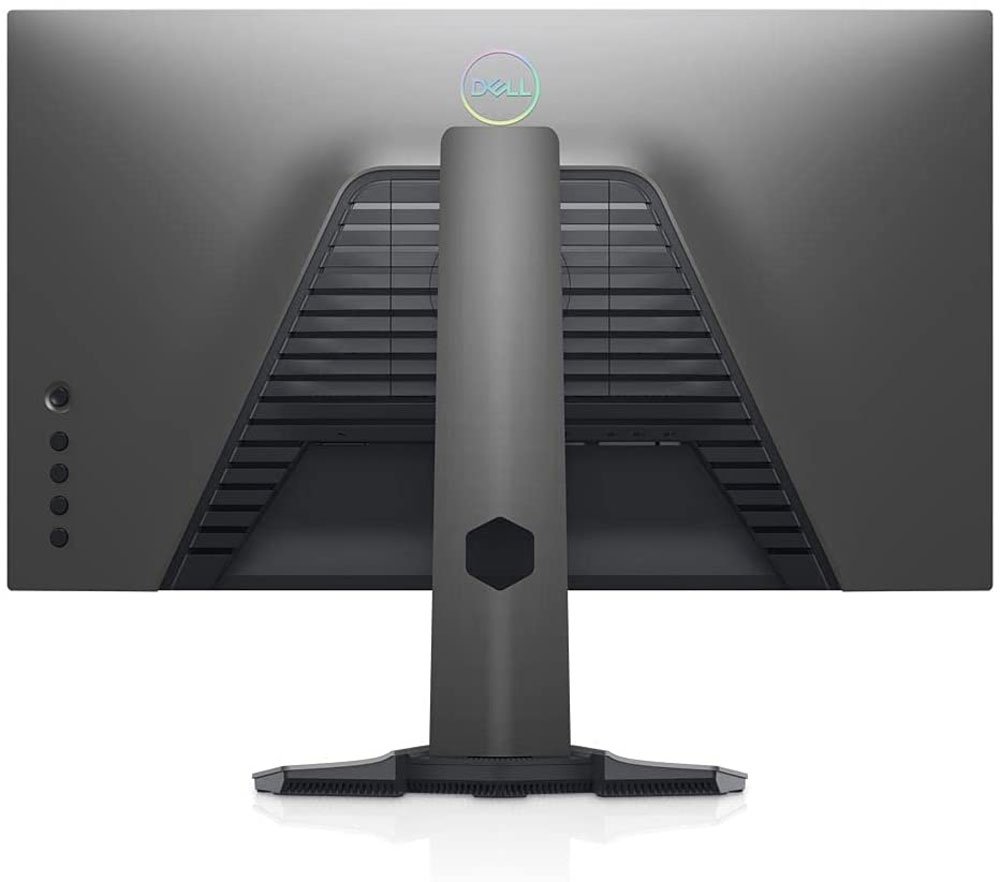
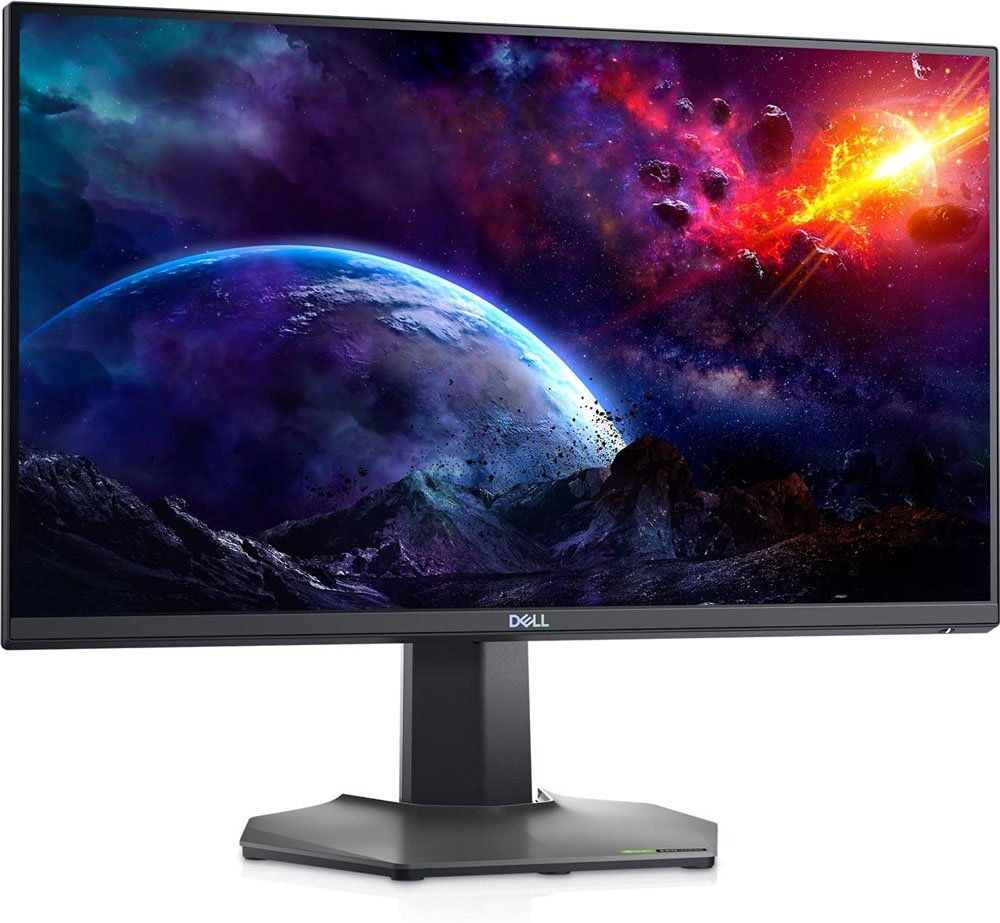
Model: S2522HG
Screen size: 24.5-inch viewable display
Panel technology: Fast IPS
Resolution: 1920 × 1080 Full HD
Aspect ratio: 16:9
Refresh rate: Up to 240Hz
Response time: Up to 1ms grey-to-grey in Extreme mode
Brightness: 400 cd/m² typical
Contrast ratio: 1000:1 typical
Colour gamut: 99% sRGB typical
Viewing angles: 178° horizontal / 178° vertical
Adaptive sync: AMD FreeSync Premium and NVIDIA G-SYNC Compatible
DisplayPort: 1 × DisplayPort 1.2
HDMI: 2 × HDMI 2.0
USB connectivity: 1 × USB upstream and 4 × USB downstream
Audio: 1 × headphone output
Tilt: Approximately -5° to +21°
Swivel: Up to 45° left and right
Pivot: Up to 90° in either direction
VESA mounting: 100 × 100mm

Hurry and get discounts on all Apple devices up to 20%
Sale_coupon_15
KSh80,000.00 excl. VAT
Payment Methods:

The Dell S2522HG combines several features that make it a strong option for gamers seeking a high-refresh-rate Full HD display.
Smooth and responsive performance: The 240Hz refresh rate and fast response-time options are particularly useful for competitive games that demand quick reactions.
Good colour reproduction: Fast IPS technology and 99% sRGB coverage provide vibrant colours for gaming and general entertainment.
Adaptive-sync technology: FreeSync Premium and G-SYNC compatibility help reduce tearing and stuttering with supported hardware.
Flexible positioning: The adjustable stand supports comfortable screen placement, while VESA mounting provides another option for organising your workspace.
Useful USB connectivity: The built-in USB hub helps keep compatible peripherals connected and organised.
Practical Full HD resolution: Running games at 1920 × 1080 can make it easier for compatible gaming systems to achieve high frame rates than at more demanding resolutions.
The Dell S2522HG is suitable for several types of users.
Players of first-person shooters, battle royale games, racing games, and other fast-paced titles can benefit from its high refresh rate and responsive display characteristics.
Users upgrading from a standard 60Hz or 75Hz monitor may notice smoother motion when their computer can deliver higher frame rates. The improvement will vary according to the game and hardware.
The Full HD IPS display is also suitable for browsing, online learning, document editing, video calls, and entertainment. Its adjustable stand helps users position the display for their workspace.
Although designed primarily for gaming, the monitor can handle everyday productivity tasks. Its USB hub and ergonomic adjustments may be useful for people who regularly connect peripherals and spend extended periods at a desk.
The Dell S2522HG offers a 240Hz refresh rate, while many gaming monitors operate at 144Hz. Both options can provide smooth gameplay, but they target slightly different priorities.
Refresh rate: A 240Hz monitor can display more refreshes per second than a 144Hz monitor.
Motion presentation: The higher refresh rate can make fast movement appear smoother when the computer produces sufficiently high frame rates.
System requirements: Taking advantage of 240Hz may require a capable graphics card and appropriate game settings.
Everyday use: Both monitors can perform well for browsing, office work, and video streaming.
Value: A 144Hz display may be sufficient for casual gamers, while competitive players may prefer the higher refresh rate.
The Dell S2522HG is worth considering if your priority is high-refresh-rate Full HD gaming rather than a higher resolution such as 1440p.
The main difference between the Dell S2522HG and a QHD gaming monitor is resolution.
The S2522HG uses Full HD resolution, while QHD monitors typically display 2560 × 1440 pixels. QHD provides more pixels for sharper images and additional workspace, especially on larger screens.
However, Full HD can be easier for a computer to run at very high frame rates. This makes the S2522HG appealing to competitive gamers who prioritise speed and smoothness.
Choose the Dell S2522HG if you value a 240Hz refresh rate and competitive performance. Consider QHD if sharper detail, a larger workspace, or more screen space for creative tasks is more important to you.
To get the best experience from your Dell S2522HG, follow these setup recommendations.
1. Use a suitable connection. Connect your computer using DisplayPort or a compatible HDMI connection, depending on the hardware and refresh rate you need.
2. Enable 240Hz in your operating system. Open your computer’s display settings and select 240Hz if the option is available. You may also need to configure the refresh rate through your graphics driver’s control panel.
3. Update graphics drivers. Current drivers can help improve compatibility and provide access to supported display features.
4. Configure adaptive sync. Enable FreeSync or compatible variable refresh rate settings where supported by your monitor, graphics card, and connection.
5. Adjust the response-time setting. Try the available response-time modes and choose the one that provides a good balance between motion clarity and unwanted visual artefacts.
6. Position the monitor correctly. Adjust the height and tilt so the screen is comfortable to view from your normal seated position.
7. Set up the USB hub if needed. Connect the monitor’s USB upstream cable to your computer before using its downstream USB ports for peripherals.
8. Choose appropriate game settings. Lowering selected graphics settings may help your computer achieve higher frame rates in demanding games.
The Dell S2522HG has a 24.5-inch viewable screen, commonly marketed as a 25-inch gaming monitor.
It supports Full HD resolution of 1920 × 1080 pixels, providing a 16:9 widescreen viewing experience.
Yes. The monitor supports a refresh rate of up to 240Hz at its native Full HD resolution when used with compatible hardware and settings.
Yes. It uses Fast IPS panel technology, which offers wide viewing angles and good colour reproduction alongside gaming-focused performance.
Yes. It supports AMD FreeSync Premium. It is also NVIDIA G-SYNC Compatible, although functionality depends on the connected hardware and configuration.
The monitor supports a grey-to-grey response-time setting of up to 1ms in Extreme mode. Other response-time modes are available, and the fastest mode may produce some visual artefacts.
Yes. Its stand supports height adjustment of up to 130mm, as well as tilt, swivel, and pivot adjustments.
Yes. It includes two HDMI 2.0 ports and one DisplayPort 1.2 connection. It also has a headphone output and a USB hub.
No. You can use compatible headphones or connect external speakers to your computer or another suitable audio source.
Yes. Although it is designed for gaming, its Full HD IPS display, ergonomic stand, and USB connectivity make it suitable for everyday office work, browsing, and online learning.
No account yet?
Create an Account







 ASUS
ASUS






