






 Laptop Computers
 Desktop Computers
 Printers
 Network
 Software
 Laptop Accessories
 Laptop Components
 Office
 Desktop peripherals

Hurry and get discounts on all Apple devices up to 20%
Sale_coupon_15
KSh14,000.00 excl. VAT
Payment Methods:

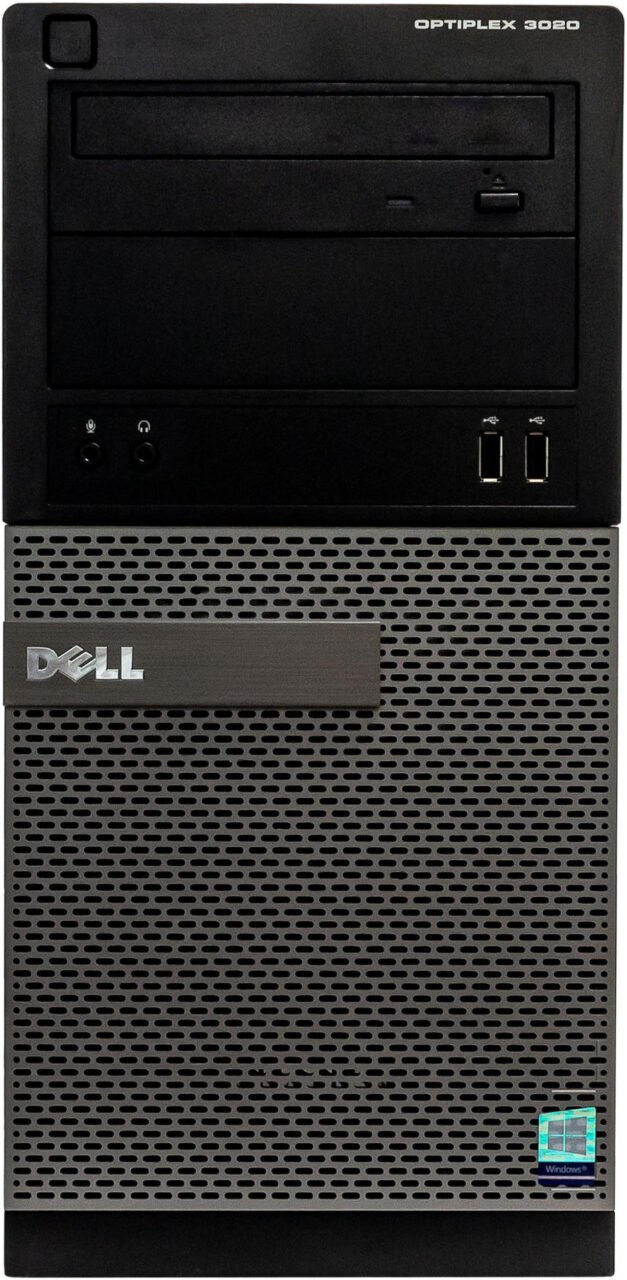
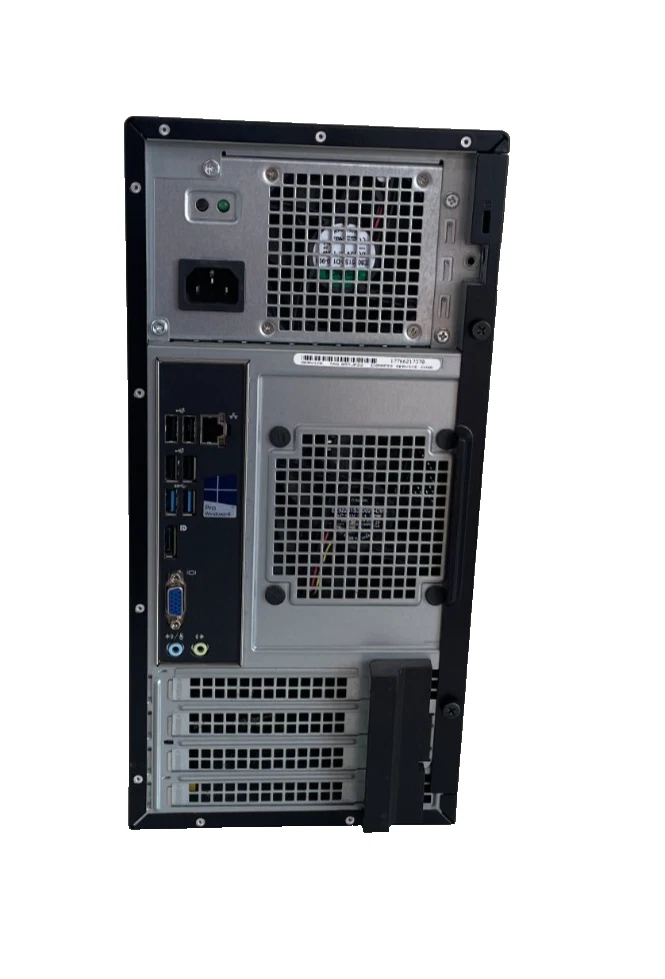
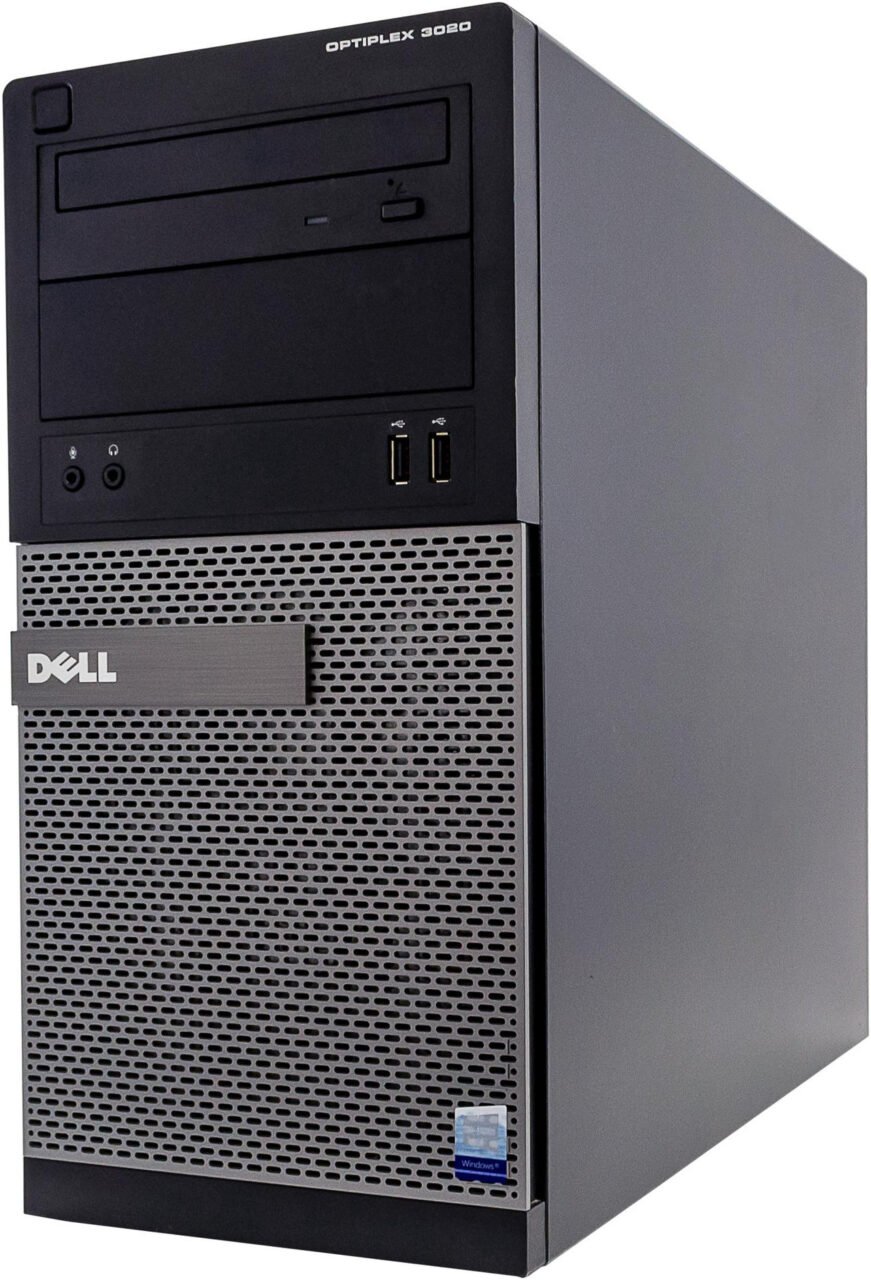
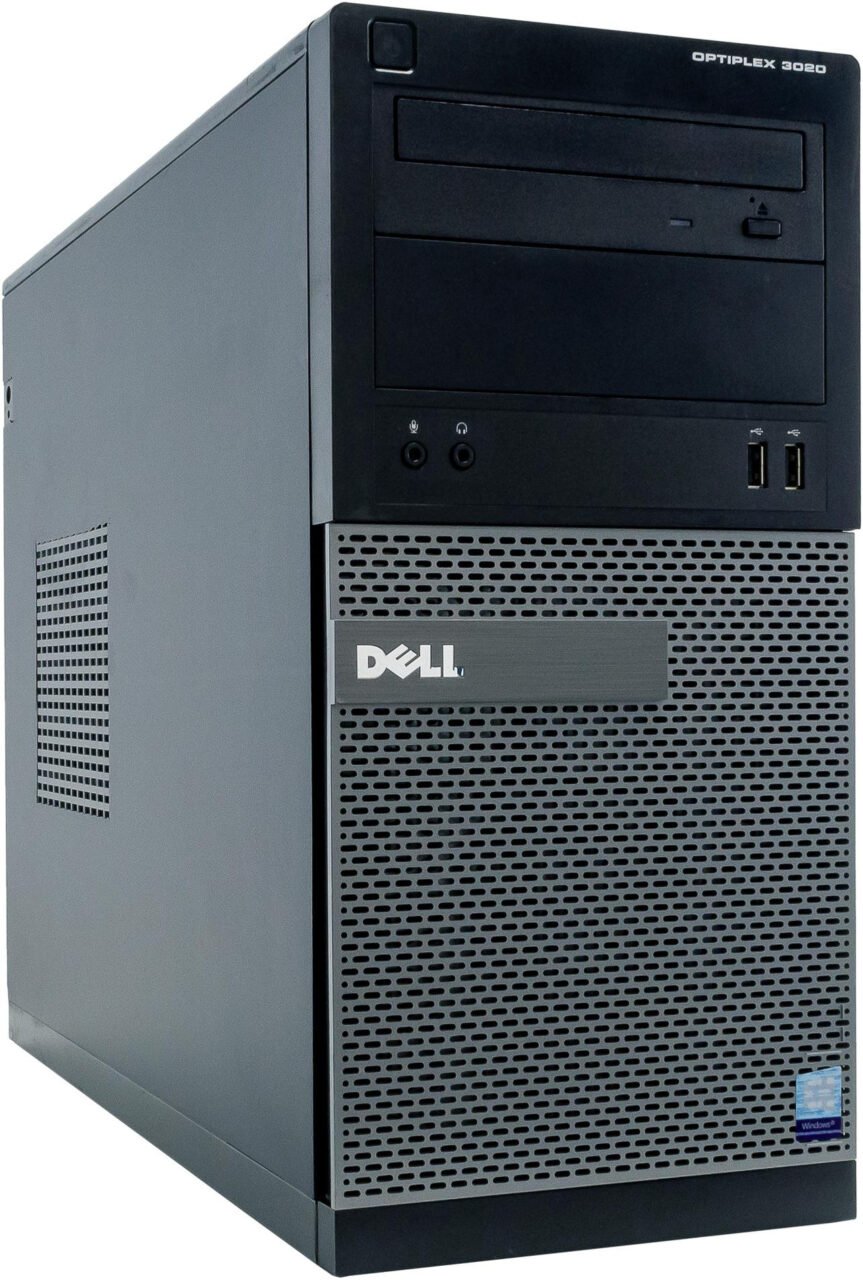
The Dell OptiPlex 3020 Tower Core i5-4570 4th Generation with 8GB RAM and 500GB HDD is a practical desktop computer for businesses, offices, students, and home users seeking an affordable solution for everyday computing. Designed for standard desktop workloads, this Dell OptiPlex configuration combines an Intel Core i5 processor, 8GB of memory, and 500GB of storage to support essential productivity applications.
At Lansotech Solutions, we understand that choosing a desktop computer requires balancing performance, storage capacity, budget, and intended use. The Dell OptiPlex 3020 Tower offers a straightforward computing platform for users who need a desktop for office administration, document processing, internet browsing, and compatible business applications.
Why is the Dell OptiPlex 3020 Tower the real deal? Its appeal lies in its practical hardware configuration, traditional tower design, and suitability for everyday computing without unnecessary complexity. For customers who need a computer for routine productivity rather than advanced graphics or demanding professional workloads, it is a model worth considering.
The Dell OptiPlex 3020 Tower provides the essential components required for many standard office and personal computing tasks.
| Specification | Details |
|---|---|
| Brand | Dell |
| Model | OptiPlex 3020 Tower |
| Processor | Intel Core i5-4570 |
| Processor generation | 4th Generation Intel Core |
| CPU cores | 4 |
| CPU threads | 4 |
| Base clock speed | 3.20 GHz |
| Maximum Turbo frequency | Up to 3.60 GHz |
| RAM | 8GB |
| Memory type | DDR3, subject to configuration confirmation |
| Storage | 500GB HDD |
| Graphics | Integrated Intel HD Graphics 4600 |
| Form factor | Tower desktop |
| Recommended applications | Office productivity, administration, browsing, and general computing |
The Dell OptiPlex 3020 Core i5 desktop is designed for users who need functional computing capabilities for everyday tasks. Its Intel Core i5-4570 processor provides four physical cores, while the 8GB RAM configuration supports routine multitasking.
The 500GB hard disk drive offers local storage for documents, spreadsheets, presentations, business records, and compatible software.
Although this is an older desktop platform, it can remain useful for appropriate workloads when the hardware is in good condition and the installed software is compatible.
The Intel Core i5-4570 processor is a fourth-generation desktop CPU with four cores and four threads. It operates at a base frequency of 3.20 GHz and supports Turbo frequencies of up to 3.60 GHz.
For routine productivity tasks, the processor can provide sufficient computing power for document editing, spreadsheet management, email, internet browsing, and compatible administrative applications.
This makes the Dell OptiPlex 3020 a potential option for small businesses, reception areas, administrative offices, and home workstations.
Typical applications include:
For demanding modern applications, advanced video editing, or graphics-intensive workloads, a newer computer may be a more suitable investment.
The 8GB RAM configuration provides working memory for common office applications and everyday computing.
Users can work with documents, spreadsheets, email clients, and browser tabs, depending on the requirements of the applications and operating system.
For businesses that need computers for standard administrative roles, 8GB RAM can provide a practical starting point.
Memory requirements vary by workload. Users who regularly run multiple demanding applications should check the computer’s supported memory capacity and consider whether an upgrade would be beneficial.
The 500GB hard disk drive provides storage for everyday digital files, including documents, presentations, spreadsheets, photographs, downloaded resources, and software.
For users with moderate storage needs, this capacity can support routine office operations and personal computing.
However, traditional HDDs are generally slower than solid-state drives. Startup times, application loading, and file access may therefore feel slower than on a comparable system equipped with an SSD.
An SSD upgrade, where compatible, can improve everyday responsiveness. Users should verify the drive interface, available connections, and installation requirements before purchasing replacement storage.
The Dell OptiPlex 3020 Tower uses a traditional desktop enclosure rather than a micro or ultra-compact design.
This format can provide more room for selected internal components and potential upgrades than some smaller desktop systems. Depending on the exact configuration, upgrades may include additional memory, compatible storage devices, or supported expansion cards.
The available options depend on the motherboard, power supply, drive bays, expansion slots, and physical dimensions of the components.
For businesses that prefer a conventional desktop layout, the tower design can also make workstation placement and access to external connections straightforward.
The Dell OptiPlex 3020 Tower can serve several everyday computing needs when the installed software is compatible with its hardware.
Office Productivity: Prepare documents, manage spreadsheets, create presentations, and handle business correspondence.
Small Business Administration: Maintain records, organise files, and run compatible business management applications.
Accounting and Invoicing: Support compatible bookkeeping, invoicing, and basic accounting software.
Education and Study: Complete assignments, conduct online research, and prepare presentations.
Internet Browsing: Access websites, email platforms, and compatible online business systems.
Home Office Work: Provide a dedicated desktop for routine productivity and administrative tasks.
Retail and Inventory Management: Run compatible inventory systems and other standard business applications.
This computer is best suited to basic and moderate workloads rather than demanding modern gaming, professional 3D rendering, or intensive video editing.
When evaluating an affordable desktop computer, it is important to consider how well the hardware matches the intended workload.
The Dell OptiPlex 3020 Tower offers several practical advantages for suitable users.
The actual value depends on the purchase price, physical condition, operating-system compatibility, included accessories, and expected workload.
Upgrading selected components may help extend the usefulness of the Dell OptiPlex 3020, depending on its configuration and condition.
Replacing the 500GB HDD with a compatible SSD can improve boot times and application loading. An SSD is particularly worthwhile for users who prioritise system responsiveness.
If additional storage is required, retaining the HDD alongside an SSD may be possible, subject to available drive connections and mounting space.
Additional memory may benefit workloads that exceed the capacity of the installed 8GB configuration. Before upgrading, verify the motherboard’s supported memory capacity, compatible DDR3 modules, and available memory slots.
Regular maintenance includes keeping ventilation clear, checking drive health, maintaining reliable power connections, and backing up important files.
For previously used computers, we recommend checking the condition of the storage drive, cooling system, ports, and power supply before deployment.
Because the Dell OptiPlex 3020 uses an older fourth-generation Intel processor, operating-system support is an important consideration.
The Intel Core i5-4570 is not officially supported by Windows 11 under Microsoft’s published processor requirements. Standard Windows 10 support ended on 14 October 2025, so buyers should consider the security and support implications before selecting an operating system.
Customers who require an officially supported Windows environment should evaluate a newer compatible desktop. Alternative operating systems may also be appropriate for specific workloads, provided the required applications and hardware are supported.
For businesses handling customer information, financial records, or confidential documents, a supported and regularly updated operating system is especially important.
At Lansotech Solutions, we understand the importance of finding a desktop computer that meets your practical requirements and budget.
The Dell OptiPlex 3020 Tower Core i5-4570 with 8GB RAM and 500GB HDD is worth considering for users who need a straightforward desktop for everyday computing, office productivity, and compatible business applications.
Its four-core Intel Core i5 processor, 8GB memory, and 500GB storage provide a basic desktop configuration for suitable workloads. Potential storage and memory upgrades may also help users adapt the computer to their requirements, subject to hardware compatibility.
Before purchasing, we recommend confirming the exact specifications, physical condition, operating-system options, warranty coverage, and included accessories.
No account yet?
Create an Account







 ASUS
ASUS






