






 Laptop Computers
 Desktop Computers
 Printers
 Network
 Software
 Laptop Accessories
 Laptop Components
 Office
 Desktop peripherals

Hurry and get discounts on all Apple devices up to 20%
Sale_coupon_15
KSh14,000.00 excl. VAT
Payment Methods:

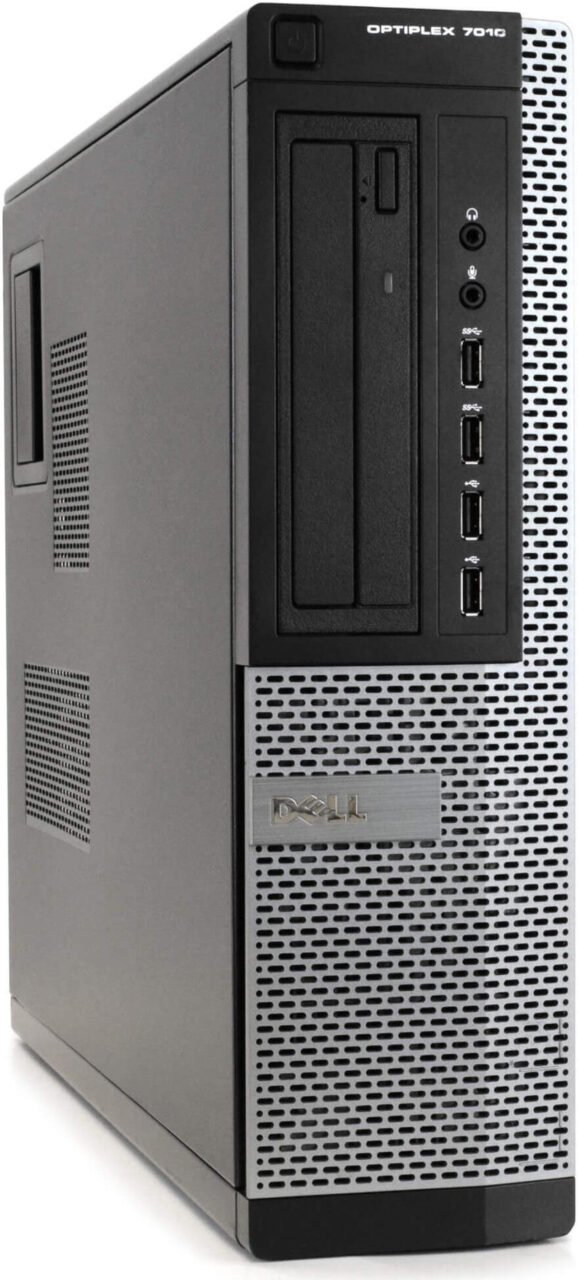
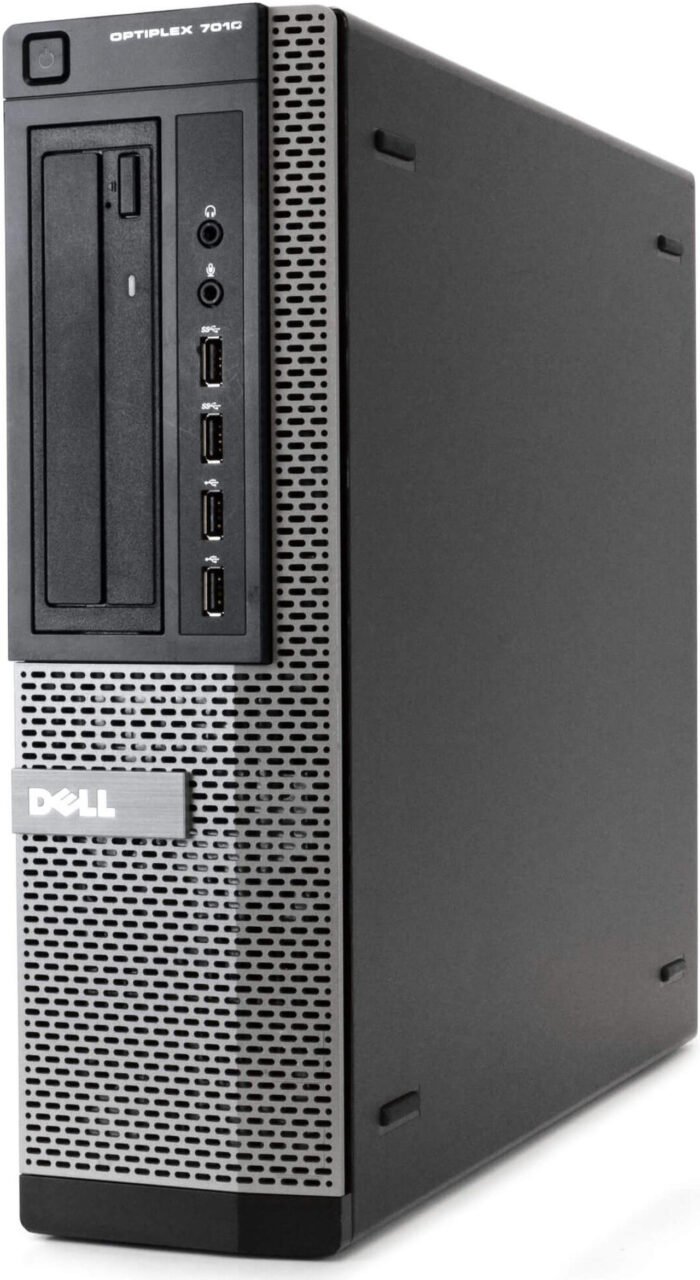
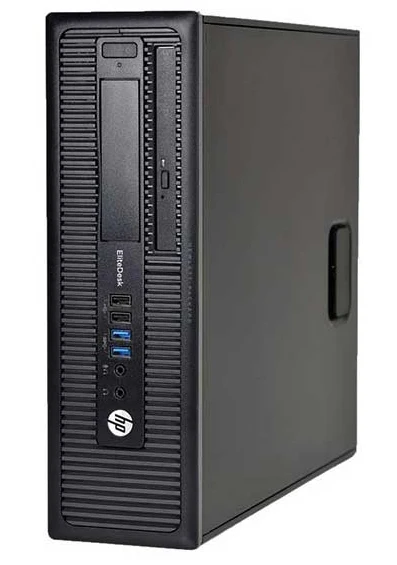
The Dell OptiPlex 7010 SFF Core i7 desktop computer is a practical computing solution for small businesses, students, schools, and home offices. Powered by an Intel Core i7-3770 processor running at 3.40GHz, with 8GB RAM and a 250GB HDD, this compact desktop is suitable for everyday productivity, administrative work, research, and compatible business applications.
At Lansotech Solutions, we help businesses, educational institutions, and individuals find IT equipment that meets their computing needs and budgets. The Dell OptiPlex 7010 Small Form Factor (SFF) combines a compact design with a quad-core processor, making it worth considering for users who need a desktop for routine office work, assignments, data entry, and general computing.
If you are looking for an affordable desktop computer for your office, business, or studies in Kenya, the Dell OptiPlex 7010 SFF Core i7-3770 is an option to evaluate based on its specifications, condition, and compatibility with your applications.
The Dell OptiPlex 7010 SFF is a practical desktop option for small businesses that need computers for daily operations without taking up excessive desk space. Its compact design makes it suitable for offices, reception areas, retail counters, administrative departments, and other workspaces where space matters.
The Intel Core i7-3770 processor and 8GB RAM provide a foundation for routine business activities, including document preparation, spreadsheet management, email communication, data entry, and compatible accounting or inventory applications.
Small businesses can consider this desktop for employees who primarily use standard productivity software rather than demanding graphics or computational applications. It may also be suitable for basic point-of-sale systems and administrative tasks, provided the required software and peripherals are compatible.
Another advantage is its Small Form Factor design. Compared with larger tower computers, the SFF chassis occupies less desk space, helping businesses maintain a more organised working environment.
Before purchasing, businesses should consider the computer’s age, operating system support, security requirements, and future upgrade needs. These factors help determine whether the OptiPlex 7010 is a suitable investment for their operations.
The Dell OptiPlex 7010 SFF is worth considering for students who need a desktop computer for studying, assignments, research, and online learning. Its Intel Core i7 processor and 8GB RAM can support many basic academic and productivity tasks when the relevant software requirements are met.
Students can use a suitable configuration for typing assignments, preparing presentations, working with spreadsheets, browsing educational websites, reading digital documents, and conducting online research.
For college students and learners taking computer studies, business courses, or other programmes involving standard desktop applications, this computer may provide a practical starting point.
The compact form factor is useful in bedrooms, study areas, hostels, and home offices where desk space is limited. Its traditional desktop design also makes it possible to connect compatible monitors, keyboards, mice, and other peripherals.
Students should check the requirements of their courses before purchasing. Programmes involving advanced engineering software, modern 3D design, video editing, or specialised applications may require newer hardware with more powerful graphics capabilities.
The Dell OptiPlex 7010 SFF features the Intel Core i7-3770 processor, a third-generation Intel Core desktop CPU based on the Ivy Bridge architecture.
The processor has four physical cores, eight threads, a base frequency of 3.40GHz, and a maximum Turbo Boost frequency of up to 3.90GHz.
This configuration can handle many routine computing tasks, including office productivity, document editing, web browsing, email, and compatible business applications. Its four-core design and Hyper-Threading technology allow it to manage multiple processing tasks within the limitations of this older platform.
For small businesses, the processor may be sufficient for standard administrative duties. For students, it can support common academic activities and compatible educational software.
However, processor performance is only one factor in the overall computing experience. Storage speed, memory capacity, operating system support, graphics hardware, and the condition of the computer also influence performance.
With 8GB RAM, the Dell OptiPlex 7010 SFF provides memory for everyday computing and basic multitasking.
Small business users can work with documents, spreadsheets, email, browser-based business systems, and compatible administrative applications. Students can use the installed memory for assignments, research, presentations, and general productivity.
The amount of memory required depends on the software and number of applications running simultaneously. Users who work with large datasets, virtual machines, demanding creative applications, or numerous browser tabs may benefit from additional RAM if the exact system configuration supports it.
Before upgrading, verify the motherboard specifications and supported memory configuration.
The 250GB HDD provides storage space for business records, school assignments, presentations, applications, and other digital files.
For students, this capacity can accommodate many documents and academic materials, depending on their size. For small businesses, it can store routine administrative records and general office files.
Because the system uses a mechanical hard disk drive, startup times and application loading may be slower than on a computer equipped with an SSD.
A compatible SSD upgrade can improve boot times and overall responsiveness. Before making the upgrade, confirm the available drive connections and mounting options, and back up important files.
Users who store large collections of videos, high-resolution images, or extensive business data may also need additional storage.
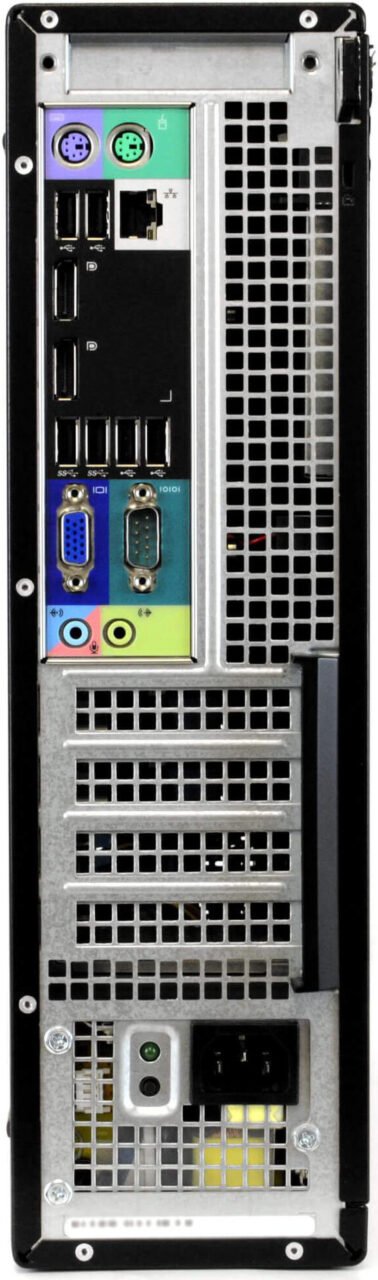
One of the defining features of the Dell OptiPlex 7010 SFF desktop computer is its Small Form Factor design.
The compact chassis makes it suitable for small offices, student study areas, reception desks, computer laboratories, and other environments where space is limited.
For businesses, a smaller desktop can help keep workstations organised and leave more room for documents, monitors, and office equipment. For students, the compact design can fit more easily into a home study setup.
The SFF design also has limitations. Internal space, power supply capacity, and expansion options may restrict the types of graphics cards or other components that can be installed. Buyers should verify compatibility before planning hardware upgrades.
Small Business Administration: Suitable for routine tasks such as preparing reports, managing spreadsheets, processing documents, and handling email.
Accounting and Data Entry: Can support compatible bookkeeping, invoicing, payroll, inventory, and record-management applications.
Student Assignments and Research: Provides a foundation for writing assignments, preparing presentations, conducting online research, and working with standard productivity software.
Schools and Training Centres: May be used for basic computer lessons, typing practice, office application training, and other compatible educational activities.
Home Office Computing: Suitable for everyday browsing, document creation, digital file management, and routine administrative tasks.
Reception and Retail Operations: May support compatible booking systems, customer records, and basic point-of-sale applications, subject to software and peripheral requirements.
The Dell OptiPlex 7010 SFF may support selected hardware upgrades, depending on the exact configuration and component compatibility.
For small businesses, these options may help adapt the desktop to changing requirements. Students can also benefit from improved storage performance when using compatible software.
The Dell OptiPlex 7010 SFF is an older desktop platform, so operating system compatibility should be considered before purchase.
The Intel Core i7-3770 is not officially supported by Microsoft’s Windows 11 processor requirements. Customers who require officially supported Windows 11 hardware should consider a newer desktop computer.
For business environments, maintaining security updates, using reliable backups, and ensuring application compatibility are important considerations. Students should also confirm that the computer supports the software and online learning platforms required by their institutions.
At Lansotech Solutions, we help small businesses, students, educational institutions, and individual customers find suitable IT equipment for their computing requirements.
The Dell OptiPlex 7010 SFF Core i7-3770 with 8GB RAM and 250GB HDD is an option for users who need a compact desktop for routine office work, academic tasks, and compatible business applications.
Contact our team to confirm current availability, pricing, hardware condition, warranty coverage, and included accessories before making a purchase.
Visit Lansotech Solutions to explore our IT products and services and enquire about desktop computers for your business, studies, or home office.

No account yet?
Create an Account







 ASUS
ASUS






