






 Laptop Computers
 Desktop Computers
 Printers
 Network
 Software
 Laptop Accessories
 Laptop Components
 Office
 Desktop peripherals

Hurry and get discounts on all Apple devices up to 20%
Sale_coupon_15
KSh52,000.00 excl. VAT
Payment Methods:

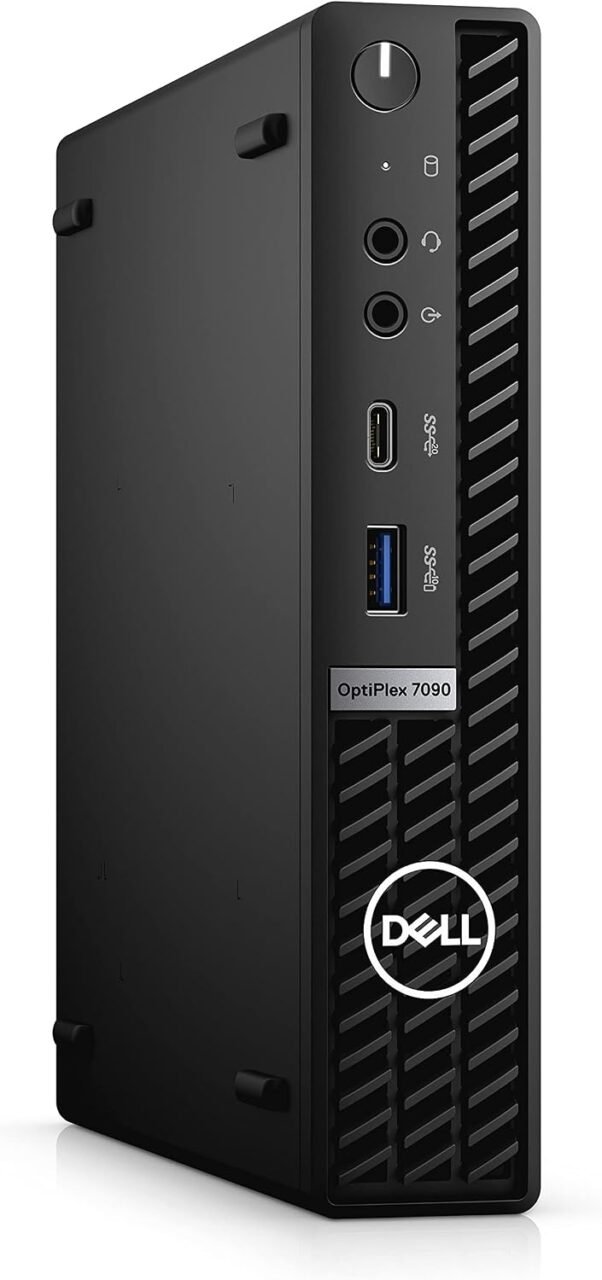
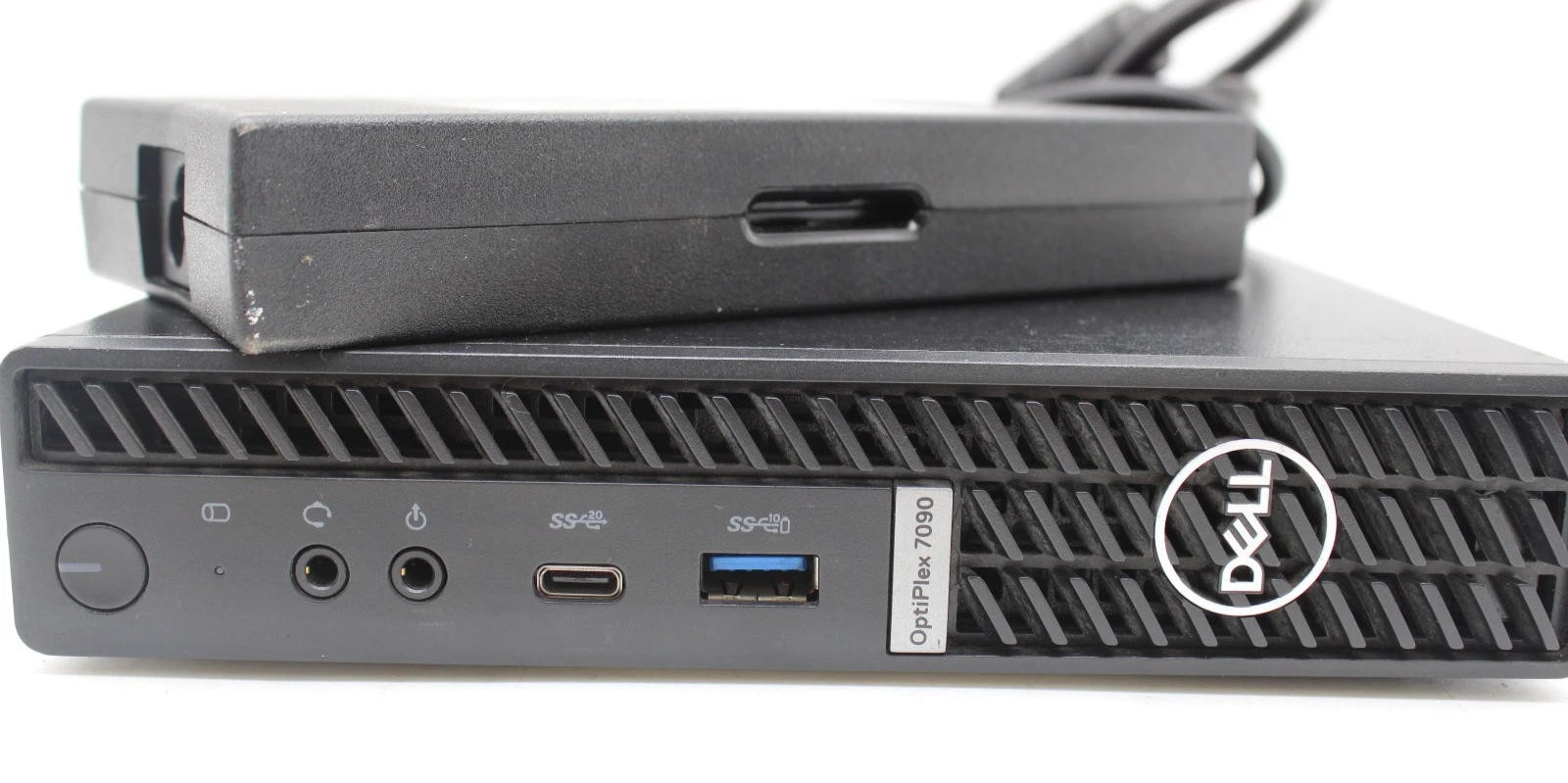
The Dell OptiPlex 7090 Micro Form Factor with a 10th Generation Intel Core i7-10700T processor, 16GB RAM, and 512GB SSD is a compact business desktop designed for professionals, businesses, and home-office users who need powerful everyday computing without a bulky desktop tower.
At Lansotech Solutions, we understand the importance of choosing a computer that delivers dependable performance, efficient multitasking, fast storage, and practical space utilisation. The Dell OptiPlex 7090 Micro brings these advantages together in a compact desktop solution suitable for modern workplaces and productivity-focused environments.
Powered by an eight-core Intel Core i7 processor, equipped with 16GB of RAM, and featuring a 512GB solid-state drive, this desktop is designed to handle demanding office workloads, business applications, multitasking, and everyday professional computing.
Why is this desktop the real deal? It combines Core i7 processing power, responsive SSD storage, generous memory, and a remarkably compact design in one business-class computer. For customers seeking a capable desktop that fits neatly into their workspace, the Dell OptiPlex 7090 Micro deserves serious consideration.
The Dell OptiPlex 7090 Micro Form Factor stands out because it combines performance-focused hardware with a space-saving design. Instead of occupying valuable desk space with a traditional desktop tower, users can benefit from a compact computer equipped for a broad range of everyday business workloads.
At the heart of the Dell OptiPlex 7090 Micro is the 10th Generation Intel Core i7-10700T processor. With eight cores, 16 threads, and Turbo frequencies of up to 4.5 GHz, this processor provides substantial processing capability for multitasking and demanding productivity applications.
The additional cores and threads help the computer manage multiple workloads, making it suitable for professionals who regularly switch between spreadsheets, business software, web applications, presentations, and communication tools.
This processor is particularly valuable in environments where employees need to keep several applications open while maintaining an efficient workflow.
Suitable workloads include:
The i7-10700T is a 35-watt processor designed for compact systems, combining substantial CPU capability with the power requirements of a small desktop platform.
The 16GB RAM configuration provides the memory capacity needed for a more demanding multitasking environment than basic office computing alone.
Users can work with multiple browser tabs, documents, spreadsheets, communication applications, and compatible business programs without relying as heavily on frequent storage access for routine memory demands.
For businesses, this can support productive workflows across departments such as administration, customer service, accounting, sales, and operations.
The 16GB memory configuration is also a practical choice for professionals who want a desktop that can accommodate several simultaneous applications.
Actual performance depends on the applications being used, operating-system requirements, and overall system configuration.
The 512GB solid-state drive (SSD) is another major advantage of the Dell OptiPlex 7090 Micro.
Unlike traditional mechanical hard drives, SSDs use flash memory and generally deliver faster data access, quicker application loading, and shorter startup times.
For business users, this translates into a more responsive everyday computing experience when opening software, retrieving files, and moving between applications.
The 512GB storage capacity provides space for business documents, spreadsheets, presentations, software, projects, and other important digital files.
For organisations that manage larger datasets or extensive archives, additional storage may be required. Cloud storage, network storage, or compatible external drives can supplement the internal SSD where necessary.
The Dell OptiPlex 7090 Micro PC is designed to deliver desktop functionality in a compact enclosure.
Its small physical footprint makes it suitable for offices where desk space is limited or where multiple workstations need to fit into an organised environment.
The compact design can be particularly beneficial for:
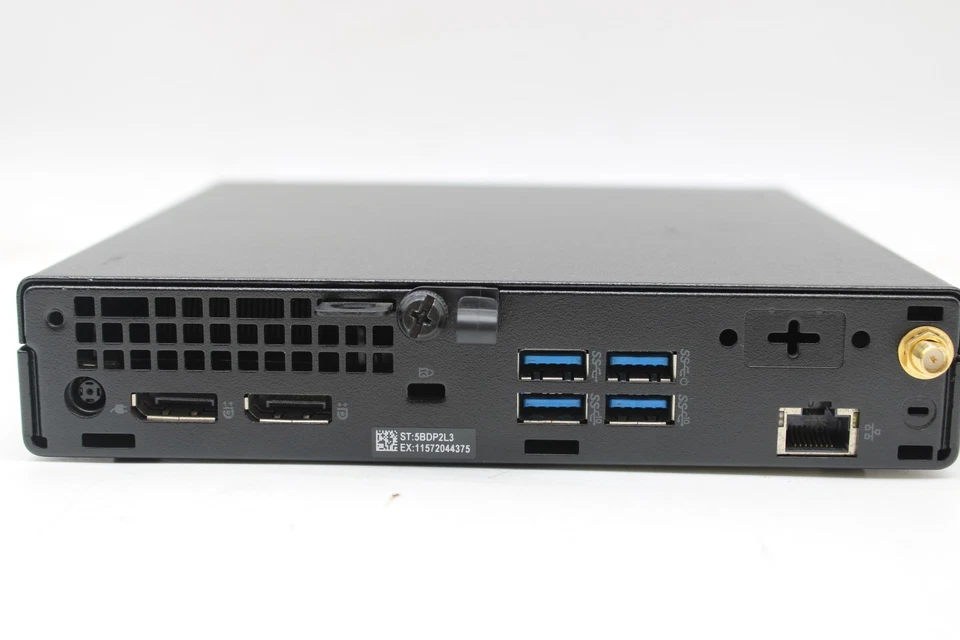
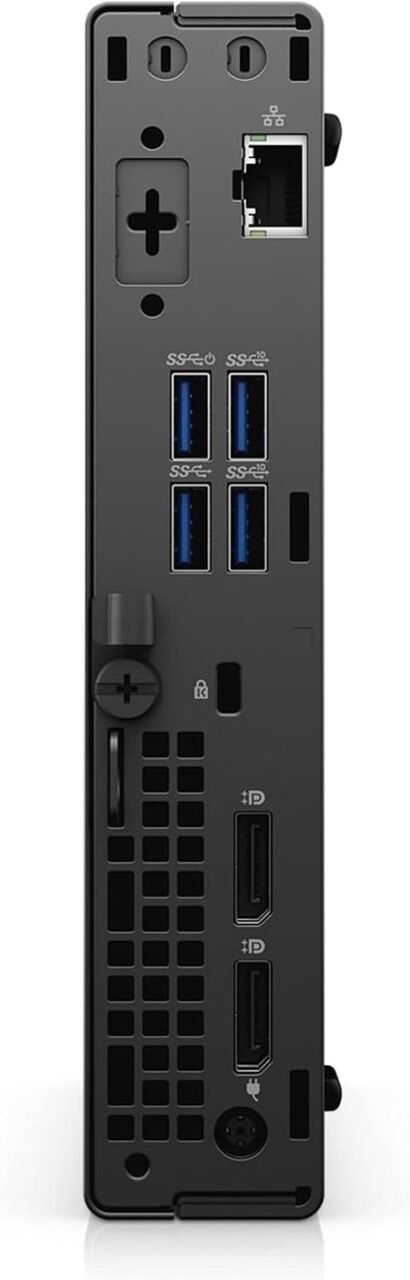
The smaller enclosure can simplify workspace planning while allowing the computer to connect to compatible monitors, keyboards, mice, and other peripherals.
Adequate ventilation remains important, and mounting accessories should be verified for compatibility before installation.
The Dell OptiPlex 7090 Micro is suited to a variety of business environments where processing capability, multitasking, and efficient workspace utilisation matter.
Corporate and Office Productivity: Handle everyday office applications, presentations, spreadsheets, business correspondence, and administrative software.
Accounting and Financial Applications: Run compatible accounting, invoicing, reporting, and financial management programs according to their system requirements.
Business Management: Support compatible inventory systems, customer relationship management platforms, and operational software.
Remote Work: Provide a desktop platform for email, web-based applications, document collaboration, and compatible virtual meeting tools.
Education and Training: Support research, presentations, document preparation, and institutional administration.
Professional Multitasking: Work across multiple productivity applications using the eight-core processor and 16GB RAM configuration.
For specialised applications such as advanced 3D modelling, intensive video editing, or graphics-heavy professional work, buyers should evaluate the software requirements and whether a dedicated graphics card is necessary.
The Dell OptiPlex 7090 Micro uses integrated Intel UHD Graphics 630 with the specified Core i7-10700T processor.
Integrated graphics handle routine display output and compatible multimedia tasks without requiring a separate graphics card.
This makes the computer suitable for standard office displays, presentations, video playback, and everyday graphical applications.
The system can also support compatible multi-monitor arrangements, depending on the available video ports, monitor specifications, and configuration.
However, integrated graphics are not a substitute for a dedicated high-performance graphics card. Users who require advanced gaming, complex 3D rendering, or intensive GPU-accelerated workloads should consider a system designed specifically for those applications.
A traditional desktop tower can provide expansion space, but not every user needs a large computer enclosure.
The Dell OptiPlex 7090 Micro offers a different approach by prioritising compactness while retaining a capable desktop processor, substantial memory, and fast SSD storage.
Its key advantages include:
The right choice depends on whether your priority is a small footprint, processing performance, expansion flexibility, or specialised graphics capabilities.
The 512GB SSD provides a strong starting point for everyday productivity, but storage requirements vary between users.
Businesses handling large files, extensive project libraries, or substantial datasets may need additional storage capacity.
Dell’s published specifications describe M.2 SSD support and a 2.5-inch SATA storage connection in applicable configurations. Exact support can vary, so compatibility should be checked against the specific unit before ordering additional components. <Cite refs={[“turn646412search1″,”turn646412search13”]}/>
Before upgrading, confirm the available storage slots, installed drive, supported interface, and physical configuration.
For businesses, a storage upgrade should also include a suitable backup plan to protect important files and maintain continuity.
The Dell OptiPlex 7090 Micro’s 10th Generation Intel Core i7-10700T belongs to a processor generation included in Microsoft’s supported Windows 11 processor families. However, official compatibility also depends on other system requirements, including TPM 2.0, Secure Boot capability, and the installed configuration.
Customers should verify the individual computer’s operating-system status, firmware settings, licensing, and activation before purchasing.
For business deployments, we recommend using a supported operating system and maintaining current security updates to help protect company information and support software compatibility.
At Lansotech Solutions, we understand that choosing the right business computer means finding the right balance between processing power, memory, storage, workspace requirements, and budget.
The Dell OptiPlex 7090 Micro Form Factor Core i7-10700T with 16GB RAM and 512GB SSD is a compelling option for customers seeking a compact desktop with strong everyday productivity capabilities.
Its eight-core processor supports demanding multitasking, its 16GB RAM provides room for multiple applications, and its SSD delivers responsive storage performance. Combined with the compact micro form factor, these features make it a practical desktop to consider for modern business and professional environments.
No account yet?
Create an Account







 ASUS
ASUS






