






 Laptop Computers
 Desktop Computers
 Printers
 Network
 Software
 Laptop Accessories
 Laptop Components
 Office
 Desktop peripherals

Hurry and get discounts on all Apple devices up to 20%
Sale_coupon_15
KSh28,000.00 excl. VAT
Payment Methods:

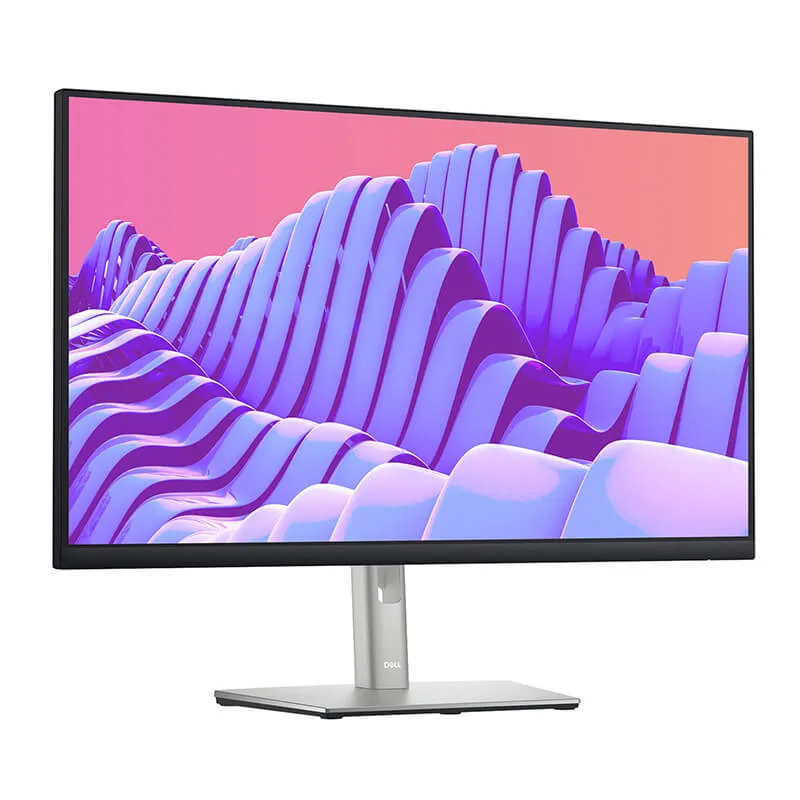
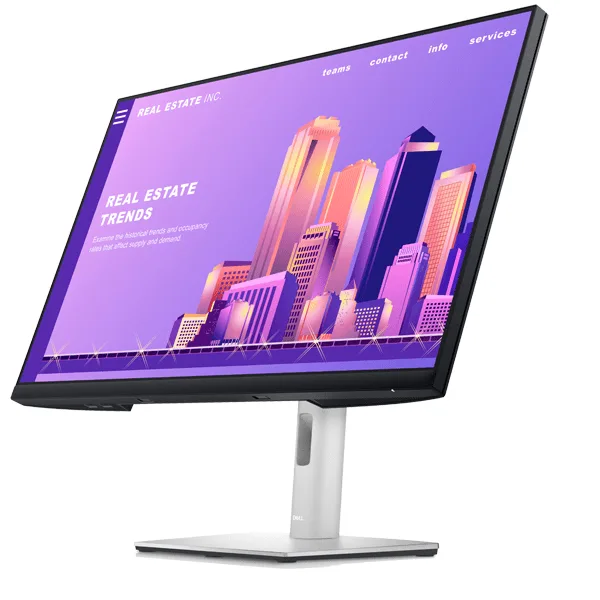
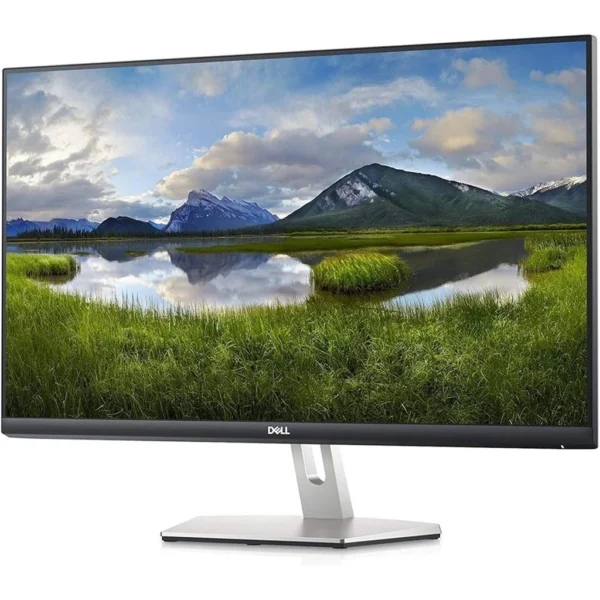
The Dell P2722H 27-inch FHD Monitor is designed for professionals, businesses, students, and home-office users who need a dependable display for everyday productivity. Combining a spacious 27-inch screen, Full HD resolution, an IPS panel, ergonomic adjustability, and a practical range of connectivity options, this monitor provides a comfortable and efficient viewing experience for a wide variety of computing tasks.
At Lansotech Solutions, we understand that choosing the right computer monitor is an important investment in workplace productivity. Whether you are upgrading an office workstation, equipping a corporate team, setting up a home office, or creating a reliable study environment, the Dell P2722H offers a balanced combination of screen space, visual clarity, user comfort, and professional functionality.
Its understated design makes it suitable for contemporary offices, reception areas, educational institutions, and business environments where functionality and a clean appearance matter. The 27-inch display provides ample room for documents, spreadsheets, presentations, browser windows, and business applications, helping users organise their work more efficiently.
For organisations seeking a practical business monitor and individuals looking for a versatile Full HD display, the Dell P2722H 27-inch monitor is a compelling option to consider.
The Dell P2722H features a 27-inch diagonal screen that provides a generous workspace for daily computing. Compared with smaller displays, its larger screen gives users more room to arrange applications, review documents, and work across multiple windows.
This additional screen space can be especially useful for accountants handling spreadsheets, administrators working with databases, customer service representatives managing communication platforms, and professionals who regularly switch between browser tabs and business software.
The larger display also supports a more organised desktop layout. Users can position reference material alongside a document, compare information in separate windows, or keep communication tools visible while completing other tasks.
For offices upgrading from smaller monitors, the Dell P2722H offers a straightforward way to create a more spacious workstation without moving to an unnecessarily complex display configuration.
The Dell P2722H Full HD monitor delivers a native resolution of 1920 × 1080 pixels. This resolution is well suited to everyday professional computing, including word processing, email, web browsing, online meetings, presentations, and general office applications.
Full HD provides clear text and detailed images for common business tasks when the display is configured appropriately. It is also widely supported by desktop computers, laptops, and business applications, making integration into an existing workstation relatively straightforward.
The combination of a 27-inch screen and Full HD resolution prioritises a large, accessible workspace over the higher pixel density offered by Quad HD or 4K monitors. Users who primarily work with office documents, online platforms, and standard business applications may find this balance practical and economical.
For buyers who frequently work with very small text, highly detailed design assets, or large professional editing timelines, a higher-resolution display may be worth comparing. For general office productivity, however, the Dell P2722H offers a familiar and versatile Full HD viewing experience.
The Dell P2722H uses an In-Plane Switching (IPS) panel, a display technology valued for its wide viewing angles and consistent colour presentation.
IPS technology helps maintain a more consistent appearance when viewing the screen from different positions. This is beneficial in shared workspaces, collaborative meetings, and office environments where colleagues may need to review the same information together.
The monitor’s 178-degree horizontal and vertical viewing angles make it easier to view content without needing to sit directly in front of the centre of the display. Its 99% sRGB colour coverage also supports everyday tasks that benefit from reasonably consistent colour reproduction, including presentations, marketing materials, and general visual content.
While colour coverage alone does not establish suitability for every colour-critical professional workflow, it provides a useful foundation for routine office and business applications.
Long working hours make display comfort an important consideration when choosing an office monitor. The Dell P2722H includes ComfortView Plus, Dell’s integrated low-blue-light technology designed to help reduce blue-light emissions while maintaining colour accuracy.
Unlike solutions that rely exclusively on changing the screen’s colour temperature through software, ComfortView Plus is designed to reduce potentially disruptive blue-light emissions while preserving a more natural colour presentation.
This feature can be useful for employees who spend much of their working day reading documents, reviewing spreadsheets, writing reports, or attending online meetings.
The monitor also supports practical comfort adjustments through its ergonomic stand. Users can position the display to suit their seating arrangement, desk height, and preferred viewing position.
Good workplace ergonomics still depend on the entire workstation setup, including lighting, seating, screen distance, and regular breaks. The Dell P2722H provides useful display features that can contribute to a more comfortable working environment.
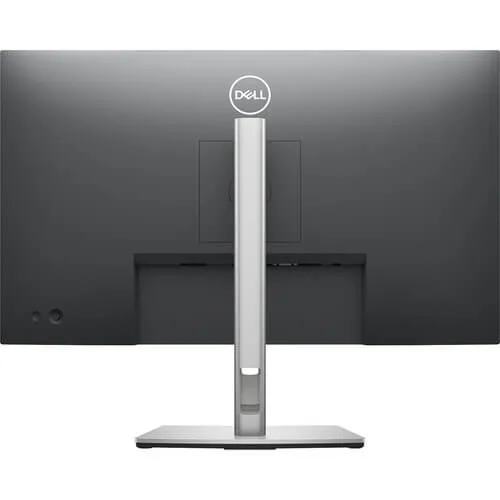
A key advantage of the Dell P2722H is its adjustable stand. Rather than forcing users to work with a fixed display position, the monitor supports multiple adjustments to accommodate different desks and working preferences.
Its ergonomic adjustment options include:
Portrait orientation can be particularly useful when reviewing long reports, reading lengthy documents, working with code, or displaying vertically arranged information.
The stand’s flexibility can also help businesses create more consistent workstation layouts for employees with different ergonomic requirements.
For users who prefer an alternative mounting arrangement, the monitor supports a compatible VESA mounting interface, allowing suitable monitor arms or wall-mounting solutions to be considered.
Students and remote workers often need a display that can handle several types of work throughout the day. The Dell P2722H offers sufficient screen space for online learning platforms, research, digital textbooks, writing assignments, virtual meetings, and general productivity applications.
A larger monitor can make it easier to keep learning materials visible while taking notes or researching a topic. Remote professionals can similarly benefit from having meeting windows, documents, and communication applications arranged on one screen.
Customer service departments, reception teams, and administrative offices frequently rely on multiple applications at once. A 27-inch display allows users to organise ticketing systems, customer records, email platforms, and reference documents more conveniently.
Professionals who regularly compare data or monitor several applications may benefit from using the Dell P2722H in a dual-monitor arrangement.
For example, an employee could place a spreadsheet on one display and an accounting application on the other. A designer working on general business materials could keep reference content visible on one screen while editing on the second.
Successful multi-monitor installation depends on the computer’s graphics capabilities, available outputs, operating system support, and the appropriate cables. These requirements should be confirmed before purchasing multiple displays.
Screen size and resolution: A 27-inch Full HD monitor provides a spacious display for standard office applications. Users who require finer detail or more desktop space at native resolution may wish to compare 27-inch Quad HD alternatives.
Panel technology: IPS technology is attractive for users who value broad viewing angles and consistent colour presentation. The best panel choice ultimately depends on the applications being used and the viewing environment.
ployees. Fixed stands may be less adaptable to different workstation layouts.
Connectivity: HDMI, DisplayPort, VGA, and USB connectivity can make deployment easier where computers have different connection requirements. Buyers should confirm the exact inputs and cable requirements before placing an order.
No account yet?
Create an Account







 ASUS
ASUS






