






 Laptop Computers
 Desktop Computers
 Printers
 Network
 Software
 Laptop Accessories
 Laptop Components
 Office
 Desktop peripherals

Hurry and get discounts on all Apple devices up to 20%
Sale_coupon_15
KSh22,000.00 excl. VAT
Payment Methods:

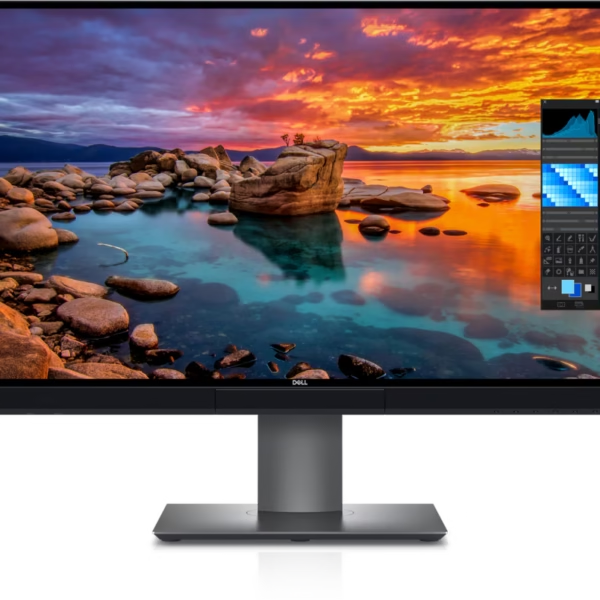
The Dell UltraSharp U2518D 25-inch QHD Monitor is a professional display designed for users who value sharp image quality, accurate colours, and reliable performance for everyday productivity. With a native resolution of 2560 × 1440 pixels (QHD), a 60Hz refresh rate, and IPS panel technology, this monitor delivers detailed visuals for office applications, business computing, multimedia, and creative work.
The Dell UltraSharp U2518D combines a compact 25-inch screen with high-resolution display technology, making it suitable for professionals who need a detailed workspace without occupying the desk space required by larger monitors. Its narrow bezels, ergonomic stand, and versatile connectivity make it a practical addition to modern offices, home workstations, and multi-monitor setups.
Whether you are preparing reports, analysing spreadsheets, editing images, reviewing presentations, or managing multiple applications, the Dell U2518D QHD monitor provides a professional viewing experience suited to demanding everyday tasks.
The Dell UltraSharp U2518D features a 25-inch display with a native resolution of 2560 × 1440 pixels. This Quad HD resolution provides significantly more detail than a standard Full HD display, making text, graphics, and interface elements appear sharp and well-defined.
With approximately 3.69 million pixels, the monitor offers a detailed workspace for professionals who regularly work with spreadsheets, documents, business dashboards, and creative applications. The additional resolution allows users to display more information on screen while maintaining clear visual details.
The 25-inch screen size also provides a practical balance between workspace and desk requirements. It is suitable for office environments where users need high-resolution visuals without upgrading to a substantially larger monitor.
The In-Plane Switching (IPS) panel delivers wide viewing angles and consistent colour appearance across different viewing positions.
This technology makes the Dell UltraSharp U2518D suitable for professional environments where image clarity and colour consistency are important. Users can review photographs, presentations, illustrations, and business graphics with dependable visual quality.
The monitor supports 16.7 million colours and offers 99% sRGB colour coverage, making it suitable for web graphics, everyday image editing, digital content preparation, and general creative applications.
For professionals working with print production, advanced photography, or colour-critical video projects, additional calibration and evaluation of the required colour gamut may still be necessary.
The Dell U2518D supports a 60Hz refresh rate at its native QHD resolution, making it suitable for everyday productivity and professional computing.
Its display performance supports document editing, spreadsheet analysis, web browsing, video playback, presentations, and business applications. The high resolution is particularly useful when viewing detailed content or working with multiple windows.
Although the monitor is not designed specifically for high-refresh-rate gaming, its resolution and image quality make it suitable for casual gaming and multimedia use with compatible systems.
For users who prioritise detailed visuals and dependable office performance over specialised gaming features, the U2518D provides a practical display solution.
The Dell UltraSharp U2518D supports HDR10 content, enabling compatible content and systems to use supported high-dynamic-range signals.
HDR compatibility can improve the presentation of supported video content, although the overall HDR experience depends on display brightness, contrast performance, source material, and software configuration. This monitor should not be confused with modern displays designed for high-end HDR performance.
For everyday professional work, its primary strengths remain QHD resolution, IPS technology, and reliable image reproduction.
The Dell UltraSharp U2518D features a thin-bezel design that creates a clean, professional appearance.
The narrow borders make the monitor suitable for multi-display workstations where users want a more continuous viewing arrangement across adjacent screens. This can be particularly useful for financial analysis, software development, data monitoring, and multitasking.
Its black finish complements a variety of office environments, from corporate workstations to home offices. The monitor’s compact footprint also makes it a practical choice for desks where space is limited.
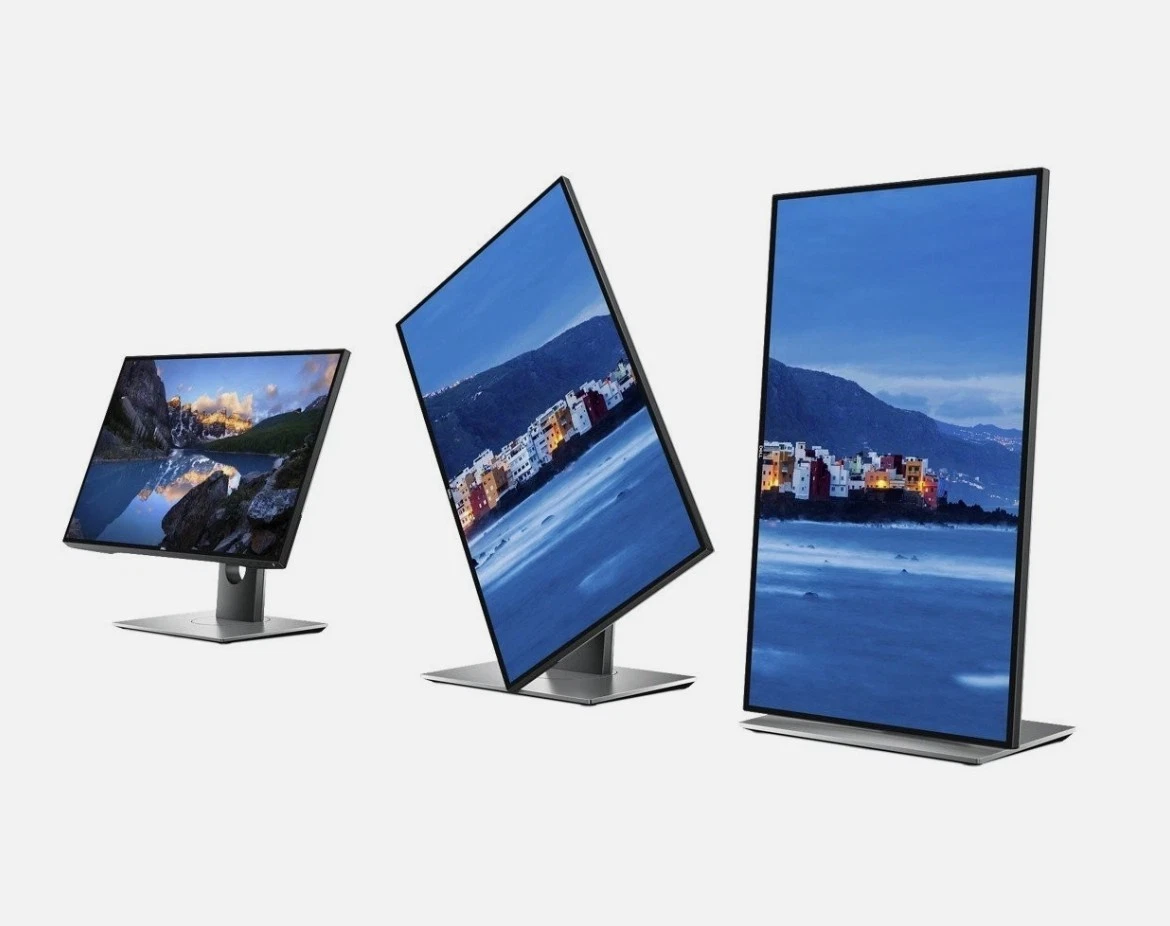
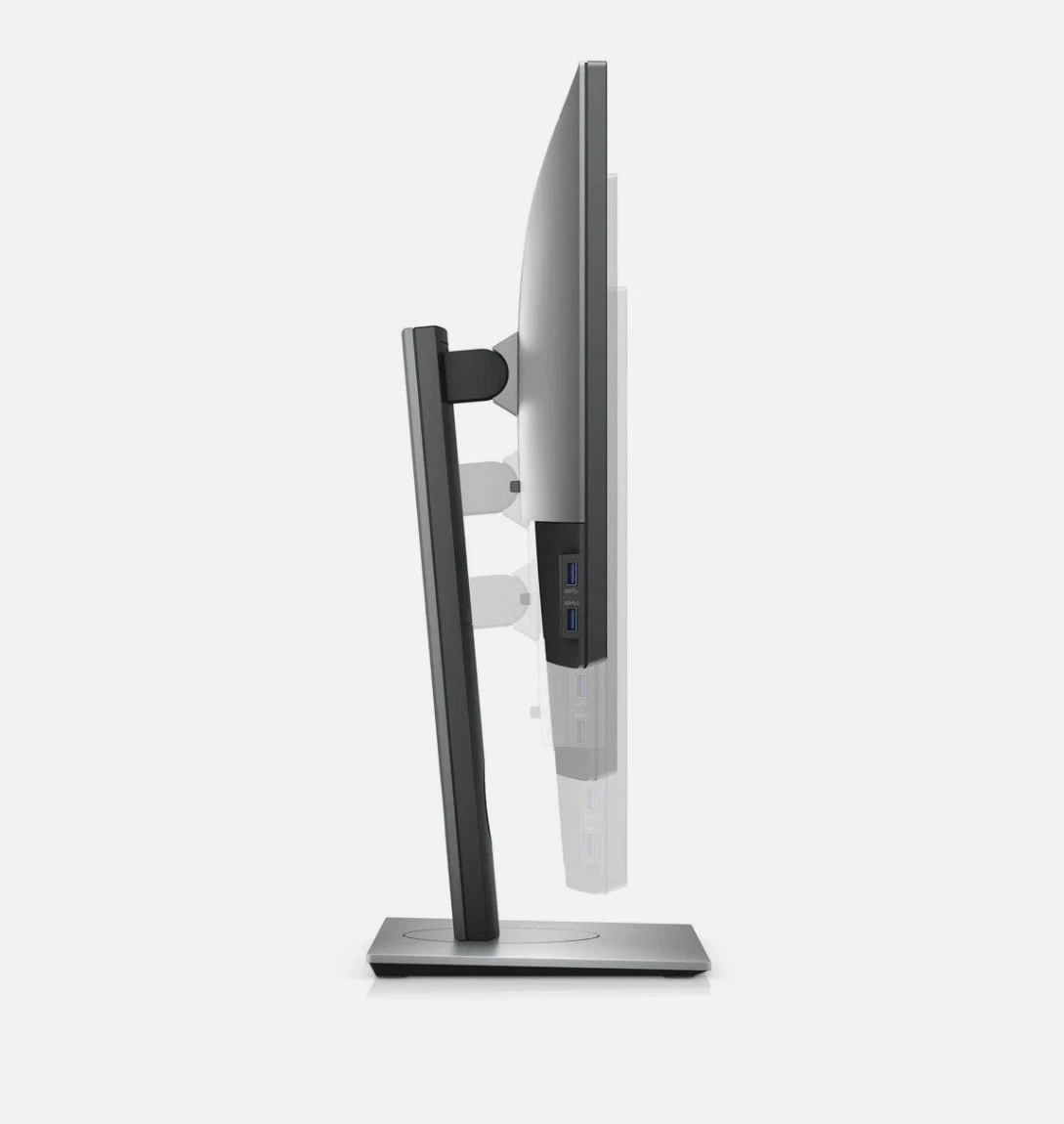
The Dell U2518D includes an adjustable stand that supports comfortable positioning for different users and workstation layouts.
Its ergonomic features include:
Portrait orientation can be particularly useful for reviewing lengthy documents, coding, reading reports, and working with vertically arranged content.
These adjustments help users create a more comfortable workspace and accommodate different desk arrangements.
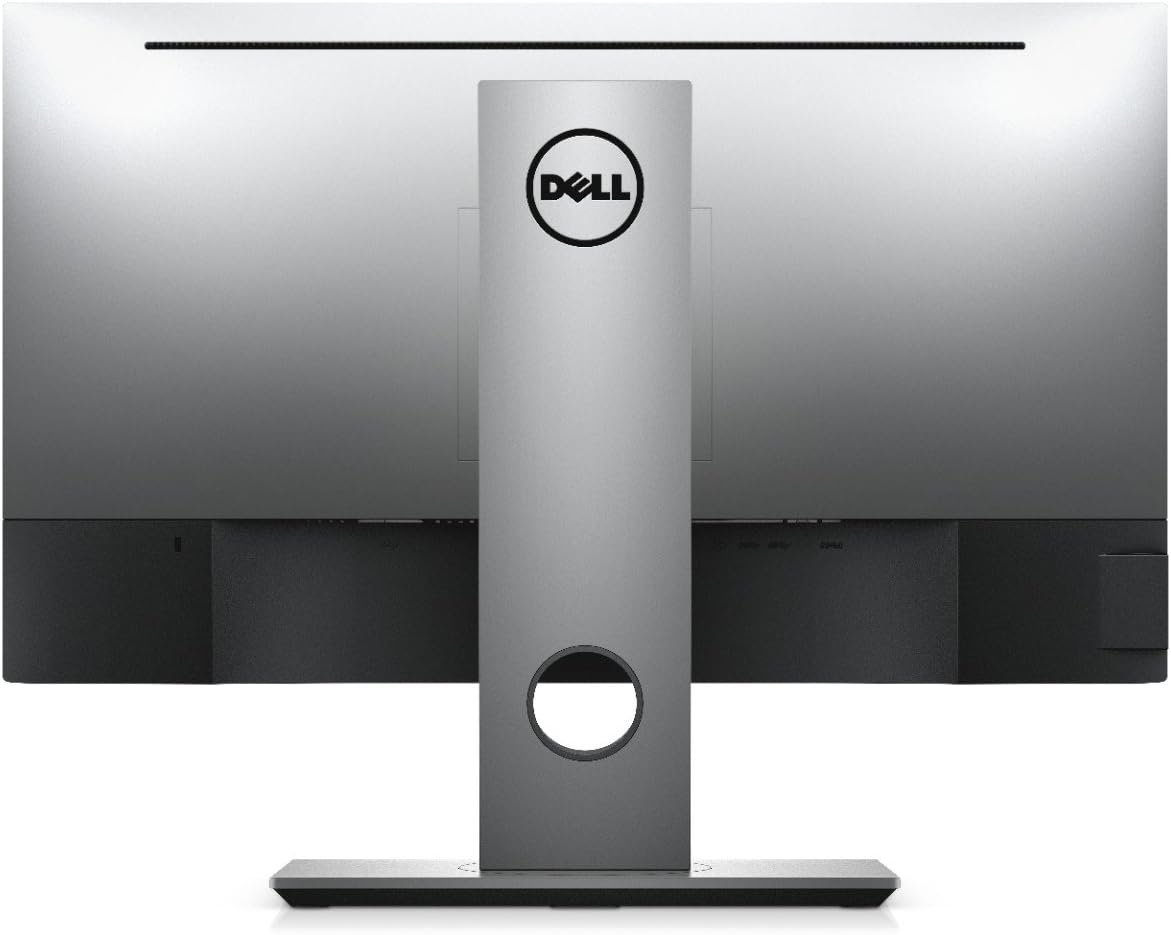
The Dell UltraSharp U2518D offers several connectivity options for integration into compatible desktop and laptop setups.
Its commonly specified connections include:
These interfaces make the monitor suitable for professional environments where users require flexible connections to computers and peripherals.
The U2518D does not provide USB-C laptop docking or USB-C power delivery. Users with laptops that only offer USB-C video output may require a compatible adapter.
The Dell UltraSharp U2518D is well suited to professional computing environments where clear visuals and efficient screen organisation are important.
Its QHD resolution provides detailed viewing for:
For businesses seeking reliable monitors for administrative and professional workstations, the U2518D offers a combination of resolution, ergonomic flexibility, and practical connectivity.
A professional home workstation benefits from a monitor that delivers clear visuals while fitting comfortably into the available space. The Dell UltraSharp U2518D combines a 25-inch screen with QHD resolution, making it suitable for home offices and remote working environments.
Users can work with spreadsheets, reports, email, project management software, and web-based applications while benefiting from the additional detail provided by its higher resolution.
Its adjustable stand helps users position the screen according to their desk arrangement, while the slim-bezel design maintains a clean workstation appearance.
For remote workers using laptops, it is important to check available video outputs and ensure that the correct cable or adapter is available before connecting the monitor.
The Dell UltraSharp U2518D is a suitable option for many general creative applications, including web design, digital graphics, image viewing, and basic photo editing.
Its QHD resolution provides a detailed workspace for working with visual content, while IPS technology and 99% sRGB coverage support colour consistency for standard web-oriented projects.
The monitor’s ergonomic stand also allows users to adjust its position for different creative workflows. Portrait orientation can be useful when working with long layouts, code, or vertically arranged documents.
Professionals requiring wider colour gamut coverage, advanced calibration systems, or specialised HDR performance should compare the monitor’s specifications with their production requirements before purchasing.
Compared with a typical 25-inch Full HD monitor, the Dell UltraSharp U2518D offers substantially more pixels and greater screen detail.
Its 2560 × 1440 resolution provides approximately 78% more pixels than 1920 × 1080 Full HD, making it useful for users who need additional workspace or sharper text and graphics.
The IPS panel, ergonomic adjustments, and multiple video connections also make it a practical option for professional applications.
However, users who primarily perform basic office tasks may find a Full HD monitor sufficient. Those who require a larger screen, USB-C docking, or a higher refresh rate may prefer a different model based on their workflow and budget.
The Dell UltraSharp U2518D offers a combination of high-resolution visuals, IPS technology, ergonomic flexibility, and versatile connectivity in a compact 25-inch display.
Its QHD resolution is suitable for detailed office work and general creative applications, while its slim-bezel design works well in modern workstations. The adjustable stand supports different viewing positions, and the available video inputs help integrate the monitor into compatible computer systems.
For professionals, businesses, students, and home users looking for a detailed QHD display, the Dell U2518D is worth considering.
The Dell UltraSharp U2518D features a 25-inch display, providing a compact professional screen with high-resolution visuals.
The monitor supports QHD resolution of 2560 × 1440 pixels, offering more detail than standard Full HD displays.
Yes. The monitor supports a 60Hz refresh rate at its native QHD resolution.
Yes. Its IPS panel supports wide viewing angles and consistent colour appearance.
It is suitable for many general creative applications, including web graphics and basic image editing. Colour-critical work may require additional calibration and a display that meets specific professional colour requirements.
No. The U2518D does not provide native USB-C docking or USB-C power delivery. Compatible adapters may be required for certain laptops.
Yes. The monitor supports 100 × 100mm VESA mounting, allowing installation on compatible monitor arms and wall mounts.
No account yet?
Create an Account







 ASUS
ASUS






