






 Laptop Computers
 Desktop Computers
 Printers
 Network
 Software
 Laptop Accessories
 Laptop Components
 Office
 Desktop peripherals

Hurry and get discounts on all Apple devices up to 20%
Sale_coupon_15
KSh5,000.00 excl. VAT
Payment Methods:

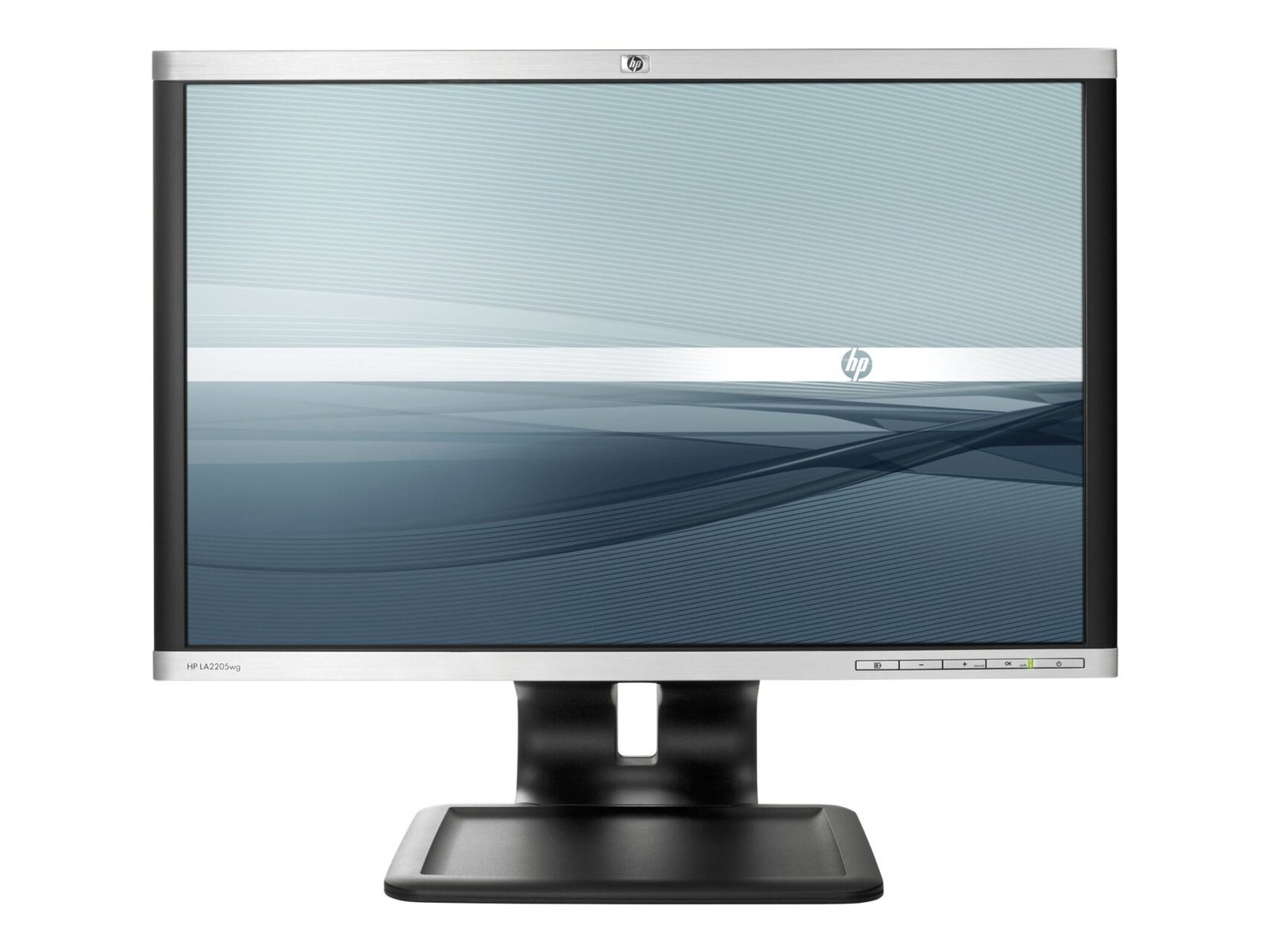
The HP Compaq LA2205wg 22-inch Widescreen LCD Monitor is a business-focused display designed for everyday computing, office productivity, and professional workstation environments. Featuring a widescreen display, 1680 × 1050 resolution, adjustable stand, and multiple video connections, this monitor offers practical functionality for users who need a dependable screen for routine computer tasks.
At Lansotech Solutions, we understand the importance of selecting computer accessories that match your working requirements and budget. Whether you are equipping an office, upgrading an existing workstation, setting up a study area, or replacing a compatible display, the HP Compaq LA2205wg provides essential monitor features for common productivity applications.
Its 22-inch screen and 16:10 aspect ratio provide a useful viewing area for documents, spreadsheets, email, business software, and web browsing. The monitor’s DisplayPort, DVI-D, and VGA connections also make it suitable for compatible desktop computers and older workstation configurations.
For customers searching for an HP Compaq LA2205wg monitor in Kenya, this model is worth considering when compatibility, ergonomic flexibility, and practical everyday performance are the primary requirements.
The HP Compaq LA2205wg features a 22-inch widescreen display that provides a practical workspace for common office activities. Its screen size is suitable for business desks, administrative workstations, educational environments, and home-office setups where a dedicated display is needed without occupying excessive desk space.
The monitor is designed to support activities such as:
The widescreen format allows users to view more horizontal content than many older square-format displays. This can be helpful when working with spreadsheets, reviewing documents, or keeping multiple application windows visible.
The HP Compaq LA2205wg LCD monitor has a native resolution of 1680 × 1050 pixels, commonly known as WSXGA+.
Its 16:10 aspect ratio provides a slightly taller workspace relative to width than the more common 16:9 format. This can be useful for viewing documents, spreadsheets, and business applications that benefit from additional vertical screen space.
The monitor supports a native refresh rate of 60Hz at 1680 × 1050 resolution, making it suitable for standard office tasks such as typing, browsing, and managing business applications.
Although its resolution is lower than that of many modern Full HD monitors, the 1680 × 1050 format remains useful for compatible computer systems and routine productivity workloads.
For buyers considering this model, it is important to confirm that the computer’s graphics hardware supports the monitor’s native resolution and that the appropriate cable is available.
The HP Compaq LA2205wg uses Twisted Nematic (TN) LCD panel technology. This display technology supports everyday office use, including word processing, spreadsheet management, web browsing, and general business applications.
The panel offers typical brightness of 250 cd/m² and a typical contrast ratio of 1000:1. These specifications provide a useful reference when evaluating the monitor for standard indoor work environments.
Its typical viewing angles are up to 160 degrees horizontally and vertically under the manufacturer’s stated contrast-ratio measurement conditions.
As with other TN displays, the perceived image and colour appearance can vary more with viewing position than on many modern IPS panels. Users who require broad viewing angles or more demanding colour reproduction should consider this distinction before purchasing.
For general administrative work and compatible legacy systems, however, the LA2205wg provides the core display functionality required for routine computing.
The HP Compaq LA2205wg has a manufacturer-specified typical response time of 5 ms, measured using the stated on/off method.
Response time describes how quickly a display changes between specified visual states. It is one of several factors that influence the appearance of moving content.
For everyday business use, the monitor supports routine activities such as navigating applications, scrolling through documents, and viewing standard multimedia content.
Its design and specifications are primarily intended for office productivity rather than modern high-refresh-rate gaming or advanced visual production. Buyers seeking those specialist capabilities should compare newer displays designed for their intended applications.
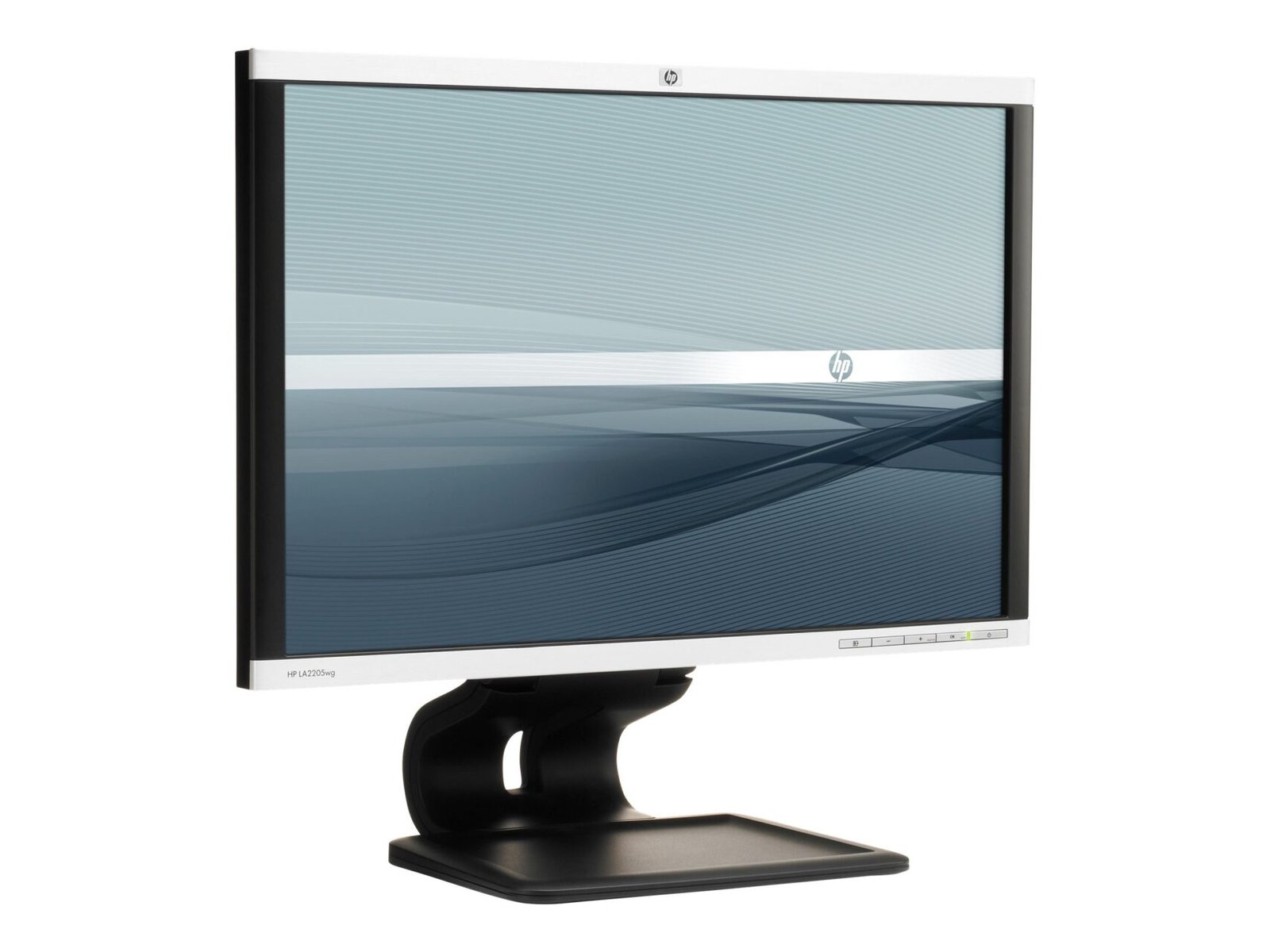
A useful feature of the HP Compaq LA2205wg is its adjustable stand. The monitor supports several positioning options to help users adapt the screen to their desk and working preferences.
These adjustments include:
Portrait orientation may be useful when reviewing long documents, reading reports, or working with vertically arranged content, provided the computer supports the required display orientation.
The adjustable stand can help users create a more practical workstation without needing to purchase a separate monitor arm.
Before buying a used or refurbished unit, check that the stand is included and that all adjustment mechanisms operate correctly.
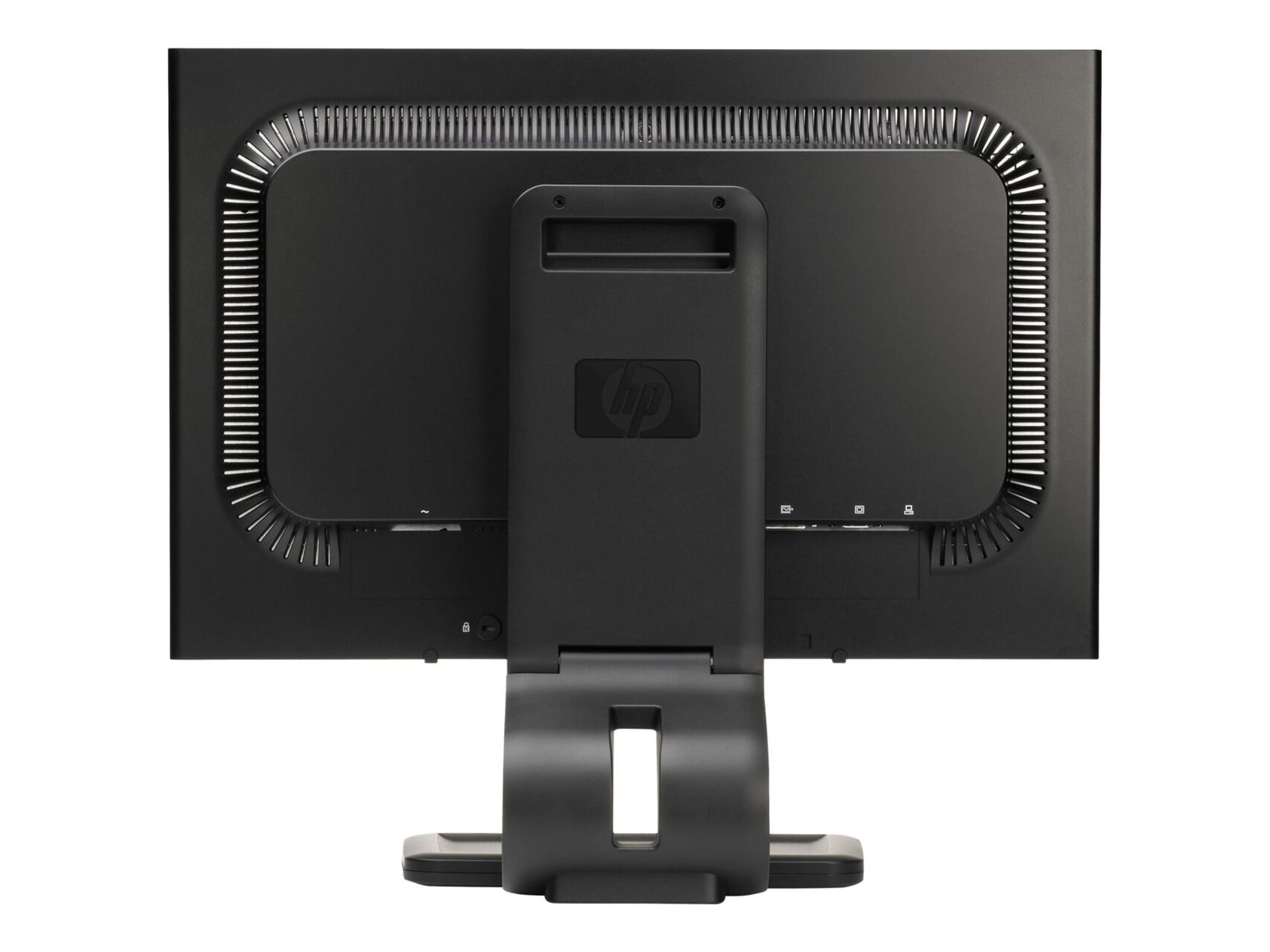
The HP Compaq LA2205wg provides several video connection options, making it suitable for compatible computers from different generations.
DisplayPort supports digital video connections with compatible desktop computers and workstations.
DVI-D provides a digital video connection for computers equipped with a compatible DVI output.
VGA supports analogue video output from compatible computers and older equipment.
These options can be particularly valuable for businesses maintaining older desktop systems or replacing a monitor without changing the entire workstation.
The model also includes a built-in USB 2.0 hub with one upstream connection and two downstream ports. When connected to a compatible computer using the upstream USB cable, the hub allows suitable peripherals to connect through the monitor.
Please note that the USB hub is intended for data connectivity and does not replace the monitor’s dedicated video inputs.
Before purchasing, verify the computer’s available ports and confirm whether the necessary video and USB cables are included.
The HP Compaq LA2205wg includes an anti-glare screen coating designed to help reduce distracting reflections during normal computer use.
This feature can be useful in office environments with overhead lighting or nearby windows. However, the viewing experience will still depend on screen positioning, ambient lighting, and display brightness.
The monitor also includes on-screen display controls for adjusting settings such as brightness, contrast, colour temperature, and image positioning.
These controls allow users to customise the display according to their working environment and preferences.
The integrated USB 2.0 hub provides additional convenience for compatible workstation setups.
With one upstream connection and two downstream ports, the monitor can connect supported USB peripherals through a single link to the computer.
This arrangement can be useful when a desktop computer’s USB ports are difficult to reach or when a workstation requires convenient access to compatible accessories.
The USB hub requires an appropriate upstream connection to the computer. Its functionality and available power depend on the connected equipment and the condition of the monitor.
The HP Compaq LA2205wg is designed for standard computing tasks commonly found in offices, including document preparation, data entry, email communication, accounting, and general administration.
Its 22-inch screen provides a practical display area, while its 16:10 aspect ratio can be useful for viewing documents and spreadsheets.
The monitor’s range of video inputs can also simplify integration with compatible older computers.
Educational institutions and training centres may find the monitor suitable for compatible desktop computers used for typing, research, learning applications, and general computer training.
Its adjustable stand supports different desk arrangements, while the available video connections can help accommodate older computer equipment.
For institutions purchasing multiple units, checking each monitor’s condition, included accessories, and compatibility is particularly important.
One of the main reasons to consider the HP Compaq LA2205wg is its compatibility with older workstation configurations.
Its DisplayPort, DVI-D, and VGA inputs provide options for connecting different generations of computer hardware, subject to the available output ports and supported resolutions.
This can be useful when replacing a faulty display while retaining an existing computer system.
However, buyers should remember that this is an older LCD monitor model. Its resolution, panel technology, and feature set differ from those of many current-generation displays.
Before choosing the HP Compaq LA2205wg, we recommend evaluating the following factors:
These checks help ensure that the monitor is suitable for your workstation and meets your expectations.
At Lansotech Solutions, we help customers explore computer hardware and accessories for business, education, and everyday computing needs.
The HP Compaq LA2205wg 22-inch Widescreen LCD Monitor may be a suitable option if you need a compatible display for office applications, routine administrative work, or an existing computer system that uses older video connections.
Its 1680 × 1050 resolution, adjustable stand, anti-glare coating, and DisplayPort, DVI-D, and VGA inputs provide practical functionality for supported workstation configurations.
Visit us to explore available technology products and enquire about the HP Compaq LA2205wg monitor.
No account yet?
Create an Account







 ASUS
ASUS






