






 Laptop Computers
 Desktop Computers
 Printers
 Network
 Software
 Laptop Accessories
 Laptop Components
 Office
 Desktop peripherals

Hurry and get discounts on all Apple devices up to 20%
Sale_coupon_15
KSh15,000.00 excl. VAT
Payment Methods:

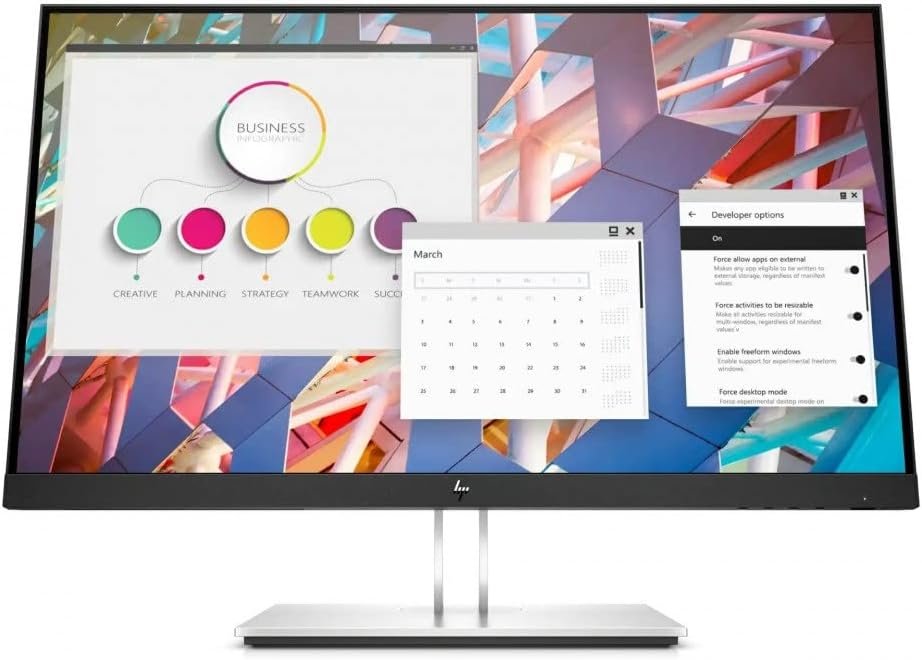
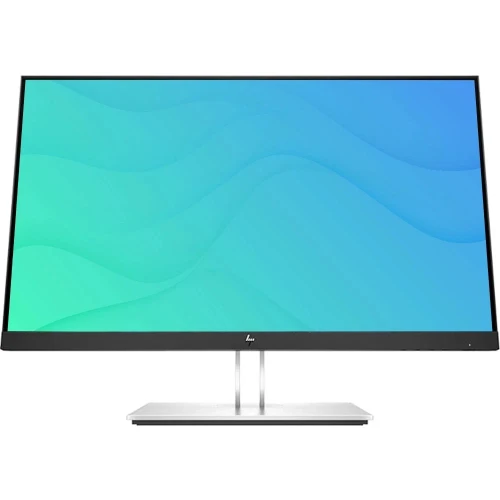
The HP E24q G4 24-inch IPS QHD Monitor is a business-focused display designed for office productivity, professional workspaces and everyday computing. Featuring a 2560 × 1440 Quad HD resolution, an IPS panel and a practical connectivity selection, it provides a detailed viewing experience in a compact desktop format.
With its anti-glare screen, low blue light mode and USB connectivity, the HP E24q G4 is a practical option for professionals, students and organisations looking for a dependable monitor for daily use. Its combination of image clarity, workspace flexibility and business-oriented features makes it suitable for a range of office environments.
The HP E24q G4 features a 23.8-inch display with a native resolution of 2560 × 1440 pixels. This QHD resolution provides more screen detail than a standard Full HD display, making text, documents, spreadsheets and images appear sharper.
The additional screen space is useful for multitasking, allowing users to work with multiple windows side by side without constantly switching between applications.
The monitor uses In-Plane Switching (IPS) technology, which supports wide viewing angles and consistent image presentation. This is particularly useful in offices where users may need to view content from slightly different positions.
The IPS panel is well suited to office applications, online meetings, document editing and general multimedia use.
The HP E24q G4 includes an anti-glare display surface that helps reduce reflections from surrounding lighting. Its low blue light mode is designed to help make viewing more comfortable during extended work sessions.
These features can be valuable in bright offices and home workspaces, although appropriate screen brightness, regular breaks and comfortable positioning remain important.
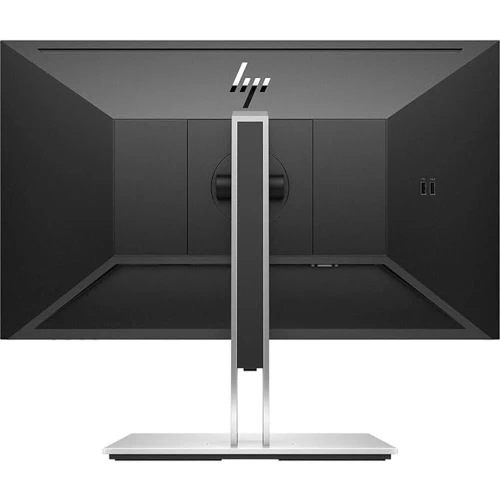
The HP E24q G4 offers connectivity options designed to support desktop computers and compatible laptops. HP lists DisplayPort 1.2 and four SuperSpeed USB Type-A ports with a signalling rate of up to 5 Gbps.
The monitor also includes HDMI connectivity, and the supplied USB Type-B-to-Type-A cable can be used to connect the monitor’s USB hub to a compatible computer. Check the exact regional model and available ports before purchasing.
The monitor’s stand is designed to support a more adaptable workstation setup. Depending on the configuration, its ergonomic adjustments help users position the display to suit their desk and viewing preferences.
A suitable monitor position can help reduce unnecessary neck movement and support a more comfortable working posture.
Sharper text and clearer detail: The QHD resolution is beneficial for reading documents, examining spreadsheets and working with detailed on-screen information.
Improved multitasking: The additional pixels provide more usable desktop space, helping users arrange several applications on one screen.
Convenient peripheral connections: The integrated USB hub can make it easier to connect compatible accessories, such as a keyboard, mouse or USB storage device.
Suitable for professional environments: Its understated design and productivity-oriented features make it a good fit for offices, educational institutions and home workspaces.
More flexible workstation setup: The ergonomic stand and anti-glare display help users adapt the monitor to different desk arrangements and lighting conditions.
The HP E24q G4 is a sensible choice for organisations that prioritise productivity, workspace efficiency and practical connectivity. Its QHD resolution provides clear detail for everyday business applications, while the IPS panel supports comfortable viewing from different positions.
For administrative teams, finance departments, customer support staff and other office professionals, the monitor offers enough resolution for document-heavy tasks and multitasking. The integrated USB hub can also simplify peripheral connections and help keep desks organised.
Organisations planning multi-monitor workstations may appreciate its compact 23.8-inch screen size. The monitor can fit into a range of desk layouts without requiring the space of a larger display.
Its business-oriented features make it suitable for general office use, although buyers should confirm the exact ports, stand adjustments, warranty and regional specifications before placing a bulk order.
The HP E24q G4 may be suitable for:
Although the monitor can handle general entertainment and casual gaming, it is primarily designed for productivity rather than high-refresh-rate competitive gaming.
The HP E24q G4 can connect to compatible desktop computers and laptops through supported video connections, including HDMI and DisplayPort. To take full advantage of its native QHD resolution, ensure that the computer’s graphics hardware and selected connection support 2560 × 1440 output.
The integrated USB hub requires an appropriate USB connection between the monitor and computer to provide its intended functionality. USB ports on the monitor do not automatically provide video input or laptop charging.
Before installation, check that the desk has sufficient space for the monitor and stand, connect the appropriate video cable, and select the recommended native resolution in the computer’s display settings.
The HP E24q G4 24-inch IPS QHD Monitor is a practical business display that combines sharp resolution, IPS viewing angles, anti-glare technology and useful USB connectivity. Its 2560 × 1440 resolution makes it particularly appealing to users who want more workspace and finer detail than a standard Full HD monitor provides.
For office productivity, education, remote work and general business applications, the HP E24q G4 offers a useful balance of image clarity and everyday functionality. Buyers should verify regional specifications and confirm that its connectivity and ergonomic features meet their requirements.
No account yet?
Create an Account







 ASUS
ASUS






