






 Laptop Computers
 Desktop Computers
 Printers
 Network
 Software
 Laptop Accessories
 Laptop Components
 Office
 Desktop peripherals
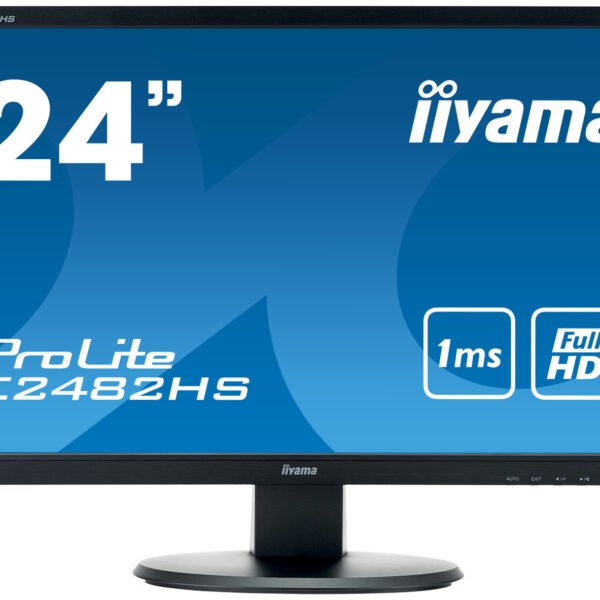
Brand: iiyama
Product Series: ProLite
Model: XUB2495WSU-B1
Product Type: Professional IPS LCD monitor with LED backlighting
Screen Size: 24.1 inches
Native Resolution: 1920 × 1200 pixels (WUXGA)
Aspect Ratio: 16:10
Panel Technology: IPS (In-Plane Switching)
Screen Surface: Matte
Backlight Type: LED
Typical Brightness: 300 cd/m²
Static Contrast Ratio: 1,000:1
Advanced Contrast Ratio: Up to 5,000,000:1 (advertised dynamic contrast)
Response Time: 5ms GTG
Refresh Rate: Up to approximately 60Hz under published specifications
Viewing Angles: 178° horizontal / 178° vertical
Colour Support: Approximately 16.7 million colours
Colour Gamut: Approximately 99% sRGB and 72% NTSC
Video Inputs: 1 × VGA, 1 × HDMI, 1 × DisplayPort
USB Hub: 4 × USB 2.0 downstream ports
USB Upstream: 1 × USB upstream connection
Built-in Speakers: 2 × 2W stereo speakers
Headphone Connector: 3.5mm audio jack
Height Adjustment: Up to 130mm
Pivot Rotation: Up to 90°
Swivel: Up to 45° left and 45° right
Tilt Adjustment: Approximately -5° to +22°
VESA Mounting: 100 × 100mm
Eye Comfort Features: Flicker-Free technology and Blue Light Reducer
Screen Design: Slim-bezel professional design

Hurry and get discounts on all Apple devices up to 20%
Sale_coupon_15
KSh7,000.00 excl. VAT
Payment Methods:

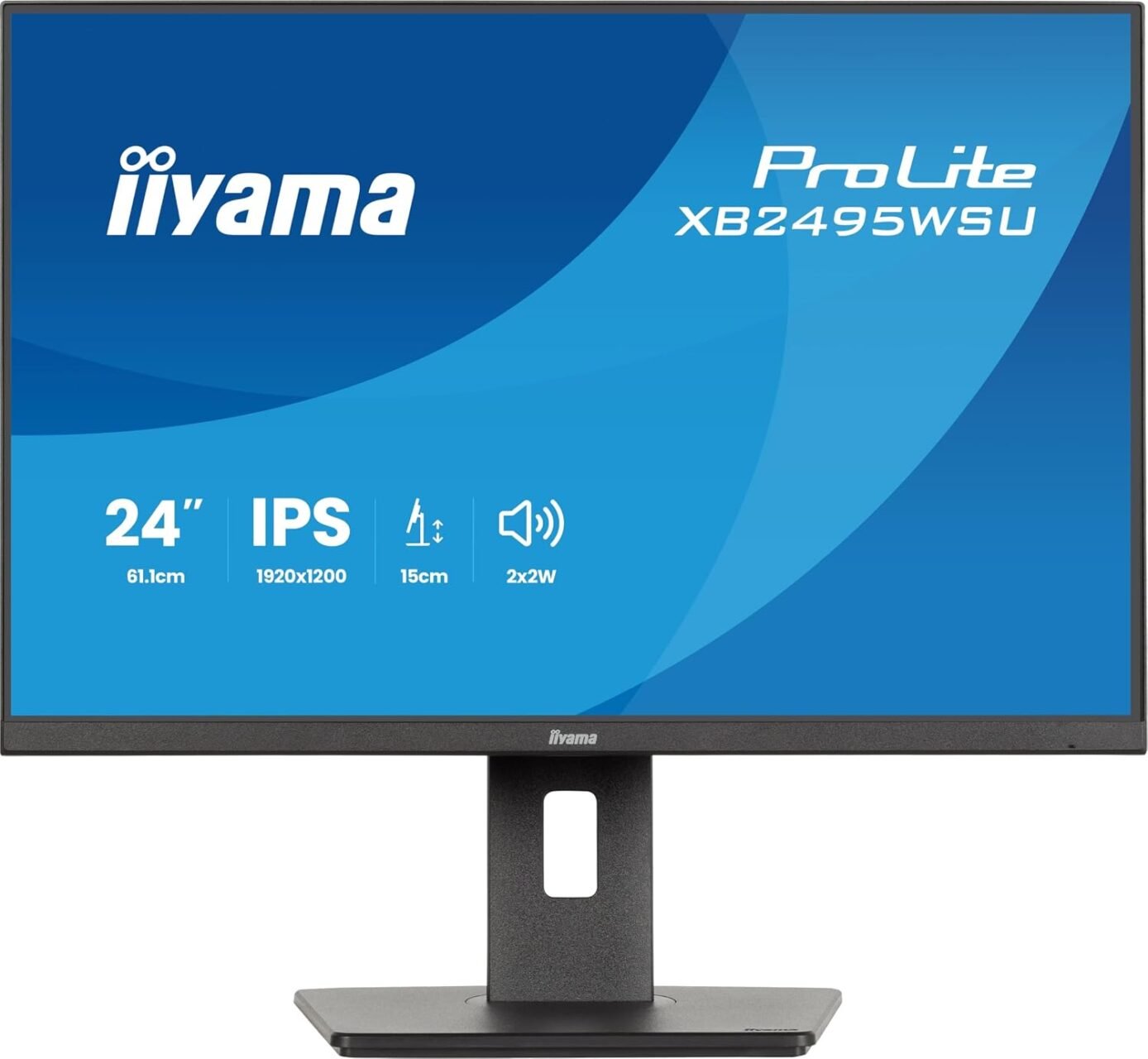
The iiyama ProLite XUB2495WSU-B1 24.1-inch IPS Monitor is a professional display designed for business environments, office productivity, educational institutions, and demanding everyday computing. Combining a high-quality IPS panel, WUXGA resolution, an ergonomic adjustable stand, and versatile connectivity, this monitor provides a practical solution for users who need additional workspace and comfortable screen positioning.
One of its main advantages is its 1920 × 1200 WUXGA resolution with a 16:10 aspect ratio. Unlike standard Full HD monitors with a 16:9 aspect ratio, the extra vertical space allows users to view more document content, spreadsheet rows, and website information without scrolling as frequently.
The monitor also features a matte screen surface, 300 cd/m² brightness, a 1,000:1 static contrast ratio, and wide viewing angles. Its adjustable stand supports height adjustment, tilt, swivel, and pivot rotation, making it suitable for workstations where ergonomic flexibility is important.
For customers seeking a dependable professional monitor, the iiyama ProLite XUB2495WSU-B1 combines practical display performance with features designed to support daily productivity.
The iiyama ProLite XUB2495WSU-B1 features WUXGA resolution of 1920 × 1200 pixels, providing more vertical workspace than a standard Full HD 1920 × 1080 display.
The additional 120 pixels of vertical resolution can be particularly useful when working with long documents, spreadsheets, reports, programming interfaces, and business applications. Users can view more information on the screen at once, helping reduce the need to scroll repeatedly between sections of content.
The 16:10 aspect ratio makes this monitor suitable for office productivity and professional applications where vertical screen space is valuable. It also supports everyday tasks such as email communication, online research, presentations, document editing, and web browsing.
With a 24.1-inch display, the monitor provides a useful balance between screen size and desktop space. Its resolution is especially beneficial for users who spend substantial time working with text, tables, and detailed application interfaces.
The monitor uses IPS (In-Plane Switching) panel technology, which is designed to provide consistent colour reproduction and wide viewing angles.
The specified viewing angles are 178 degrees horizontally and vertically. This helps maintain a more consistent image when the screen is viewed from different positions, making the monitor suitable for collaborative office work and environments where users may occasionally share screen content.
The IPS panel supports approximately 16.7 million colours and covers around 99% of the sRGB colour space according to the manufacturer’s specifications. This makes it suitable for general business graphics, presentations, image viewing, and everyday creative work.
Although its colour reproduction is useful for many professional applications, users who require highly accurate colour matching for specialist photography or print production should consider professional calibration and assess whether the monitor meets their specific requirements.
The iiyama ProLite XUB2495WSU-B1 has a specified brightness of 300 cd/m² and a typical static contrast ratio of 1,000:1.
Its brightness supports clear visibility in typical indoor environments, including offices, meeting rooms, and home workstations. The matte screen surface also helps reduce distracting reflections from surrounding light sources.
The 1,000:1 static contrast ratio describes the difference between the brightest white and darkest black the display can reproduce under specified measurement conditions. This contributes to readable text, clear interface elements, and balanced image presentation for routine computing.
The monitor also advertises an advanced contrast ratio of up to 5,000,000:1. This dynamic figure is measured differently from static contrast and should not be interpreted as equivalent to native contrast performance.
Together, these display characteristics make the monitor suitable for everyday professional work and general multimedia use.
The monitor has a specified 5ms grey-to-grey response time, describing the time taken for supported pixel transitions.
This response time is suitable for office productivity, browsing, document processing, video playback, and general desktop applications. It supports routine motion handling without positioning the display as a specialist gaming monitor.
The model’s published specifications list a vertical refresh range of approximately 46–66Hz, depending on the input signal and configuration. Users should therefore consider it primarily a productivity display rather than a high-refresh-rate gaming monitor.
For businesses and professional users, its principal advantages are the WUXGA resolution, IPS panel, ergonomic stand, and connectivity options rather than gaming-oriented specifications.
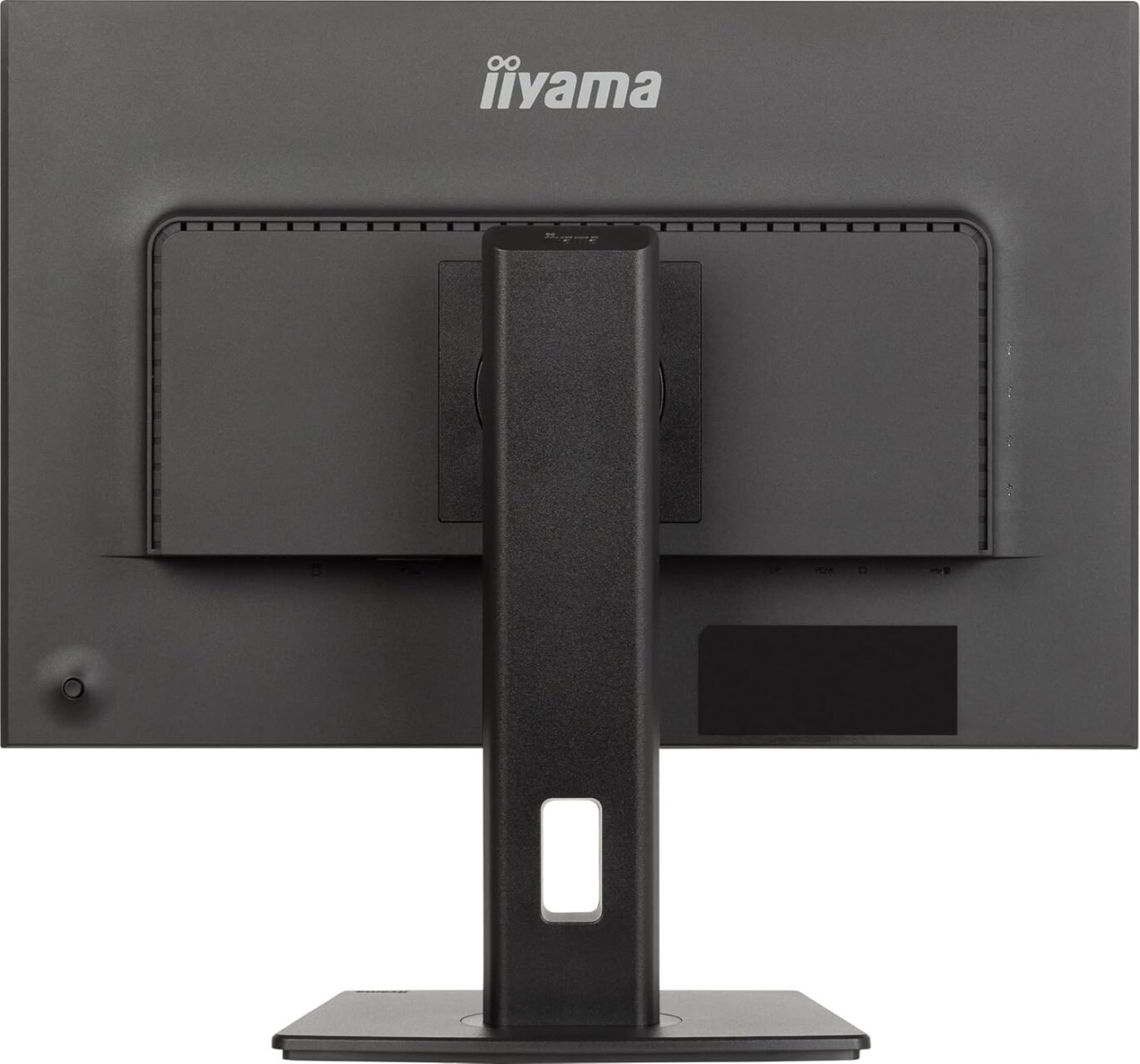
One of the most useful features of the iiyama ProLite XUB2495WSU-B1 is its fully adjustable ergonomic stand. The monitor supports several adjustments to help users position the display according to their desk setup and viewing preferences.
These adjustments help users create a more adaptable workstation. Correct positioning can support a comfortable posture during extended computer sessions and reduce the need to lean forward or look downward at the screen.
The monitor also supports VESA 100 × 100mm mounting, allowing installation on compatible monitor arms or mounting brackets when desired.
The iiyama ProLite XUB2495WSU-B1 offers VGA, HDMI, and DisplayPort video inputs, providing flexibility when connecting compatible desktop computers and other supported devices.
HDMI and DisplayPort provide digital video connections for modern computers, while VGA supports compatible systems that use an analogue display output. This combination can be useful for businesses that operate a mixture of newer and older computer equipment.
The monitor’s digital inputs support its native 1920 × 1200 resolution at up to 60Hz under the published specifications. Users should select a compatible resolution and refresh rate in their computer’s display settings to obtain the intended image quality.
The availability of several input types also makes the monitor suitable for shared workstations where different computers may be connected over time.
Before purchasing, customers should confirm that the required video cable is included and that the monitor’s inputs match the outputs available on their computers.
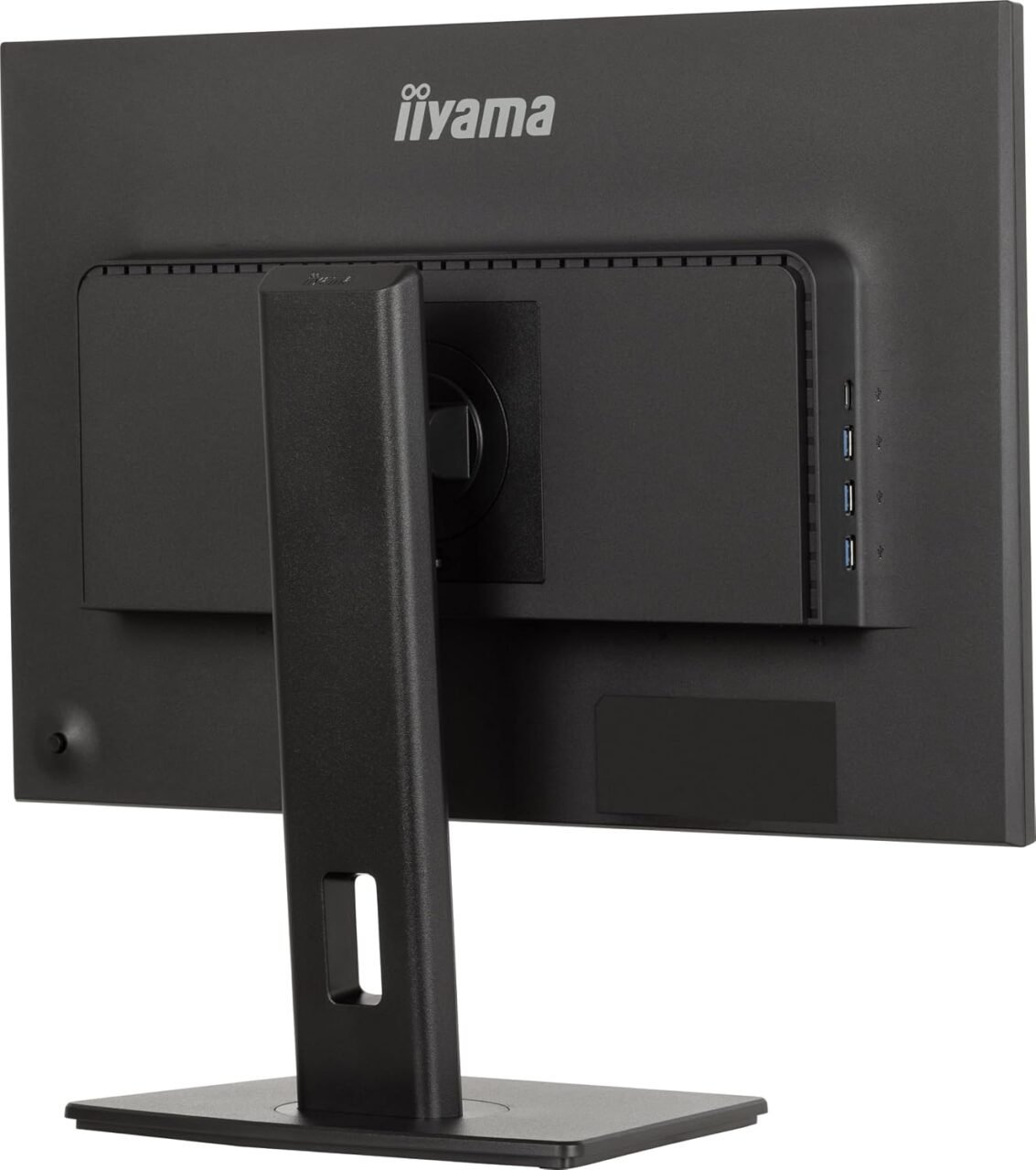
The monitor includes a four-port USB 2.0 hub, allowing compatible USB accessories to connect through the display.
This feature can be useful for connecting devices such as a keyboard, mouse, USB storage device, or other compatible peripherals. It can help simplify cable management and make commonly used USB connections more accessible at the workstation.
The hub includes an upstream USB connection to the computer, which is required for the monitor’s downstream USB ports to communicate with the host system. The correct upstream cable must be connected for the hub to function.
USB 2.0 is suitable for many standard peripherals, although it provides lower data-transfer performance than newer USB standards. Users who regularly transfer large files may prefer to connect high-speed storage devices directly to a compatible USB 3.x port on their computer.
The iiyama ProLite XUB2495WSU-B1 features integrated stereo speakers rated at 2W per channel, providing basic audio for routine desktop use.
The speakers can be convenient for system notifications, online meetings, training videos, presentations, and general multimedia playback. Integrated audio also helps reduce desktop clutter when separate speakers are not required.
A 3.5mm headphone connector is available for users who prefer private listening or want to connect compatible audio equipment.
The built-in speakers are intended for everyday convenience rather than professional audio production or high-volume sound reinforcement. Users requiring stronger audio output or improved sound quality may prefer dedicated desktop speakers or headphones.
The monitor includes Flicker-Free technology and a Blue Light Reducer feature designed to support a more comfortable viewing experience during extended computer use.
Flicker-Free technology is intended to reduce backlight flickering, while blue light reduction allows users to adjust display settings to reduce blue-light output.
These features may be helpful for users who spend long periods reading documents, managing spreadsheets, or working with business applications. However, they do not eliminate all causes of eye strain.
For better viewing comfort, users should adjust brightness to match the surrounding lighting, maintain a comfortable viewing distance, position the monitor appropriately, and take regular breaks during prolonged screen sessions.
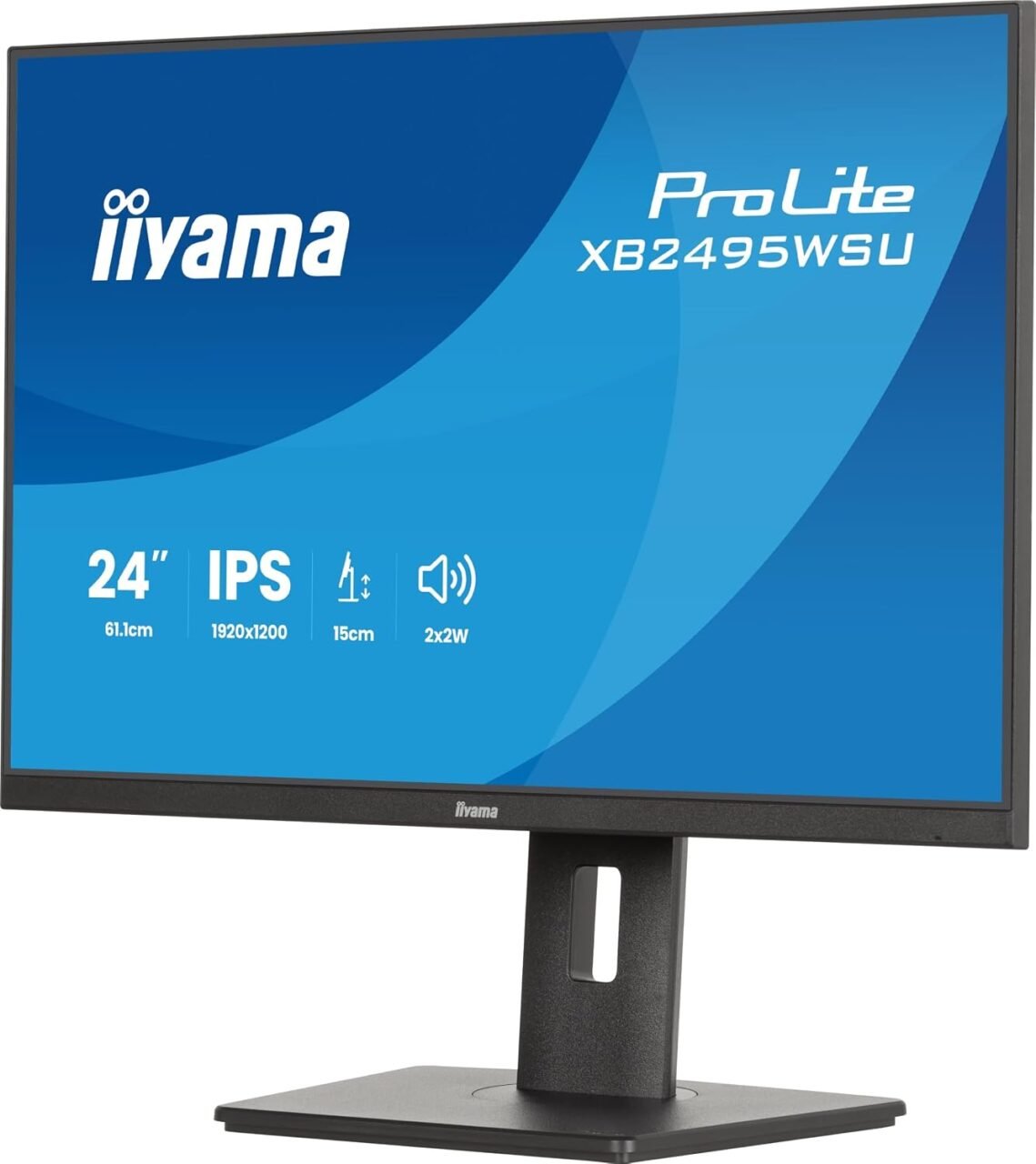
The iiyama ProLite XUB2495WSU-B1 features a slim-bezel design and a professional appearance that fits well into contemporary office environments.
Its understated styling makes it suitable for corporate offices, financial workstations, educational institutions, and home offices. The relatively narrow bezels can also help create a cleaner appearance when two monitors are arranged side by side.
The combination of a compact footprint and an adjustable stand makes the display practical for workstations where both desktop space and ergonomic flexibility matter.
The VESA mounting option provides further flexibility for users who prefer monitor arms or alternative mounting arrangements, provided the mounting equipment is compatible with the monitor’s specifications.
The iiyama ProLite XUB2495WSU-B1 can be considered for a range of professional and everyday computing environments.
For users who require 4K resolution, advanced HDR performance, or high-refresh-rate gaming, a different monitor category may be more appropriate.
Selecting a professional monitor involves assessing more than its advertised screen size. Resolution, panel technology, connectivity, ergonomic adjustment, and peripheral support all contribute to the overall workstation experience.
The iiyama ProLite XUB2495WSU-B1 stands out through its WUXGA resolution, IPS panel, adjustable stand, and built-in USB hub. These features make it a useful option for users who want a productivity-focused display with more vertical workspace than standard Full HD monitors provide.
When sourcing this model, confirm the exact product code, condition, included cables, warranty terms, and availability of the required accessories. It is also worth checking that the computer supports 1920 × 1200 resolution through the intended video connection.
At Lansotech Solutions Kenya, our focus is on helping customers identify suitable IT equipment for their practical needs. Comparing these specifications with your workstation requirements can help you make a more informed purchasing decision.
The iiyama ProLite XUB2495WSU-B1 24.1-Inch IPS Monitor is a professional display designed for productivity, business applications, and everyday computing. Its WUXGA 1920 × 1200 resolution and 16:10 aspect ratio provide additional vertical workspace, while IPS technology offers wide viewing angles and consistent colour reproduction.
Its ergonomic stand supports height adjustment, tilt, swivel, and pivot rotation. Additional features include HDMI, DisplayPort, and VGA connectivity, a four-port USB 2.0 hub, integrated stereo speakers, and Flicker-Free and Blue Light Reducer technologies.
For users who prioritise workspace, comfortable screen positioning, and practical connectivity, the iiyama ProLite XUB2495WSU-B1 is a strong option to consider for a modern office or home workstation.
No account yet?
Create an Account







 ASUS
ASUS






