






 Laptop Computers
 Desktop Computers
 Printers
 Network
 Software
 Laptop Accessories
 Laptop Components
 Office
 Desktop peripherals
Hurry and get discounts on all Apple devices up to 20%
Sale_coupon_15
KSh16,000.00 excl. VAT
Payment Methods:

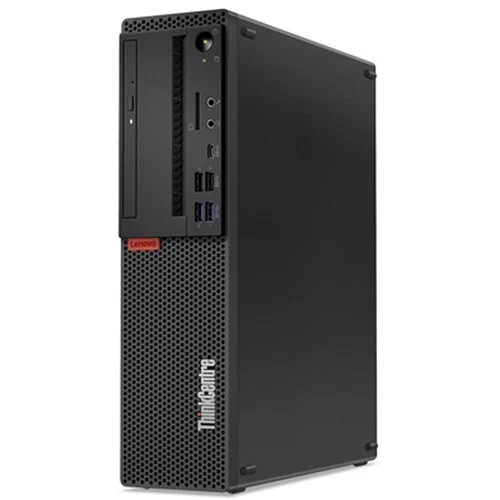
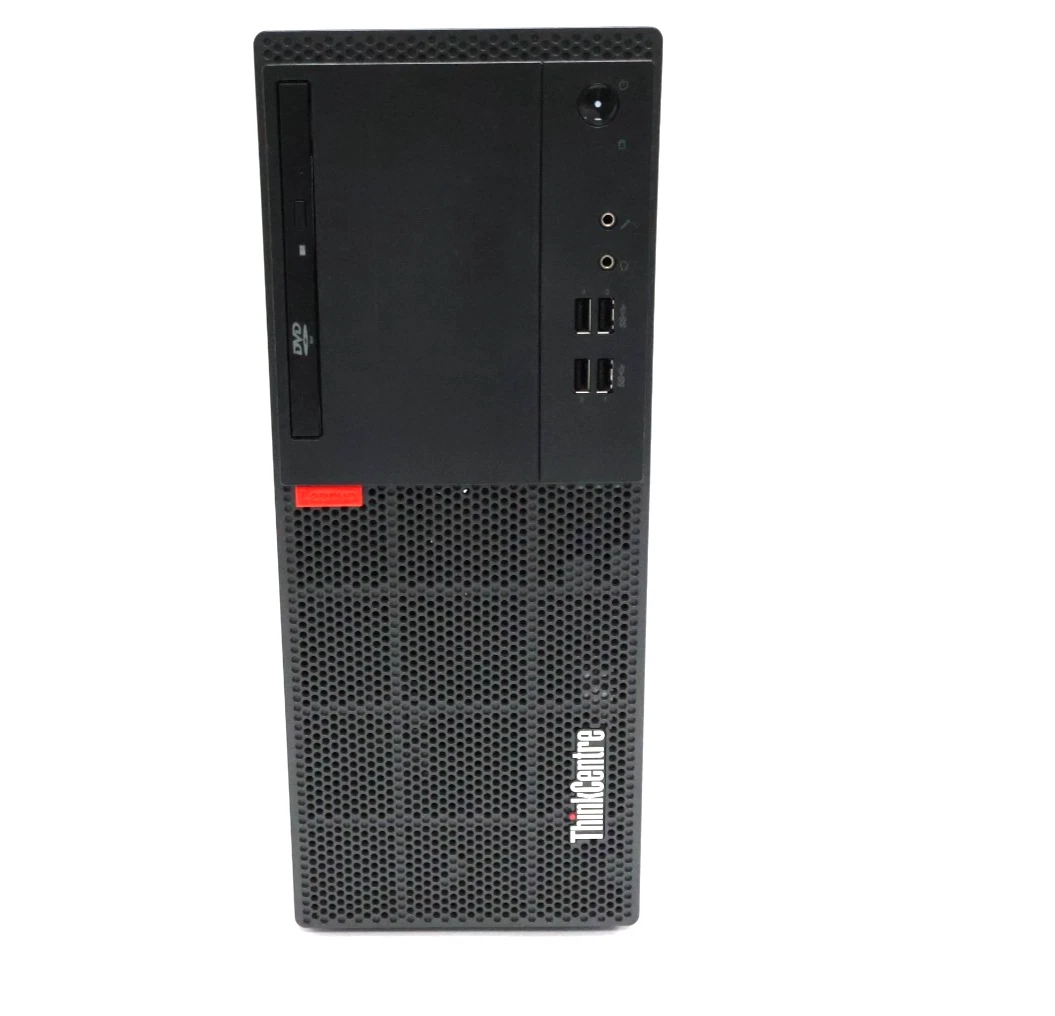
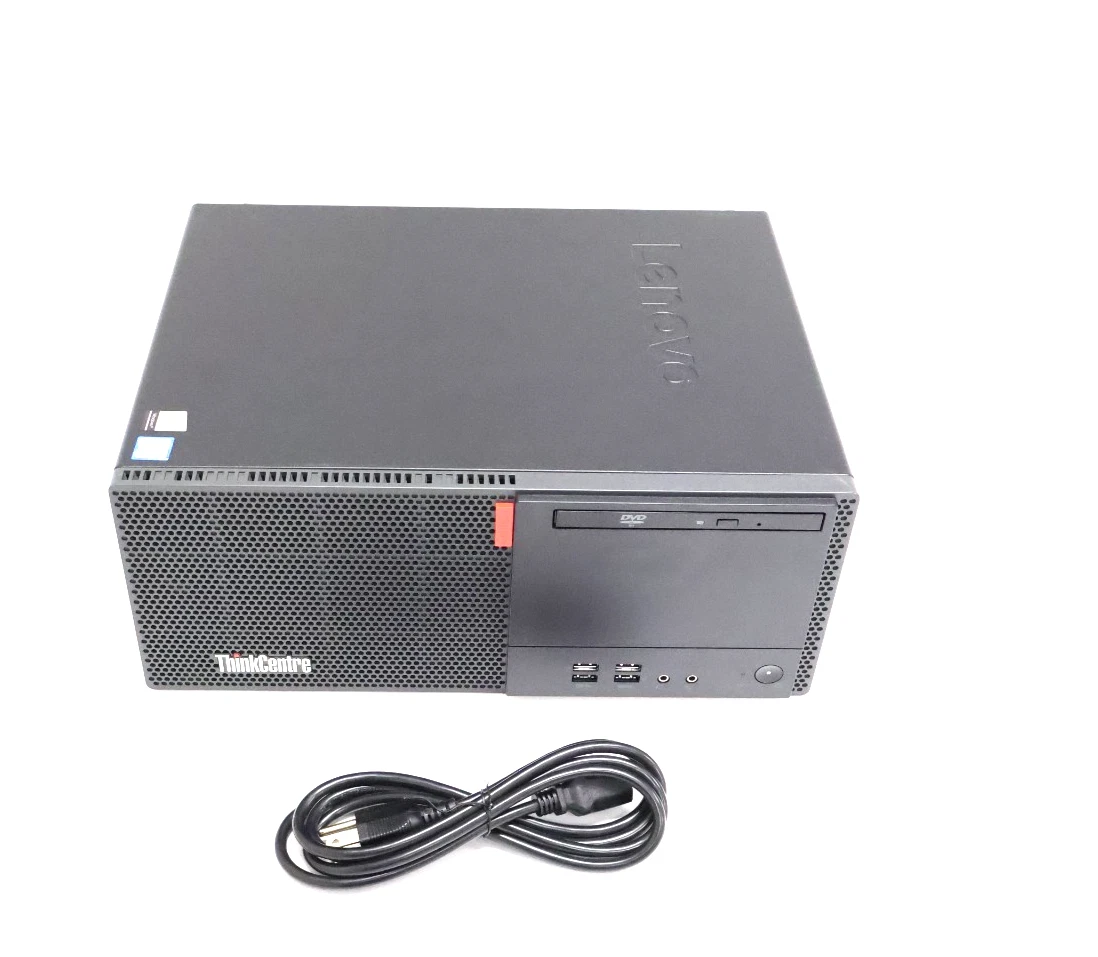
Looking for a reliable Lenovo desktop computer in Kenya for your office, business, school, or home workstation? The Lenovo ThinkCentre M710 Tower Desktop Computer with an Intel Core i5-7400 quad-core processor, 8GB DDR4 RAM, and 500GB HDD offers a practical computing solution for everyday productivity, business applications, and general office tasks.
At Lansotech Solutions, we provide computer solutions designed to meet the needs of businesses, professionals, students, and individual customers. The Lenovo ThinkCentre M710 Tower combines a capable seventh-generation Intel Core i5 processor, DDR4 memory, and spacious hard disk storage to support common computing requirements in professional and personal environments.
Whether you need a desktop for accounting, document processing, internet browsing, inventory management, research, or administrative work, the Lenovo ThinkCentre M710 is worth considering for its business-oriented design and versatile functionality.
Visit Lansotech Solutions at Portal Place, Room 207, Muindi Bingu Street, next to Jamia Mosque, Nairobi, Kenya, to enquire about computer availability and find a desktop configuration that suits your needs.
The Lenovo ThinkCentre M710 Tower belongs to Lenovo’s business desktop computer family. It is designed to provide dependable performance for organizations and users who need a dedicated workstation for daily computing activities.
Here are the key specifications of this configuration:
| Specification | Details |
|---|---|
| Brand | Lenovo |
| Product series | ThinkCentre M710 |
| Form factor | Tower desktop |
| Processor | Intel Core i5-7400 |
| Processor generation | 7th Generation Intel Core |
| Processor cores | 4 cores |
| Base clock speed | 3.00 GHz |
| Maximum turbo frequency | Up to 3.50 GHz |
| Installed memory | 8GB DDR4 RAM |
| Storage capacity | 500GB HDD |
| Graphics | Intel HD Graphics 630 integrated graphics |
| Operating system | Confirm the installed operating system before purchase |
| Intended use | Office work, business applications, education, and general computing |
At the heart of the Lenovo ThinkCentre M710 Tower Desktop Computer is the Intel Core i5-7400 processor. This seventh-generation Intel processor features four physical cores, a base clock speed of 3.00 GHz, and a maximum turbo frequency of up to 3.50 GHz.
This processor provides a practical foundation for everyday productivity and standard business computing. It can handle common office workloads, including word processing, spreadsheet management, email communication, web browsing, and compatible business software.
For businesses that rely on invoicing systems, inventory applications, customer databases, and administrative platforms, the Intel Core i5-7400 offers useful processing capabilities when paired with compatible software and sufficient memory.
The quad-core architecture supports multiple everyday computing tasks, making this desktop suitable for reception desks, administrative offices, educational environments, and home workstations.
For users who need a computer for routine productivity rather than demanding graphics or advanced processing workloads, the Lenovo ThinkCentre M710 Tower offers a straightforward desktop computing option.
The Lenovo ThinkCentre M710 Tower configuration comes with 8GB DDR4 RAM, providing memory for common applications and everyday computer operations.
RAM temporarily stores information used by running programs, allowing the processor to access the data it needs while performing tasks. Sufficient memory helps maintain a responsive experience when working with compatible applications.
With 8GB RAM, this Lenovo desktop can support a range of everyday activities, including:
The appropriate amount of memory depends on your workload. Users who regularly work with large spreadsheets, demanding applications, or numerous programs simultaneously may benefit from a compatible memory upgrade.
Before upgrading, check the exact system model, supported memory type, available slots, and maximum supported capacity.
The 500GB hard disk drive (HDD) provides storage space for documents, spreadsheets, presentations, software, downloaded files, and other everyday digital content.
For office environments, storage capacity is important because businesses often need to retain records, invoices, reports, project documents, and other working files.
A 500GB HDD can provide useful space for users whose computing needs primarily involve office productivity, business administration, education, and general computer use.
However, a traditional hard disk drive generally offers slower application loading and startup performance than a solid-state drive (SSD). Users who want faster boot times and improved everyday responsiveness may consider upgrading to a compatible SSD, subject to the system’s supported storage interfaces and configuration.
An SSD upgrade can be particularly useful for computers running modern productivity applications or for users who frequently start applications and access files throughout the working day.
For businesses that maintain large archives or important customer records, regular backups remain essential regardless of the storage type.
Choosing the right office computer means balancing performance, storage, compatibility, and budget. The Lenovo ThinkCentre M710 Tower offers a combination of processing power, memory, and storage suitable for many standard business workloads.
The Intel Core i5-7400 processor and 8GB RAM can support everyday applications used for document preparation, email, spreadsheets, presentations, and online business tools.
This makes the computer worth considering for administrative staff, receptionists, office assistants, and professionals who need a dedicated desktop workstation.
Small and medium-sized businesses often need dependable computers for routine operations without requiring high-end workstation specifications.
The Lenovo ThinkCentre M710 Tower can support compatible accounting programs, inventory management tools, invoicing systems, customer records, and other standard business applications.
Before purchasing, verify that your preferred software supports the computer’s processor, memory, operating system, and graphics capabilities.
The tower form factor provides a traditional desktop design for fixed workstations. Depending on the exact configuration, the chassis may offer options for component upgrades and storage expansion.
A tower desktop can be suitable for offices where the computer remains in one location and connects to a monitor, keyboard, mouse, printer, and other peripherals.
Check the computer’s dimensions and available internal expansion space if desk space or future upgrades are important considerations.
The included 500GB HDD provides space for typical office documents, applications, and business files.
For users who need more responsive performance, adding or replacing the storage drive with a compatible SSD may be a worthwhile upgrade.
The Lenovo ThinkCentre M710 Tower can be considered for offices, schools, training centres, reception desks, and home workstations, provided the computer meets the requirements of the intended applications.
Its suitability will depend on the user’s workload, software compatibility, operating system support, and expectations for future performance.
Businesses use desktop computers for numerous daily operations, from maintaining financial records to communicating with customers. The Lenovo ThinkCentre M710 Tower can support many standard business tasks when the appropriate software is installed.
Accounting staff often work with spreadsheets, invoicing systems, bookkeeping platforms, and financial reports. The Core i5-7400 processor and 8GB RAM can support many everyday accounting workloads, subject to the application’s requirements.
Retailers, wholesalers, and other businesses may use desktop computers to manage stock records, prepare invoices, and update inventory information.
The Lenovo ThinkCentre M710 can serve as a workstation for compatible inventory management applications and web-based business systems.
Reception teams frequently use email, scheduling tools, customer records, and online platforms. A dedicated desktop provides a convenient workstation for these activities.
Schools, colleges, and training centres can consider this desktop for computer laboratories, administrative offices, and general learning activities that do not require advanced graphics processing.
For home users, the Lenovo ThinkCentre M710 Tower can provide a workstation for research, document editing, online communication, and everyday computing.
Users should confirm the operating system’s support status and their preferred software’s compatibility before purchasing.
The Intel Core i5-7400 processor includes Intel HD Graphics 630 integrated graphics, which supports everyday display and multimedia tasks in compatible system configurations.
Integrated graphics can be suitable for office applications, web browsing, presentations, standard video playback, and general desktop use.
For typical office workloads, a dedicated graphics card may not be necessary. However, users working with demanding 3D applications, advanced video editing, or modern graphics-intensive games should consider a system with graphics hardware suited to those tasks.
Before connecting a monitor, confirm the video outputs available on the exact desktop configuration and check that they match your display requirements.
When comparing desktop computers, storage type is an important consideration.
The Lenovo ThinkCentre M710 Tower configuration described here includes a 500GB HDD. A computer with an SSD may provide faster system startup, quicker application launches, and improved responsiveness in many everyday situations.
| Feature | Lenovo ThinkCentre M710 with 500GB HDD | Comparable desktop with SSD |
|---|---|---|
| Storage type | Mechanical hard disk | Solid-state drive |
| Typical startup performance | Generally slower | Generally faster |
| Application loading | Depends on workload and drive condition | Generally faster |
| Storage capacity | 500GB in this configuration | Depends on SSD capacity |
| Upgrade potential | May support a compatible SSD upgrade | Depends on available interfaces and configuration |
For users who need additional speed, a compatible SSD upgrade may help extend the computer’s usefulness for everyday work. The exact upgrade options should be confirmed before purchasing components.
If you are searching for the Lenovo ThinkCentre M710 Tower price in Kenya, the final price may depend on the computer’s condition, configuration, operating system, warranty, included accessories, and current availability.
At Lansotech Solutions, we recommend confirming the current price and stock availability before making a purchase.
When comparing desktop computer prices in Nairobi, consider the complete specification rather than the processor alone. Storage type, memory capacity, operating system, warranty, and overall condition can all affect the value of a computer.
Before purchasing, ask whether the quoted price includes a monitor, keyboard, mouse, operating system licence, and any applicable warranty.
For an accurate quotation, contact Lansotech Solutions and request the Lenovo ThinkCentre M710 Tower with Intel Core i5-7400, 8GB DDR4 RAM, and 500GB HDD.
Lansotech Solutions helps customers explore computer solutions for offices, businesses, educational institutions, and personal workstations.
If you are looking for a Lenovo ThinkCentre M710 Tower desktop computer in Nairobi, visit our location to enquire about availability and discuss the specifications that best suit your requirements.
Lansotech Solutions
We recommend contacting us before visiting to confirm product availability, pricing, warranty details, and the exact specifications of the desktop computer.
Businesses purchasing multiple units can prepare their preferred specifications, quantity requirements, software needs, and accessory requirements to help streamline the quotation process.
Before purchasing the Lenovo ThinkCentre M710 Tower, consider the following points.
Verify that the computer contains the Intel Core i5-7400 processor specified in the product description.
Confirm that the desktop includes 8GB DDR4 RAM and verify available upgrade options if additional memory may be needed.
Check that the installed drive has the advertised capacity and is functioning correctly. For used or refurbished computers, ask whether the storage drive has been tested.
Ask which operating system is installed and whether it is properly licensed.
The Intel Core i5-7400 is not listed among the officially supported processors for Windows 11 in Microsoft’s standard supported processor lists. Windows 10 reached the end of standard support on 14 October 2025. Businesses should therefore carefully evaluate operating system compatibility, security requirements, and supported upgrade options before choosing this desktop.
If the desktop is used or refurbished, check the casing, ports, cooling fans, internal components, and general operating condition. Ask about the warranty and any servicing performed.
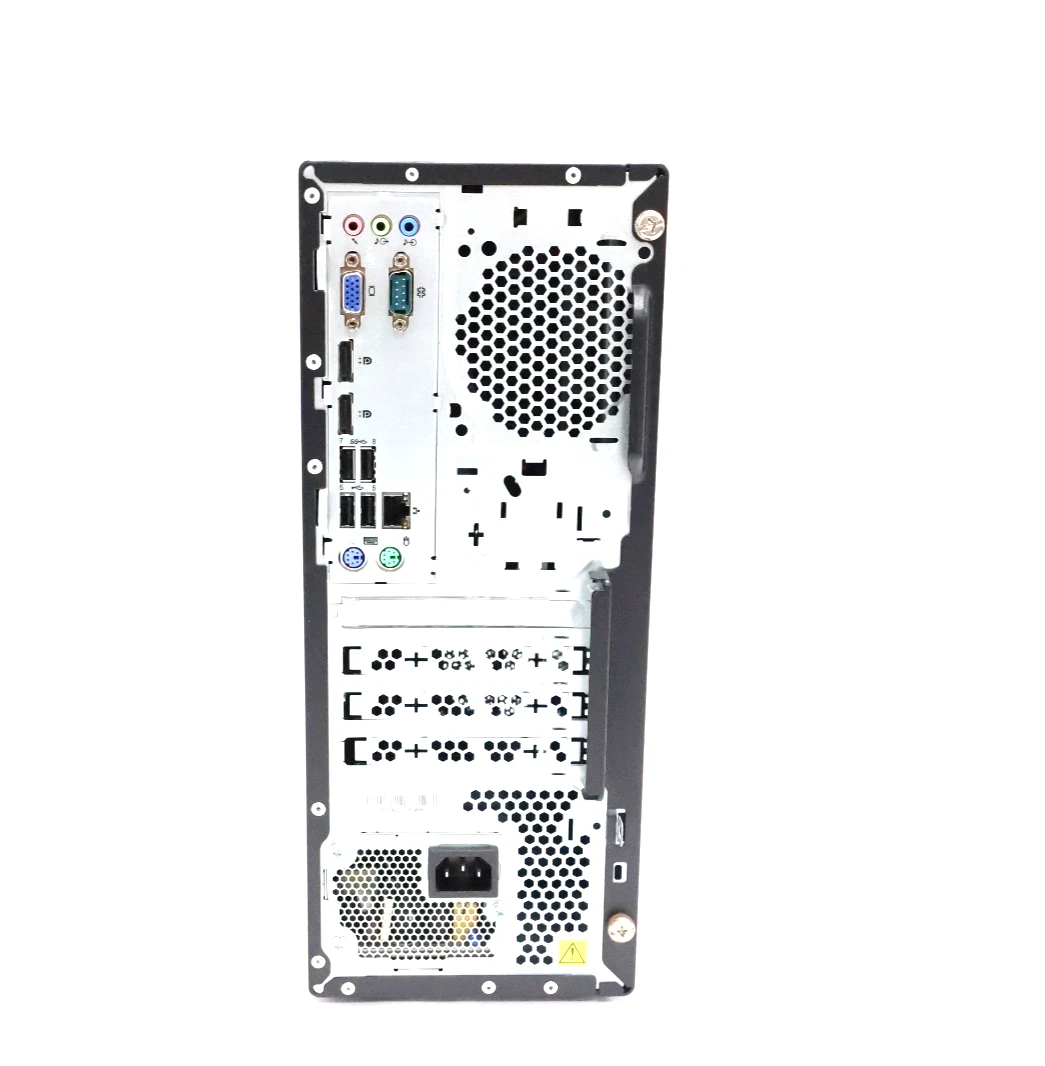
Confirm the available USB ports, display connections, Ethernet port, audio connections, and any wireless networking requirements. Verify whether a monitor, keyboard, and mouse are included.
Yes. The Intel Core i5-7400 processor and 8GB RAM can handle many everyday office tasks, including document editing, spreadsheets, email, internet browsing, and compatible business applications.
Yes. The Intel Core i5-7400 is a seventh-generation desktop processor with four physical cores, a base frequency of 3.00 GHz, and a maximum turbo frequency of up to 3.50 GHz.
For standard office applications and moderate multitasking, 8GB RAM may be sufficient. Users working with more demanding applications or numerous programs simultaneously may benefit from additional compatible memory.
A 500GB HDD can provide useful storage for business documents, applications, reports, and other everyday files. Users who require faster startup and application loading may consider a compatible SSD upgrade.
Upgrade options depend on the exact system configuration. Memory, storage, and other components should be checked against the manufacturer’s specifications before an upgrade is planned.
Its Intel HD Graphics 630 is designed primarily for everyday display and multimedia tasks. It may run some less demanding games, but this configuration is not intended for modern graphics-intensive gaming.
Contact Lansotech Solutions to request a quotation and confirm the computer’s condition, specifications, warranty, operating system, and included accessories.
No account yet?
Create an Account







 ASUS
ASUS






