






 Laptop Computers
 Desktop Computers
 Printers
 Network
 Software
 Laptop Accessories
 Laptop Components
 Office
 Desktop peripherals

Hurry and get discounts on all Apple devices up to 20%
Sale_coupon_15
KSh22,000.00 excl. VAT
Payment Methods:

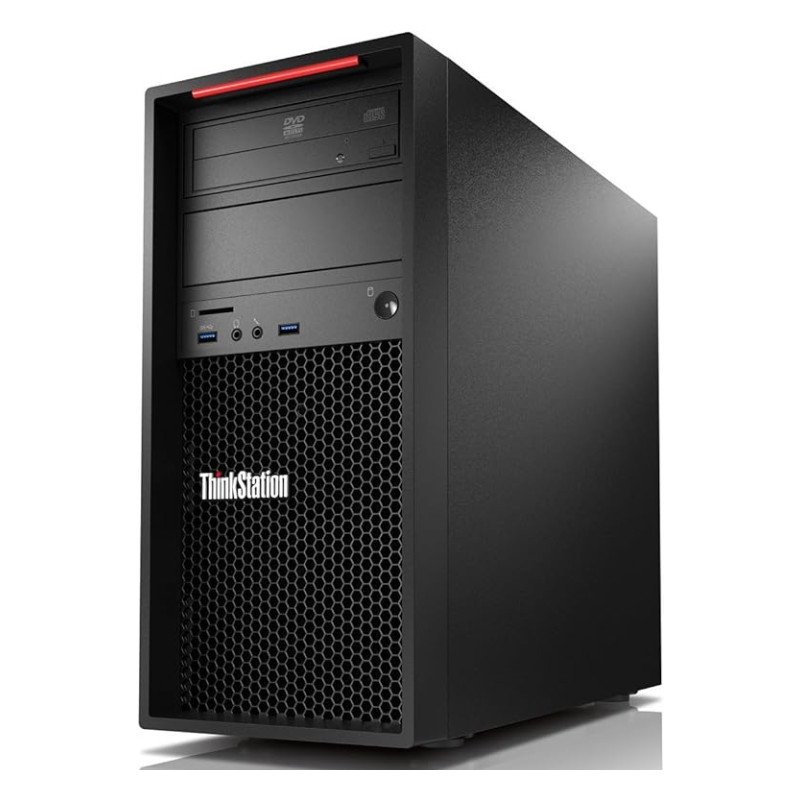
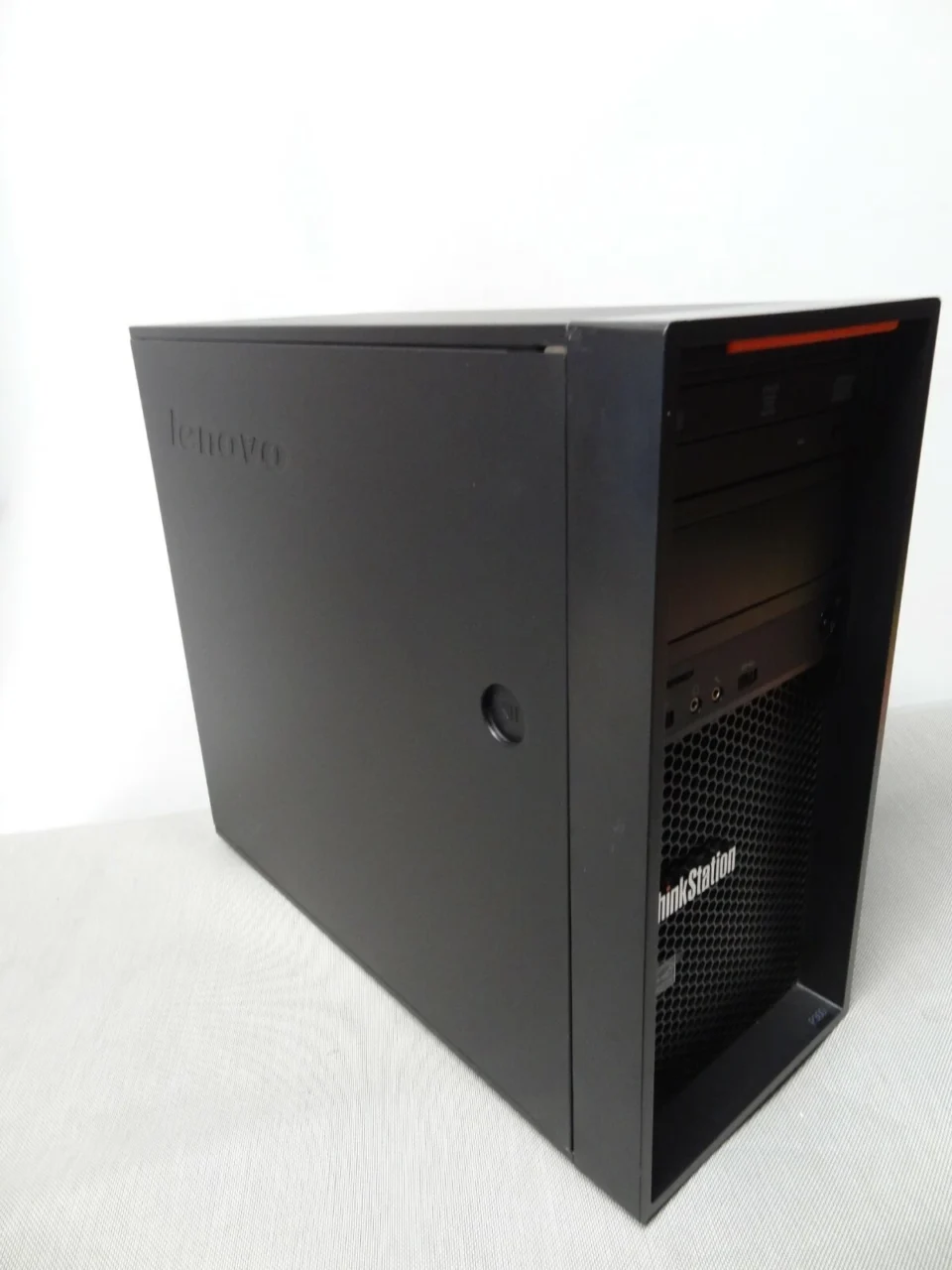
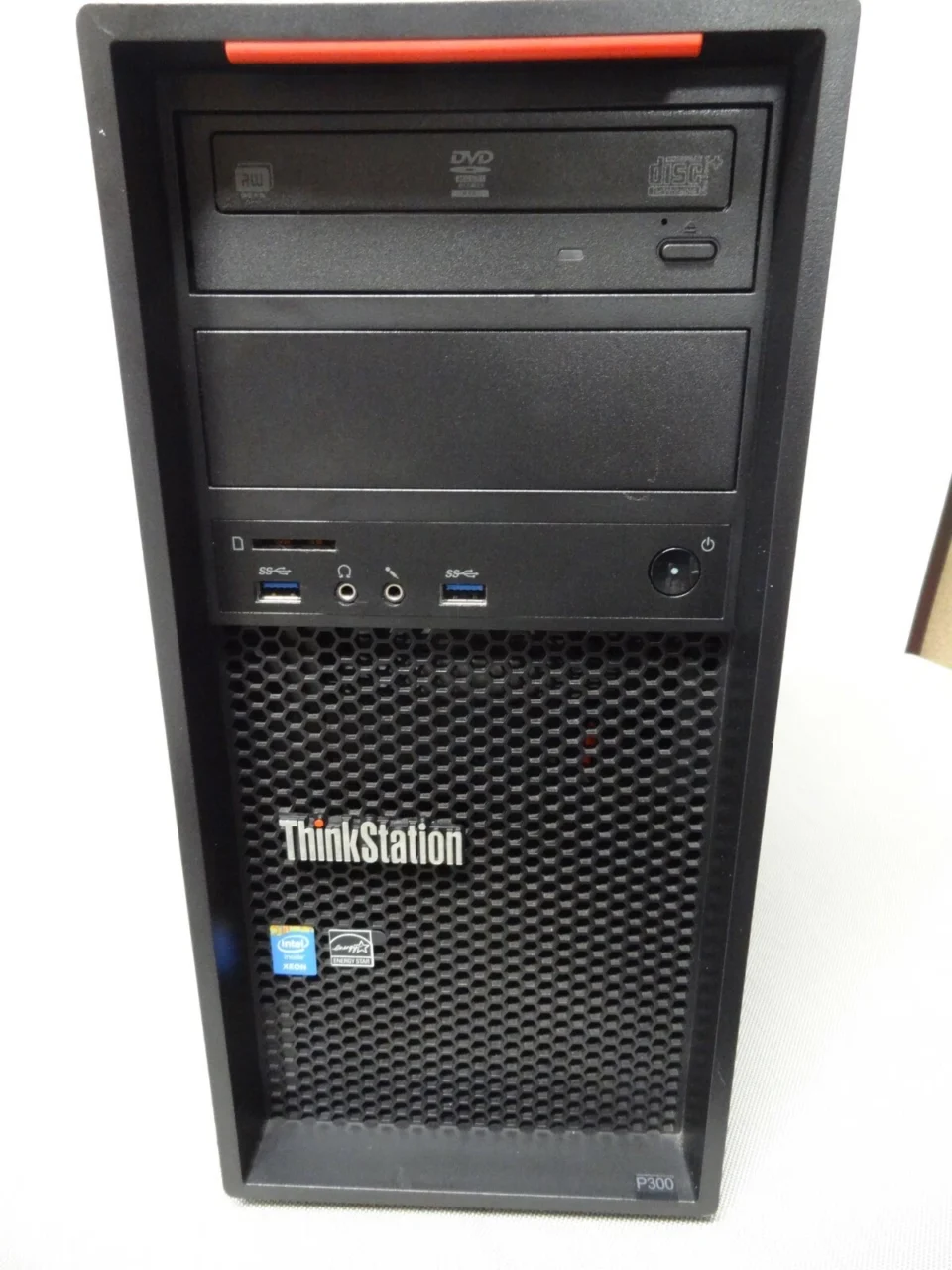
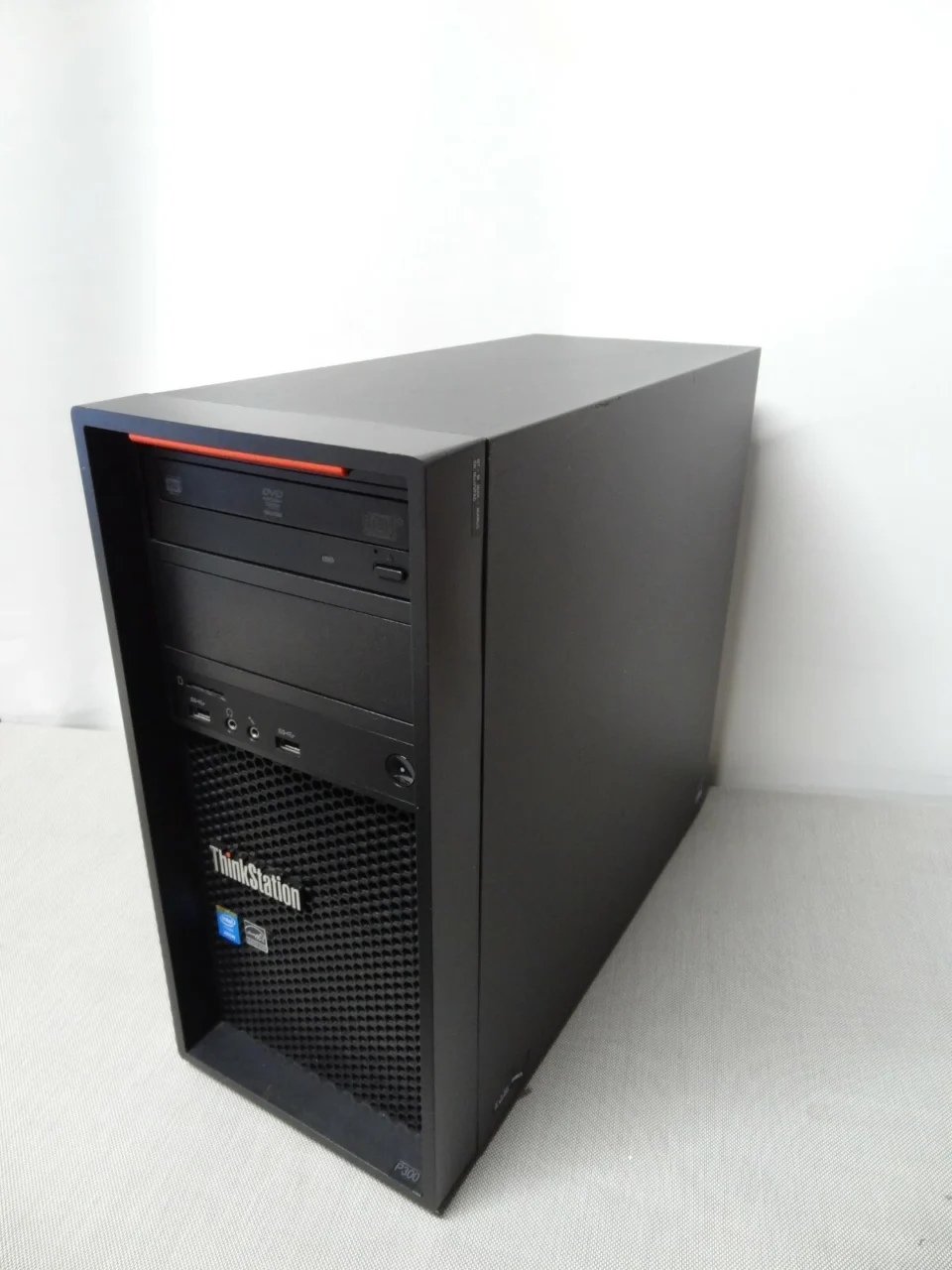
Looking for a reliable, affordable desktop workstation for your business, office, school, or professional workspace? The Lenovo ThinkStation P300 Tower Xeon E3-1226 v3 with 8GB RAM and a 500GB HDD is a practical computing solution for users who need dependable desktop performance for everyday productivity, business applications, and professional workloads. At Lansotech Solutions, we help businesses and individuals in Kenya find suitable computing equipment that balances performance, functionality, and affordability.
The Lenovo ThinkStation P300 Tower is part of Lenovo’s professional workstation range, designed for demanding office environments and technical applications. With its Intel Xeon E3-1226 v3 processor, 8GB of RAM, and 500GB hard disk drive, this desktop workstation provides a foundation for everyday computing, office administration, document processing, data management, and other productivity-focused tasks.
Whether you are equipping a growing business, upgrading an existing office computer, setting up a computer laboratory, or looking for a dependable desktop for home use, the Lenovo ThinkStation P300 Tower offers a practical option worth considering.
Before purchasing a workstation, it is important to understand its specifications and how they relate to your daily computing requirements. The Lenovo ThinkStation P300 Tower combines an Intel Xeon processor with standard memory and storage capacity to support a range of business and professional applications.
| Feature | Specification |
|---|---|
| Brand | Lenovo |
| Product Series | ThinkStation P300 |
| Computer Type | Tower Workstation |
| Processor | Intel Xeon E3-1226 v3 |
| Processor Speed | 3.30GHz base frequency |
| Installed Memory | 8GB RAM |
| Storage Capacity | 500GB HDD |
| Storage Type | Mechanical hard disk drive |
| Form Factor | Tower desktop |
| Primary Use | Business, office, education, and professional computing |
| Availability | Contact Lansotech Solutions for current stock |
| Price | Contact Lansotech Solutions for the latest price |
The Lenovo ThinkStation P300 Tower is a professional desktop workstation developed for users who need a dependable computer for workplace productivity and technical computing. Unlike a typical entry-level home desktop, a workstation is designed around professional use cases, including business operations, technical applications, and multitasking in structured work environments.
Its tower design offers practical advantages for office installations and users who may need to expand or service their computers over time. Depending on the installed configuration, a tower workstation may provide access to internal storage bays, memory slots, expansion slots, and other components that support future upgrades.
For businesses, these characteristics can make a workstation a useful long-term investment. Instead of replacing an entire desktop whenever computing needs change, users may be able to improve storage performance, increase memory, or add compatible expansion hardware.
At Lansotech Solutions, we understand that different businesses require different computing capabilities. The ThinkStation P300 is worth considering for organisations that prioritise practical functionality, desktop reliability, and a professional computing platform.
One of the defining features of the Lenovo ThinkStation P300 is its Intel Xeon E3-1226 v3 processor running at a base frequency of 3.30GHz. This processor belongs to Intel’s fourth-generation Xeon E3-1200 v3 family and is based on the Haswell microarchitecture.
The Xeon E3-1226 v3 features four physical cores and four threads, with Intel Turbo Boost technology supporting higher operating frequencies under suitable conditions. Its maximum turbo frequency is up to 3.70GHz, depending on workload, system configuration, and operating conditions.
For everyday office tasks, this processor can provide useful computing performance for applications such as word processing, spreadsheets, email, web browsing, accounting software, inventory systems, and business management tools.
The processor is also suitable for many routine professional workloads, including document preparation, data entry, administrative operations, and running compatible business applications. Actual performance depends on the software being used, the operating system, available memory, storage speed, and overall system condition.
Although the Intel Xeon E3-1226 v3 was designed for professional computing environments, it is an older processor generation. We therefore recommend evaluating the requirements of modern applications before selecting this workstation for specialised or performance-intensive workloads.
The Lenovo ThinkStation P300 configuration includes 8GB of RAM, providing memory for everyday desktop activities and many standard business applications.
Random Access Memory, commonly known as RAM, allows a computer to keep active programs and working data readily available while the processor performs tasks. Sufficient memory helps maintain a responsive experience when working with office documents, browsing the internet, using accounting software, and managing routine administrative processes.
For small businesses, 8GB RAM can be a practical starting point for everyday productivity. It may support simultaneous use of common applications, although performance will depend on the number of programs open, the size of working files, and the memory requirements of the software.
Users who regularly work with large spreadsheets, complex datasets, virtual machines, professional design applications, or many browser tabs may benefit from additional memory.
Before upgrading, we recommend checking the workstation’s motherboard specifications, supported memory type, installed module arrangement, and maximum supported capacity. The appropriate upgrade depends on the exact system configuration.
For businesses planning to use the computer for several years, evaluating memory requirements early can help avoid unnecessary interruptions and support a more efficient working environment.
The workstation comes with a 500GB hard disk drive (HDD), providing storage space for business documents, spreadsheets, presentations, software, images, and other digital files.
A 500GB HDD can accommodate a useful collection of everyday work files, depending on their size and the amount of space occupied by the operating system and installed applications. It is suitable for many office environments where documents, administrative records, and standard business software make up the majority of stored data.
However, a traditional hard disk drive uses mechanical components to read and write information. As a result, it is generally slower than a solid-state drive (SSD), particularly when starting the operating system, launching applications, or opening numerous files.
One worthwhile upgrade is replacing the existing HDD with a compatible SSD. An SSD can significantly improve boot times, application loading, and general system responsiveness. The actual improvement depends on the SSD, operating system, and condition of the workstation.
The original HDD may also be retained as secondary storage if the system supports the necessary configuration and the drive is healthy. Before purchasing an upgrade, confirm the available drive interfaces, mounting options, and compatibility with the particular P300 unit.
Choosing the right office computer involves more than comparing processor speeds. Businesses also need to consider reliability, compatibility, storage, maintenance, and the type of work employees perform daily.
The Lenovo ThinkStation P300 Tower offers several practical advantages for suitable business environments.
The combination of a quad-core Intel Xeon processor and 8GB RAM provides a foundation for routine productivity tasks. Employees can use compatible office applications, create documents, prepare spreadsheets, manage email, and access browser-based business platforms.
For organisations that need desktop computers for administrative departments, reception desks, customer service operations, and general office work, this configuration may meet basic computing requirements.
The ThinkStation product family is associated with professional desktop computing. The P300 Tower form factor is useful for workplaces that prefer conventional desktop installations rather than compact systems with limited internal space.
The tower format may also simplify maintenance and component replacement, depending on the system configuration and the availability of compatible replacement parts.
A desktop workstation can offer more flexibility than some compact computers. Depending on the motherboard and installed components, the P300 may support memory expansion, storage upgrades, and compatible PCIe expansion cards.
These options can help businesses adapt an existing computer to changing needs. Nevertheless, compatibility should always be confirmed before buying additional components.
Many organisations need computers primarily for productivity rather than high-end graphics or intensive computing. The P300 can be considered for activities such as preparing reports, processing invoices, updating inventory records, managing customer information, and performing general office administration.
Its suitability will depend on the software requirements and the condition of the individual unit.
The desktop tower design is appropriate for traditional office setups with dedicated desk space. It can be installed alongside standard monitors, keyboards, mice, printers, and other compatible peripherals.
Before purchasing, users should confirm the available display outputs, connectivity options, and included accessories to ensure that the workstation fits their intended workspace.
The Lenovo ThinkStation P300 Tower is best evaluated according to the work it needs to perform. Its specifications make it a potential choice for several everyday computing environments.
Businesses can use a suitable P300 configuration for administrative work, preparing documents, maintaining spreadsheets, handling email, and accessing web-based systems.
It may also be useful for staff who work with invoicing platforms, customer databases, stock management applications, and other compatible business software.
For offices purchasing multiple desktop computers, we recommend checking each unit’s configuration, condition, warranty coverage, and compatibility with the organisation’s existing IT infrastructure.
Educational institutions require computers for research, typing practice, online learning, administrative tasks, and basic computer training.
The ThinkStation P300 may be suitable for these activities where the installed operating system and applications remain supported and the system meets the institution’s security requirements.
Schools and training centres should also consider whether the workstation supports the necessary educational software and whether its graphics, networking, and display connections match the intended classroom setup.
The Xeon E3-1226 v3 processor and 8GB RAM may provide a workable foundation for routine accounting, bookkeeping, payroll administration, and data entry using compatible software.
For applications involving large datasets or multiple simultaneous users, memory capacity and storage performance should be assessed carefully. A compatible SSD upgrade may also improve responsiveness.
The workstation can be considered for home office activities, including document preparation, video meetings using compatible peripherals, internet research, email, and standard productivity applications.
Users should verify that the system meets the minimum requirements of their preferred conferencing software, particularly if they intend to use demanding video features.
The P300’s workstation heritage makes it relevant to users exploring technical computing, development environments, and certain professional applications.
However, application compatibility and graphics requirements vary considerably. Users working with modern 3D modelling, advanced rendering, complex simulation, or demanding computer-aided design software should check the exact graphics hardware, supported drivers, memory requirements, and processor performance before purchase.
The ability to run modern software depends on the operating system, hardware configuration, application requirements, and vendor support.
Many general-purpose desktop applications can run on older hardware when their minimum requirements are met. However, a computer that performs adequately with basic office software may struggle with demanding modern applications or workloads that require substantial memory and graphics processing.
The ThinkStation P300 platform also predates current operating systems and security requirements. Users should verify operating system compatibility before deployment.
In particular, the fourth-generation Intel Xeon E3-1226 v3 is not on Microsoft’s official list of supported processors for Windows 11. Buyers who require an officially supported Windows 11 computer should consider a newer workstation or desktop platform.
A compatible Linux distribution may be an alternative for certain users, depending on the required applications, hardware support, and technical expertise.
For business use, we recommend prioritising a supported operating system, current security updates, reliable backups, and compatibility with essential applications rather than relying on processor specifications alone.
Storage is one of the most important factors affecting the day-to-day responsiveness of an older desktop computer.
The standard 500GB HDD provides useful storage capacity, but upgrading to an SSD can offer a noticeable improvement in everyday performance.
| Feature | 500GB HDD | Compatible SSD |
|---|---|---|
| Storage technology | Mechanical disk | Flash memory |
| Boot times | Generally slower | Generally faster |
| Application loading | Slower in many cases | Faster in many cases |
| Moving parts | Yes | No moving parts |
| Shock resistance | Generally lower | Generally higher |
| Storage capacity | 500GB in this configuration | Depends on the selected drive |
| Upgrade consideration | Existing configuration | Check interface and compatibility |
An SSD upgrade does not change the age of the processor or automatically increase RAM. Nevertheless, it can reduce waiting time during startup, application loading, and file access.
For a workstation used daily, this upgrade may be worth considering if the existing HDD is slow, heavily used, or approaching the end of its service life. Important files should be backed up before replacing or migrating storage.
Before purchasing a Lenovo ThinkStation P300 Tower, we recommend verifying the specific unit rather than relying exclusively on its model name.
Check the following items:
These checks help buyers select a workstation that fits their needs and reduces the risk of unexpected upgrade or compatibility costs.
The Lenovo ThinkStation P300 Tower can be a practical choice for users who need a desktop computer for everyday productivity and compatible professional applications.
Its Intel Xeon E3-1226 v3 processor offers four physical cores, while the 8GB RAM and 500GB HDD provide a basic configuration for common office tasks. Its tower design may also provide useful maintenance and upgrade options.
However, value depends on the selling price, physical condition, hardware configuration, warranty, and intended workload. Since this is an older workstation platform, buyers should weigh the purchase cost against the benefits of a newer computer with faster storage, more memory, improved energy efficiency, and broader operating system support.
For basic office tasks, administration, and educational use, the P300 may be worth considering if it is offered at a competitive price and meets the user’s software requirements.
For demanding graphics work, intensive multitasking, or applications requiring officially supported modern hardware, a newer workstation may be a better long-term investment.
At Lansotech Solutions, we support businesses, professionals, educational institutions, and individual customers looking for suitable IT equipment in Kenya.
If you are interested in the Lenovo ThinkStation P300 Tower with Intel Xeon E3-1226 v3, 8GB RAM, and 500GB HDD, contact our team to confirm current availability, pricing, condition, warranty details, and the specifications of the available unit.
We encourage customers to identify their intended applications and future upgrade requirements before making a purchase. This allows us to help them evaluate whether the ThinkStation P300 is suitable for their computing needs.
Whether you need a workstation for general office productivity, business administration, education, or compatible technical applications, selecting the right configuration can help you make a more informed purchasing decision.
The configuration featured here uses the Intel Xeon E3-1226 v3 processor, which has four physical cores, four threads, a 3.30GHz base frequency, and a maximum turbo frequency of up to 3.70GHz.
The listed configuration includes 8GB RAM. Depending on the motherboard and existing memory arrangement, the workstation may support additional memory. Check the exact system specifications before upgrading.
This configuration includes a 500GB HDD for storing documents, applications, and other files. Buyers interested in faster performance may consider a compatible SSD upgrade.
Yes, it may be suitable for routine office tasks such as word processing, spreadsheets, email, internet browsing, accounting, and administrative applications, provided the software requirements are met.
Potential upgrades include additional memory, storage improvements, and certain compatible expansion cards. Exact options depend on the motherboard, power supply, chassis configuration, and available connections.
The Intel Xeon E3-1226 v3 is not on Microsoft’s official Windows 11 supported processor list. Buyers who require officially supported Windows 11 hardware should consider a newer platform or verify alternative operating system requirements.
It may run some older or less demanding games, depending on its graphics hardware and the game’s requirements. It should not be assumed to deliver modern gaming performance, particularly if it lacks a suitable dedicated graphics card.
The workstation may support basic design tasks with compatible software, but suitability depends on the graphics hardware, available RAM, and application requirements. Demanding 3D design and rendering workloads may require a more modern system.
The price depends on current stock, physical condition, installed components, and warranty coverage. Contact Lansotech Solutions for the current price and availability rather than relying on an outdated listing.
The Lenovo ThinkStation P300 Tower Xeon E3-1226 v3 with 8GB RAM and a 500GB HDD is a professional desktop workstation worth considering for basic business computing, administrative tasks, education, and compatible productivity applications.
Its quad-core Intel Xeon processor, standard memory configuration, and tower form factor provide a useful starting point for everyday computing. A compatible SSD and additional RAM may improve the experience where the existing hardware supports these upgrades.
As an older workstation, it should be evaluated carefully against current software support, security requirements, and the demands of modern applications.
For customers in Kenya, Lansotech Solutions is a point of contact for enquiries about this workstation and other IT equipment. Contact our team to confirm availability, current pricing, specifications, and warranty information before purchasing.
Choose a workstation that matches your workload, budget, and long-term computing requirements with Lansotech Solutions.
 Laptop Computers
 Desktop Computers
 Desktop peripherals
 Laptop Accessories
 Laptop Components
 Network
 Printers
 Server
 Software
No account yet?
Create an Account






