






 Laptop Computers
 Desktop Computers
 Printers
 Network
 Software
 Laptop Accessories
 Laptop Components
 Office
 Desktop peripherals

Hurry and get discounts on all Apple devices up to 20%
Sale_coupon_15
KSh15,000.00 excl. VAT
Payment Methods:

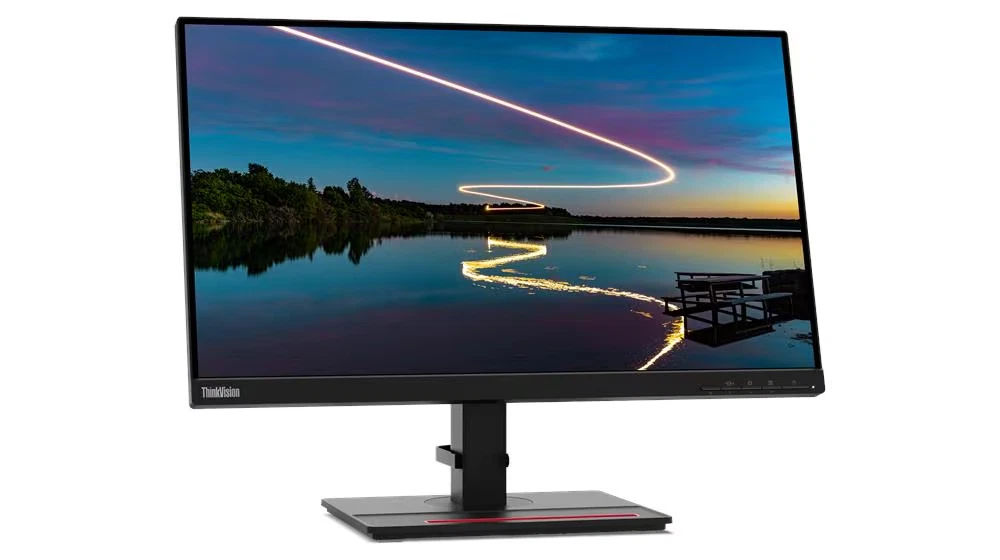
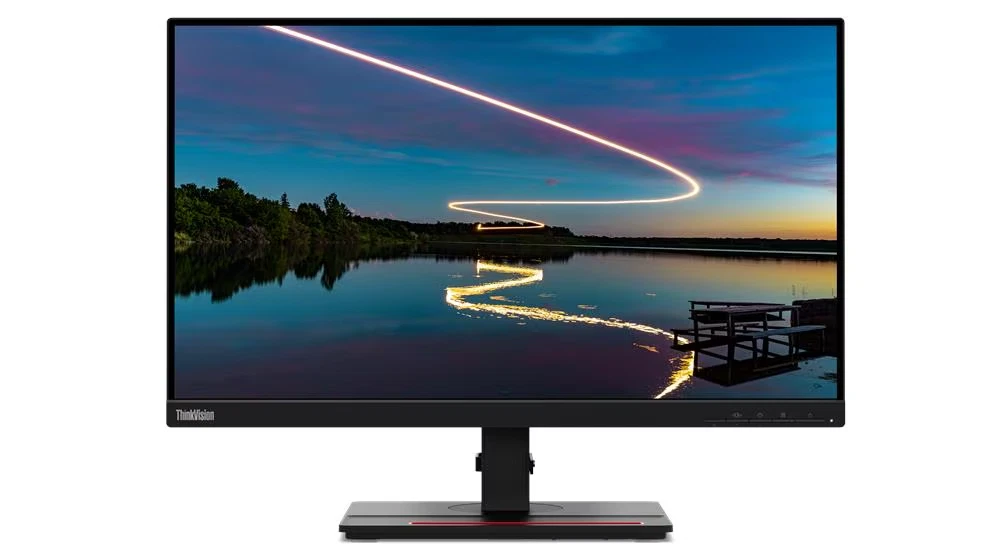
The Lenovo ThinkVision T24m-20 is a strong choice for professionals who need a dependable display with advanced connectivity and ergonomic flexibility. Its 23.8-inch IPS screen provides a Full HD resolution of 1920 × 1080 pixels, making it suitable for everyday office tasks, business applications, and online collaboration.
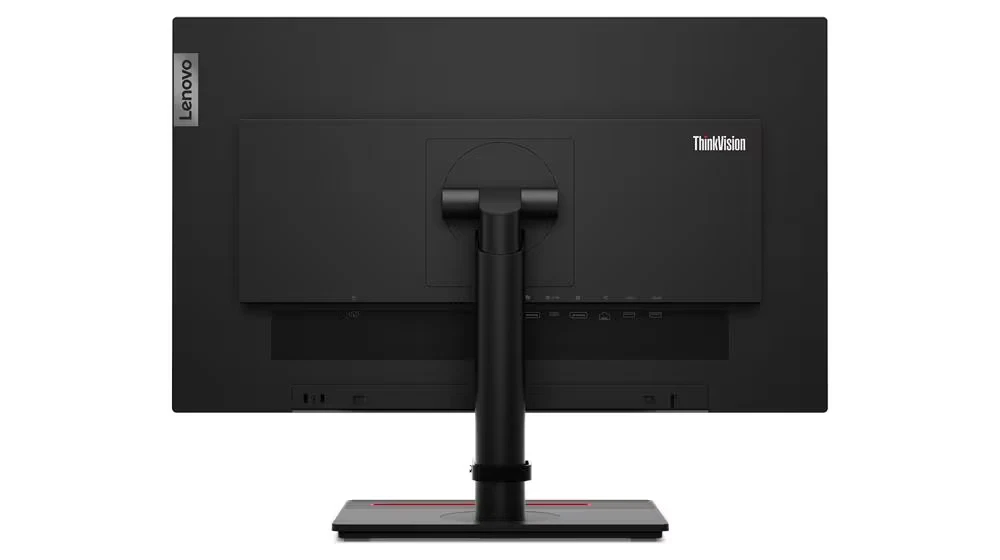
One of its main advantages is its USB Type-C docking functionality. When connected to a compatible laptop, a single USB-C cable can carry video, data, and power delivery of up to 90W. The monitor also includes an Ethernet port, a USB hub, and DisplayPort output for compatible multi-monitor arrangements.
These features make the ThinkVision T24m-20 more than a standard office screen. It can serve as a central connection point for a workstation, helping reduce cable clutter and making it easier to connect essential peripherals.
The monitor features a 23.8-inch IPS panel with a native resolution of 1920 × 1080 pixels and a 16:9 aspect ratio. This combination provides clear text, detailed images, and a practical viewing area for documents, spreadsheets, presentations, and video content.
Its three-sided NearEdgeless design gives the screen a modern appearance. The slim bezels are particularly useful for users who want to place two monitors side by side with less visual separation.
The USB Type-C port supports DisplayPort 1.2 Alternate Mode, data transfer, and power delivery of up to 90W for compatible devices. This allows supported laptops to connect to the monitor through a single cable for a cleaner workstation setup.
Actual charging power depends on the connected laptop, monitor configuration, and connected peripherals. Users should check their laptop’s USB-C capabilities before relying on this feature.
The integrated RJ-45 Ethernet port supports 10/100/1000 Mbps network connections. This is useful for business environments where a wired network connection is preferred for reliability and consistent access to company resources.
By connecting a compatible laptop through the monitor’s USB-C interface, users can also simplify access to network connectivity at their desks.
The ThinkVision T24m-20 includes four USB 3.2 Gen 1 downstream ports, including one with BC 1.2 charging support. These ports can accommodate compatible peripherals such as keyboards, mice, USB storage devices, and other accessories.
Using the monitor as a USB hub helps reduce the need to connect every accessory directly to a laptop, particularly when working with a limited number of available ports.
In addition to HDMI and DisplayPort inputs, the monitor includes a DisplayPort output for compatible daisy-chain configurations. This makes it possible to connect another supported monitor through DisplayPort Multi-Stream Transport (MST), subject to the computer’s graphics capabilities and display configuration.
This feature is useful for professionals who need additional screen space for comparing documents, managing spreadsheets, or working across several applications.
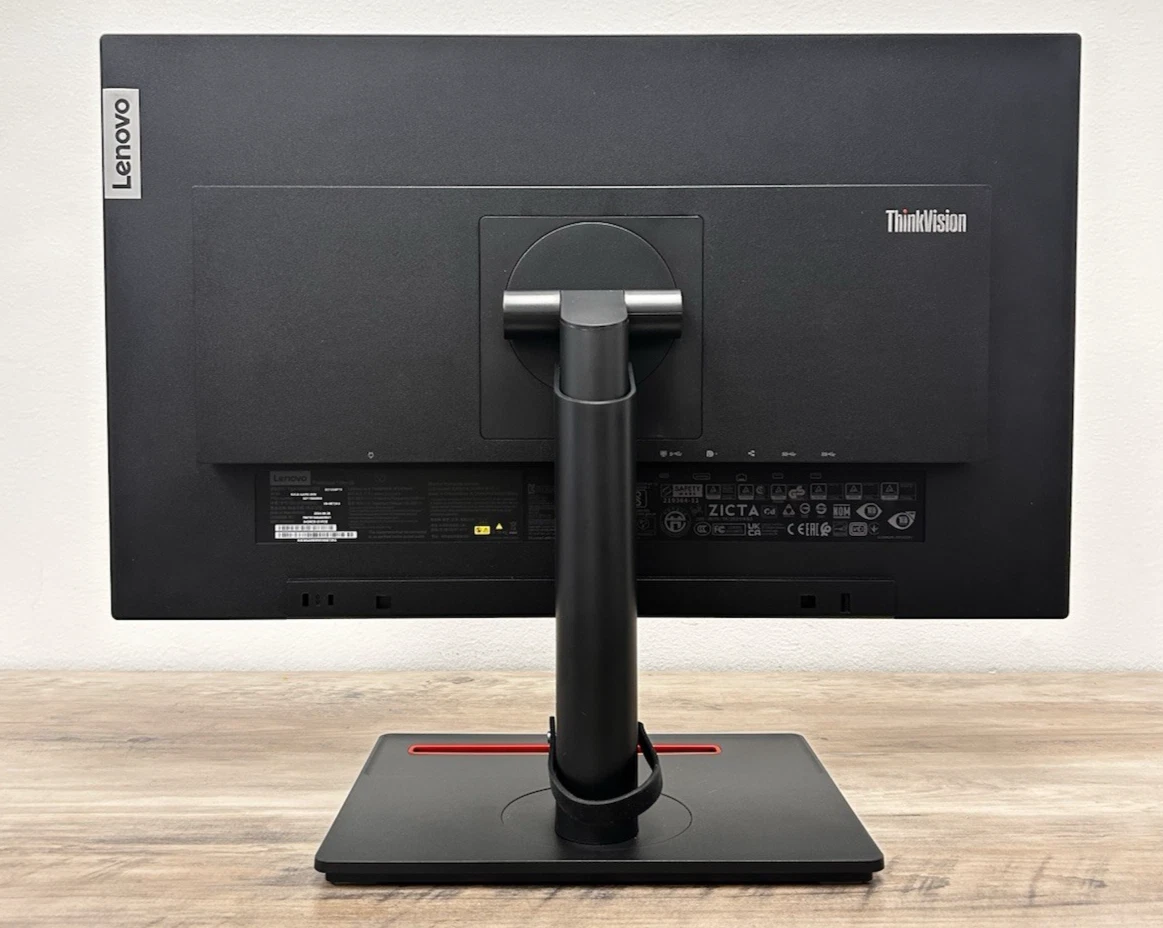
The monitor’s stand supports height adjustment of up to 150 mm, tilt, swivel, and pivot. Users can raise or lower the screen, adjust its angle, or rotate it into portrait orientation when working with long documents or code.
It also supports VESA 100 × 100 mm mounting, allowing installation on a compatible monitor arm or wall mount. Built-in cable management helps keep the workstation organised.
The anti-glare screen helps minimise distracting reflections, while Lenovo lists flicker-free and low-blue-light features among the monitor’s eye-comfort technologies. These features can support a more comfortable viewing experience during regular work sessions.
For best results, users should also adjust screen brightness to match their surroundings, maintain a comfortable viewing distance, and take regular breaks.
The Lenovo ThinkVision T24m-20 is well suited to:
This monitor is primarily designed for productivity and business use. Users who need a higher resolution or specialised gaming performance may prefer a different display category.
Looking for the Lenovo ThinkVision T24m-20 24-inch Full HD monitor in Kenya? Contact Lansotech Solutions to enquire about current pricing, stock availability, warranty coverage, and delivery options.
Its IPS display, USB-C docking functionality, Ethernet connectivity, USB hub, and ergonomic stand make it a useful choice for upgrading a professional workstation. Before purchasing, confirm the exact model specifications and included accessories with your supplier.
 Laptop Computers
 Desktop Computers
 Desktop peripherals
 Laptop Accessories
 Laptop Components
 Network
 Printers
 Server
 Software
No account yet?
Create an Account






