






 Laptop Computers
 Desktop Computers
 Printers
 Network
 Software
 Laptop Accessories
 Laptop Components
 Office
 Desktop peripherals

Hurry and get discounts on all Apple devices up to 20%
Sale_coupon_15
KSh19,000.00 excl. VAT
Payment Methods:

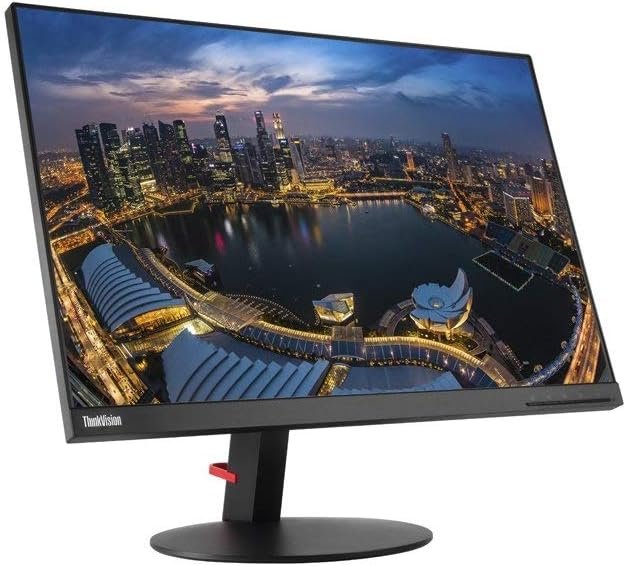
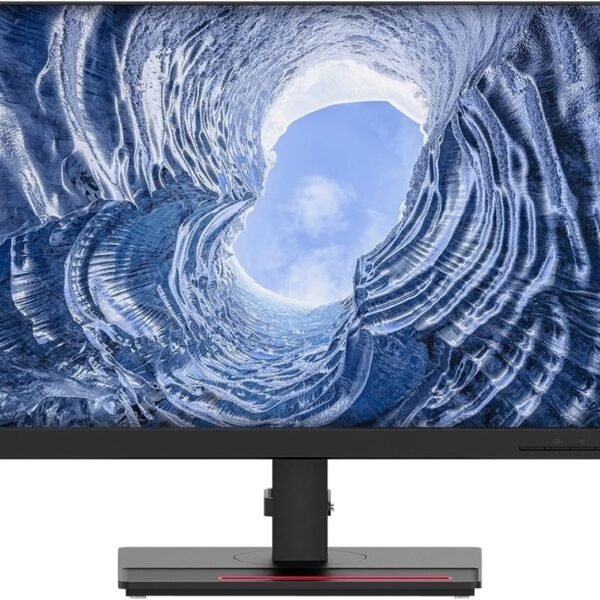
The Lenovo ThinkVision T27i-10 Full HD 27-Inch Monitor is a business-focused display designed for everyday office productivity, professional multitasking, and comfortable desktop computing. Featuring a 27-inch Full HD IPS panel, multiple video inputs, an integrated USB hub, and an adjustable stand, it offers useful features for organisations looking to equip employees with reliable desktop displays.
Whether you are setting up a corporate office, upgrading workstations, equipping an administrative department, or creating a productive home office, this Lenovo ThinkVision monitor provides a practical combination of screen space, connectivity, and ergonomic flexibility.
For organisations that need a dependable monitor for spreadsheets, business applications, documents, email, web-based platforms, and virtual collaboration, the T27i-10 is worth considering.
The Lenovo ThinkVision T27i-10 features a 27-inch IPS display with a Full HD resolution of 1920 × 1080 pixels. Its 16:9 aspect ratio provides a familiar widescreen layout for business software, presentations, online meetings, and everyday computing tasks.
The IPS panel supports 178-degree horizontal and vertical viewing angles, helping maintain consistent-looking images when viewed from different positions. The anti-glare screen surface is also useful in typical office environments where overhead lighting or nearby windows may cause reflections.
With a typical brightness of 250 nits and a 1000:1 contrast ratio, the monitor is designed for standard indoor office use. Its 60Hz refresh rate is suitable for routine business workloads, while its compact side bezels help create a clean, modern workstation appearance.
The 27-inch screen offers a generous viewing area for working with business documents, spreadsheets, presentations, dashboards, and multiple application windows. Compared with smaller desktop displays, the larger screen can make it easier to organise frequently used tools and keep reference material visible while working.
The 1920 × 1080 Full HD resolution provides a standard desktop format that works well with everyday office applications. It is suitable for administrative tasks, customer service, data entry, business communication, and general productivity.
Organisations should note that Full HD on a 27-inch screen offers less pixel density than QHD or 4K displays of the same size. Users who regularly work with highly detailed graphics, fine text, or large technical drawings may prefer a higher-resolution monitor.
The In-Plane Switching (IPS) panel delivers wide 178-degree viewing angles in both horizontal and vertical directions. This is useful in workplaces where employees may need to review information with colleagues or view content from different seating positions.
IPS technology is well suited to common office applications because it supports consistent image presentation across a broad viewing area. The monitor also supports up to 16.7 million colours and a stated 72% NTSC colour gamut.
For general business documents, presentations, online research, and standard productivity software, these display characteristics provide a practical foundation. However, professionals who require highly accurate colour reproduction for advanced photo editing or colour-critical design should assess a monitor specifically designed for those workflows.
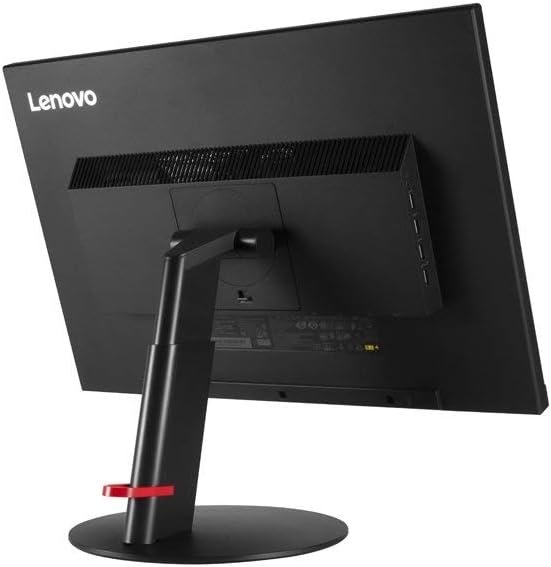
The ThinkVision T27i-10 includes several video input options, helping organisations connect it to different generations of desktop computers and compatible laptops.
Its available connections include:
This range of connections is particularly useful for organisations operating mixed IT environments. For example, a business may have newer computers using HDMI or DisplayPort alongside older systems that still rely on VGA.
The USB hub can also help reduce the need to reach around a computer tower to connect accessories. The upstream USB connection must be connected to the computer for the downstream USB ports to function as a hub.
Ergonomics matter when employees spend extended periods working at a desk. The Lenovo ThinkVision T27i-10 includes an adjustable stand designed to help users position the screen to suit their workstation.
Its ergonomic adjustments include:
These adjustments make it easier to position the monitor at a comfortable viewing height and angle. Portrait orientation can also be useful for reading long documents, reviewing code, and working with vertically arranged content.
The monitor supports 100 × 100mm VESA mounting, allowing organisations to consider compatible monitor arms or wall-mounting solutions where appropriate.
The anti-glare screen helps reduce distracting reflections in everyday office lighting. This can be beneficial in open-plan offices, shared workspaces, and rooms with overhead lighting.
The T27i-10 also carries TÜV Rheinland Eye Comfort Certification, as listed in Lenovo’s product specifications. These features support a more practical viewing experience for routine desktop work, although they do not eliminate eye fatigue. Appropriate screen positioning, suitable lighting, regular breaks, and comfortable text sizes remain important.
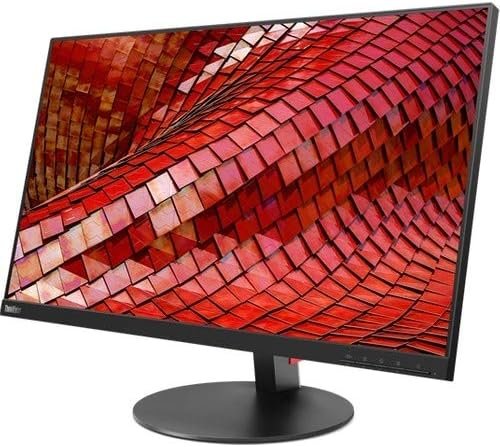
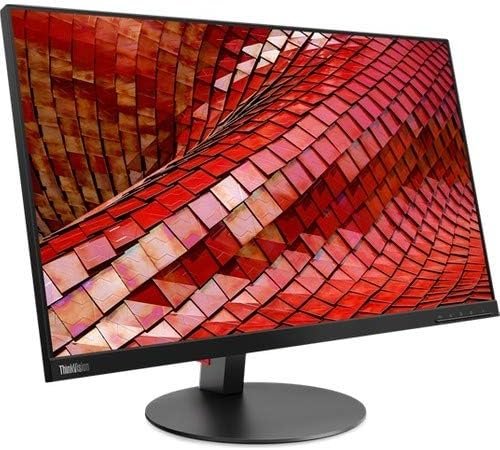
The ThinkVision T27i-10 has a professional black finish and slim side bezels measuring approximately 2mm. Its understated design fits naturally into corporate offices, reception areas, administrative departments, and home workstations.
Cable management helps keep the desk area organised, while the monitor’s optional modular soundbar support gives businesses an additional audio accessory option where compatible.
The monitor does not have built-in speakers listed in its standard specifications, so organisations requiring integrated audio should plan for compatible external audio equipment.
Choosing monitors for a business involves more than screen size. Organisations need to consider employee productivity, device compatibility, workstation ergonomics, maintenance, and the cost of equipping multiple desks.
The Lenovo ThinkVision T27i-10 offers several practical advantages for these requirements.
The 27-inch screen provides ample room for standard business applications, including word processors, spreadsheets, accounting software, customer relationship management platforms, email clients, and web-based systems.
Employees can benefit from the larger viewing area when comparing documents, monitoring business dashboards, or referencing information while completing tasks.
The combination of HDMI, DisplayPort, and VGA makes the monitor adaptable to a variety of compatible office computers. This can be particularly helpful for organisations upgrading equipment gradually rather than replacing every computer at once.
The USB hub adds further convenience for connecting supported peripherals, such as keyboards, mice, and USB accessories.
Height, tilt, swivel, and pivot adjustments make it easier to configure individual workstations. This flexibility is useful in shared offices, departments with different desk arrangements, and workplaces where employees have varying screen-position preferences.
With integrated cable management, slim side bezels, and VESA mounting support, the T27i-10 can contribute to a tidier workspace. Businesses using monitor arms or multi-monitor arrangements should verify desk space, mounting compatibility, and the required accessories before deployment.
The monitor’s Full HD resolution, IPS technology, anti-glare screen, and standard 60Hz refresh rate address the needs of many everyday business users without focusing on specialist gaming or high-end creative features.
For organisations purchasing displays in volume, its established business-oriented design and broad range of connection options may make it a useful candidate for standardised office workstations. Actual purchasing value will depend on the supplier’s price, stock condition, warranty terms, and available alternatives.
The Lenovo ThinkVision T27i-10 may be a suitable choice for:
It is less suitable for users who need 4K detail, high-refresh-rate gaming, or advanced colour accuracy for professional creative production. For these workloads, a more specialised display may be a better investment.
Before purchasing the Lenovo ThinkVision T27i-10 for an organisation, confirm that the available ports match the computers that will be connected to it. HDMI and DisplayPort are appropriate for many modern systems, while VGA can be useful for older equipment.
For laptop users, remember that this monitor does not provide USB-C video input or USB-C laptop charging. A laptop may therefore require an appropriate HDMI or DisplayPort connection, or a compatible adapter or docking station.
Organisations should also plan for audio requirements, cable routing, desk dimensions, and any external mounting hardware. Where monitors are being purchased in quantity, checking the warranty and support arrangements with the supplier can help simplify future maintenance.
The Lenovo ThinkVision T27i-10 Full HD 27-Inch Monitor is a practical business display that combines a spacious Full HD IPS panel with versatile connectivity and ergonomic adjustments. Its HDMI, DisplayPort, VGA, and USB hub options make it adaptable to a range of office environments, while its adjustable stand supports flexible workstation setup.
For businesses that prioritise everyday productivity, device compatibility, and straightforward workstation management, the T27i-10 is a sensible option to evaluate. Its 27-inch screen is well suited to common office applications, although organisations with higher-resolution requirements should compare it with QHD or 4K alternatives.
Overall, the Lenovo ThinkVision T27i-10 is worth considering for corporate offices, administrative teams, educational facilities, and home workstations that need a reliable monitor for standard professional tasks.
No account yet?
Create an Account







 ASUS
ASUS






