






 Laptop Computers
 Desktop Computers
 Printers
 Network
 Software
 Laptop Accessories
 Laptop Components
 Office
 Desktop peripherals

Hurry and get discounts on all Apple devices up to 20%
Sale_coupon_15
KSh12,000.00 excl. VAT
Payment Methods:

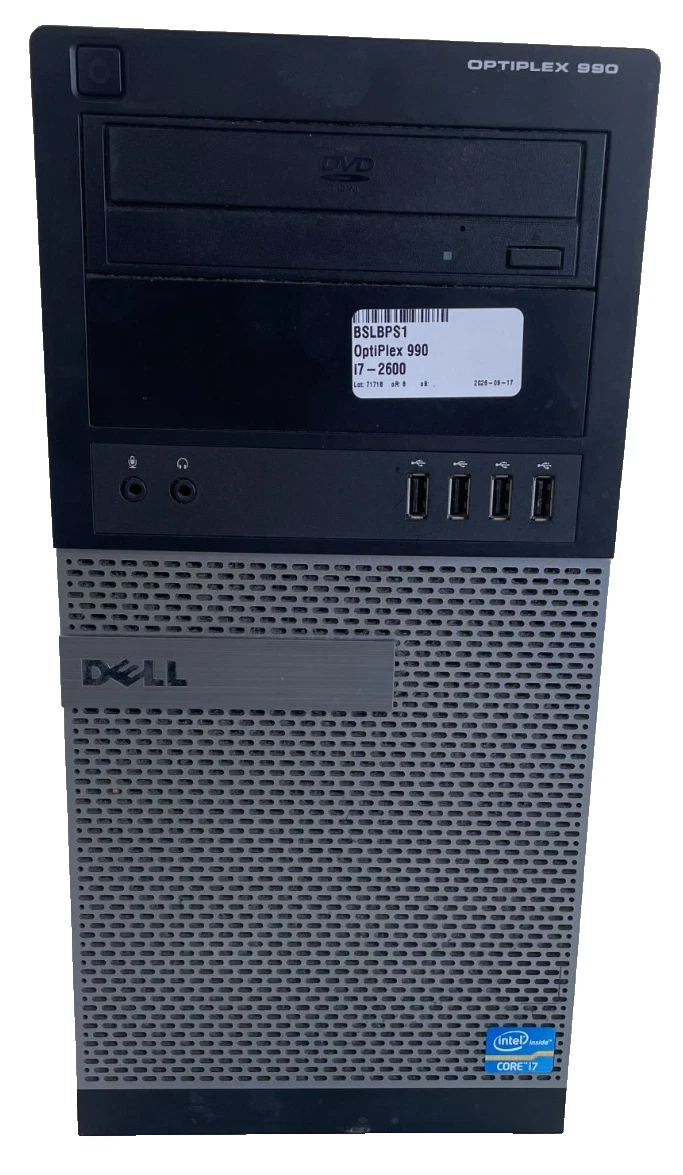
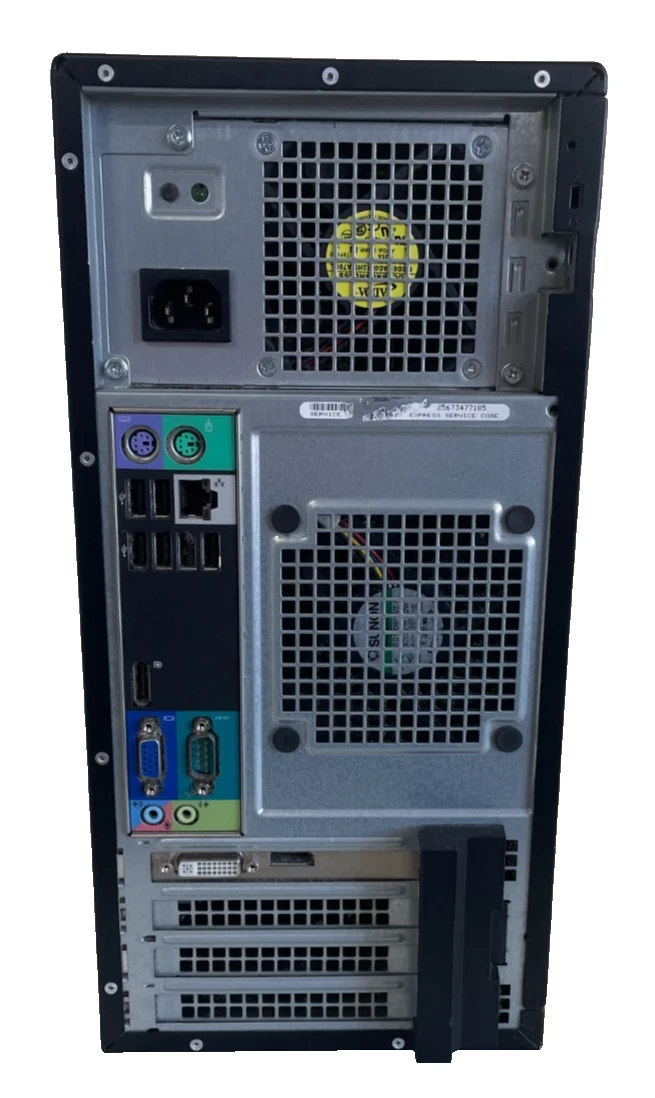
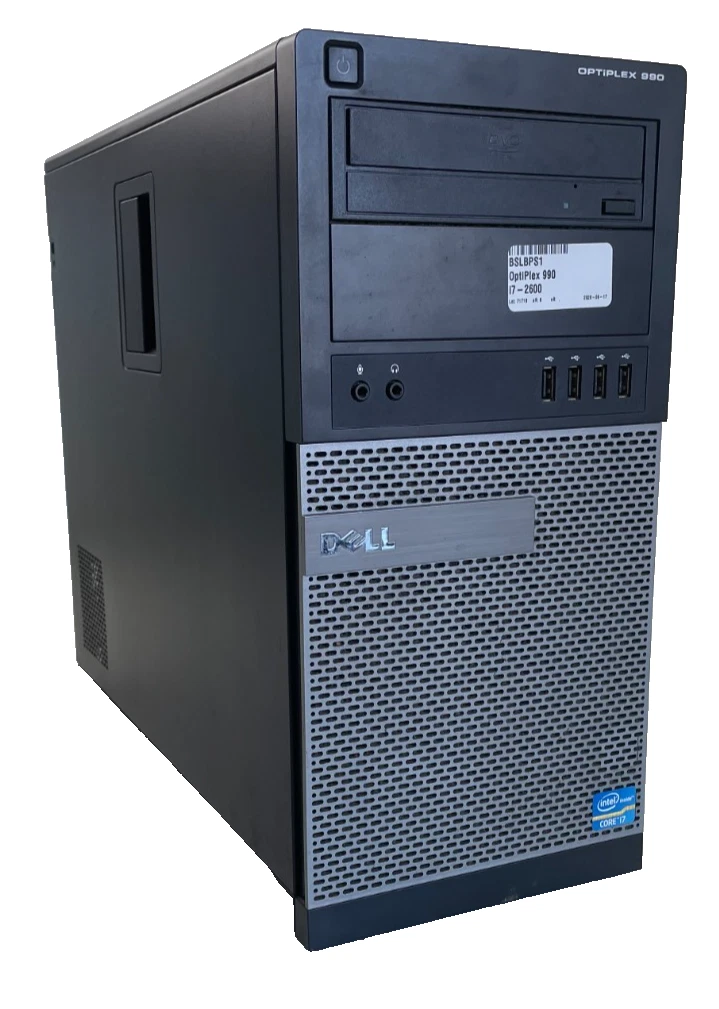
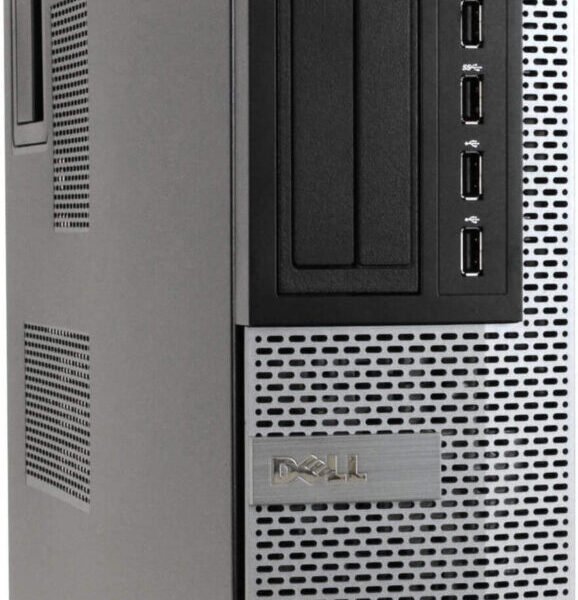
The Dell OptiPlex 990 Tower Core i7 desktop computer is a practical choice for businesses, offices, schools, and individuals looking for a desktop computer for everyday computing. Powered by an Intel Core i7-2600 processor running at 3.40GHz, with 8GB RAM and a 250GB HDD, this Dell desktop supports a range of routine productivity and administrative tasks.
At Lansotech Solutions, we help customers find suitable IT equipment for business operations, education, and personal use. The Dell OptiPlex 990 Tower offers a traditional desktop design, a quad-core processor, and upgrade possibilities that make it worth considering for basic office applications and compatible software.
If you are searching for a Dell OptiPlex 990 Tower in Kenya, this desktop is an option to evaluate for document processing, data entry, internet browsing, and general office productivity.
The Dell OptiPlex 990 Core i7-2600 features an Intel Core i7-2600 processor designed for desktop computing. This second-generation Intel Core processor has four physical cores, eight threads, a base frequency of 3.40GHz, and a maximum Turbo Boost frequency of up to 3.80GHz.
The processor can support many everyday computing tasks, including preparing documents, managing spreadsheets, browsing websites, handling emails, and running compatible business applications. Its four-core design and Hyper-Threading technology allow it to handle multiple processing tasks within the capabilities of this older platform.
For small businesses and offices that need computers for routine administrative activities, the Dell OptiPlex 990 may provide a practical computing solution. However, performance depends on the installed software, operating system, storage condition, and workload.
With 8GB RAM, the Dell OptiPlex 990 Tower provides memory for common office applications and basic multitasking. Users can work with documents, spreadsheets, web browsers, email applications, and compatible business software.
Adequate memory helps a computer manage active applications and data. For everyday office tasks, 8GB RAM can provide a reasonable starting point, although more demanding software and heavier multitasking may require additional memory.
Before upgrading the RAM, check the motherboard specifications and supported memory configuration to ensure compatibility.
The 250GB HDD provides storage space for business documents, spreadsheets, presentations, applications, and other digital files. It can suit users with basic storage needs who do not regularly handle large media files or extensive datasets.
The installed hard disk drive uses mechanical storage technology, which is generally slower than a solid-state drive. Users seeking faster startup times and improved application loading may consider replacing the HDD with a compatible SSD.
An SSD upgrade can improve everyday system responsiveness without changing the installed processor. Before upgrading, confirm drive compatibility and back up important data.
The Dell OptiPlex 990 Tower offers several practical features for users who need a conventional desktop computer.
The value of this desktop depends on its price, condition, configuration, and suitability for your intended workload.
The Dell OptiPlex 990 Tower can be considered for everyday office productivity, including word processing, spreadsheet management, email communication, and report preparation. It may also support compatible accounting, invoicing, inventory, and administrative applications.
Educational institutions may use this desktop for basic computer training, typing practice, research, and compatible learning applications. Suitability depends on the required software, operating system, and security requirements.
The Core i7 processor and 8GB RAM provide a foundation for routine data entry, maintaining records, updating spreadsheets, and processing administrative information.
For personal use, the Dell OptiPlex 990 can support everyday tasks such as browsing the internet, preparing documents, managing files, and playing compatible media.
Small businesses looking for desktop computers for reception areas, administrative departments, or other basic office roles may consider this configuration if it meets their software and performance requirements.
One advantage of a traditional tower desktop is the potential to upgrade selected internal components. Depending on the exact configuration, users may be able to improve storage, increase memory, or install compatible expansion cards.
Upgrading from HDD to SSD: A compatible SSD can improve system startup and application loading compared with the existing mechanical drive.
Increasing RAM: Additional memory may help with multitasking, provided the motherboard supports the required capacity and module configuration.
Checking Graphics Compatibility: The system’s installed graphics hardware and available expansion options should be verified before choosing software that requires dedicated graphics performance.
Before making any upgrades, confirm component compatibility, power requirements, physical dimensions, and the condition of the existing hardware.
The Dell OptiPlex 990 is an older desktop platform, so operating system compatibility should be considered before purchase.
The Intel Core i7-2600 is not on Microsoft’s official list of supported processors for Windows 11. Customers who require officially supported Windows 11 hardware should consider a newer desktop computer.
For business environments, we recommend selecting a supported operating system, maintaining current security updates, and using reliable backup solutions. These considerations are particularly important when handling business records, customer information, or other sensitive files.
At Lansotech Solutions, we help businesses, educational institutions, and individual customers find IT equipment suited to their computing requirements.
If you need a Dell OptiPlex 990 Tower Core i7-2600 with 8GB RAM and a 250GB HDD, contact our team to enquire about current availability, pricing, hardware condition, warranty coverage, and included accessories.
We recommend confirming the specifications and operating system before purchasing to ensure the desktop meets your requirements.
Lansotech Solutions – Your partner for practical IT solutions and business computing equipment in Kenya.

 Laptop Computers
 Desktop Computers
 Desktop peripherals
 Laptop Accessories
 Laptop Components
 Network
 Printers
 Server
 Software
No account yet?
Create an Account






