






 Laptop Computers
 Desktop Computers
 Printers
 Network
 Software
 Laptop Accessories
 Laptop Components
 Office
 Desktop peripherals
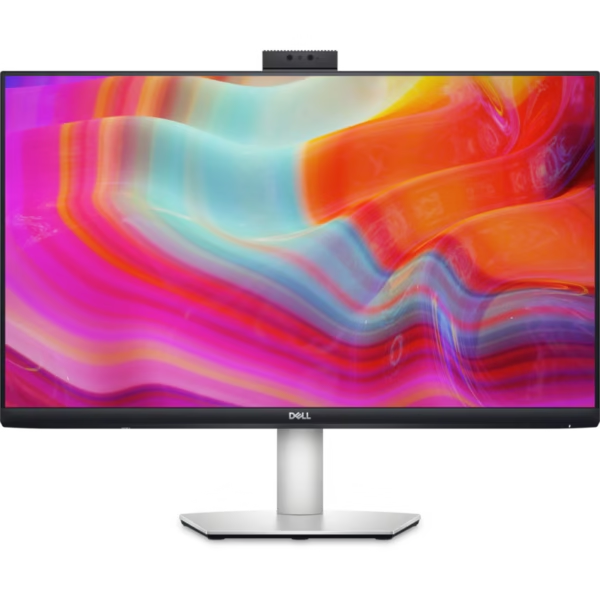
Brand: Dell
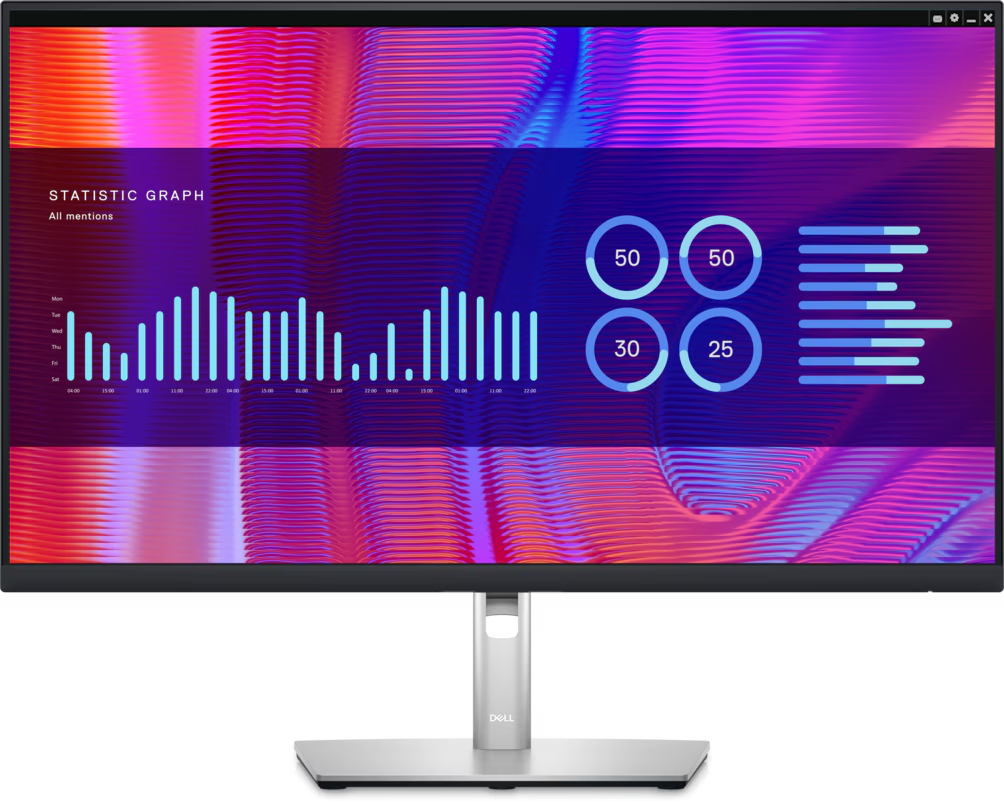
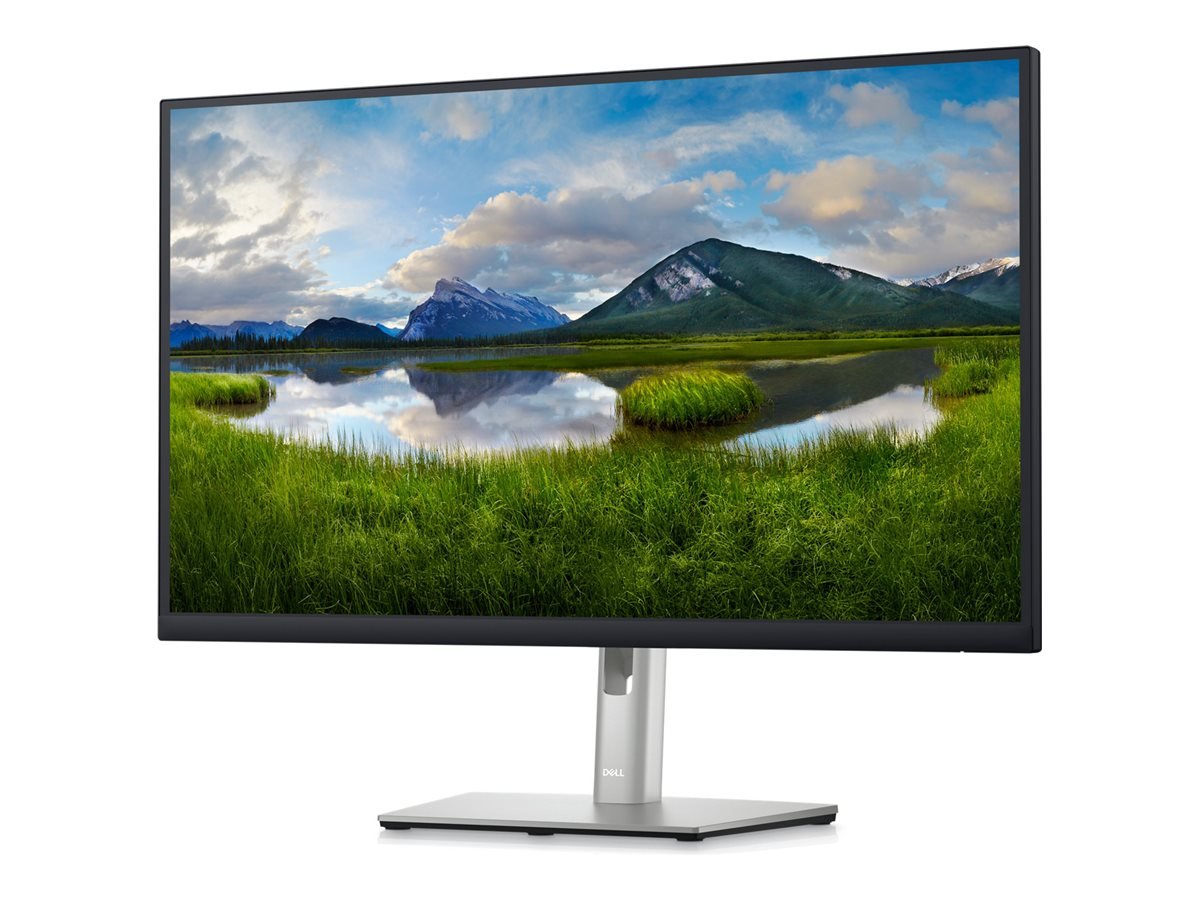
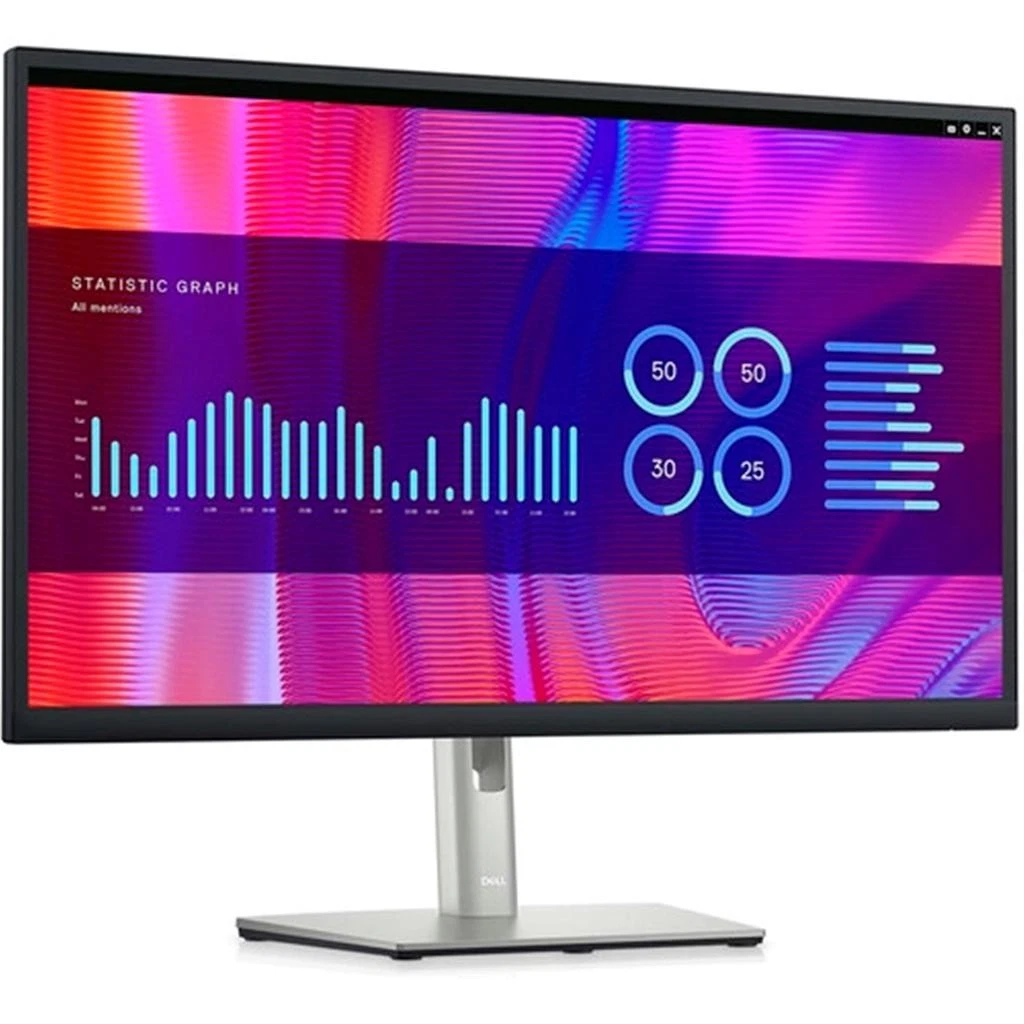
Model: P2723DE
Product Type: USB-C hub monitor
Screen Size: 27 inches
Viewable Screen Size: 26.96 inches
Display Resolution: 2560 × 1440 pixels (QHD)
Refresh Rate: 60Hz
Panel Technology: IPS
Aspect Ratio: 16:9
Pixel Density: 109 pixels per inch
Pixel Pitch: 0.2331 mm
Brightness: 350 cd/m²
Contrast Ratio: 1000:1
Colour Support: 16.7 million colours
Colour Gamut: 99% sRGB
Response Time: 5ms (Fast mode), 8ms (Normal mode)
Viewing Angles: 178° horizontal / 178° vertical
HDMI: 1 × HDMI 1.4
DisplayPort Input: 1 × DisplayPort 1.4
DisplayPort Output: 1 × DisplayPort with MST
Ethernet: 1 × RJ45 Gigabit Ethernet (1GbE)
Ergonomic Adjustments: Height, tilt, swivel, pivot
Height Adjustment: Up to 150 mm
Tilt Range: -5° to +21°
Swivel Range: -45° to +45°
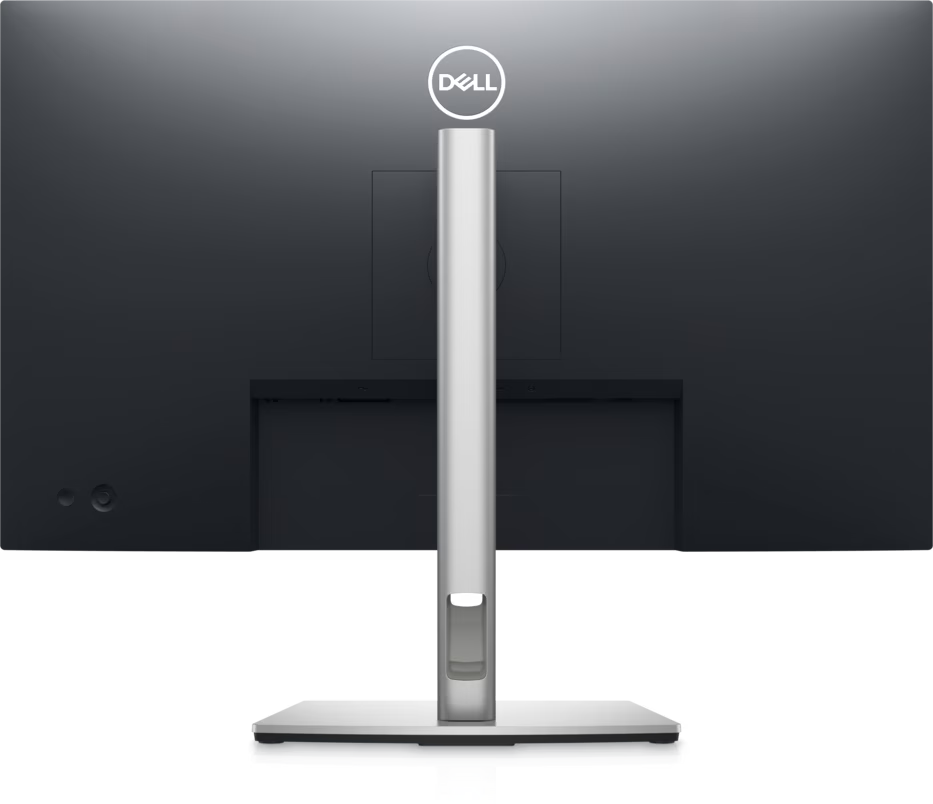
VESA Mounting: 100 × 100 mm
Eye Comfort: Dell ComfortView Plus
Power Consumption: Approximately 26W in on mode
Power Input: AC 100–240V, 50/60Hz

Hurry and get discounts on all Apple devices up to 20%
Sale_coupon_15
KSh27,000.00 excl. VAT
Payment Methods:

Choosing the right monitor can improve productivity, simplify connectivity, and create a more comfortable working environment. The Dell 27-Inch USB-C Hub Monitor (P2723DE) is designed for business professionals, office teams, and home-office users who need a spacious display with practical connectivity and ergonomic flexibility.
Featuring a 27-inch Quad HD (QHD) IPS display, this Dell monitor delivers a resolution of 2560 × 1440 pixels, offering more screen space than a standard Full HD display. Its USB-C connectivity supports video, data transfer, and up to 90W of power delivery to compatible laptops, helping reduce cable clutter on the desk. The integrated USB hub and Ethernet connection also make it useful for organised, productivity-focused workstations.
Whether you are upgrading an office workstation, connecting a laptop to a desktop-style setup, or equipping a professional workspace, the Dell P2723DE combines display quality with convenient connectivity. At Lansotech Solutions, you can explore computer monitors and other technology products for business and personal computing needs.
The Dell P2723DE features a 27-inch display with a QHD resolution of 2560 × 1440 pixels. This provides more workspace than Full HD resolution, making it easier to organise multiple windows, review detailed documents, and work with large spreadsheets.
The additional screen space is particularly useful for professionals who frequently switch between applications. Users can keep reference documents open alongside spreadsheets, emails, or browser windows, reducing the need to switch between tabs constantly.
For office productivity, business reporting, research, and general multitasking, the larger QHD workspace is one of this monitor’s main advantages.
The monitor uses In-Plane Switching (IPS) panel technology, which provides wide viewing angles and consistent colour reproduction. This makes it suitable for business applications, presentations, image viewing, and collaborative work.
With viewing angles of up to 178 degrees horizontally and vertically, the screen remains viewable from different positions. This can be useful when colleagues need to review information together or when the monitor is positioned in a shared workspace.
The IPS panel also supports clear text and balanced visuals for everyday office tasks, making the P2723DE a practical choice for users who spend extended periods working with digital content.
The 2560 × 1440 QHD resolution provides a detailed display for users who need more workspace and clarity.
Compared with a 1920 × 1080 Full HD monitor, QHD offers more pixels for displaying content. This is helpful when reviewing detailed spreadsheets, editing documents, managing business applications, and arranging multiple windows on the screen.
The higher resolution also supports sharp text and detailed images, making the monitor suitable for office productivity, research, programming, and general professional use.
One of the standout features of the Dell P2723DE is its USB-C connection with Power Delivery of up to 90W on compatible devices.
A single USB-C connection can carry video and data while supplying power to a compatible laptop. This can reduce the number of cables required on the desk and make it easier to connect or disconnect a laptop when moving between work locations.
The available power depends on the connected device and its charging requirements. Users should confirm that their laptop supports video output and charging through USB-C before relying on this feature.
The Dell P2723DE includes a built-in USB hub with four USB-A downstream ports. These provide convenient connections for compatible peripherals and accessories.
Users can connect devices such as keyboards, mice, USB storage devices, and other supported accessories, helping keep essential equipment accessible at the workstation.
By connecting frequently used peripherals through the monitor, users can create a more organised desk setup, particularly when working with a compatible laptop through USB-C.
The monitor includes an RJ45 Gigabit Ethernet port, allowing compatible systems to access a wired network through the monitor’s hub connection.
A wired network connection can be useful in business environments where stable connectivity is important for accessing shared files, cloud-based applications, internal systems, and online meetings.
When used with a compatible laptop and network setup, the Ethernet connection can reduce the need for a separate USB-to-Ethernet adapter. Network functionality depends on the connected computer, drivers, and configuration.
A comfortable workstation starts with a monitor that can be positioned to suit the user. The Dell P2723DE includes an adjustable stand that supports height, tilt, swivel, and pivot adjustments.
Height adjustment: Raise or lower the display to suit your seating position.
Tilt adjustment: Angle the screen for a comfortable viewing position.
Swivel adjustment: Turn the display to suit different desk arrangements.
Pivot adjustment: Rotate the monitor into portrait orientation for suitable tasks.
These adjustments are useful for office professionals, programmers, researchers, and anyone who spends significant time at a computer. Portrait orientation can be particularly convenient for viewing long documents, code, and vertically arranged content.
The Dell P2723DE includes ComfortView Plus, a low-blue-light screen feature designed to reduce blue-light emissions while maintaining colour accuracy.
This can be beneficial for users who regularly read documents, work with spreadsheets, or spend long periods using business applications. The display’s anti-glare coating also helps reduce reflections from surrounding light sources.
For a more comfortable workstation, users should adjust screen brightness to match the room, position the monitor to minimise glare, and take regular breaks during extended computer sessions.
The Dell P2723DE includes a DisplayPort output with Multi-Stream Transport (MST), which can support daisy-chaining compatible monitors.
This feature can help simplify cable management in supported multi-monitor configurations. Instead of connecting every display separately to the computer, users may be able to connect compatible monitors in sequence.
However, daisy-chaining depends on the computer’s graphics hardware, DisplayPort capabilities, monitor compatibility, and operating-system support. Users should confirm that their intended setup supports MST before purchasing additional displays.
The Dell P2723DE combines a large display with a professional design suitable for office environments and home workstations.
Its narrow bezels on three sides help create a clean appearance and can be useful when arranging multiple monitors side by side. The adjustable stand supports a range of working positions, while VESA mounting compatibility allows installation on a suitable monitor arm or wall mount.
For businesses standardising workstation equipment, the P2723DE offers a combination of screen space, connectivity, and ergonomic flexibility.
The Dell P2723DE is designed for professionals who need more than a standard display. Its combination of QHD resolution, USB-C connectivity, Ethernet access, and ergonomic adjustments makes it particularly useful for modern office environments.
Office professionals often work with spreadsheets, reports, databases, email, and business software throughout the day. The Dell P2723DE provides a spacious display for managing these applications efficiently.
It is suitable for:
Preparing reports and business presentations.
Working with large spreadsheets and financial documents.
Managing email and online communication.
Accessing accounting, inventory, and customer management systems.
Reviewing documents alongside browser windows.
Connecting compatible laptops to desktop-style workstations.
The additional QHD workspace is especially valuable for employees who regularly multitask.
Programming and research often involve comparing information across multiple windows. The P2723DE’s 2560 × 1440 resolution provides additional workspace for code editors, reference materials, research papers, and browser tabs.
Its pivot adjustment also allows users to rotate the display into portrait orientation when working with long documents or code. This flexibility makes it useful for developers, analysts, researchers, and technical professionals.
The Dell P2723DE can help create a more organised home workstation. Compatible laptops can connect through USB-C for video, data, and power, reducing the number of cables needed on the desk.
The integrated USB hub and Ethernet port provide additional convenience for users who want to connect peripherals and access a wired network through a compatible setup.
The monitor’s DisplayPort output with MST support can accommodate compatible daisy-chained display configurations. Its slim bezels also help create a consistent appearance when multiple monitors are positioned side by side.
This arrangement can benefit professionals who need to monitor several applications simultaneously, such as financial analysts, software developers, administrators, and project managers.
When choosing a monitor, resolution, connectivity, and screen size all influence the overall experience.
27-inch QHD monitors: Provide 2560 × 1440 resolution, offering more workspace and detail than Full HD at the same screen size.
27-inch Full HD monitors: Can be suitable for everyday office work but offer fewer pixels than QHD models.
24-inch Full HD monitors: Are practical for compact desks and standard productivity tasks.
4K monitors: Provide an even higher resolution and may suit specialised workflows that require additional image detail.
The Dell P2723DE stands out because it combines a 27-inch QHD IPS display with USB-C power delivery, Ethernet, a USB hub, and ergonomic adjustments. It is particularly attractive to users who want a single monitor to serve as the centre of a laptop-based workstation.
Setting up the Dell P2723DE is straightforward when using compatible equipment.
Place the monitor on a stable desk or install it on a compatible VESA mount.
Connect the monitor to a power outlet.
Connect a compatible laptop or computer using USB-C, HDMI, or DisplayPort.
For USB-C charging and hub functionality, ensure the laptop supports the required USB-C features.
Connect peripherals to the monitor’s USB ports as needed.
Connect an Ethernet cable to the monitor if you want to use its wired network connection.
Set the display resolution to 2560 × 1440 and the refresh rate to 60Hz where supported.
Adjust the monitor’s height, tilt, swivel, and rotation for comfortable viewing.
For the best experience, check your computer’s USB-C capabilities before relying on one-cable connectivity. Not every USB-C port supports video output or laptop charging.
The Dell P2723DE has a 27-inch display, providing a spacious viewing area for office applications, multitasking, research, and general professional computing.
The monitor supports QHD resolution of 2560 × 1440 pixels at a 60Hz refresh rate, providing more screen detail and workspace than a standard Full HD display.
Yes. Its USB-C upstream connection supports DisplayPort video, data transfer, and up to 90W of Power Delivery for compatible laptops.
Yes. The monitor can supply up to 90W through USB-C to compatible laptops. Actual charging performance depends on the laptop’s requirements and USB-C capabilities.
Yes. It includes an RJ45 Gigabit Ethernet port, allowing compatible connected computers to access a wired network through the monitor’s hub connection.
No. The monitor does not have built-in speakers. Users who need audio can use compatible external speakers or headphones connected to their computer or another suitable audio source.
Yes. Its QHD IPS display, USB-C connectivity, USB hub, Ethernet port, and adjustable stand make it suitable for office productivity, spreadsheets, presentations, programming, and general business applications.
Yes. The monitor supports a 100 × 100 mm VESA mounting interface, allowing installation on a compatible monitor arm or wall mount.
Yes. Its stand supports pivot adjustment, allowing the display to rotate into portrait orientation for suitable tasks such as reading long documents, reviewing code, and viewing vertically arranged content.
No account yet?
Create an Account







 ASUS
ASUS






