






 Laptop Computers
 Desktop Computers
 Printers
 Network
 Software
 Laptop Accessories
 Laptop Components
 Office
 Desktop peripherals

Hurry and get discounts on all Apple devices up to 20%
Sale_coupon_15
KSh24,000.00 excl. VAT
Payment Methods:

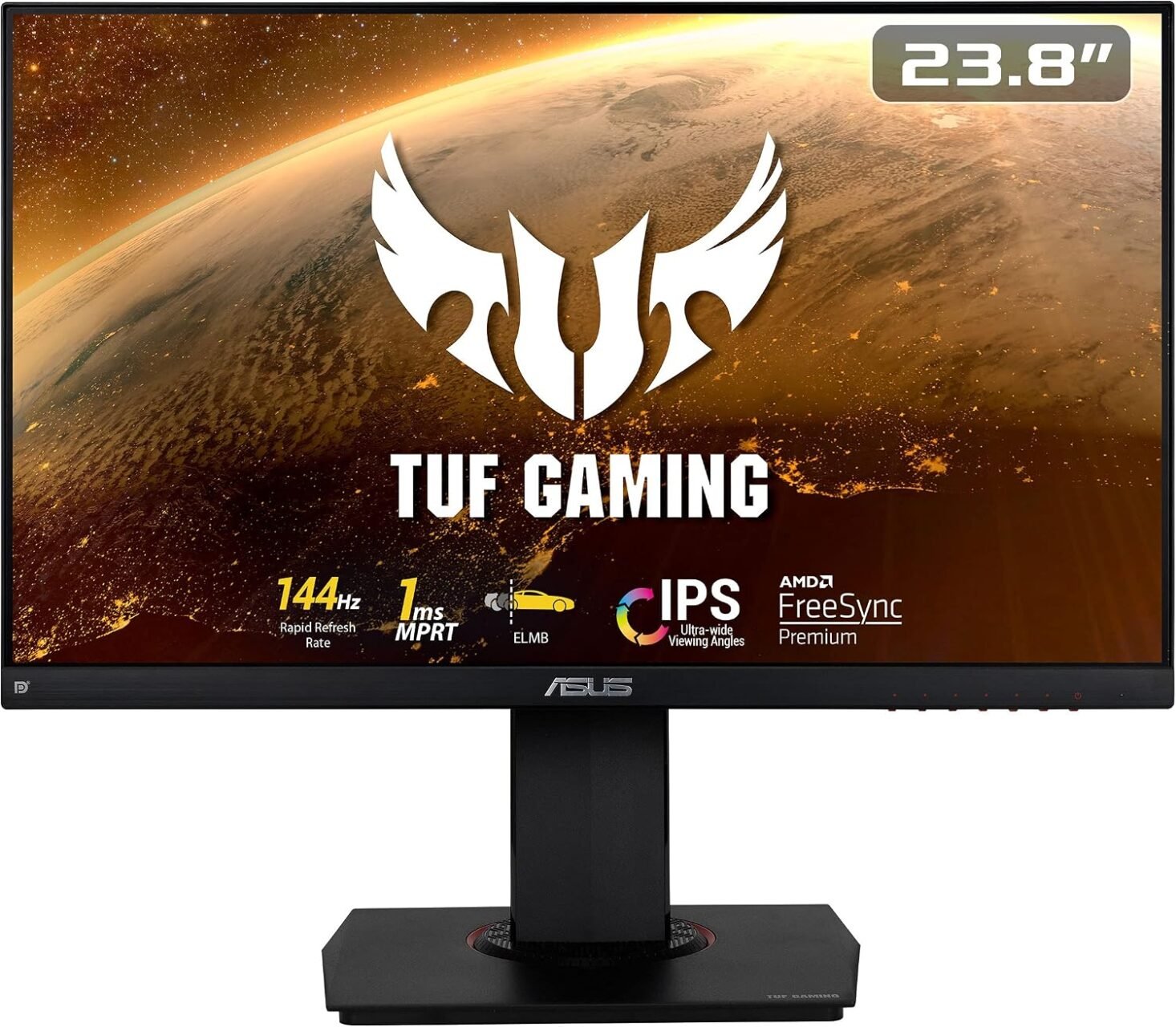
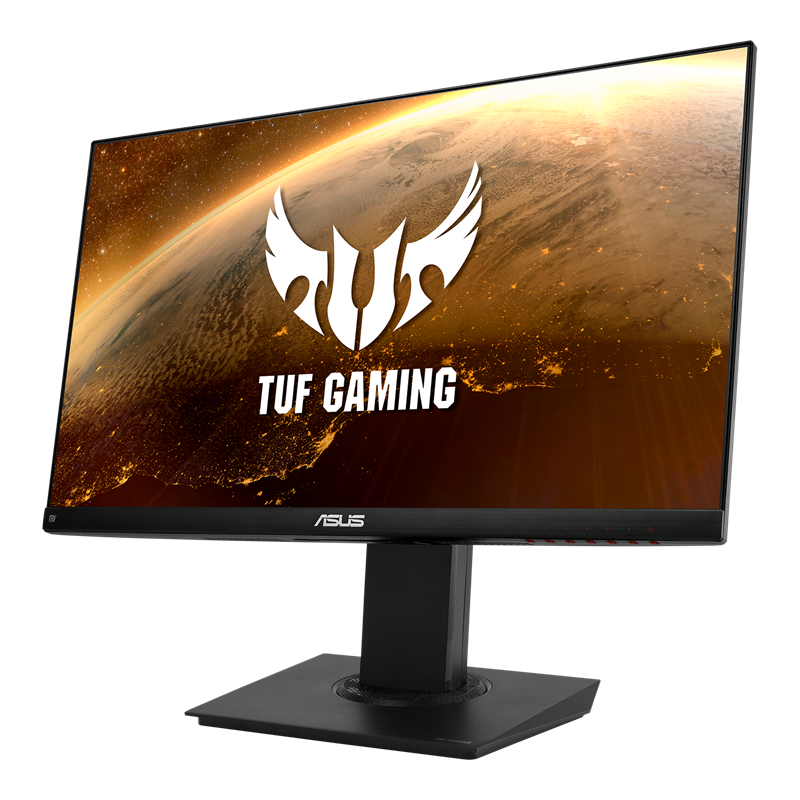
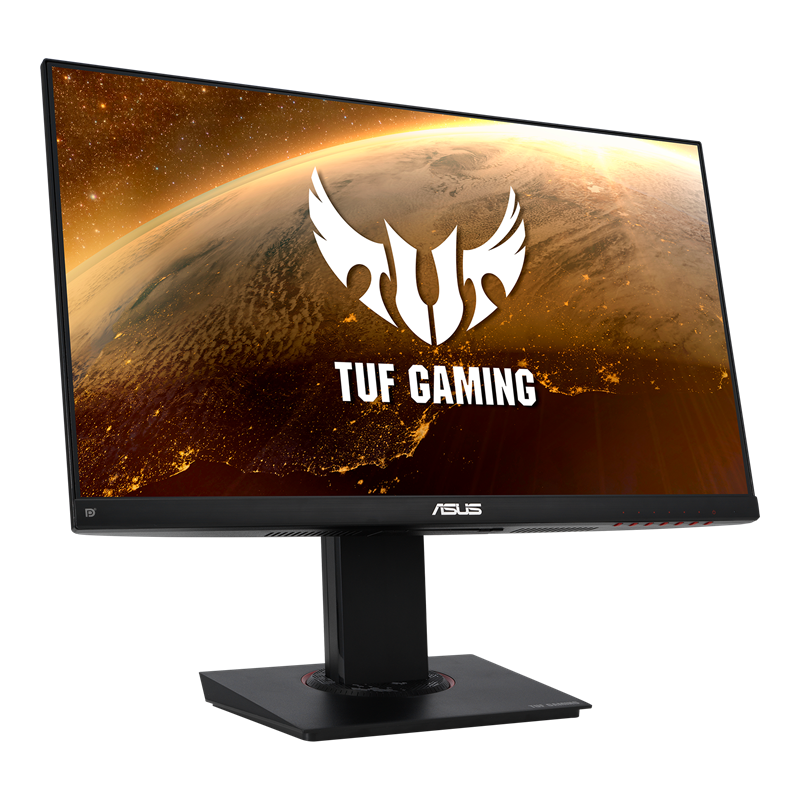
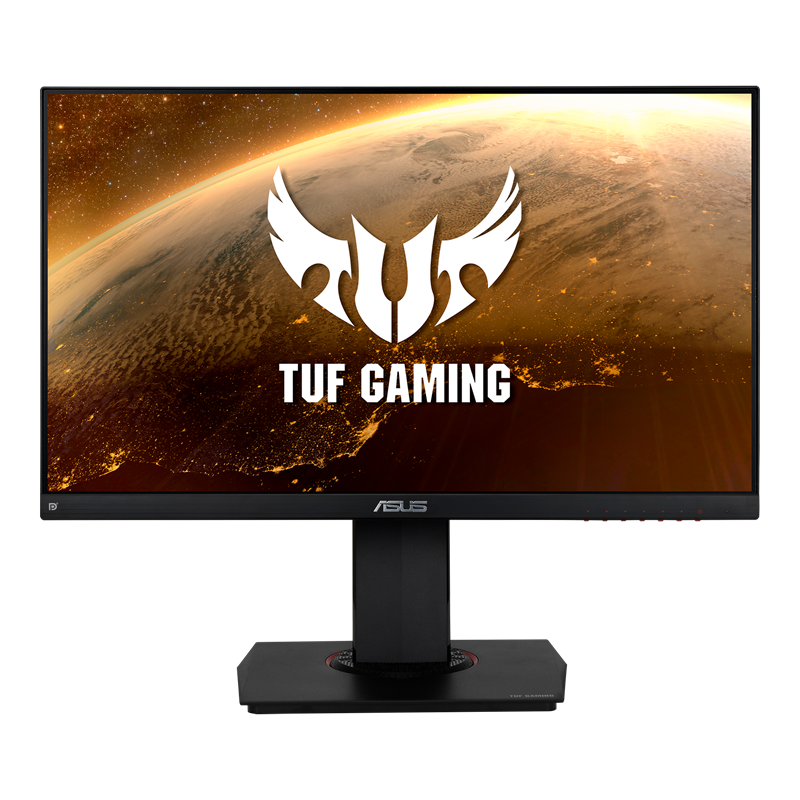
The ASUS TUF Gaming VG249Q 23.8-Inch Full HD IPS Gaming Monitor is designed for gamers who want responsive gameplay, clear visuals, and flexible display positioning. Featuring a 1920 × 1080 Full HD resolution, a 144Hz refresh rate, IPS panel technology, and ASUS gaming enhancements, this monitor delivers a strong combination of performance and everyday versatility.
Its high refresh rate makes it suitable for fast-paced games, including first-person shooters, racing titles, sports games, and real-time strategy games. The IPS panel provides wide viewing angles and consistent colour reproduction, while Adaptive-Sync technology helps reduce screen tearing and stuttering when used with compatible graphics hardware.
Beyond gaming, the ASUS TUF Gaming VG249Q is also suitable for everyday computing, online learning, browsing, and multimedia entertainment. Its ergonomic stand, built-in stereo speakers, and multiple connectivity options make it a versatile choice for a gaming desk or home workstation.
The ASUS TUF Gaming VG249Q features a 23.8-inch IPS display with a resolution of 1920 × 1080 pixels. This Full HD resolution provides a practical balance between image clarity and gaming performance.
The screen size is well suited to desktop gaming because it provides a comfortable viewing area without taking up excessive desk space. Full HD is also a common resolution for gaming PCs, making it easier for a wide range of systems to deliver high frame rates.
The IPS panel supports 178-degree horizontal and vertical viewing angles, helping maintain consistent-looking colours when viewing the screen from different positions. With 100% sRGB colour-space coverage specified by ASUS, the monitor is suitable for gaming, streaming, browsing, and general multimedia use.
One of the main attractions of the VG249Q is its 144Hz refresh rate. A 144Hz display can refresh the image up to 144 times per second, compared with 60 times per second on a standard 60Hz monitor.
This allows compatible games to appear smoother, particularly when displaying fast movement. Players can benefit from clearer motion during quick camera turns, rapid character movement, and competitive gameplay.
To experience the full 144Hz refresh rate, the connected computer or console setup must support the appropriate output resolution and refresh rate. The graphics system also needs to produce sufficient frame rates to take full advantage of the display.
The ASUS TUF Gaming VG249Q specifies a 1ms Moving Picture Response Time (MPRT) using its motion-blur reduction technology. This feature is designed to improve perceived motion clarity during fast-moving scenes.
ASUS Extreme Low Motion Blur (ELMB) technology helps reduce visible motion blur, making moving objects appear clearer in supported gaming situations.
It is important to distinguish MPRT from the traditional grey-to-grey pixel response time. ASUS lists a 4ms grey-to-grey response time in the monitor’s documentation, while the 1ms MPRT figure relates to motion-picture response performance.
Together with the 144Hz refresh rate, these features make the monitor suitable for users who prioritise responsiveness and clear motion.
Screen tearing can occur when the monitor’s refresh cycle and the graphics card’s frame output are not synchronised. The VG249Q supports Adaptive-Sync technology and AMD FreeSync, helping coordinate display refreshes with compatible graphics hardware.
This can reduce screen tearing and stuttering when frame rates fluctuate during gameplay.
The monitor’s variable refresh rate capabilities can be particularly useful in demanding games where the frame rate changes according to the scene. Compatibility and supported operating ranges depend on the connected graphics card, connection type, drivers, and settings.
The VG249Q includes ASUS gaming tools designed to provide additional control and convenience.
GamePlus provides on-screen gaming aids such as crosshair overlays, timers, an FPS counter, and display-alignment tools. These functions can be useful for configuring a gaming setup and monitoring performance information.
GameVisual offers selectable display presets for different types of content and gaming scenarios. Users can adjust the visual presentation according to their preferences rather than relying on one fixed display mode.
The monitor also includes Shadow Boost, which helps reveal details in darker areas of supported game scenes without excessively brightening brighter regions.
The ASUS TUF Gaming VG249Q provides several inputs for connecting compatible computers and other video sources.
Its main connections include:
These options make the monitor adaptable to different desktop setups. For gaming PCs, DisplayPort is often a convenient option for configuring the display at its maximum supported refresh rate. Users should confirm the capabilities of their graphics card, cable, and selected input before configuring 144Hz operation.
The VG249Q includes two built-in 2W speakers, providing basic audio output without requiring separate desktop speakers.
These speakers can be useful for everyday tasks, system sounds, online meetings, and casual multimedia playback. Gamers who want stronger bass, greater volume, or more immersive directional audio may prefer a dedicated headset or external speaker system.
Having built-in speakers is nevertheless a convenient addition for users who want to keep their desk setup simple.
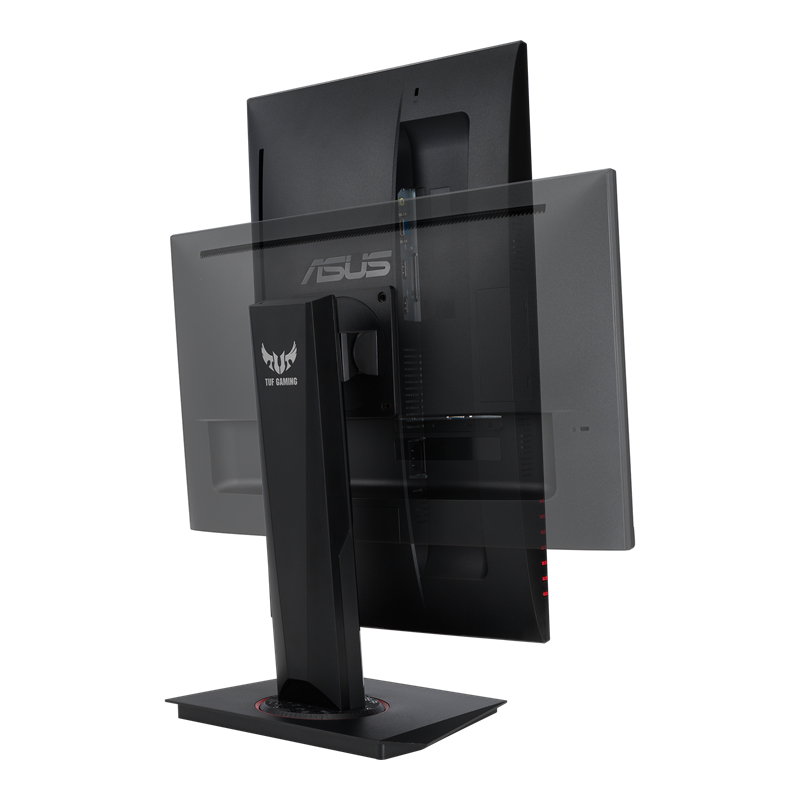
A comfortable gaming setup depends on more than refresh rate and response time. The VG249Q features an ergonomic stand with several adjustments to help users position the screen.
The stand supports:
These adjustments make it easier to align the display with the user’s seating position and desk layout. Portrait orientation may also be useful for reading documents, coding, or browsing long pages.
The monitor supports 100 × 100mm VESA mounting, allowing installation on compatible monitor arms or wall mounts.
The monitor includes flicker-free technology and low-blue-light settings. These features are intended to support a more comfortable viewing experience during extended computer sessions.
The anti-glare screen surface helps minimise distracting reflections from surrounding lighting, while the adjustable stand allows users to position the display to suit their environment.
For comfortable use, it is also helpful to adjust brightness to the room, maintain an appropriate viewing distance, and take regular breaks.
Choosing a gaming monitor involves balancing refresh rate, resolution, response performance, connectivity, and ergonomics. The ASUS TUF Gaming VG249Q brings these features together in a compact Full HD display.
The 144Hz refresh rate provides smoother motion than conventional 60Hz displays when the system can deliver the necessary frame rates. Combined with Adaptive-Sync and ELMB technology, this makes the monitor a useful option for fast-paced games where visual responsiveness matters.
The IPS panel and Full HD resolution provide a practical display for gaming and general computer use. Its wide viewing angles and stated 100% sRGB coverage support consistent-looking colours across a range of content.
GamePlus, GameVisual, and Shadow Boost give users additional display controls without requiring separate software for every adjustment. These features allow users to customise the screen’s presentation to suit different games and preferences.
The 23.8-inch size is suitable for desks with limited space, while HDMI, DisplayPort, and VGA inputs offer flexibility across compatible systems. The built-in speakers also reduce the need for additional audio equipment for basic use.
Height, tilt, swivel, and pivot adjustments make the monitor easier to position for gaming, studying, and everyday productivity. VESA mounting adds further flexibility for users who prefer a monitor arm.
The ASUS TUF Gaming VG249Q may be a good fit for:
Those who require 1440p or 4K resolution, USB-C connectivity, or a refresh rate higher than 144Hz should compare the VG249Q with alternative models designed for those needs.
Before purchasing the ASUS TUF Gaming VG249Q, confirm that your computer or gaming system supports 1920 × 1080 output at 144Hz through the selected connection. A compatible graphics card, appropriate cable, and correct display settings are necessary to achieve the monitor’s maximum refresh rate.
The monitor’s adaptive-refresh capabilities also depend on graphics hardware and configuration. Users should check the compatibility of their specific system rather than assuming every device will support every feature.
For desk installation, ensure that there is enough room for the stand’s height and swivel adjustments. If you plan to use a monitor arm, verify that it supports the monitor’s weight and 100 × 100mm VESA mounting pattern.
The ASUS TUF Gaming VG249Q 23.8-Inch Full HD IPS Gaming Monitor offers a practical combination of a 144Hz refresh rate, IPS image quality, Adaptive-Sync, and gaming-focused display enhancements. Its 1ms MPRT motion-blur specification, GamePlus tools, Shadow Boost, and ergonomic stand make it a capable option for a range of gaming setups.
The monitor also works well for everyday computing, browsing, online learning, and multimedia entertainment. Its built-in speakers and multiple input options add convenience, while its compact size makes it suitable for many desktop environments.
For users seeking a responsive Full HD gaming display with useful adjustment options, the ASUS TUF Gaming VG249Q is worth considering. Its main limitations are its 1080p resolution and 144Hz ceiling, which may be less appealing to users who prioritise higher-resolution gaming or faster refresh rates.
Overall, the ASUS TUF Gaming VG249Q combines gaming performance, practical connectivity, and ergonomic flexibility in a versatile 23.8-inch monitor.
No account yet?
Create an Account







 ASUS
ASUS






