






 Laptop Computers
 Desktop Computers
 Printers
 Network
 Software
 Laptop Accessories
 Laptop Components
 Office
 Desktop peripherals

Hurry and get discounts on all Apple devices up to 20%
Sale_coupon_15
KSh28,000.00 excl. VAT
Payment Methods:

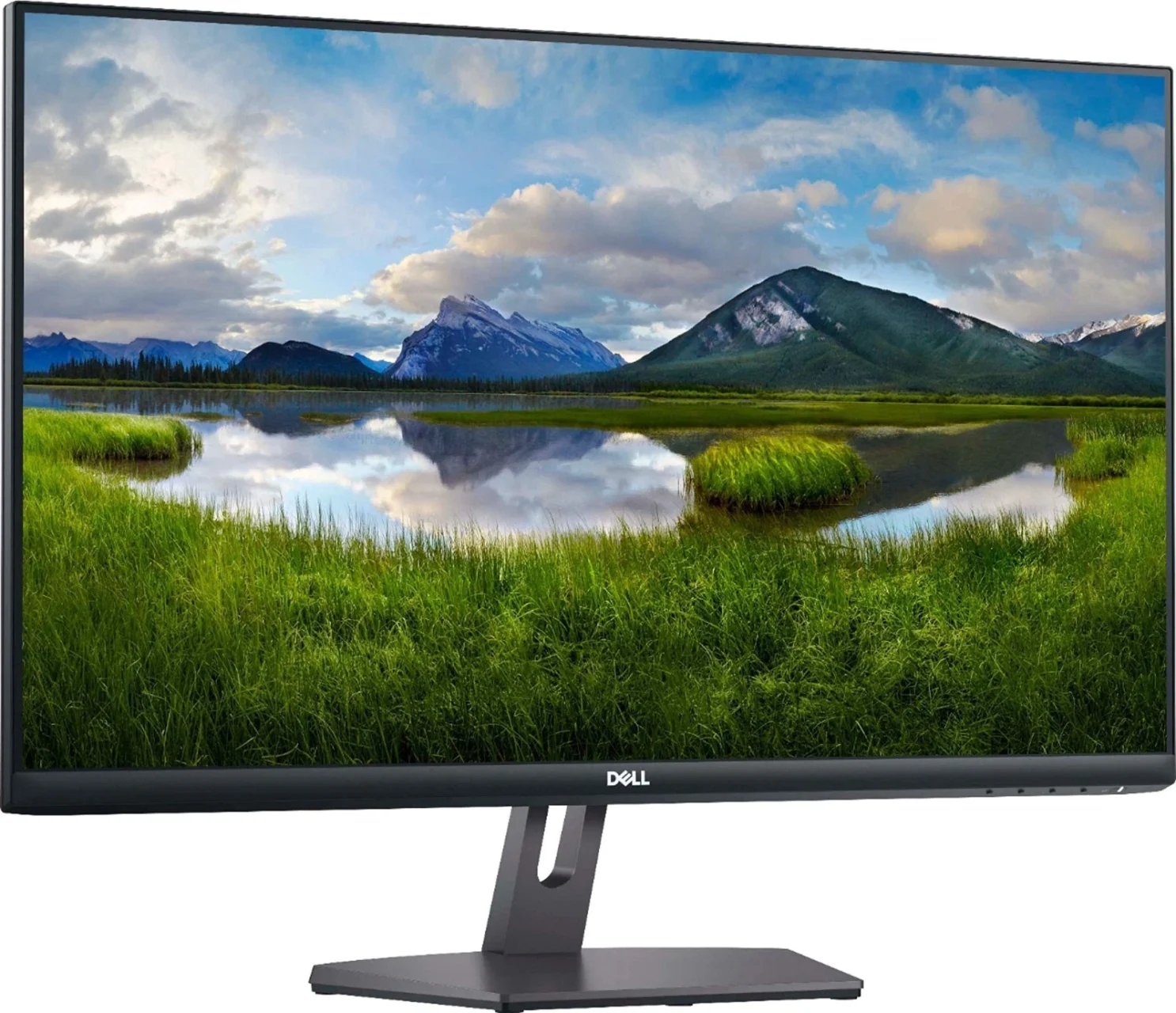
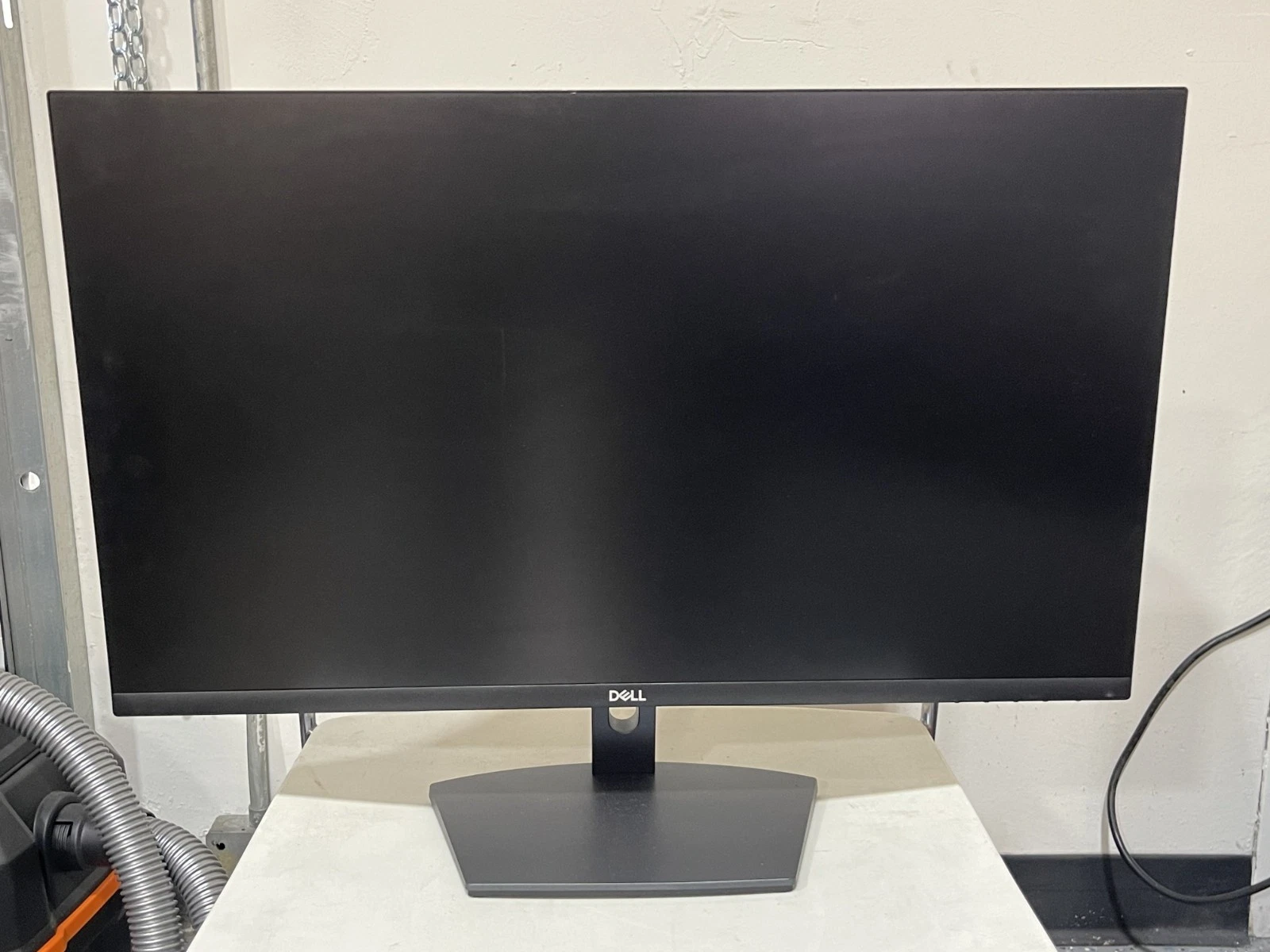
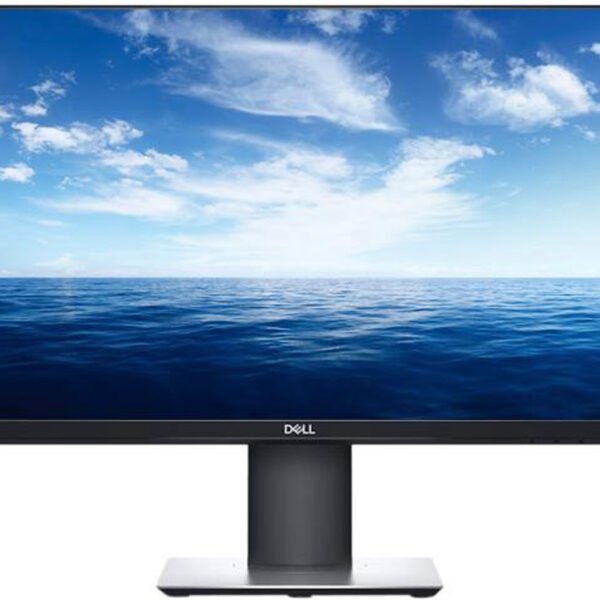
The Dell S2721NX 27-Inch IPS LED Monitor is a stylish and practical display designed for everyday computing, office productivity, entertainment, and home use. With a 27-inch Full HD screen, IPS panel technology, a 75Hz refresh rate, and a slim three-sided bezel design, this monitor combines a spacious viewing area with a modern appearance.
Whether you are equipping an office, upgrading a home workstation, attending online meetings, managing spreadsheets, or enjoying movies and casual gaming, the Dell S2721NX offers features suited to a wide range of everyday activities.
Its dual HDMI ports make it convenient to connect compatible devices, while AMD FreeSync support helps provide smoother visuals in supported applications and games. The anti-glare display, ComfortView technology, and wide viewing angles further contribute to a comfortable and versatile viewing experience.
The Dell S2721NX features a 27-inch screen with a Full HD resolution of 1920 × 1080 pixels. Its 16:9 widescreen format provides ample viewing space for documents, web pages, presentations, spreadsheets, and multimedia content.
The larger screen is useful for users who want more room to organise application windows and view information without relying entirely on a smaller laptop display. It is suitable for office work, online learning, video streaming, browsing, and general home computing.
With a pixel density of approximately 81 pixels per inch, the display is well suited to routine productivity and entertainment. However, users who require especially sharp text or detailed creative work may prefer a 27-inch QHD monitor with a higher resolution.
The monitor uses In-Plane Switching (IPS) technology to provide wide 178-degree horizontal and vertical viewing angles. This helps maintain consistent-looking colours and images when viewing the screen from different positions.
IPS technology is beneficial when sharing content with colleagues, reviewing presentations, or watching videos with others. It also provides a dependable visual experience for everyday productivity applications.
The S2721NX supports 16.7 million colours and a stated 72% NTSC colour gamut, making it suitable for general office work, online content, and casual photo viewing. Professionals who need highly accurate colour reproduction for advanced design or photography should consider a display intended for colour-critical workflows.
The Dell S2721NX supports a refresh rate of up to 75Hz, providing a modest improvement in motion smoothness compared with a conventional 60Hz display when the computer is configured to output at 75Hz.
Scrolling through documents, moving windows, browsing websites, and watching supported video content can feel responsive. The monitor also supports AMD FreeSync, which can synchronise the display’s refresh rate with a compatible graphics system to reduce screen tearing in supported applications.
Its refresh rate and response-time options make it suitable for casual gaming and everyday entertainment. It is not designed to compete with dedicated gaming monitors that offer substantially higher refresh rates.
The S2721NX features a contemporary design with slim bezels on three sides. This gives the display a clean appearance and helps minimise visual distractions around the screen.
The narrow bezels are particularly useful for multi-monitor setups because they reduce the apparent gap between adjacent displays. Users can arrange applications across two screens for additional workspace, provided their computer supports the required display outputs.
Its understated finish makes the monitor suitable for offices, reception areas, study spaces, and home entertainment setups.
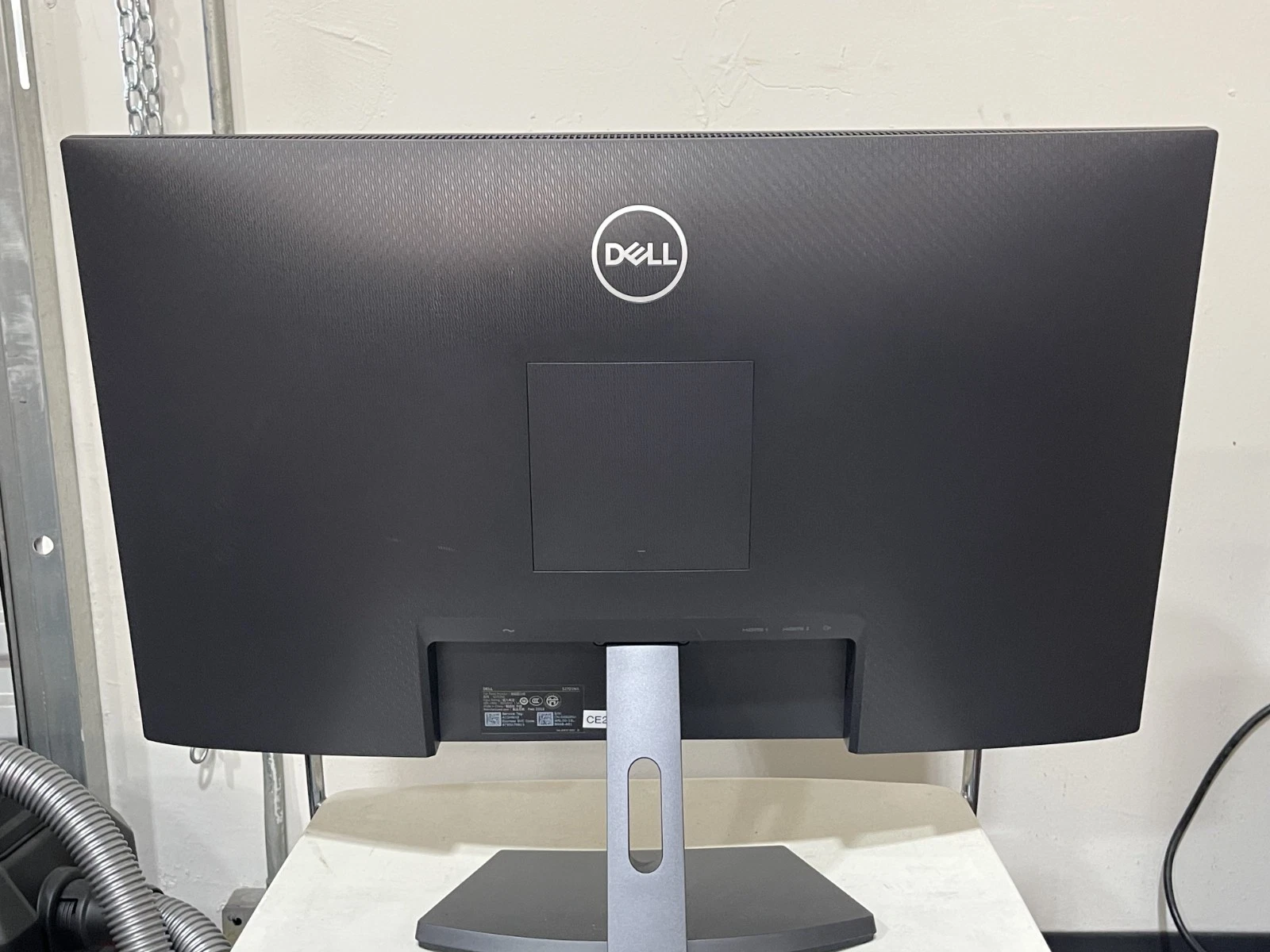
The Dell S2721NX includes two HDMI 1.4 ports, allowing compatible devices to remain connected without repeatedly unplugging cables. For example, users can connect a desktop computer and a second HDMI-equipped device, then switch between the available inputs as needed.
The monitor also includes a 3.5mm audio line-out connection for compatible external audio equipment.
These connections make it suitable for a variety of everyday setups, including desktop computers, compatible laptops, and entertainment devices. Users should check their computer’s video outputs before purchasing, especially if they require DisplayPort or USB-C connectivity.
Dell’s ComfortView technology is designed to reduce blue-light emissions, while the anti-glare screen coating helps minimise distracting reflections from surrounding light sources.
These features can be useful in offices, study areas, and home workspaces where users spend considerable time reading text or viewing digital content.
The monitor also uses LED backlighting. Although display comfort varies from person to person, adjusting brightness to suit the room, positioning the screen appropriately, and taking regular breaks can help support comfortable viewing.
The monitor offers tilt adjustment from approximately -5 to +21 degrees and swivel functionality to help users position the display for their workspace.
These adjustments make it easier to direct the screen towards the user’s seating position and reduce unwanted reflections. The monitor can also be considered for compatible VESA mounting arrangements, allowing users to explore alternative desk configurations.
The stand does not provide a height-adjustment function, so users who need precise vertical positioning may wish to consider a compatible monitor arm or riser.
Selecting monitors for an organisation requires balancing productivity, screen size, connectivity, workspace requirements, and overall cost. The Dell S2721NX offers several features that make it worth considering for everyday business environments.
The 27-inch Full HD screen provides a practical workspace for spreadsheets, business documents, email, web applications, presentations, and video meetings. Employees can view more information at once than on many smaller displays, depending on their applications and screen settings.
It is suitable for administrative departments, customer service teams, reception desks, and general office workstations.
The two HDMI ports allow compatible devices to stay connected simultaneously. This can be helpful in workspaces where users alternate between a desktop computer and another HDMI-equipped device.
For organisations with specific docking or connectivity requirements, it is important to confirm that the available ports match the existing IT equipment.
The slim three-sided bezels and modern design suit corporate offices, shared workspaces, and home offices. They can also help create a consistent appearance when several monitors are installed across a department.
Tilt and swivel adjustments allow users to position the display according to their desks and seating arrangements. For workplaces that require additional height adjustment, compatible monitor arms or risers can provide further flexibility.
The IPS panel, anti-glare coating, ComfortView technology, and 75Hz refresh rate make the monitor a practical option for standard productivity and general multimedia use.
Organisations should compare the S2721NX with newer displays before placing large orders, particularly if they require USB-C docking, built-in speakers, height-adjustable stands, or higher resolutions.
The Dell S2721NX is worth considering for several types of users.
Users who need a higher pixel density, advanced colour accuracy, extensive connectivity, or a height-adjustable stand should compare the monitor with alternatives that provide those features.
Before purchasing the Dell S2721NX, check that your computer has an available HDMI output or a compatible adapter. The monitor provides two HDMI 1.4 ports but does not offer native USB-C video input, DisplayPort, or an integrated USB hub.
The display does not list built-in speakers, so users who need sound should plan to use compatible external speakers, headphones, or another audio solution. The 3.5mm audio output supports compatible audio connections but does not replace a built-in speaker system.
For organisations, checking warranty coverage, supplier availability, included cables, and mounting requirements is also advisable. These details can affect the total cost of deploying multiple displays.
The Dell S2721NX 27-Inch Full HD IPS LED Monitor combines a spacious 1920 × 1080 display, IPS viewing angles, a 75Hz refresh rate, AMD FreeSync support, dual HDMI ports, and a modern slim-bezel design.
It is a practical option for everyday office productivity, home computing, education, and casual entertainment. Features such as ComfortView, the anti-glare screen, and adjustable tilt and swivel add useful flexibility to a range of desktop environments.
For organisations seeking a straightforward monitor for standard office applications, the S2721NX is worth evaluating. Its main limitations are the Full HD resolution at 27 inches, lack of USB-C and DisplayPort connectivity, and the absence of a height-adjustable stand and built-in speakers.
Overall, the Dell S2721NX is a capable everyday display for users who value a large screen, straightforward HDMI connectivity, and a clean, modern design.
No account yet?
Create an Account







 ASUS
ASUS






