






 Laptop Computers
 Desktop Computers
 Printers
 Network
 Software
 Laptop Accessories
 Laptop Components
 Office
 Desktop peripherals


Hurry and get discounts on all Apple devices up to 20%
Sale_coupon_15
KSh27,000.00 excl. VAT
Payment Methods:

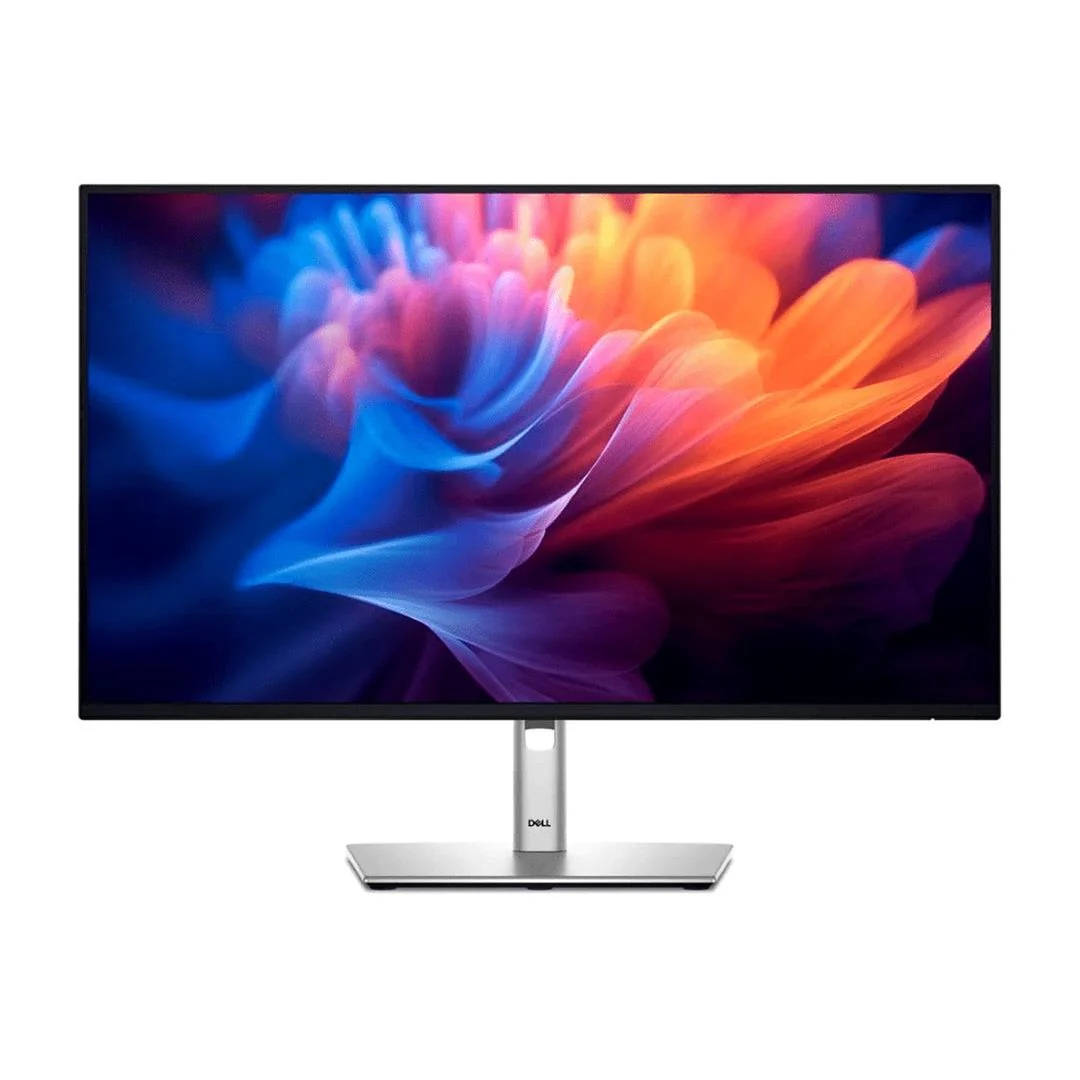
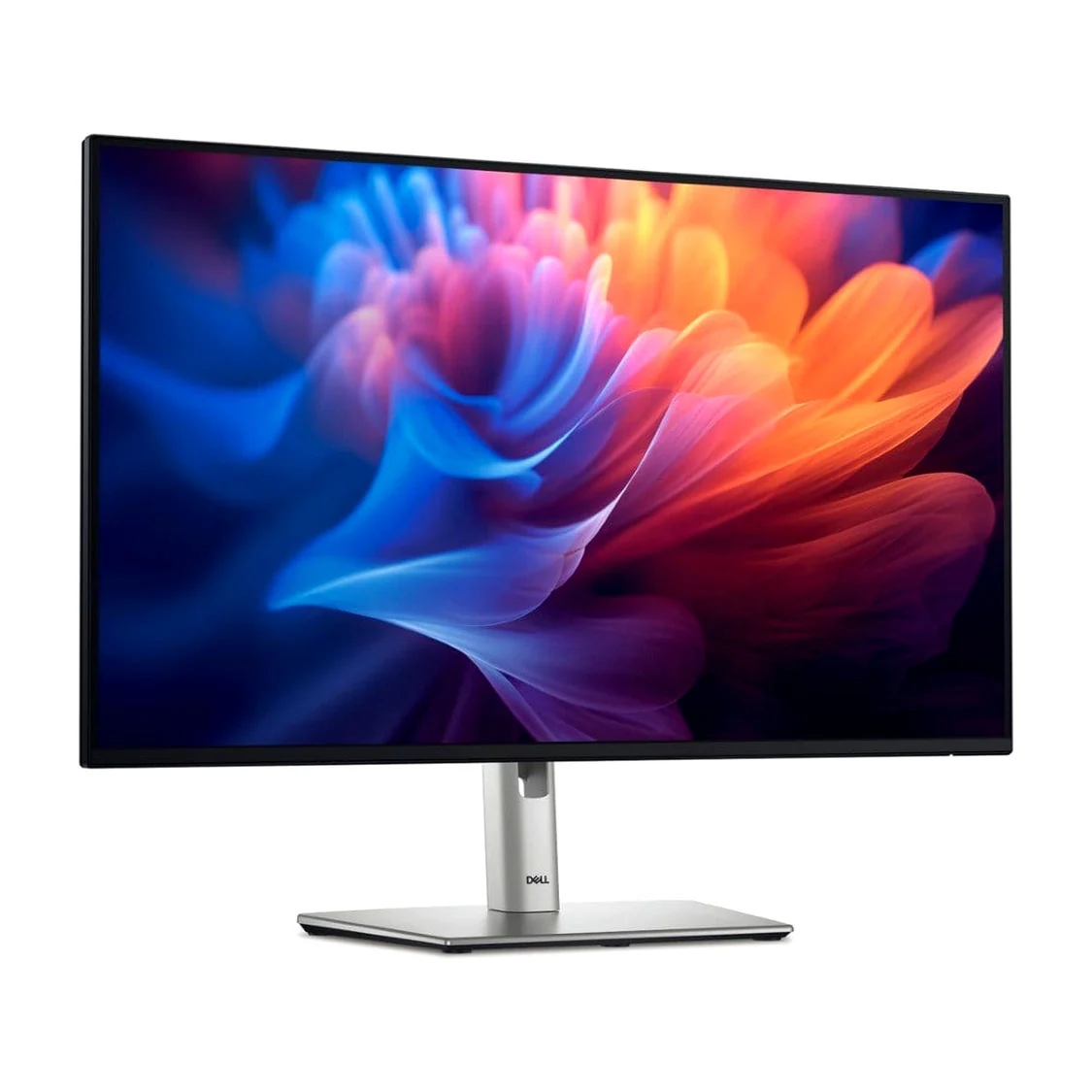
The Dell Pro 27 Plus Monitor P2725H is a 27-inch Full HD business monitor designed for office professionals, organisations, developers, students, and home-office users. It combines an IPS display, a refresh rate of up to 100 Hz, multiple connectivity options, and an ergonomic stand to support comfortable everyday productivity.
With a resolution of 1920 × 1080 pixels, the P2725H provides a widescreen workspace for documents, spreadsheets, presentations, email, and business applications. Its anti-glare screen, 99% sRGB colour coverage, and TÜV-certified 4-star eye comfort features make it a practical choice for workplaces where users spend extended periods working at a computer.
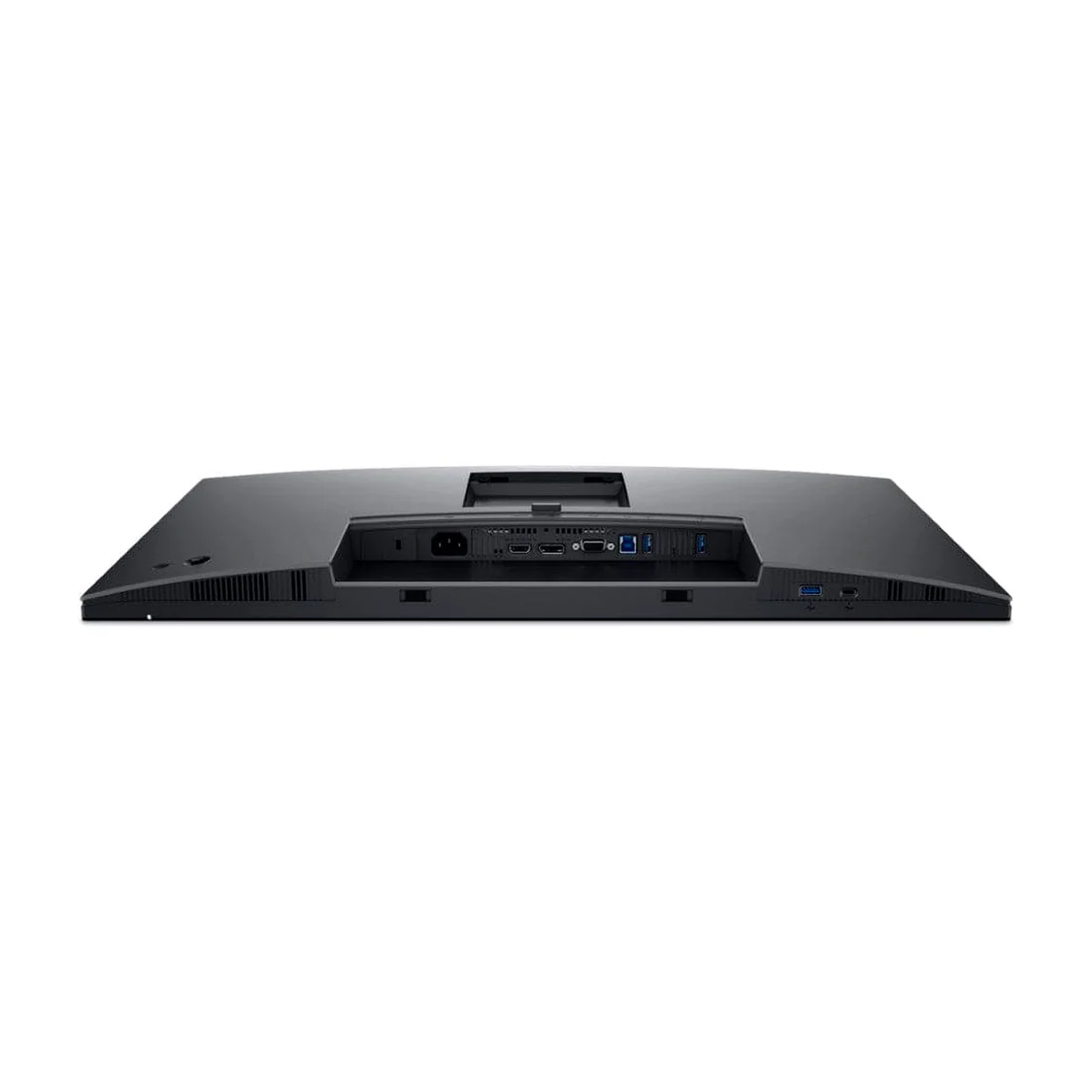
The monitor also includes HDMI, DisplayPort, VGA, and USB connectivity, providing flexibility for different computer configurations and office environments.
The Dell Pro P2725H features a 27-inch screen with a native Full HD resolution of 1920 × 1080 pixels. Its 16:9 widescreen format is suitable for routine office tasks, including document editing, online research, spreadsheets, presentations, and video meetings.
The large screen provides a broad viewing area for everyday work. However, because the display uses Full HD resolution across 27 inches, text and fine details are less densely packed than on a 27-inch QHD monitor.
The monitor uses In-Plane Switching (IPS) technology to provide wide viewing angles of up to 178 degrees horizontally and vertically.
This helps maintain consistent image appearance when viewing the screen from different positions. It is useful in collaborative office settings where colleagues may need to review information together.
The IPS panel also supports consistent colour reproduction for business applications, general media viewing, and routine content creation.
One of the notable features of the Dell Pro P2725H is its refresh rate of up to 100 Hz. Compared with a traditional 60 Hz office monitor, the higher refresh rate can make scrolling, cursor movement, window transitions, and supported video playback appear smoother.
This feature benefits users who regularly move between documents, browser tabs, spreadsheets, and multiple desktop applications.
The monitor is primarily designed for productivity rather than competitive gaming, but its 100 Hz refresh rate provides a responsive experience for general desktop use.
The P2725H has a typical brightness of 300 cd/m² and a typical contrast ratio of 1500:1. It supports up to 16.7 million colours and covers 99% of the sRGB colour space.
These specifications make it suitable for everyday office work, web content, presentations, and general image viewing. The anti-glare screen coating also helps minimise reflections from indoor lighting.
For colour-critical professional work, such as advanced photography or print production, users should consider their colour-accuracy requirements and whether a specialised display would be more appropriate.
The Dell Pro P2725H offers several connections for computers and compatible peripherals:
HDMI and DisplayPort are useful for modern computers, while VGA can support certain older systems. The USB hub provides convenient access to compatible peripherals when the monitor is connected to the computer through its USB upstream connection.
Important: The USB-C port is a downstream data connection, not a USB-C video input for a laptop. It provides up to 15 W of power delivery and should not be confused with the higher-wattage USB-C docking connections available on some other monitors.
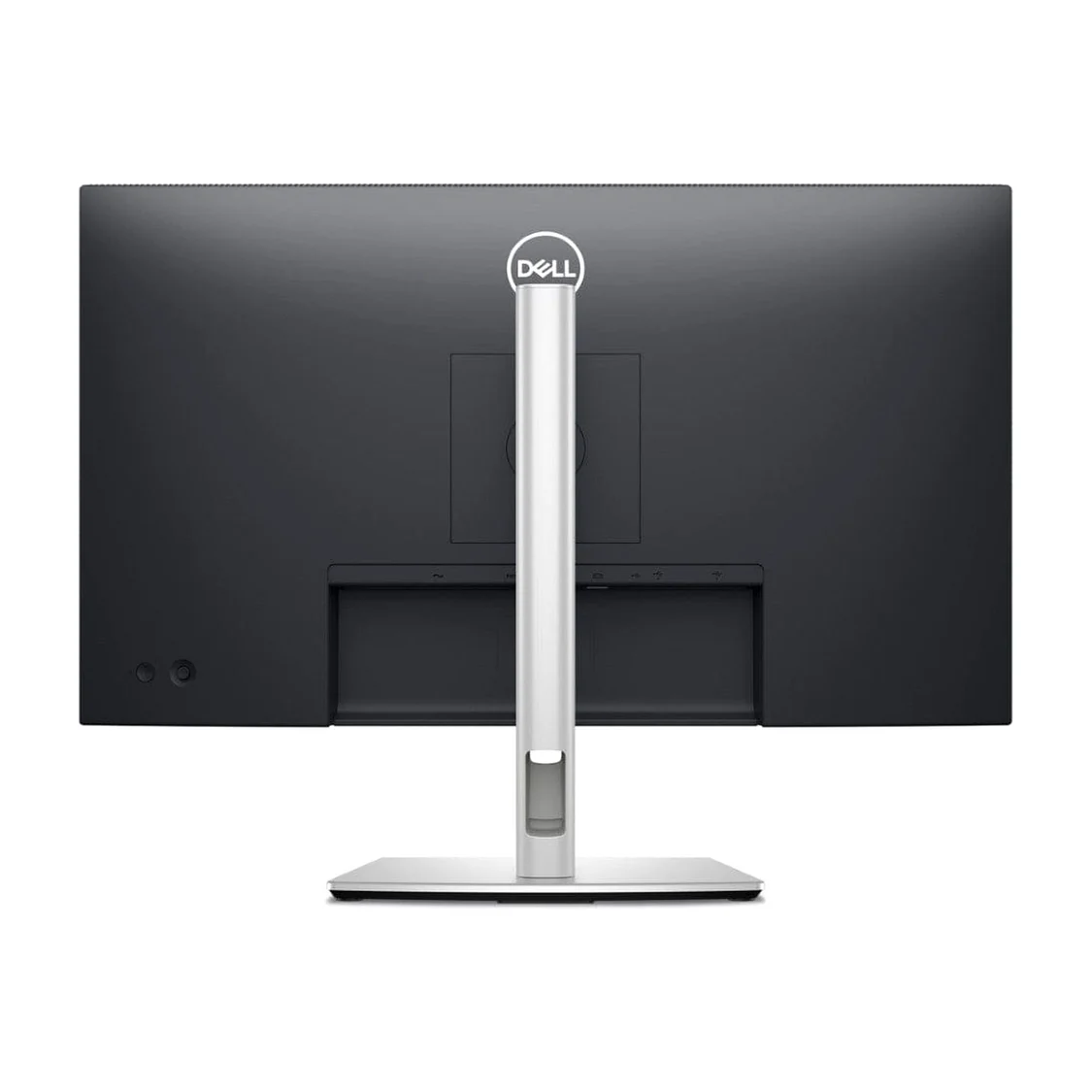
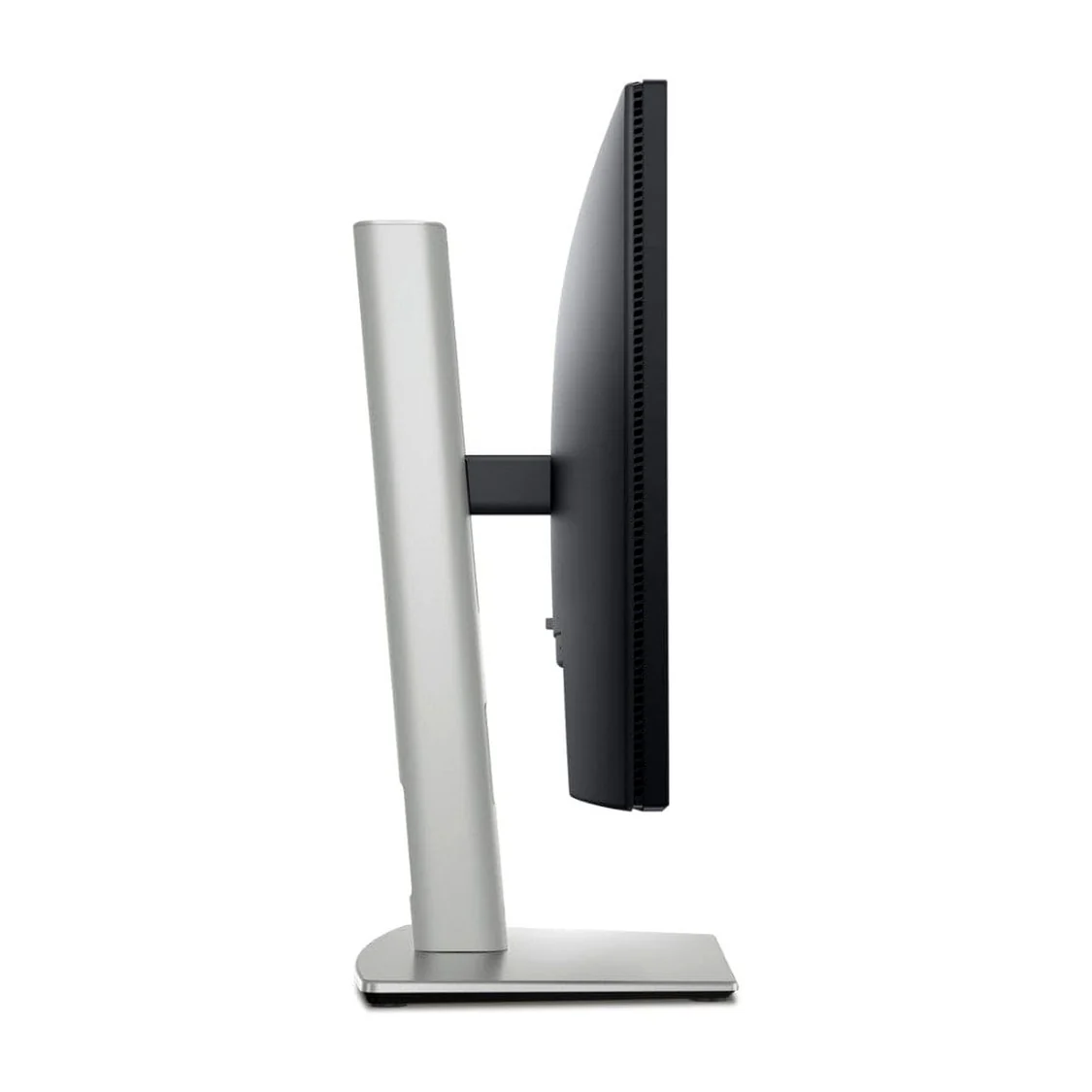
The monitor’s stand supports height, tilt, swivel, and pivot adjustments, allowing users to position the display to suit their workspace.
The stand offers up to 150 mm of height adjustment, tilt from approximately -5 to +21 degrees, swivel adjustment of approximately 45 degrees in either direction, and pivot rotation of up to 90 degrees.
These adjustments can help users maintain a comfortable viewing position and reduce the need to lean forward or look down at the screen. Portrait orientation can also be helpful for reviewing long documents, code, or vertically arranged content.
The Dell Pro P2725H includes a flicker-free display and has a TÜV-certified 4-star eye comfort rating.
Its anti-glare coating helps reduce distracting reflections, while the display’s eye-comfort features are intended to support prolonged everyday use.
Users can further improve comfort by adjusting brightness to match room lighting, positioning the monitor at a suitable distance, and taking regular breaks from screen work.
The 27-inch screen provides a broad workspace for business applications, email, web browsing, documents, and spreadsheets. The 100 Hz refresh rate can also make common desktop interactions feel smoother.
With HDMI, DisplayPort, and VGA inputs, the monitor can connect to a range of compatible computers. Its USB hub provides convenient access to peripherals without requiring every accessory to be connected directly to the computer.
The adjustable stand allows users to customise screen height and orientation. This flexibility is valuable for shared workstations and employees with different seating positions or desk arrangements.
The Full HD resolution, IPS panel, anti-glare screen, and 99% sRGB colour coverage make the monitor suitable for everyday professional applications and general computing.
The combination of multiple video inputs, USB connectivity, ergonomic adjustments, and remote asset management support makes the P2725H a useful option for standardised office deployments.
The Dell Pro P2725H can support software developers, programmers, IT technicians, and other technical professionals who need a dependable display for daily computer work.
Its 27-inch screen provides room for code editors, terminals, browser windows, documentation, and debugging tools. The 100 Hz refresh rate can make scrolling through source code and switching between applications feel smoother.
The IPS panel provides wide viewing angles, while the adjustable stand allows users to position the display comfortably. Its pivot function can also be useful when viewing long source files or technical documentation in portrait orientation.
HDMI and DisplayPort provide straightforward connections to compatible desktop computers and laptops with suitable video outputs. The USB hub can accommodate compatible accessories such as keyboards, mice, and other peripherals.
There is one important consideration for developers: Full HD resolution on a 27-inch screen offers less workspace and lower pixel density than a 27-inch QHD monitor. Developers who regularly work with several windows simultaneously or prioritise especially sharp text may prefer a higher-resolution display.
The Dell Pro P2725H is designed for business productivity and can suit organisations that need practical displays for everyday office operations.
Its 27-inch screen is appropriate for administrative work, customer service, accounting, human resources, education, and general business applications. The 100 Hz refresh rate provides smooth desktop navigation, while the IPS panel and anti-glare coating support comfortable viewing in typical office environments.
The selection of video inputs helps organisations connect computers with different output options, including some older systems that use VGA. The USB hub offers convenient connections for compatible accessories, and the adjustable stand supports more flexible workstation arrangements.
Dell also lists support for remote asset management and compatibility with Dell Display and Peripheral Manager features, including Easy Arrange. These capabilities can be helpful in supported IT environments where workstation layouts and display assets need to be managed consistently.
For procurement teams, the P2725H is a reasonable option for standard office deployments. Before purchasing, organisations should confirm the required resolution, available connections, warranty terms, and compatibility with their existing computers.
The Dell Pro 27 Plus Monitor P2725H is worth considering for:
Users who require a higher pixel density, QHD or 4K resolution, high-wattage laptop charging through USB-C, or advanced colour calibration should compare the P2725H with monitors designed for those needs.
The Dell Pro P2725H supports HDMI, DisplayPort, and VGA video connections. Select a connection that is supported by both the monitor and the computer, and ensure that the computer’s graphics hardware can provide the monitor’s native resolution of 1920 × 1080 at up to 100 Hz.
To install the monitor, attach the stand, position it on a stable desk, connect the power cable, and connect the selected video cable. Use the monitor’s on-screen menu to choose the correct input source when necessary.
To use the integrated USB hub, connect the monitor’s USB Type-B upstream port to a compatible USB port on the computer. USB peripherals can then be connected to the monitor’s downstream ports.
The USB-C downstream port is intended for compatible data and peripheral functions; it does not replace a USB-C video input or provide high-wattage laptop charging.
The stand supports height, tilt, swivel, and pivot adjustments. Alternatively, the monitor can be attached to a compatible 100 × 100 mm VESA mounting solution.
The Dell Pro 27 Plus Monitor P2725H is a 27-inch Full HD IPS monitor built for office productivity, general computing, and professional workstations. Its 100 Hz refresh rate, anti-glare display, 99% sRGB colour coverage, ergonomic stand, and multiple video inputs make it a practical option for everyday business use.
Its USB hub and broad connection options are useful in mixed-computer environments, while its adjustable stand supports more flexible workstation setups. The main consideration is its Full HD resolution, which provides less pixel density than QHD alternatives of the same size.
No account yet?
Create an Account







 ASUS
ASUS






